
The Top 12 Time Management Apps of 2023
Twelve productivity apps that will completely change your life and how you spend your time
There’s no doubt that learning to use your time wisely is one of the most valuable and beneficial skills in our fast-paced world.
But, it’s hard to know exactly where to start when it comes to time management.
There are hundreds of productivity tools, thousands of ‘gurus’ and experts offering wildly varying advice, dozens of different methods and processes.
So, who do you listen to? What do you use?
There’s no clear-cut answer, because, of course, everyone has a different productivity system that works the best for them.
If you want a launch pad to get started, though, I’ve put together a list of twelve valuable time management tools — some free, some paid — , all with different uses, aesthetics, functionalities, and sizes so you find and build your perfect productivity system.
Akiflow
Price: $14.99/month(if paid yearly)
Type: All-in-one calendar blocking and tasks manager
Devices: Desktop app, browser, mobile(beta; only for registered users)
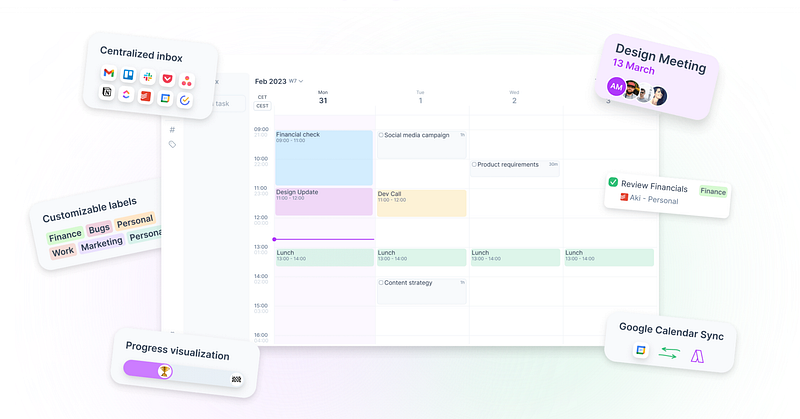
Akiflow is a powerful tool that blends together task and time management.
You can schedule events in color-coded and labeled calendars, and also organize your tasks. A core feature is the ability to transform tasks into calendar blocks, carving out dedicated time for every to-do list item.
Akiflow also has powerful keyboard shortcuts and integrations, making productivity quick and seamless.
Cozi
Price: Free with paid version for $39/year
Type: Family hub, calendar, and manager
Devices: Browser, iOS, Android
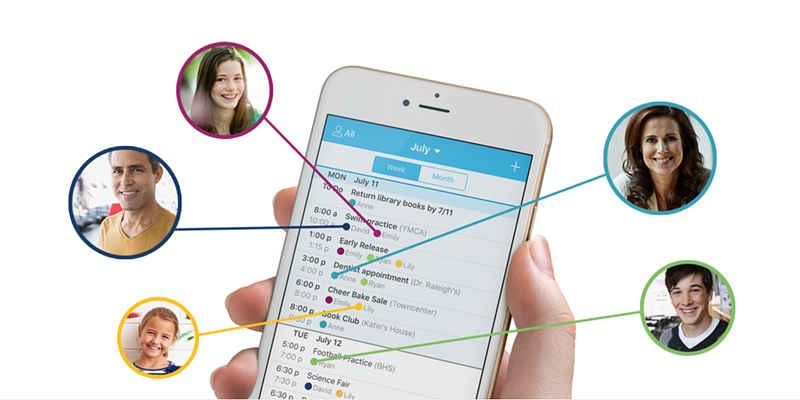
Unlike many of the other softwares on this list, Cozi isn’t built for personal or work use, but for families.
You can add different family members, assign them to different events, add family recipes and shopping lists, etc.
It’s a great option if you’re a parent of a busy family and are looking for one core app that can connect you and your family onto the same page.
TimeBloc
Price: Free with paid version for $20
Type: Simple, aesthetically pleasing tasks and calendar app that prioritizes routines
Devices: Mobile devices
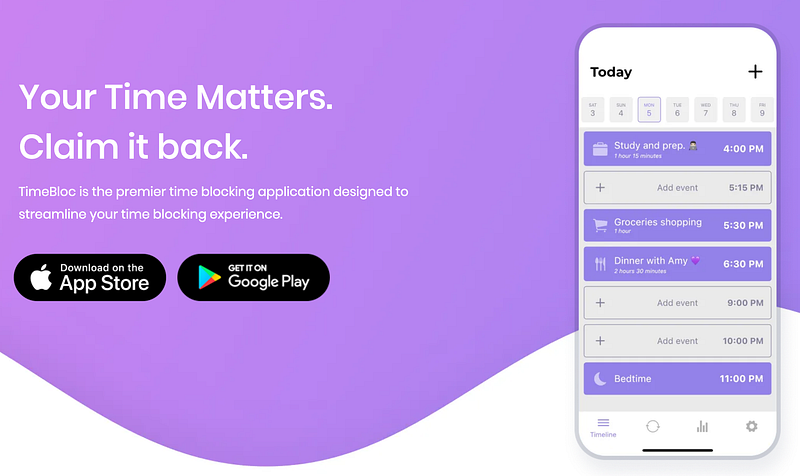
TimeBloc is a simple mobile app with a clean, modern interface that allows you to quickly add events to your calendar.
It’s a lightweight software with a small amount of features, but it’s perfect if you want some extra organization without anything complicated.
It’s categorization, clean interface, and emphasis on routines all make it a simple, handy, and beautiful productivity app.
Routine
Price: Free with paid plans starting at $12/month
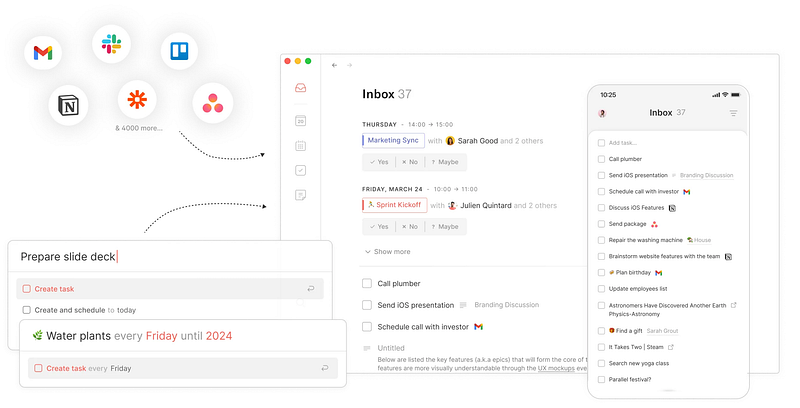
Type: A powerful but simple productivity tool with a calendar, tasks, and notes(aka. Notion + Google Calendar, without the complicated features)
Devices: Web, macOS, Windows, iOS, Android(coming soon as of Dec. 2023)
Routine is pretty much a blend of Notion and Google Calendar — two apps that make up my own entire productivity system.
It has powerful task-to-calendar features, shortcuts that allow you to create tasks in the middle of a meeting, and also Notion-like notes with docs, pages, etc.
Clockwise
Price: Free with paid plans starting at $6.75/month
Type: A productivity tool for work with a built-in AI assistant that can reschedule and organize your calendar across entire teams
Devices: Browser, browser extension
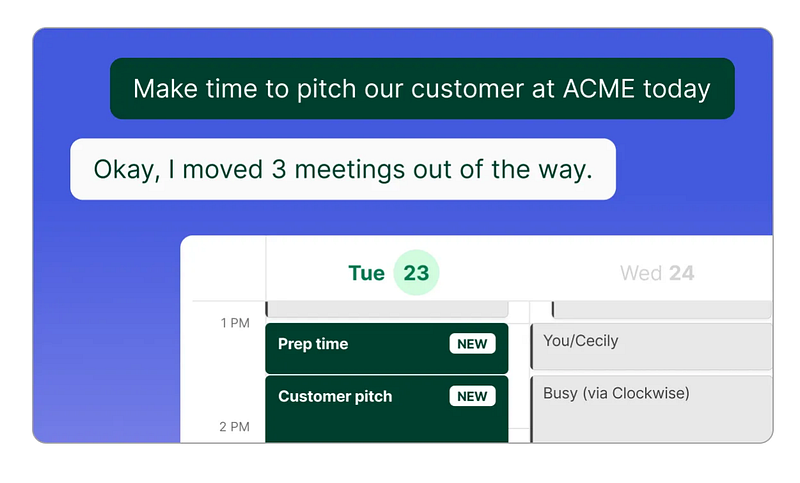
Clockwise is a tool for teams and workspaces that reschedules your meetings and work times in order to optimize time for everyone.
Using meetings marked as ‘flexible’, parameters set by you and your team, and the schedules of your co-workers, it uses AI to move around events in order to streamline everyone’s workflow.
For example, if you need to have a meeting between five busy people in the next two hours, Clockwise, like an assistant, coordinates between all of your schedules, moving things around. and carves time out for your meeting.
Sadly, it’s only available for work accounts, so this isn’t an AI tool you can use on the personal level(but don’t worry, there’s an AI one for personal use on this list).
Sunsama
Price: $16/month(with yearly subscription)
Type: Minimalistic tasks and calendar planner app with an emphasis on work-life balance
Devices: Web browser, desktop app, mobile app
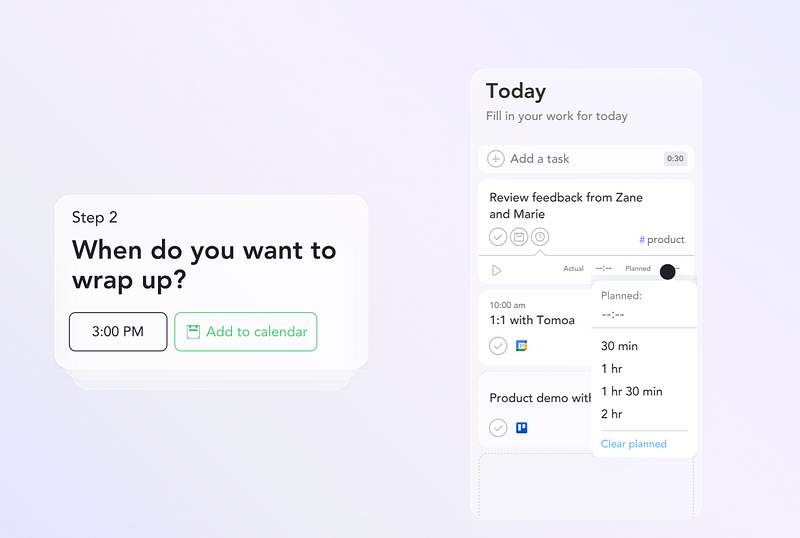
Sunsama is a beautifully-designed mobile app that strives to simplify productivity.
It provides a step-by-step daily planning routine, integrations and automations, and the ability to input your work hours so you have time for yourself at the end of every day.
HourStack
Price: $12/month for personal
Type: A simple but feature-rich calendar and task tool that helps you get projects done
Devices: Web app/browser on all devices
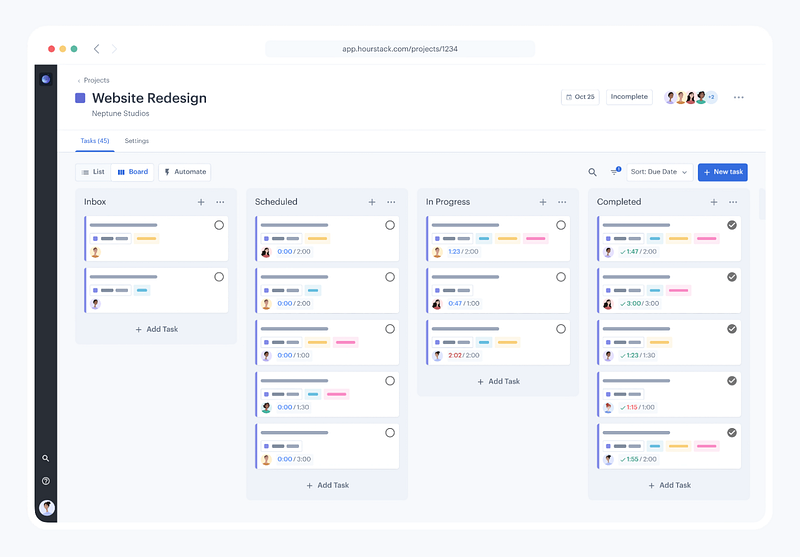
HourStack places an emphasis on the connections between time, tasks, and projects, as well as offering minimal time tracking features to see how much of your time you’re truly spending on different things.
It can be slightly complicated and hard to use in the beginning, but HourStack does have a Help Center with dozens of articles to help you out.
TickTick
Price: Free with Premium plan at $35.99/year
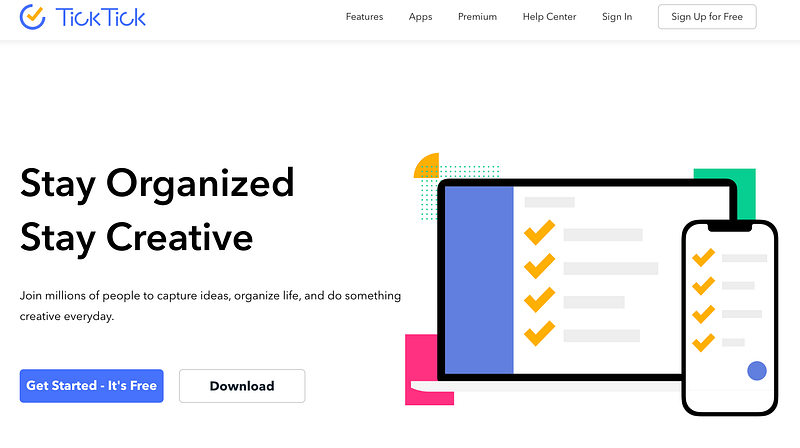
Type: A to-do list app with minimal calendar functionality
Devices: Mac, Android devices, iOS, Apple Watch, Windows, Linux, Web, Chrome Extension, Microsoft Edge Extension, Firefox Extension, Outlook Add-in, Gmail Add-on
This isn’t a pure time management app, but focuses more on the task management part of productivity.
It streamlines to-do lists with features like voice input and the ability to transform emails into tasks, as well as extra features like built in timers, white noise, and even achievements/stats.
Motion
Price: $19 per month for individuals(paid yearly)
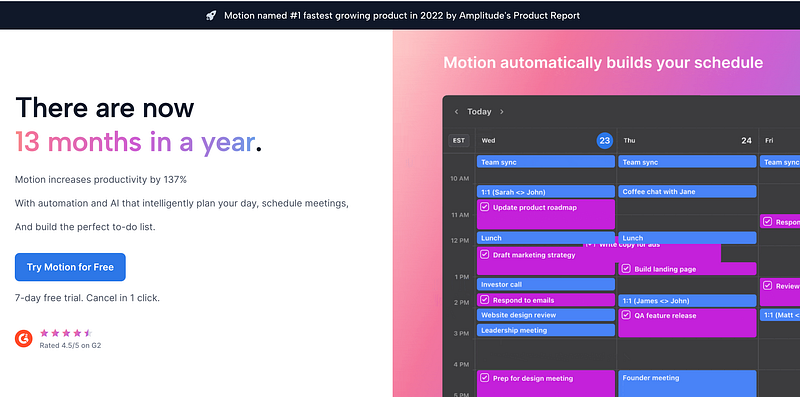
Type: An AI schedule that creates a schedule for you based on your tasks, projects, meetings, etc.
Devices: Web/browser, desktop app on Mac or Windows
Motion’s AI serves as a personal assistant that schedules your calendar for you, optimizing your schedule and making sure you get to your meetings, have blocks of deep focus, and get your tasks done depending on priority.
It helps people who struggle with prioritization by running calculations to ensure what needs to get done gets done, adapting to what you do and don’t finish, and making sure instead of working on managing your time, you’re using your time to work.
Plan

Price: Free with Premium Plan at $4/month
Type: Task, list, and calendar manager app
Devices: Browser, Mac App, iPhone
Plan is a simple and minimalistic app with many extra features, especially for teams.
It’s pretty easy to use right out of the box, with simple drag-and-drop features that allow you to schedule time for your various different tasks.
It also scales to whole teams, managing meetings, projects, etc.
Forest
Price: $4 on iOS, Free on Android with Paid Upgrade for $2
Type: Timer and focus app
Devices: iPhone and Android
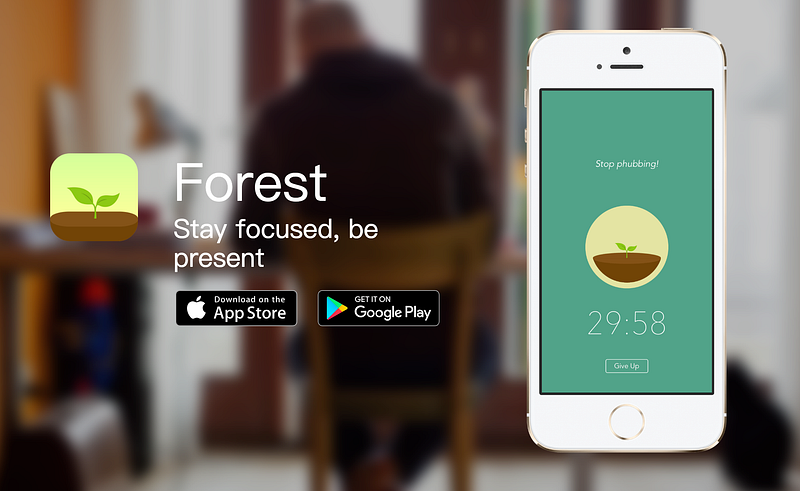
Forest isn’t another calendar or task management software — it’s a simple but motivating mobile app to help keep you focused and on task when you are working.
It works like this: when you start working, you set a timer for yourself and also plant a virtual tree.
You have to keep working on whatever task you’re on until that timer ends.
If you exit the app to use your phone for something else, like texting a friend or scrolling social media, you ‘lose’, and your tree dies.
This provides some extra motivation to keep you off your phone and focused on your work.
In addition, there’s coins, different types of trees and cosmetics, and also the ability to plant trees in the real world to help our planet.
Google Calendar
Price: Free with paid Business/Enterprise plans
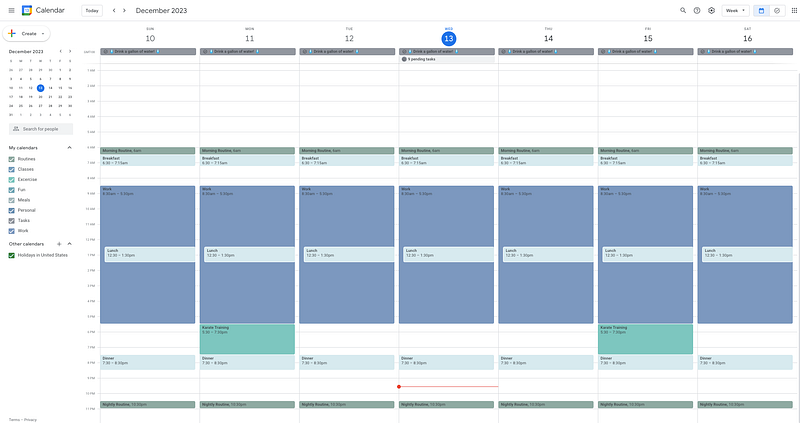
Type: Calendar tool that’s great for time blocking
Devices: Web browser, iOS app, Android app
Google Calendar is the ultimate, original calendar app.
It’s the one I personally use and love to rave about, and has many core functionalities that other productivity apps have attempted to emulate and build off of.
The best thing about Google Calendar is how well-known it is — because it has such a large community, history, and following, there are tons of integrations and resources on it.
It’s simple to use, powerful, and is connected with practically every other app — the perfect place if you’re just getting started.
On the downside, it’s not 100% built for calendar blocking and time management — but the majority of productivity gurus use it because it’s still just so good at it.
Time management is a hard to learn skill, but the right software can make learning it 100 times easier.
If you’re just starting out, I recommend trying out a free calendar app or at least one with a free trial and watching a few getting-started videos/reading some tutorial articles.
Try it out for a week or so, and if it improves your productivity, keep going.
If it doesn’t, try another software — there are hundreds out there, so you’re bound to find one that works best for you, if you just keep looking.