
The Top 10 Rookie Pitfalls We’ve All Tumbled Into
Howdy, web aficionados! Today, let’s go back to the time when I was a young, innocent developer cutting my teeth on JavaScript, enthusiastically writing loops within loops within loops…
Why, you ask?
Well, because we’ve all been there. We’ve all felt the beginner’s blush when our code blows up like an ill-planned chemistry experiment. So, here are the 10 most common (and face-palm inducing) oopsies mistakes junior web developers make.
It’s a joyride, I promise, and perhaps a little nostalgic!
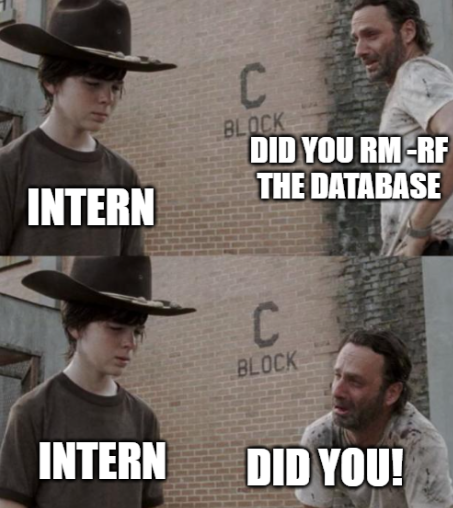
Pitfall 1: The Elusive Semicolons
Let’s begin with a small character that carries a massive punch: the semicolon.
Despite being one of the simplest elements, it’s also incredibly easy to overlook. There was a time when a missing semicolon left me scratching my head for hours, as my code inexplicably refused to work.
Never underestimate the importance of this little punctuation mark!
Pitfall 2: Equality’s Evil Twin
As a novice, I struggled to wrap my head around the difference between == and ===. On a surface level, they look almost identical, but oh, how deceptive appearances can be!
The former does a loose equality check, while the latter ensures strict equality, even checking the type of variable.
Understanding this difference could save you from many a debugging nightmare.
Pitfall 3: The Browser Compatibility Conundrum
Here’s a fun fact: not all browsers are created equal. I learned this lesson the hard way when my ES6 code, which ran like a dream in Chrome, hit a brick wall in Internet Explorer.
Remember to always consider the full gamut of browsers when writing your code!
Pitfall 4: The Git Gaffe
One key lesson I wish I’d learned earlier? The importance of version control.
Git is a lifesaver, a time machine, and an absolute necessity for any web developer. Forget about Git in the early stages, and you might just experience the horror of losing hours of painstakingly written code.
Pitfall 5: Console.log Chaos
console.log is an incredibly useful debugging tool. But in my junior days, I overused it, scattering it all over my code like confetti at a parade.
However, relying too heavily on console.log can make your code messy and impede your understanding of more efficient debugging techniques.
Pitfall 6: The Security Slip
In the excitement of writing code and building applications, it’s easy to overlook security.
We all know that ‘friend’ who forgot to remove their API keys from their code before happily pushing it to GitHub. Spoiler alert: that ‘friend’ might be closer than you think — the struggle is universal, and even the best of us have had our moments!
Always make sure to protect sensitive data!
Pitfall 7: Getting Lost in Callback Hell
In the early days of my JavaScript journey, I fell into the pit of nesting callback functions. It’s like a maze, and you can quickly find yourself lost in a spaghetti code junction. Thankfully, Promises and async/await are here to help us avoid this pitfall.
Pitfall 8: Underestimating CSS
CSS seemed deceptively simple to me in my early coding days. Just some colors and shapes, right?
That was until I spent hours attempting to center a div.
The lesson? Never underestimate CSS; it’s a beast of its own.
Pitfall 9: Forgetting the Mobile-First Approach
You should have seen the mobile version of my first company’s website. As a junior developer, let’s just say it was… quite a sight. Let’s leave it at that!
Pitfall 10: Fearing to Ask for Help
Last, but certainly not least, I was guilty of not asking for help when I was stuck. I felt I had to figure everything out on my own. When I started reaching out to the developer community, my learning accelerated, and I realized that no one is alone in this journey.
It’s worth remembering that every seasoned developer was once a rookie. There’s absolutely no shame in starting at the beginning, making a few missteps, and learning from them. That’s how we grow and evolve in our careers. So embrace the journey, errors and all.
Remember, every expert was once a beginner who didn’t give up. Keep exploring, keep coding, and keep learning. See you at the next line of code!
Enjoyed the read? For more on Web Development, JavaScript, Next.js, Cybersecurity, and Blockchain, check out my other articles here:
If you have questions or feedback, don’t hesitate to reach out at [email protected] or in the comments section.
[Disclosure: Every article I pen is a fusion of my ideas and the supportive capabilities of artificial intelligence. While AI assists in refining and elaborating, the core thoughts and concepts stem from my perspective and knowledge. To know more about my creative process, read this article.]


