avatarAnshul Kummar

Free AI web copilot to create summaries, insights and extended knowledge, download it at here

1335

Abstract

be&url=https%3A%2F%2Fwww.youtube.com%2Fwatch%3Fv%3D1uzaHA8S0GM&image=https%3A%2F%2Fi.ytimg.com%2Fvi%2F1uzaHA8S0GM%2Fhqdefault.jpg&key=a19fcc184b9711e1b4764040d3dc5c07&type=text%2Fhtml&schema=youtube" allowfullscreen="" frameborder="0" height="480" width="854"> </div> </div> </figure></iframe></div></div></figure><h2 id="9a38">1. Mind Master — inspires ideas.</h2><p id="f925">The first one is Mind Master, a full-featured collaborative mind mapping tool.</p><ul><li>Mind Master is a powerful mind mapping tool available across <b>all major platforms</b> like windows, mac os, Linux, Android, iOS, and the web.</li><li>It also <b>supports languages</b> like English, French, Japanese, Chinese, Spanish, Italian, and Portuguese.</li><li>This has different built-in categories of <b>templates</b> to create. For example, you can easily create a radial map, a treemap, an org chart, fishbone charts, timelines, circular maps, etc.</li><li>Mind Master also can <b>create slideshows</b> from your mind maps, prepare GANTT charts and modify durations within these charts.</li><li>You can easily export your mind maps into <b>different file formats.</b></li></ul><h2 id="c003">2. Miro — where hybrid teams get work done.</h2><ul><li>The next is Miro — a popular mind mapping tool that wo

Options

rks great with distributed teams.</li><li>Brought to you by experts in visual collaboration, Miro is a simple yet brilliant solution for teams to brainstorm, planned projects, develop strategies and do more tasks together.</li><li>Miro is free to start with a limit of 3 boards and has some great pricing plans.</li></ul><h2 id="b1b4">3. SimpleMind — a world leader in cross-platform mind mapping tools.</h2><p id="8ec1">SimpleMind is a great tool to start FREE — one of the most popular tools I have come across.</p><p id="52b0">I use Simple Mind all the time for brainstorming and jotting down my blog ideas, discussing with my team members, and for my youtube brainstorming sessions.</p><ul><li>It’s easy to start with, and you can start analyzing your thoughts and structure with SimpleMind.</li><li>The unique free layout allows you to organize your ideas exactly how you want them.</li></ul><h1 id="9675">Closing Thoughts.</h1><p id="8901">Thanks for going over this article.</p><p id="1503"><b><i>Would you please let me know what other mind mapping tools you have used in the past?</i></b></p><p id="accb">A few special tools worth mentioning here are — <a href="https://www.xmind.net/"><b>Xmind</b></a> and <a href="https://www.mindmeister.com/"><b>Mindmeister</b></a>. Anyways, let me know your thoughts.</p></article></body>

The Three Most Effective Mind Mapping Tools

Picture a picture that conveys a thousand words.
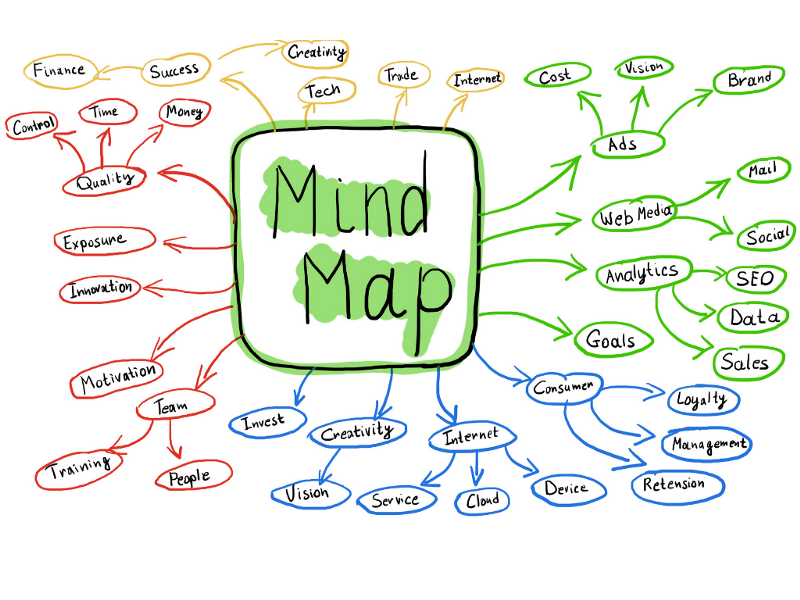
Image by the author on Canva

In the aftermath of the sudden popularity of note-taking apps and the documented retention of information, there is one truth that all can agree on — the more we participate, the better we remember and learn.

This is exactly what Mind Mapping does. The way they work is very similar to how our brains work.

Tell me and I forget. Teach me and I remember. Involve me and I learn — Benjamin Franklin

If you’re unfamiliar with mind mapping tools, they are merely pictures used to represent information. It helps you translate your mental image into a visual representation.

Here is a youtube video in case you are a visual person.

1. Mind Master — inspires ideas.

The first one is Mind Master, a full-featured collaborative mind mapping tool.

  • Mind Master is a powerful mind mapping tool available across all major platforms like windows, mac os, Linux, Android, iOS, and the web.
  • It also supports languages like English, French, Japanese, Chinese, Spanish, Italian, and Portuguese.
  • This has different built-in categories of templates to create. For example, you can easily create a radial map, a treemap, an org chart, fishbone charts, timelines, circular maps, etc.
  • Mind Master also can create slideshows from your mind maps, prepare GANTT charts and modify durations within these charts.
  • You can easily export your mind maps into different file formats.

2. Miro — where hybrid teams get work done.

  • The next is Miro — a popular mind mapping tool that works great with distributed teams.
  • Brought to you by experts in visual collaboration, Miro is a simple yet brilliant solution for teams to brainstorm, planned projects, develop strategies and do more tasks together.
  • Miro is free to start with a limit of 3 boards and has some great pricing plans.

3. SimpleMind — a world leader in cross-platform mind mapping tools.

SimpleMind is a great tool to start FREE — one of the most popular tools I have come across.

I use Simple Mind all the time for brainstorming and jotting down my blog ideas, discussing with my team members, and for my youtube brainstorming sessions.

  • It’s easy to start with, and you can start analyzing your thoughts and structure with SimpleMind.
  • The unique free layout allows you to organize your ideas exactly how you want them.

Closing Thoughts.

Thanks for going over this article.

Would you please let me know what other mind mapping tools you have used in the past?

A few special tools worth mentioning here are — Xmind and Mindmeister. Anyways, let me know your thoughts.

Mindmap
Brainstorming
Productivity
Technology
Startup
Recommended from ReadMedium