
The Rust Programming Language — Primitives — String
We will learn about Primitive types in Rust programming language. One of the very first type is string.
Rust files have an extension of .rs
Step 1: Install Rust
You need to install Rust on your computer before you can start compiling Rust code.
After installing the rust, you will have access to rustc which is a way to invoke Rust compiler to read through your files and compile them to executables.
Step 2: Create a rust file
We’ll now create a rust file: app.rs
Below is the code snippet for reference:
fn main() {
    println!("Hello, World!");
}
Step 3: Observations from code
fnis the keyword for functionmainis the first function that gets triggered, just like programming languages like Java- A function call has an
!at the end of the name of the function. We’ll address that in upcoming posts printlnis the function which is equivalent toconsole.login JavaScript orSystem.out.printlnin Java
Step 4: Compiling the code
In order to run this code you need to first generate a binary/executable of this code, just like how C/C++ or Java does. You can do this by running rustc command
- Go to the directory where your
app.rsfile is present - Execute
rustc app.rs - Notice that a binary/executable file would have been generated
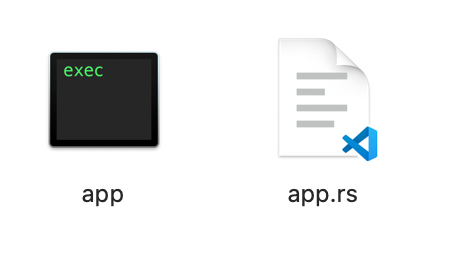
- You should now have 2 files in your
Step 5: Executing the code
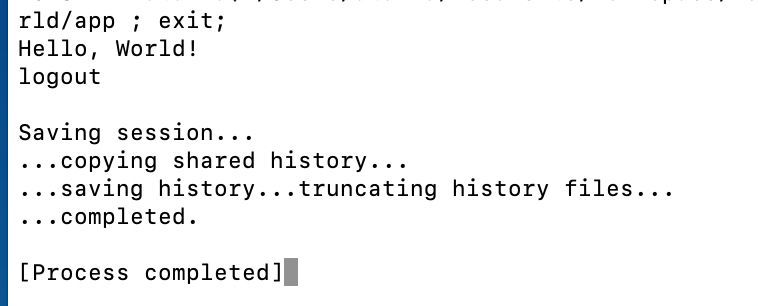
- Double-click the binary file
String interpolation
There are cases where we need String Interpolation for joining two strings. Rust has a very wierd syntax to do so. It uses {} as the placeholder for the variable you wish to interpolate.
Refer below snippet for example:
fn main() {
    let greeting = "Hello";
    let subject = "World";

    println!("{}, {}", greeting, subject);
}
As you can see, we have 2 variables greeting and subject which are logged using println function. The println method has 2 interpolation placeholders( {} ) which are used to replace greeting and subject respectively.
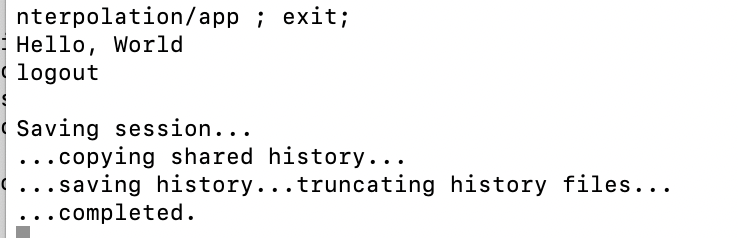
Compiling this file using rustc also gives us a binary and executing the binary gives us the below output:
Rust does not have a built in string interpolation like Python or JavaScript. The wierd way that we saw above substitutes the curly braces with greetings and subject.
“format” method
There is another method which does the string interpolation. The only difference is, it does not print the string to the console. It just returns the string.
Lets have a look at the below code:
fn main() {
    let subject = "world";
    let greeting = format!("Hello, {}!", subject);
    println!("{}", greeting);
}
Observations from the code:
formatdoes not print the string in console,printlndoes the printingformatfollows the same{}substitution pattern- It can be used to do the string manipulation in your code
Output:
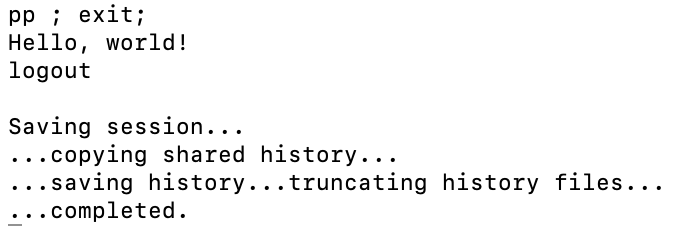
println has quite a weird syntax but the error messages are quite helpful so you can easily understand them. One of the examples of error message is as below:
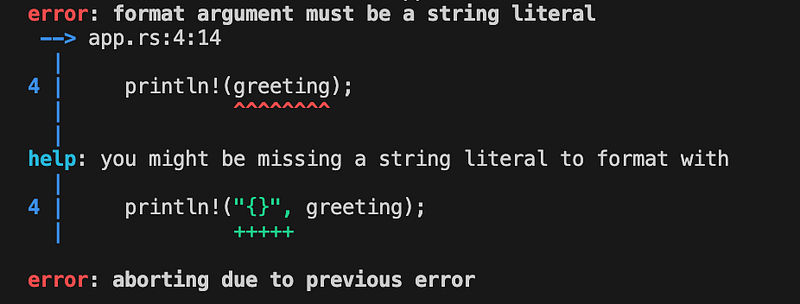
Observations from the error messages from Rust Compiler:
- The
errormessage at the top is technical - It does mention the line number and column number along with the file name in which the error occurred
- It also gives you the hint under
helptrying to understand possible solutions.
“panic” method
Another method that uses string interpolation in Rust is panic. panic is a method which terminates the program when it is encountered. It is not like the throwError like other programming languages.
fn main() {
    let crash_reason = "server took a nap";
    panic!("I crashed {}!", crash_reason);
    println!("This will never get printed out!");
}
The code does compile but with a warning:

Any line after the panic call is not reachable.
Output:
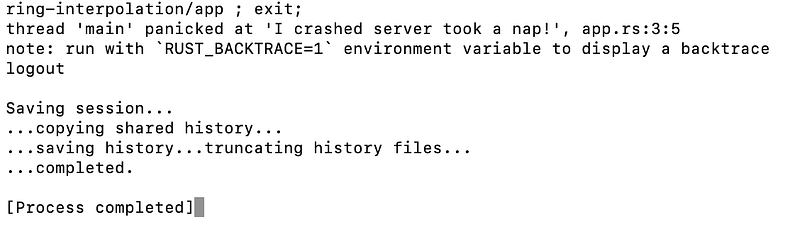
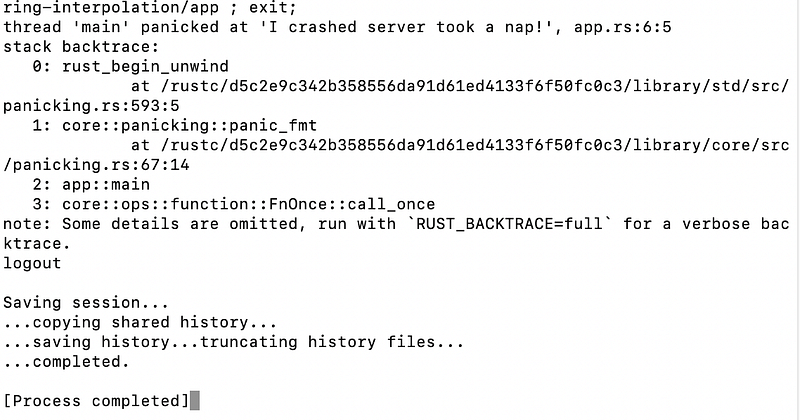
If you enable the the RUST_BACKTRACE, which we’ll talk about later, it will give you the trace of the error from where it has originated.
Please share your feedback about this article.
You can subscribe to my newsletter about The Rust Programming Language here. You can read about all the articles in this series here.
Rustaceans 🚀
Thank you for being a part of the Rustaceans community! Before you go:
- Show your appreciation with a clap and follow the publication
- Discover how you can contribute your own insights to Rustaceans.
- Connect with us: X | Weekly Rust Newsletter


