
The Only Auto-Completion Extension You’ll Ever Need For Your Jupyter Notebooks
This is the one I recommend using. Explore just a few simple steps to set it up!

One of the most loved programming interfaces in Python is the Jupyter Notebook environment, and wanting code auto-completion enabled in it feels quite natural.
I know I like to work in VSCode very often, and the one thing that I regularly missed in my notebooks was the auto completion of my long import statements containing the names of libraries that I quite often tend to forget (:P) and my significantly drawn out variable names that are quite essential in my projects!
Enter: Hinterland Extension!
This extension is one of the most useful nbextensions that I’ve used, and it does exactly as proposed.
Let’s see the steps to get it up and running in our notebooks, shall we?
Install it with pip
One line installation of the nbextensions package is the first step. Here’s the code to do it in your terminal (hopefully inside your virtual environment):
pip install jupyter_contrib_nbextensions && jupyter contrib nbextension installThat’s it. Now go ahead and open up your jupyter notebook!
For all the pipenv users out there, remember that you need to do:
pipenv run jupyter notebookand not just:
jupyter notebookThe second command should not even work if you’ve not installed Jupyter globally in your system.
Okay, let’s move on to the next step.
Enable Hinterland
Yes, it does not get enabled automatically in your environment. You need to go here and enable it on the nbextensions tab, which is located beside the Files tab:
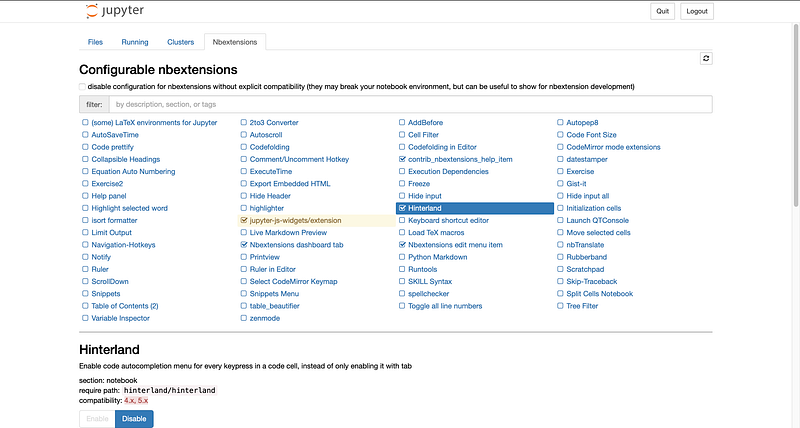
Once you’ve done that, open up a new notebook, and let’s test it!
Concluding…testing the extension
You should now be able to use it normally and the auto complete hints should pop up all the time as you’re writing.
Something akin to this:
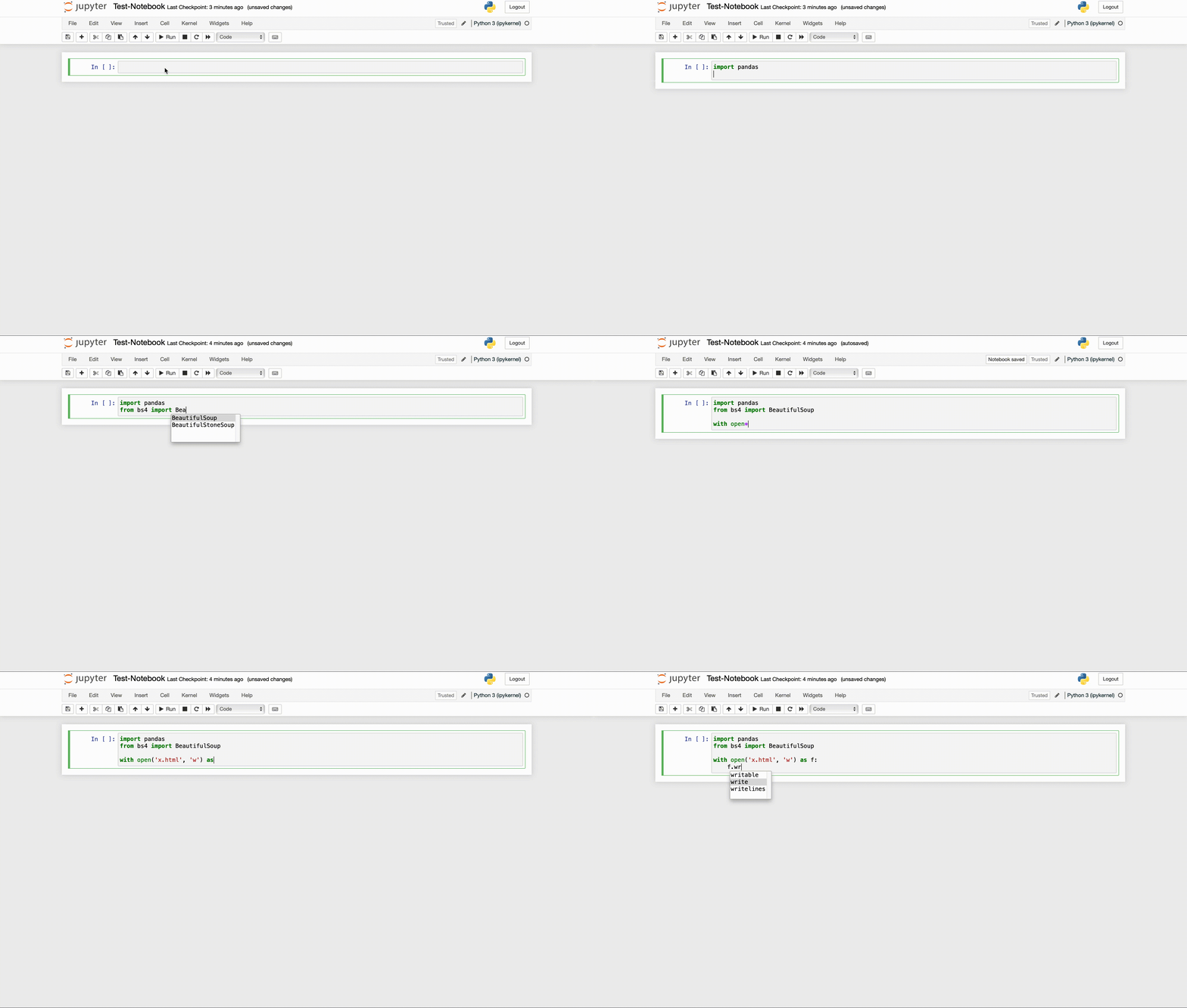
You’re all set! :D
Thank you for reading!
Loved my article? Become a Medium member to continue learning without limits. I’ll receive a portion of your membership fee if you use that link, with no extra cost to you. It will help me support my writing endeavour :)
Also, this is the code + resources repository of all of my Data Science articles. Do check it out if you please!
Another jupyter based article of mine you might want to give a read, it’s related to this one:
Want to make sure you’re more productive in the terminal and beautify it at the same time? This is the article for you:


