

The One Free Image Editing Tool Every Medium Writer Should Know About
Plus another little one you might sometimes find useful
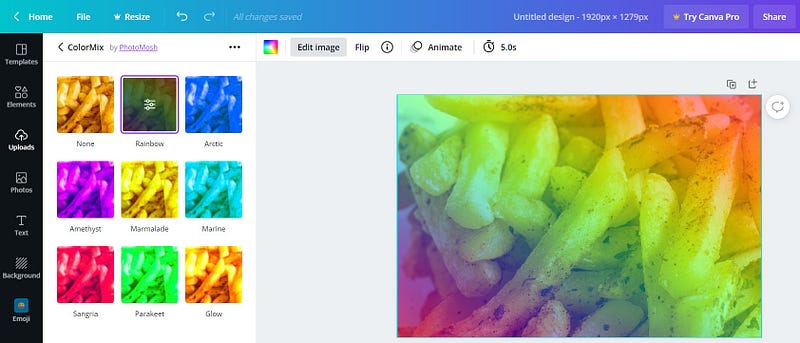
You don’t need Photoshop to make your Medium images look great.
All you need is one free online tool. With only a few clicks, you can upload your image, apply a snazzy filter, and you’re done.
Canva.com
I’ve been using Canva for several years now. Even though I have Photoshop, it’s often quicker and easier to use Canva for simple image editing. Although there is a paid option, the free version is enough to use the main tools such as filters.
What can you do with the free version?
Many different things, for example:
- Various filters
- Cropping
- Combining several images
- Adding text
- Adding other objects and symbols
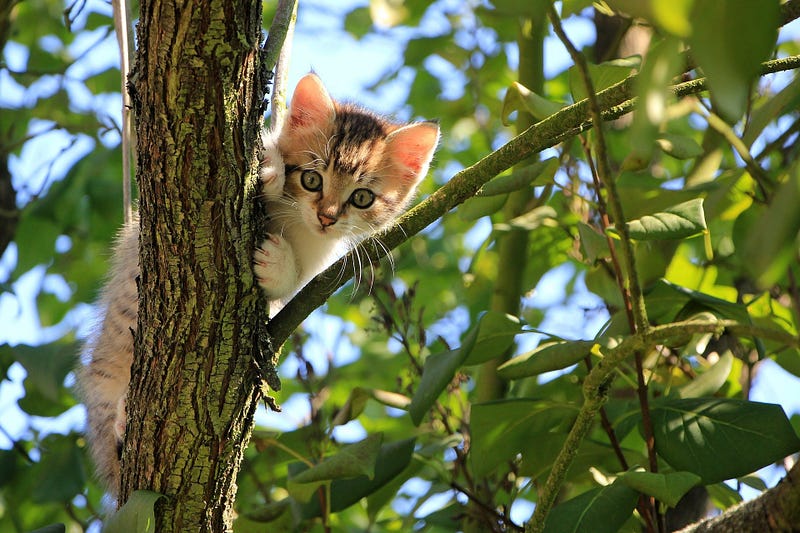
For images you would use on Medium, you’re most likely to just use the filters. For example, take this photo of a cute kitten in a tree:
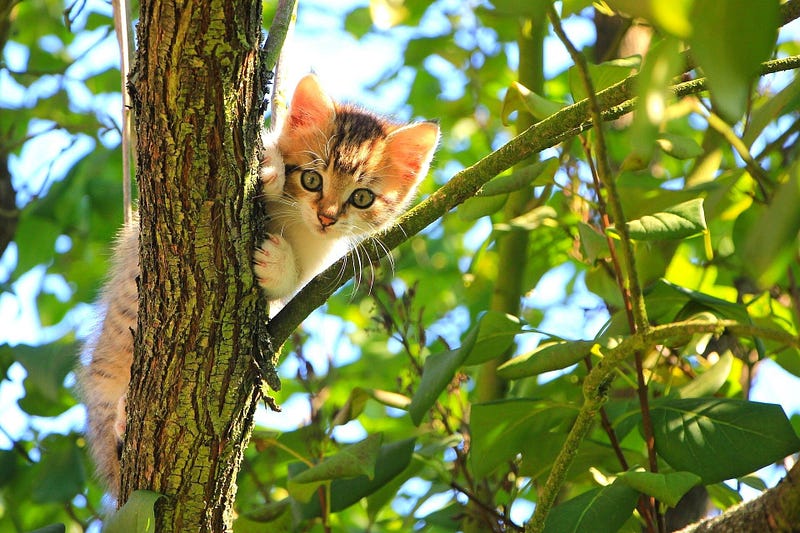
Here it is with the Solar filter applied, which brightens it up a bit:
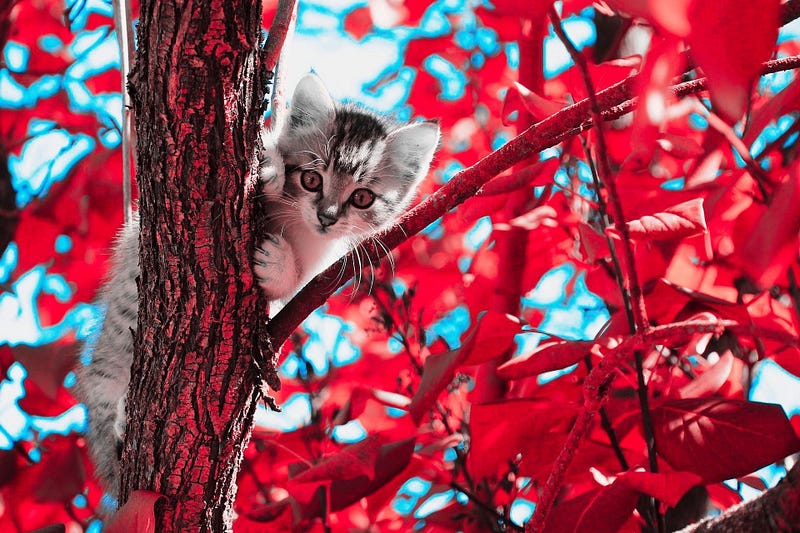
Here it is with the Poster filter applied:
Here’s a trippy filter called Trace:
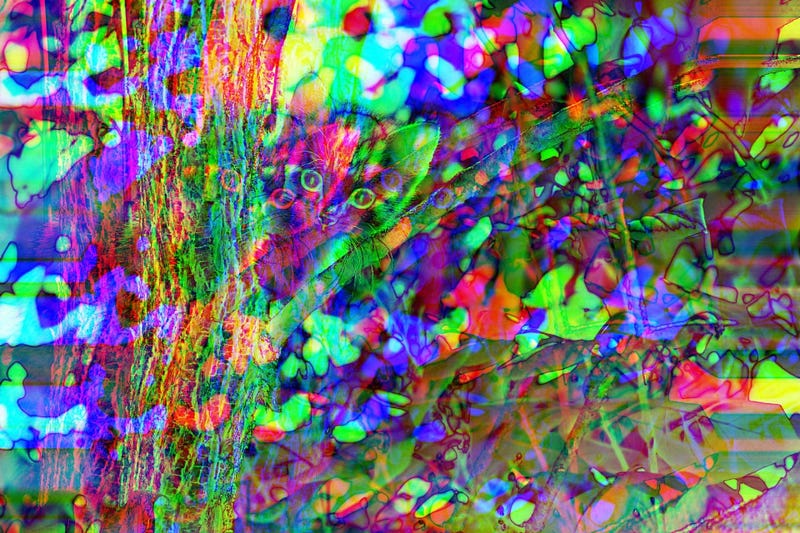
Here’s a warped retro VHS look:
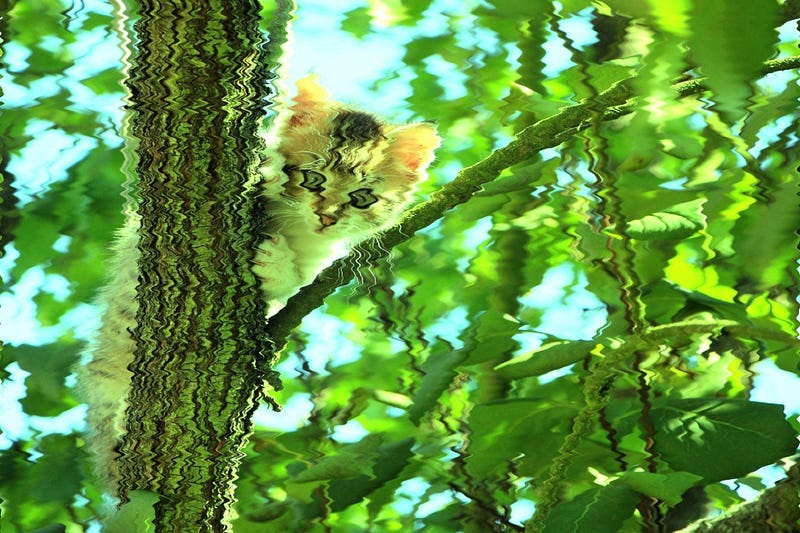
And here is a duotone filter called Mustard:
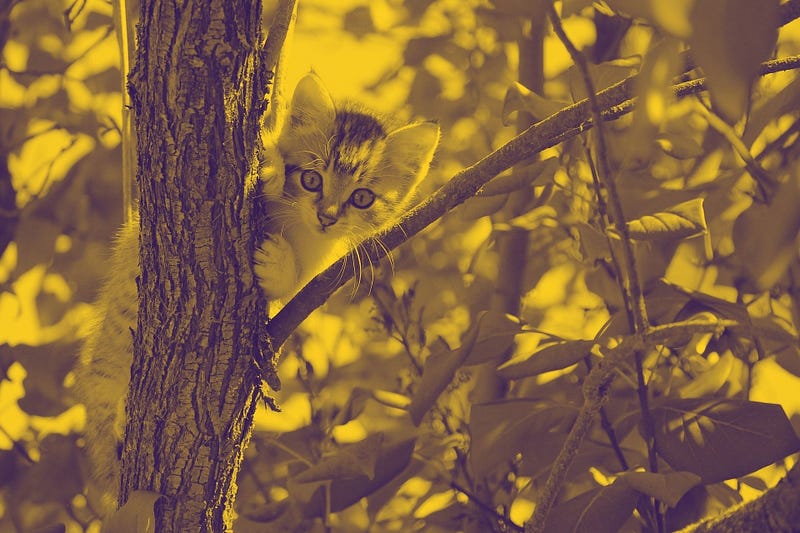
How to edit an image using Canva
1. Go to canva.com
2. Click Create a design in the top-right and select Edit photo
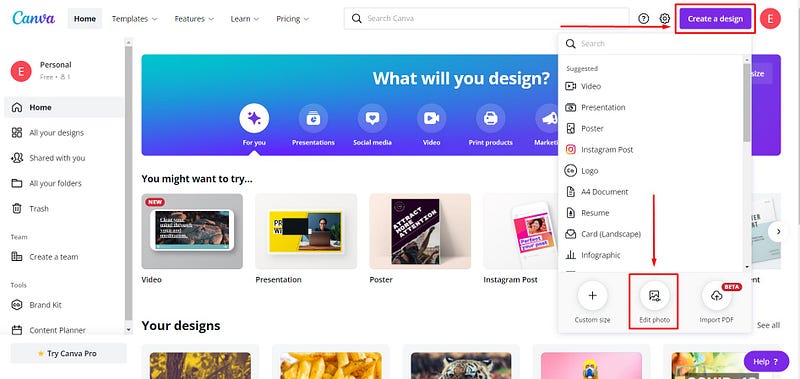
3. Select your image file and then click Edit photo
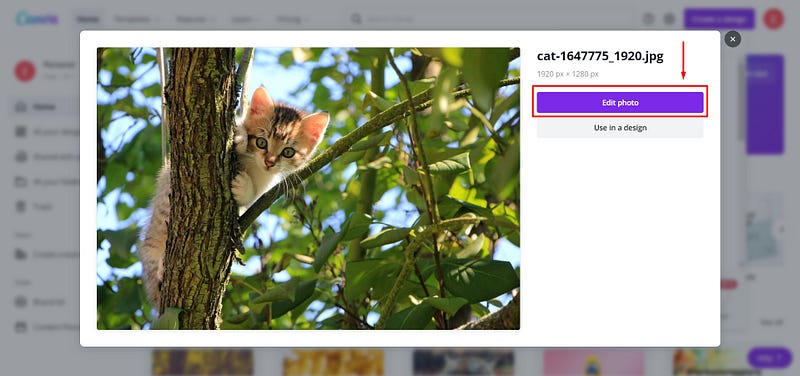
4. Wait a few seconds for it to load, click the photo and then click Edit image
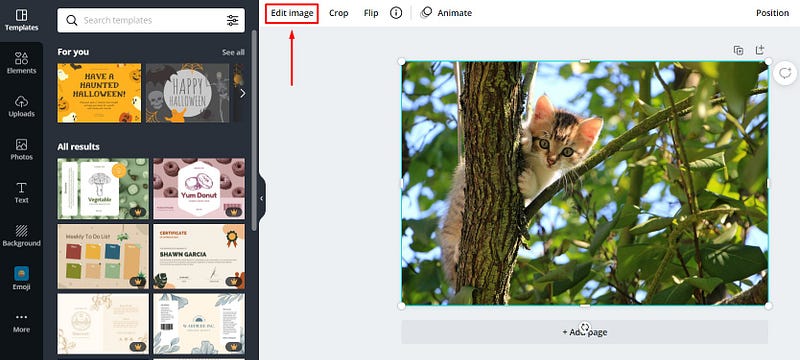
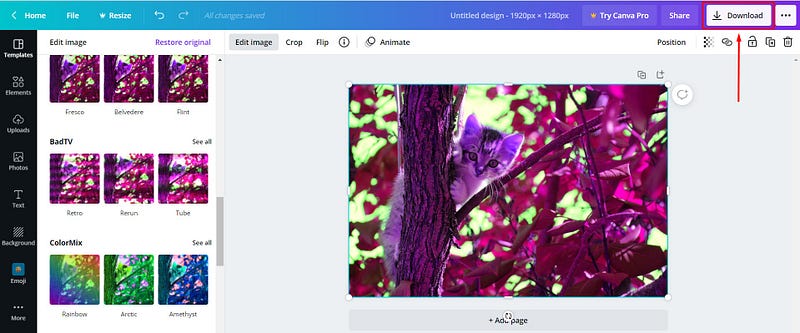
5. Play around with the filters until you’re happy with how your image looks
6. Click Download to download your new image
BONUS: PicResize.com
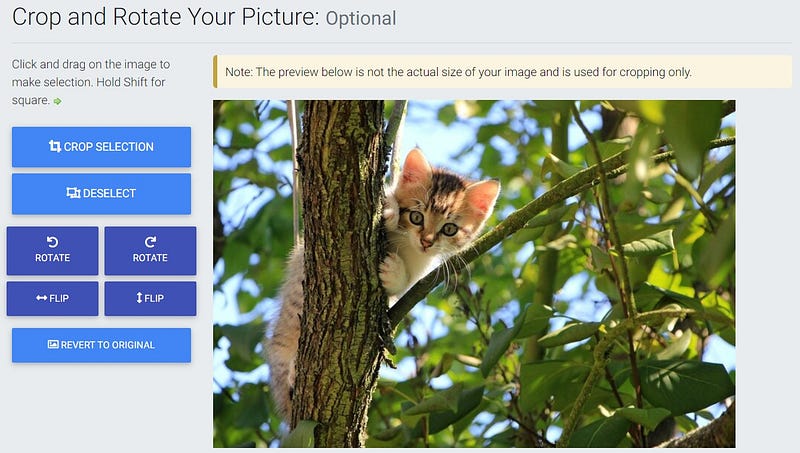
Sometimes you might just want to quickly resize, crop, rotate or flip an image. All you need to do is go to picresize.com then drag and drop your image:
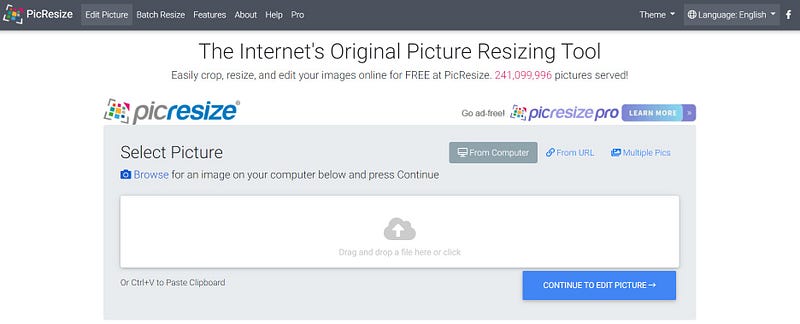
Here you can crop, rotate or flip your image:
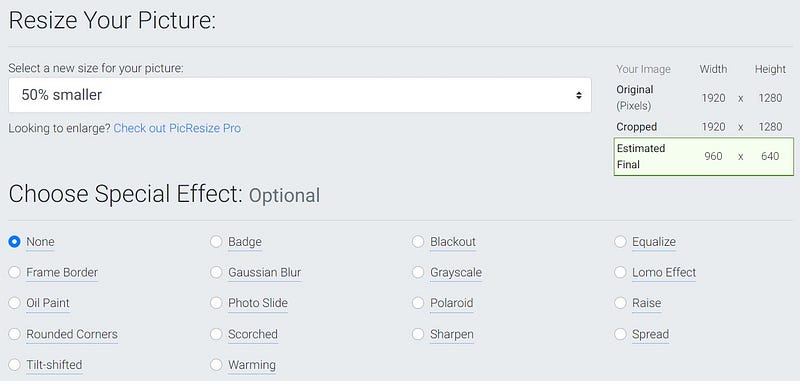
If you scroll down, you can choose what size you want to resize the image to:
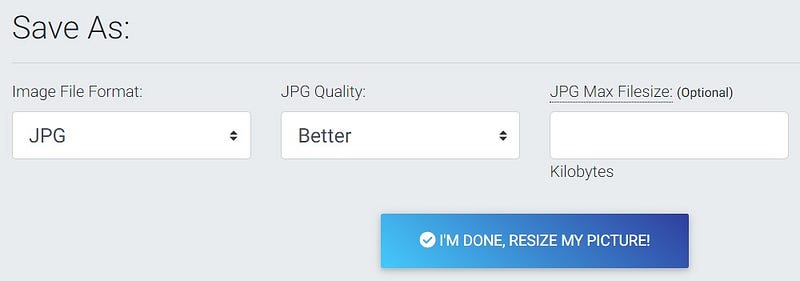
Once you’re done, you can select the file type and click I’m done, resize my picture!
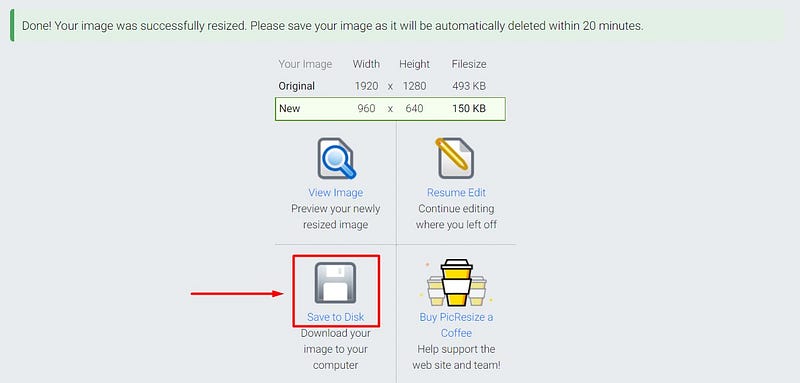
Then click Save to Disk to download the image file:
So, there you go. You don’t need to use an image exactly as it originally looks. You can quickly add a filter to make it stand out. No need to pay for Photoshop or other expensive image editing software. Just upload your file, and you’re a few clicks away from a better-looking image.