
The New Udacity Self-Driving Car Engineer Nanodegree Program Syllabus
A focus on fundamental skills in each core area of the self-driving car stack.
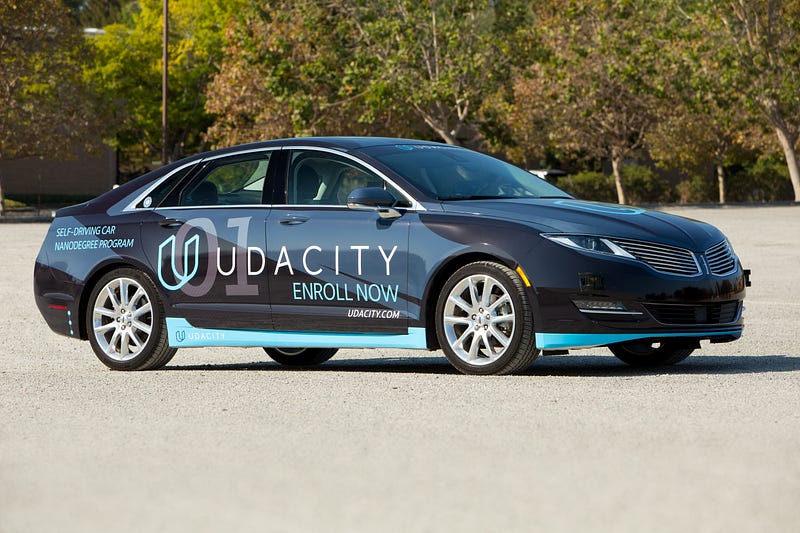
Over 12,000 students have enrolled in Udacity’s Self-Driving Car Engineer Nanodegree Program, and many of them are now working in the autonomous vehicle industry.
These successes have taught us a great deal about what you need to know in order to accomplish your goals, and to advance your career. In particular, we’ve learned that by narrowing the breadth of the program, and expanding opportunities to go deep in specific areas, we can better offer a path that is expressly tailored to support your career journey.
To that end, we’re updating the curriculum for the program to focus on fundamental skills in each core area of the self-driving car stack. I’d like to share some details with you about this important update, and about the changes we’ve made.
Term 1
Introduction
- Welcome In our introduction, you’ll begin by meeting your instructors — Sebastian Thrun, Ryan Keenan, and myself. You’ll learn about the systems that comprise a self-driving car, and the structure of the program as a whole.
- Workspaces Udacity’s new in-browser programming editor moves you straight to programming, and past any challenges related to installing and configuring dependencies.
Computer Vision
- Computer Vision Fundamentals Here, you’ll use OpenCV image analysis techniques to identify lines, including Hough transforms and Canny edge detection.
- Project: Detect Lane Lines This is really exciting—you’ll detect highway lane lines from a video stream in your very first week in the program!
- Advanced Computer Vision This is where you’ll explore the physics of cameras, and learn how to calibrate, undistort, and transform images. You’ll study advanced techniques for lane detection with curved roads, adverse weather, and varied lighting.
- Project: Advanced Lane Detection
EIn this project, you’ll detect lane lines in a variety of conditions, including changing road surfaces, curved roads, and variable lighting. You’ll use OpenCV to implement camera calibration and image transforms, as well as apply filters, polynomial fits, and splines.
Deep Learning
- Neural Networks Here, you’ll survey the basics of neural networks, including regression, classification, perceptrons, and backpropagation.
- TensorFlow Next up, you’ll train a logistic classifier using TensorFlow. And, you’ll implement related techniques, such as softmax probabilities and regularization.
- Deep Neural Networks This is where you’ll combine activation functions, backpropagation, and regularization, all using TensorFlow.
- Convolutional Neural Networks Next, you’ll study the building blocks of convolutional neural networks, which are especially well-suited to extracting data from camera images. In particular, you’ll learn about filters, stride, and pooling.
- Project: Traffic Sign Classifier
For this project, you’ll implement and train a convolutional neural network to classify traffic signs. You’ll use validation sets, pooling, and dropout to design a network architecture and improve performance.
- Keras This will be your opportunity to build a multi-layer convolutional network in Keras. And, you’ll compare the simplicity of Keras to the flexibility of TensorFlow.
- Transfer Learning Here, you’ll fine tune pre-trained networks to apply them to your own problems. You’ll study cannonical networks such as AlexNet, VGG, GoogLeNet, and ResNet.
- Project: Behavioral Cloning
For this project, you’ll architect and train a deep neural network to drive a car in a simulator. You’ll collect your own training data, and use it to clone your own driving behavior on a test track.
Career Development
- GitHub For this career-focused project, you’ll get support and guidance on how to polish your portfolio of GitHub repositories. Hiring managers and recruiters will often explore your GitHub portfolio before an interview. So it’s important to create a professional appearance, make it easy to navigate, and ensure it showcases the full measure of your skills and experience.
Sensor Fusion
Our terms are broken out into modules, which are in turn comprised of a series of focused lessons. This Sensor Fusion module is built with our partners at Mercedes-Benz. The team at Mercedes-Benz is amazing. They are world-class automotive engineers applying autonomous vehicle techniques to some of the finest vehicles in the world. They are also Udacity hiring partners, which means the curriculum we’ve developed is expressly designed to nurture and advance the kind of talent they’re eager to hire!
- Sensors The first lesson of the Sensor Fusion Module covers the physics of two of the most import sensors on an autonomous vehicle — radar and lidar.
- Kalman Filters Kalman filters are a key mathematical tool for fusing together data. You’ll implement these filters in Python to combine measurements from a single sensor over time.
- C++ Checkpoint This is a chance to test your knowledge of C++ to evaluate your readiness for the upcoming projects.
- Geometry and Trigonometry Before advancing further, you’ll get a refresh on your knowledge of the fundamental geometric and trigonometric functions that are necessary to model vehicular motion.
- Extended Kalman Filters Extended Kalman Filters (EKFs) are used by autonomous vehicle engineers to combine measurements from multiple sensors into a non-linear model. First, you’ll learn the physics and mathematics behind vehicular motion. Then, you’ll combine that knowledge with an extended Kalman filter to estimate the positions of other vehicles on the road.
- Project: Extended Kalman Filters in C++
For this project, you’ll use data from multiple sensors to track a vehicle’s motion, and estimate its location with precision. Building an EKF is an impressive skill to show an employer.
Term 2
Localization
This module is also built with our partners at Mercedes-Benz, who employ cutting-edge localization techniques in their own autonomous vehicles. Together we show students how to implement and use foundational algorithms that every localization engineer needs to know.
- Introduction to Localization In this intro, you’ll study how motion and probability affect your understanding of where you are in the world.
- Markov Localization Here, you’ll use a Bayesian filter to localize the vehicle in a simplified environment.
- Motion Models Next, you’ll learn basic models for vehicle movements, including the bicycle model. You’ll estimate the position of the car over time given different sensor data.
- Particle Filter Next, you’ll use a probabilistic sampling technique known as a particle filter to localize the vehicle in a complex environment.
- Implementation of a Particle Filter To prepare for your project, you’ll implement a particle filter in C++.
- Project: Kidnapped Vehicle
For your actual project, you’ll implement a particle filter to take real-world data and localize a lost vehicle.
Planning
- Search First, you’ll learn to search the environment for paths to navigate the vehicle to its goal.
- Prediction Then, you’ll estimate where other vehicles on the road will be in the future, utilizing both models and data.
- Behavior Planning Next, you’ll model your vehicles behavior choices using a finite state machine. You’ll construct a cost function to determine which state to move to next.
- Trajectory Generation Here, you’ll sample the motion space, and optimize a trajectory for the vehicle to execute its behavior.
- Project: Highway Driving
For your project, you’ll program a planner to navigate your vehicle through traffic on a highway. Pro tip: Make sure you adhere to the speed, acceleration, and jerk constraints!
Control
- Control You’ll begin by build control systems to actuate a vehicle to move it on a path.
- Project: PID Control
Then, you’ll implement the classic closed-loop controller — a proportional-integral-derivative control system.
Career Development
- Build Your Online Presence Here, you’ll continue to develop your professional brand, with the goal of making it easy for employers to understand why you are the best candidate for their job.
System Integration
- Autonomous Vehicle Architecture Get ready! It’s time to earn the system architecture of Carla, Udacity’s own self-driving car!
- Introduction to ROS Here, you’ll navigate Robot Operating System (ROS) to send and receive messages, and perform basic commands.
- Packages & Catkin Workspaces Next, you’ll create and prepare an ROS package so that you are ready to deploy code on Carla.
- Writing ROS Nodes The, you’ll develop ROS nodes to perform specific vehicle functions, like image classification or motion control.
- Project: Program an Autonomous Vehicle
Finally, for your last project, you’ll deploy your teams’ code to Carla, a real self-driving car, and see how well it drives around the test track!
- Graduation Congratulations! You did it!
By structuring our curriculum in this way, we’re able to offer you the opportunity to master critical skills in each core area of the self-driving car stack. You’ll establish the core foundations necessary to launch or advance your career, while simultaneously preparing yourself for more specialized and advanced study.
Ready? Let’s drive!