
The new amazing stock investing app for 2022 that you have not yet heard of
Quick Backstory
I started looking into investing in stocks almost 2 years ago. This is when I started being cautious about my future and how investing might benefit me in the long term. So I started watching a bunch of videos on how to properly invest in stocks rather than just investing in any company hoping for returns and dividends.
While doing so I came across an app well known as Trading 212. At the time I had heard a lot about Robinhood but I wasn't able to access the app as I resided in the UK and it wasn't available in the country yet. There were a lot of discussions that it might be introduced in the United Kingdom soon but due to the pandemic, I believe the plans were canceled.
I have been a Trading 212 user for a while now and I can say it is a really good stock trading & investment application. I know when it comes to apps that secure and hold our money, aesthetics aren’t our first priority but safety and efficiency are. But personally, I do love an app with great design and good functionality but it is something that I see a lot of apps struggling with.
Keeping the balance between the beautiful design of an app and the functionality it has to offer seems to be a struggle in the app industry but I guess this is just based on personal perception as the app that I might think doesn't look good might look good to someone else and the functionalities that I might deem to be insufficient might be very sufficient to someone else
Fast forward to 2021 I came to hear about an app known as Lightyear. So hang in tight as we dive into what LightYear is and what it has to offer.
Welcome to LightYear
Lightyear is a London-based company that was founded by Martin Sokk and Mihkel Aamer who were previous workers at Wise.
Around the end of last year, I came across Lightyear and I decided to download it. While downloading, I quickly went on to their website to just understand the app better and what they offer.
One of the things that caught my attention was the beautiful design of the application as well as the fact that they were way more affordable than all of the competitors and the website showed this in a very clear and transparent way.
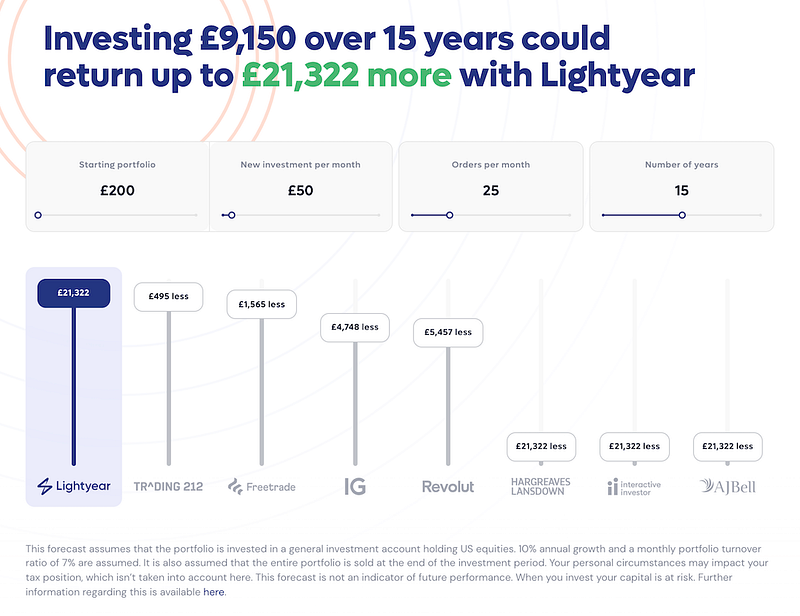
Their website allows you to enter values that you prefer and it then shows you the benefit of using them compared to other huge competitors. You will definitely see that you will be saving enough money by using them instead.
Let's talk about the app
Once I had the app downloaded I signed up as usual and provided all the documents required and after waiting for a little bit I was in.
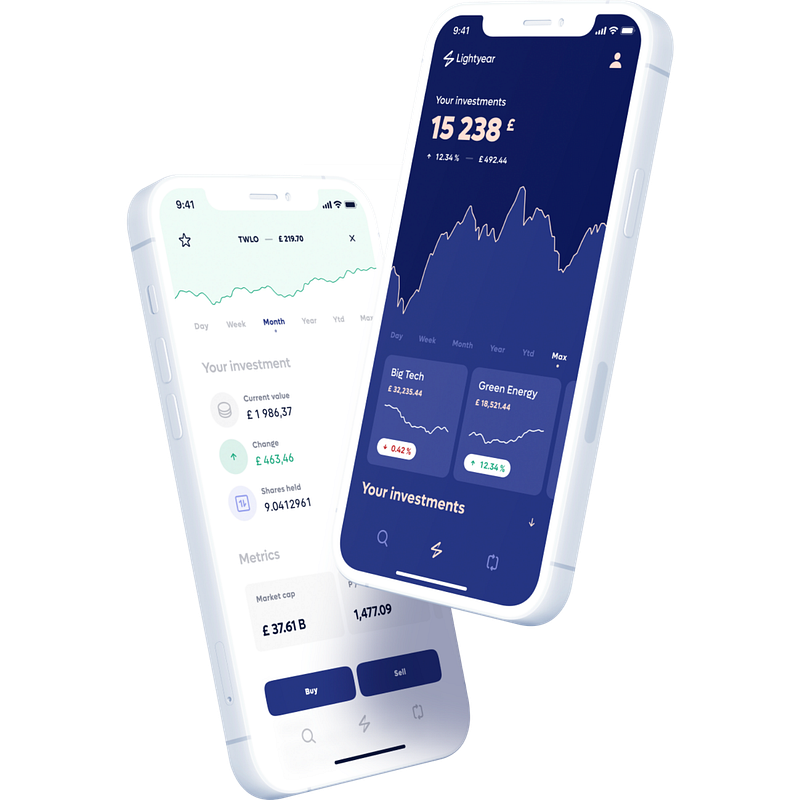
I am going to be completely honest, the app looks so good and is super easy to use. You might struggle just for a couple of minutes figuring out how everything works but after a couple of minutes you will be all good to go and ready to invest.
The app has three navigation buttons at the bottom of the screen on an iPhone. Not really sure how it looks on other devices. I will go through the navigation buttons really quick and show how it looks and some amazing features it has.
1. The Search button (The first navigation button)
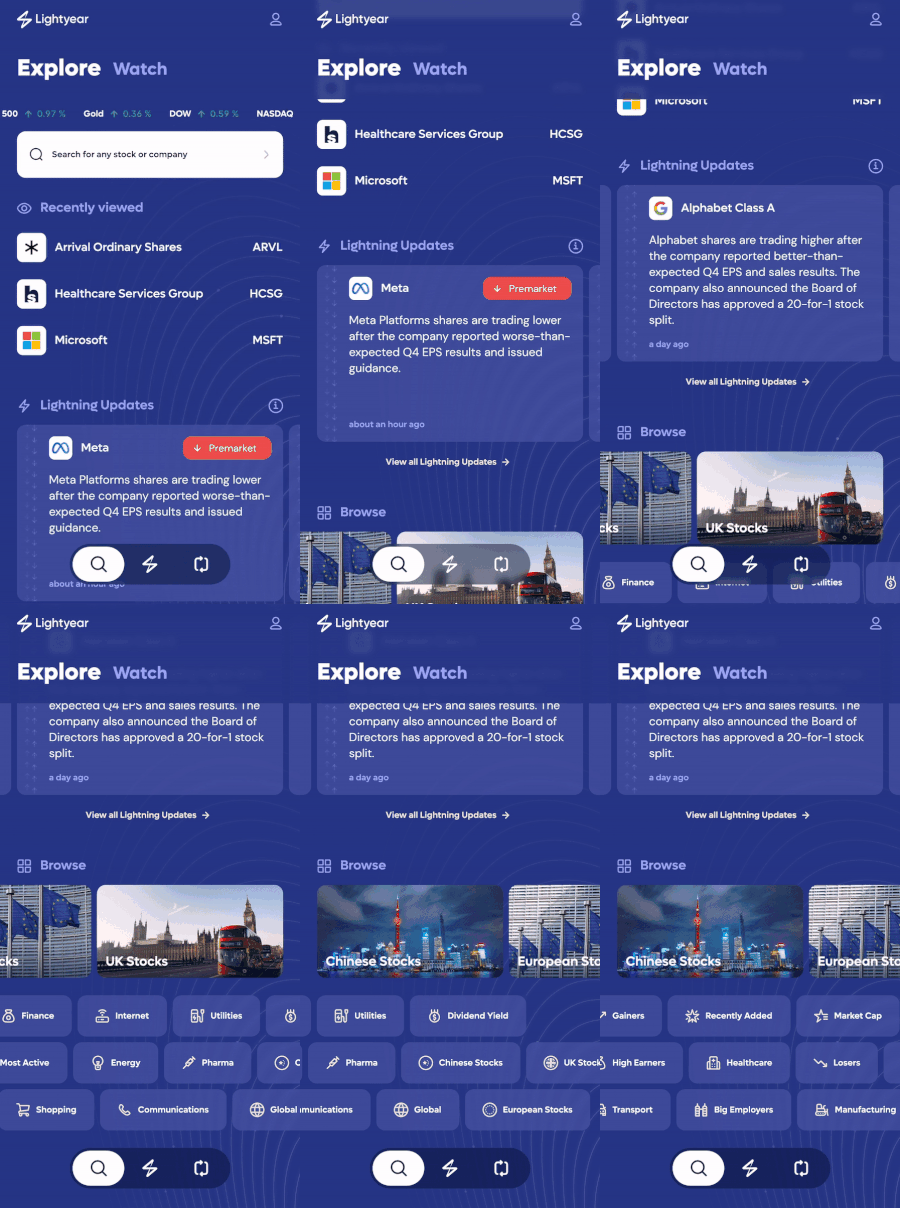
As you can see the search button is where you get access to the stocks within the app as well as lightning updates from different companies. As a previous Trading 212 user, I think a lot of people would love to have such a view in the app where they could get updates from different companies. Dont get me wrong Trading 212 does give out updates but these updates are in the form of notifications in the notification section of the app whereby compared to Lightyear you get these updates in a beautifully designed way.
The Stock View
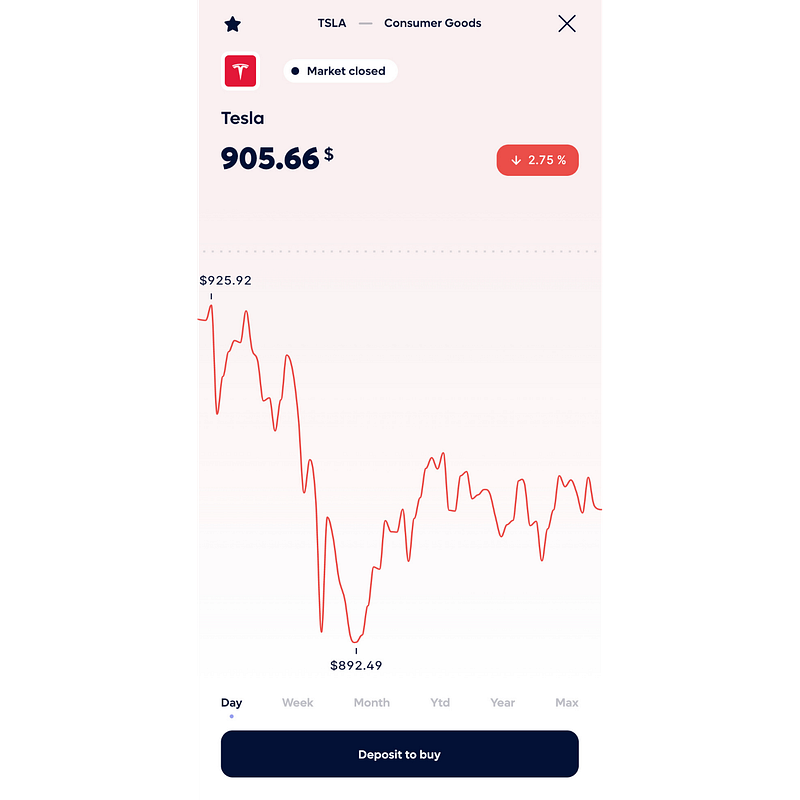
Stock Performance: When you select a certain stock you will be presented with a beautiful design of the stock performance of which you could adjust the timeline as required.
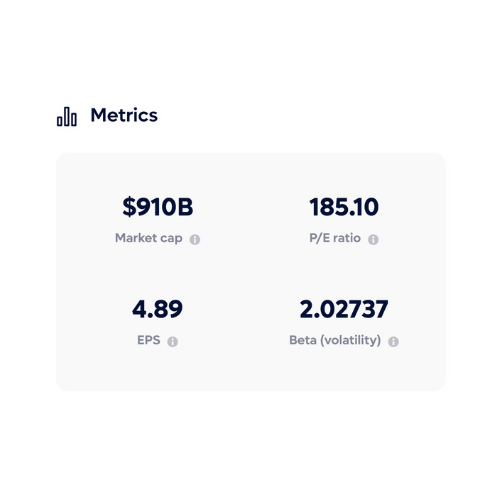
Metrics: After the stock performance you will see the metrics of the company which will indicate the Market Cap, P/E ratio, Earnin per share, as well as the Beta(volatility).
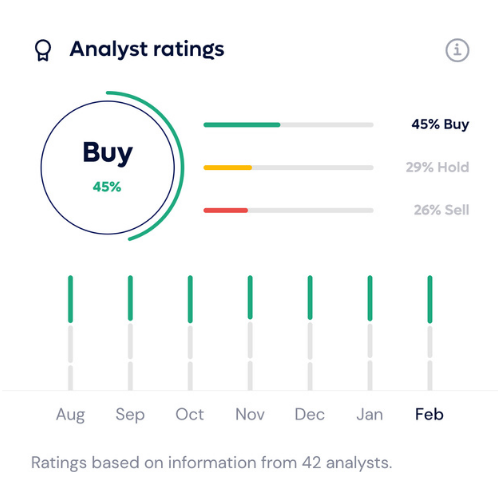
Analyst Ratings: Among all the features, I would consider this the best as it gives you an insight into what analysts from third-party brokers think of the stock every month. Of course, this doesn't mean that anyone should necessarily follow what these ratings say but it is a good tool to use when analyzing a company to see what these analysts think as well.
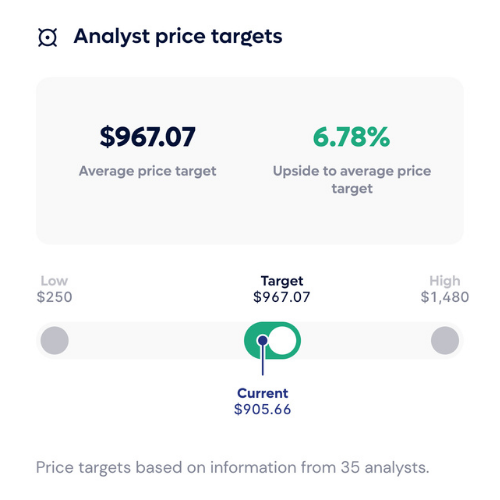
Analyst price targets: This shows the price targets that analysts suggest for the stock
About & Tags: I guess this section pretty much explains itself. This is where a user will come to get more information about a company and what they do as well as tags to show what category the stock is put into at the moment.

Extra Company Info: After the tags, there is going to be more extra information about the company. This will be the part where you see the ticker symbol, sector the company operates in, Industry, CEO name, headquarters as well as the number of employees.

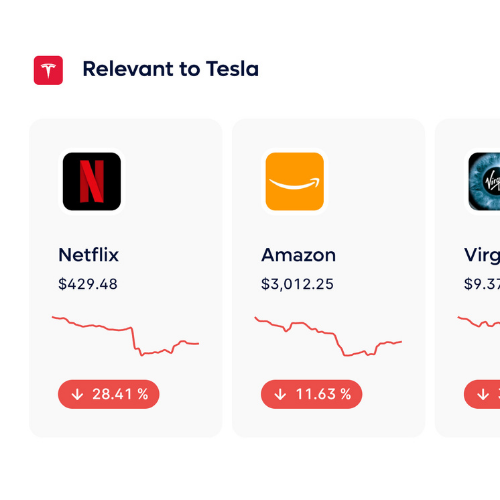
Relevant Stocks: Finally a user will get to see stocks that are relevant to the one they are looking at in this section.
2. Your Portfolio (The second navigation button)
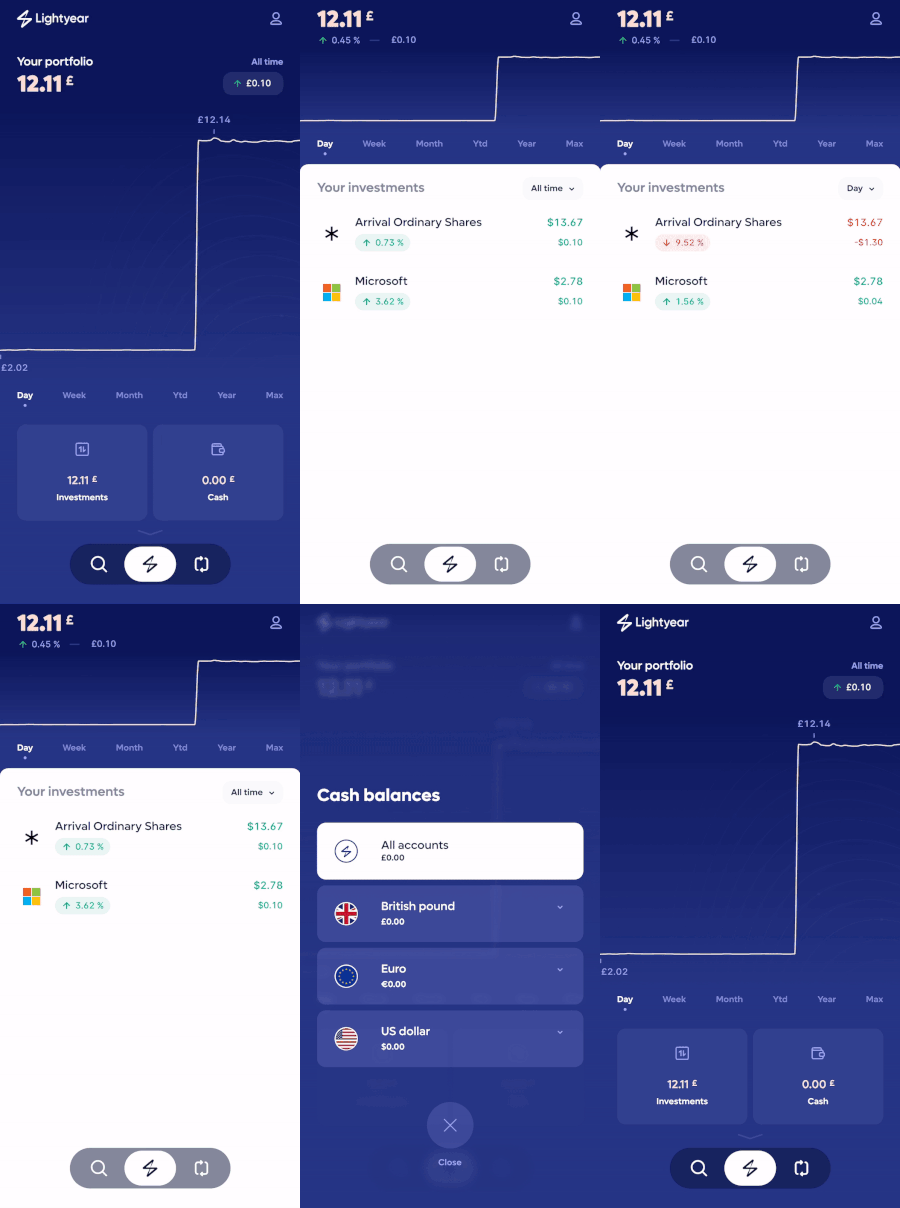
Within the second navigation view, you can see your portfolio in different timelines, your investments in total as well as your cash balance in three currency accounts (Euros, US dollar, and British Pound).
3. The last navigation button
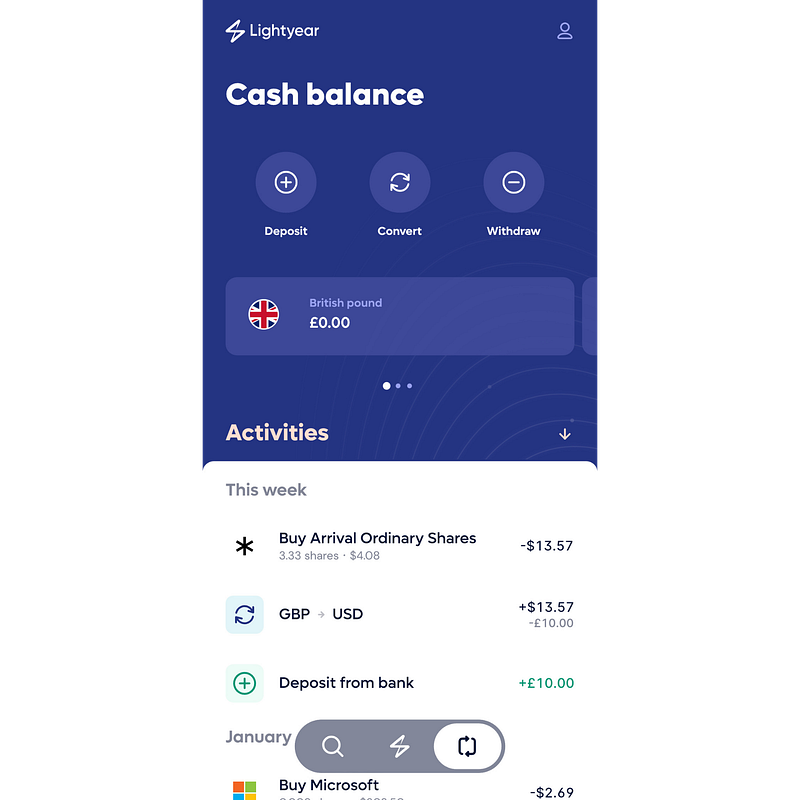
The last navigation button includes a view of your cash balance of the different currency accounts as well as your total activity on the app, meaning the deposits, withdrawals, purchases, and sales of stocks too.
The only last bit of the app remaining after all this is the profile app where you will have your typical stuff. Your profile, help and support, settings, security, bank accounts legal documents as well as an option to log out.
My final thoughts on the app
I personally think that Lightyear has the best UX/UI design of all other trading apps out there. The deposit of money into your account is very quick as well as the withdrawals too. I had the app ever since it was initially released and trust me I see very huge developments from time to time.
But when you step into what Lightyear is currently offering that is where I might have just a tiny bit of problem at the moment. Lightyear doesn't offer an ISA account at the moment as well as EFT’s . I personally emailed the team and they said that this is something in progress so sooner or later we might be able to see EFT’s on the app. This problem isn't major though it is just a matter of time before everything will be added because even Trading 212 which I consider its massive competitor developed gradually over the years.
Join Lightyear today by clicking here and get $10 to invest in any company of your choice as soon as you complete the onboarding process and fund your account with a minimum of £1, $1, or €1.
Hope you enjoyed what you read and that you will check out the app, trust me you will like it.
For any queries feel free to reach out
Thanks


