
The forgotten Apple Gem
Family Sharing and why YOU should be using it
For all I love Apple, I will be the first to admit, that we don’t get given an awful lot free by the Californian tech titan. But, there is a feature, that we all have access to, that cost’s nothing and is embedded in iOS, that really should be used more. That feature is Family Sharing. I have my current crush on Apple TV+ to thank for looking into this feature, as I will explain later.
What is it?
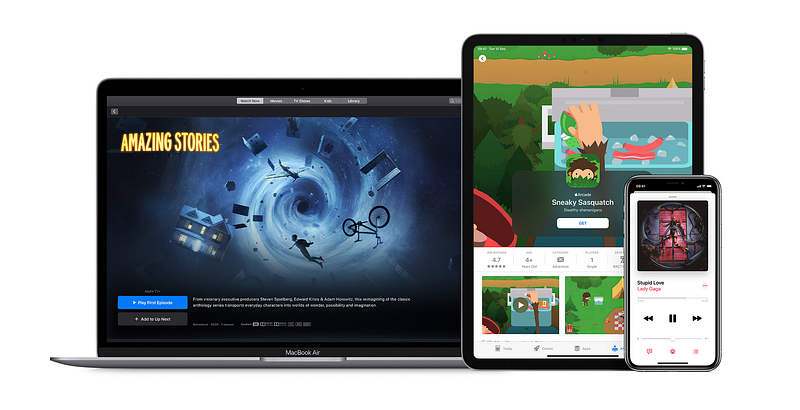
At it’s core, Family Sharing is for families to do just that — share content. It is a super simple way to share apps, purchases, and storage across multiple iOS devices and Apple ID accounts. It is not limited to iOS devices either, it works just as well on macOS.
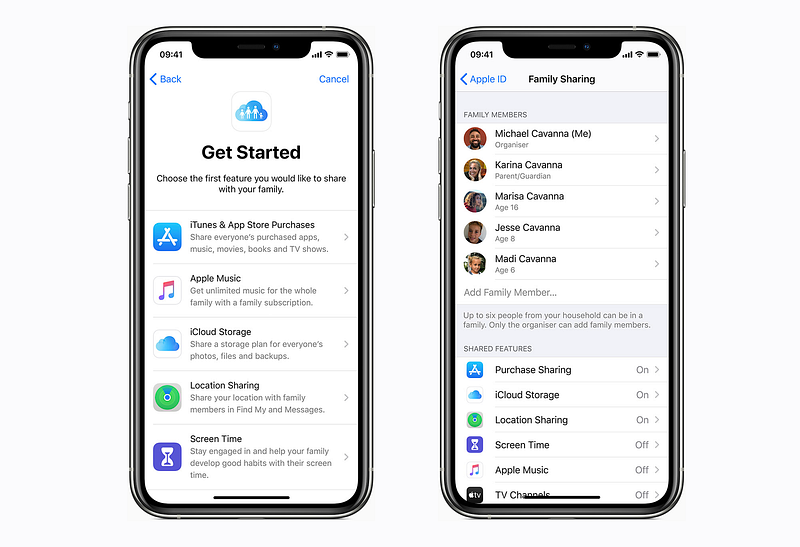
The range of content you can share, is vast including, Apple Music, Apple Books, Fitness+, News+, Apple Arcade, Photos and even calendars too. As mentioned, storage can be shared with family members in the plan as well. Keeping track of younger family members whereabouts, is covered, with Find My being included in the list of shared features. Other than yourself (the Organiser), you can set up five other members in your family group, including children. As the head of the group, any purchases will be your responsibility and will be debited from your account.
Setting up Family Sharing
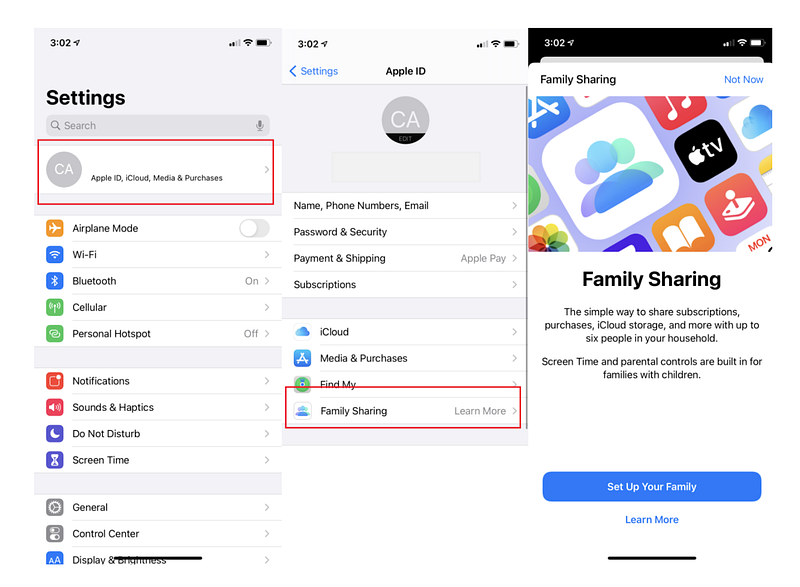
It is super simple to add members to the plan. As the Organiser, not only do you choose who is added to the family, but also what content you wish to share with each member as well. You will send the invite, generally, via iMessage, and once the recipient has accepted the invite, Family Sharing will be set up on their device. To start, simply go to your Apple ID in settings, and tap Family Sharing then start adding family members. As the Organiser, you decide what apps and features you want shared with each member.
The other great thing with sharing, is that only one family member needs to buy any show, album, or app as then, that purchase will be shared with the other family members. Only one storage plan needs to be bought or even Apple Music account set-up. It is such a gem of a feature, and more people should be taking advantage of it. Certain purchases can be kept private, and all your photos and files remain private too, unless you decide otherwise.
Children
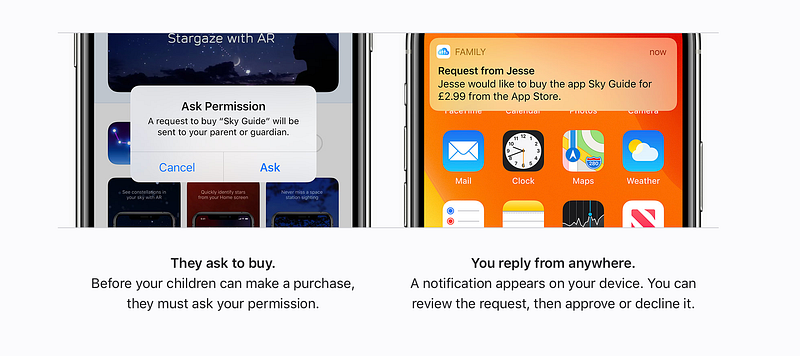
To become a member on a Family Sharing plan, each member must have an Apple ID. Children under 13 years old will have to gain your permission to set that up, but that email address and Apple ID will then stay with them in to adulthood. A neat little tie-in to the much spoken of Apple Ecosystem early on, huh! You can set parental controls and restrictions on children’s accounts, including Ask To Buy. This feature is clearly important, as you will be sent push notifications whenever the child attempts to make a purchase. Not only can you check you are satisfied that the purchase is suitable content, but also, you can keep track of the spend, so you don’t get hit with a huge unexpected bill at the end of the month. With adult members, clearly, some trust will be required. I will leave that to your judgement!

iTunes & App Store purchases
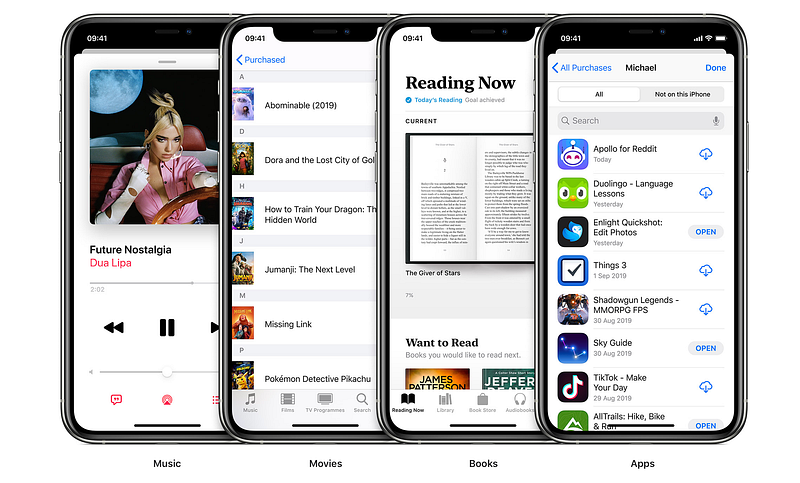
Any music, movies, or shows you have purchased, will be available to the group. Already purchased apps will also be readily available.

Apple Music
With an Apple Music Family Plan, which costs £14.99 per month, the Family group will have unlimited access to Apple Music on their device. Each member will get their personal account, library, and recommendations. Much cheaper than six individual Apple Music subscriptions.
iCloud Storage
You will not be able to look at other family members files and photos, but you will be able to see how much storage each member of the family is using. So, as the Organiser, you could pay for 2 TB of iCloud storage, enough for the entire family, rather than each member paying, individually, for storage plans.
Location Sharing
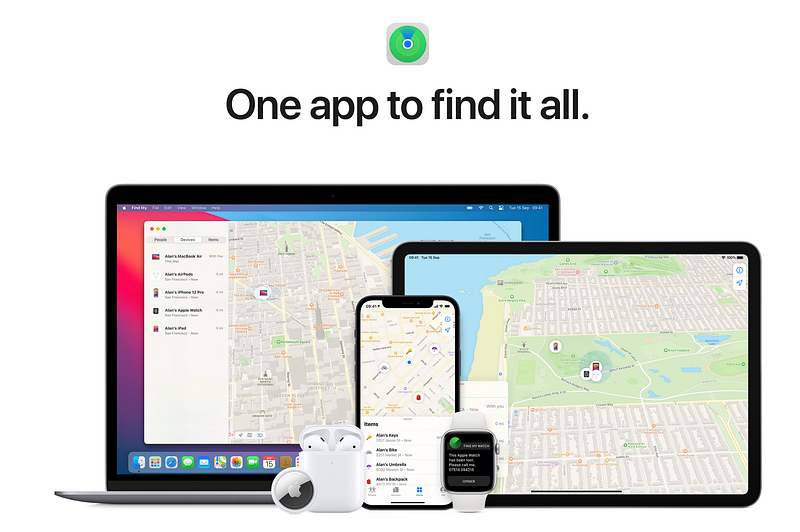
The best part of this feature, should you decide to have it enabled, is that all the families devices will show up on the Find My app, making it easier to locate any mislaid iPhones or iPads. Each member can choose for greater privacy by electing to switch off Share My Location.
Screen Time
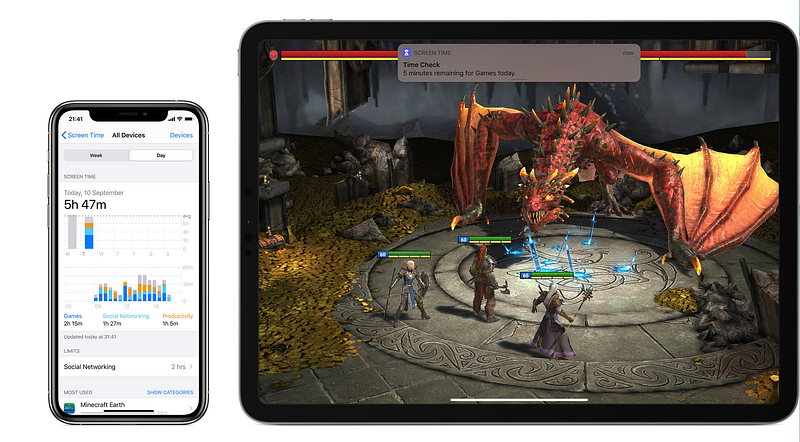
As the Organiser, and presumably parent, or head of the household, you will be able to monitor children’s online time. From within the app, it is possible to set time limits for specific apps etc
Purchasing and Ask To Buy
Payment for any purchases will be set up by the Organiser on their preferred card & account. All purchases made will be your responsibility. Ask To Buy, which is enabled by default for children under 13, but can be manually altered should you wish.
Shared Photo album
When you set up your family, a shared album is created automatically in the Photos app on all family members’ devices. This means all family members can add photos, videos, and comments to that album. Group calendars and reminders are also part of the Family Sharing feature.
Why wait?
Although you were quite likely aware of the Family Sharing feature in iOS, honestly, how much did you actually use it? It is such a powerful and inclusive app, and one I urge you to spend some time looking in to. I mentioned earlier on that it was Apple TV+ that prompted me to look at it again. Having watched and adored the movie, CODA, I wanted to share it with my daughter. She lives in London and does not have an Apple TV+ account. One simple invite later, problem solved.
Hopefully, this blog has whetted your appetite to go and take another look at Family Sharing. Apple is not often guilty of giving us something for nothing, but this is truly an altruistic gem! Make sure to take full advantage of it.
What would you like to share with family members? Are you already using it? Let me know.
Before you go
Are you subscribed to Medium yet?
I am only one of a whole host of writers here on Medium, the premium blogging site. It is such good value, and you can join here https://medium.com/membership
Join my behind-the-scenes mailing list
Originally published at https://www.talkingtechandaudio.com/blog on April 12, 2022.


