
Government Contracting Basics
The First Step in Government Contracting
Registering as a Vendor in SAM.GOV

Regardless of your company’s industry, to do business with the federal government you will need to be registered as a vendor in the System for Award Management, otherwise known as SAM.GOV.
It’s a free and — relatively — painless process, but it can seem intimidating to some. If you feel it is a bit overwhelming, you are not alone!
As with every other step along the path towards getting your first contact, there are rules to follow. You will find some extremely archaic and confusing terms. You may even be so turned off by the whole process so much that you just want to give up.
If you are prepared, the entire process should only take about 30 minutes to complete. The key is to have all of the information ready BEFORE you start the registration.
The steps below generally reflect the process for a US-based business. US based architecture firms as well as other foreign-owned businesses can register as well, with only minor differences.
Before You Begin — the Prep Phase
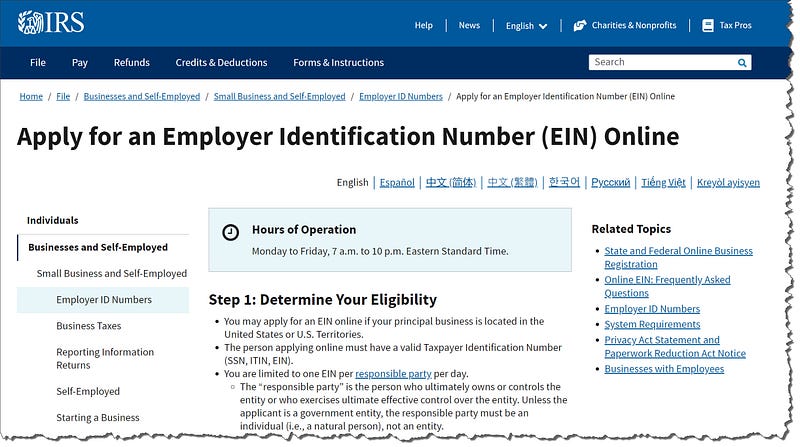
Employer Identification Number (EIN)
Also known as a Taxpayer Identification Number (TIN), this is the number that the IRS uses to track your business. Much like your own Social Security Number (SSN), this is what you will use for your year-end business taxes.
When you formed your business, you probably registered with the IRS and received your EIN. If not, it is a VERY straightforward process and requires only a few minutes to complete.
The link to get your IRS EIN is here. The site is only able to process EIN requests during certain business hours.
NOTE: There is an EIN validation that takes place in the SAM.GOV registration process. Make sure that the business name on your EIN matches EXACTLY the DUNS business name below. This is one of the few ‘gotchas’ in the SAM.GOV process, but it causes more frustration than any other!
DUNS
If you are a new company, you probably do not have a Dun and Bradstreet number (also known as a DUNS® number). This identification number is used to reference your company throughout the government contracting process.
If your business already has a DUNS® number issued in its name, you can use it as needed. (Note, SAM.GOV will pull directly from the DUNS® information, so the name registered is the name you will have to use for government contracting.)
The DUNS® number is free, although the organization will continually try and upsell you on business credit-related products. You do not NEED any of their products to be a government contractor, although you may find them helpful.
The link to get your free DUNS® is here.
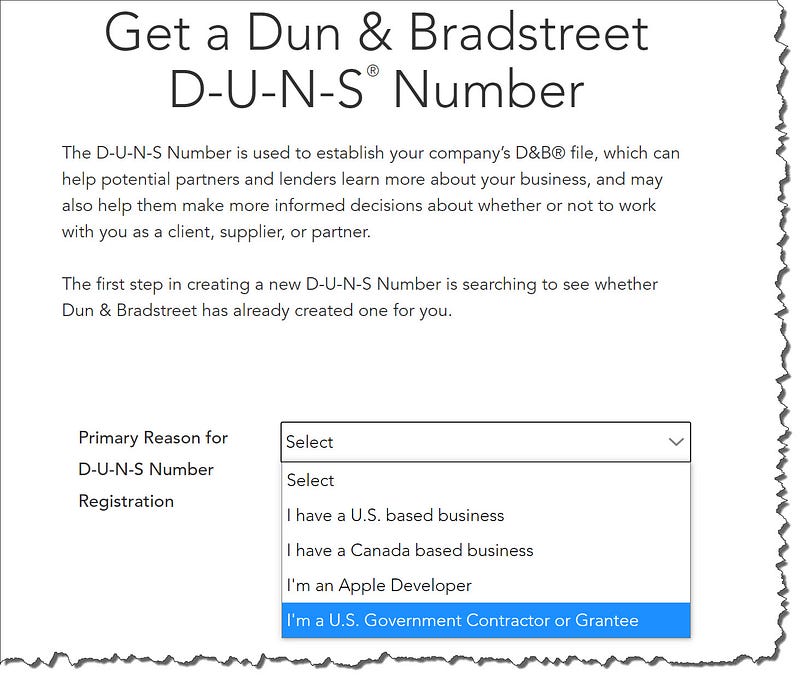
Have a cup of coffee or a glass of tea… relax. This will take about 24–48 hours to process.
Bank Account Information
The one last bit of information required, prior to beginning the SAM.GOV registration process is your business bank account details.
For the registration, you will need to know your bank’s ABA routing number for electronic funds transfer (EFT) and the account number you want your contract award money to be placed in.
Once you have your DUNS, your EIN/TIN, and your bank information, you are ready to begin!
The Registration Process Begins
LOGIN.GOV
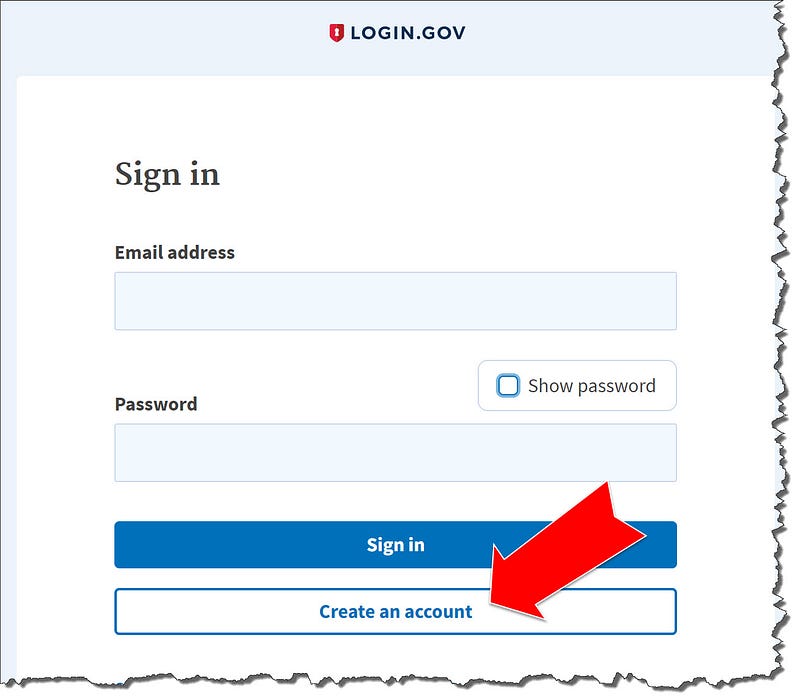
Start the process by creating an account at LOGIN.GOV.
Wait, didn’t you say we were registering at SAM.GOV? Yes…. but… as with everything along the path, the journey is seldom straight from A to B. LOGIN.GOV is used across multiple US government sites to allow a common “single sign on” for more than one resource.
Again, it is free and takes about 2 minutes to create your account.
The link for LOGIN.GOV is here.
Select “Create New Account” and follow the instructions.
Register in the System for Award Management (SAM)
Wait, wasn’t this what we were supposed to be doing all along?
Yes! Welcome to US public sector contracting!
Use your freshly minted LOGIN.GOV credentials to log in to SAM. You will need to have access to whatever 2-factor authentication method (SMS message, temp codes, or authenticator app) that you indicated at LOGIN.GOV.
The link to access SAM.GOV is here.
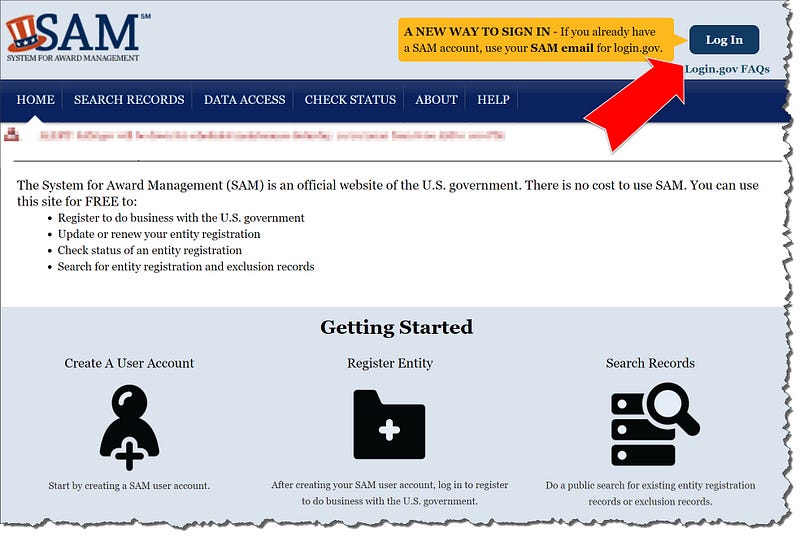
Once you are logged in, you need to create a SAM user account first. No, this is not the same as your LOGIN.GOV credentials… those are only for accessing the system. The SAM account will be the one you use to manage contracts and awards throughout your time as a US government contractor.
For account type, select: CREATE INDIVIDUAL ACCOUNT
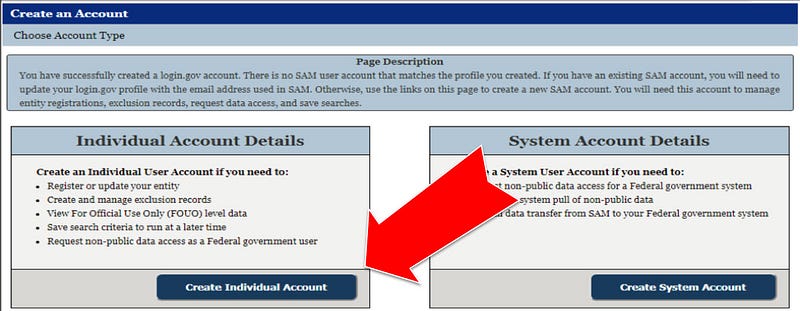
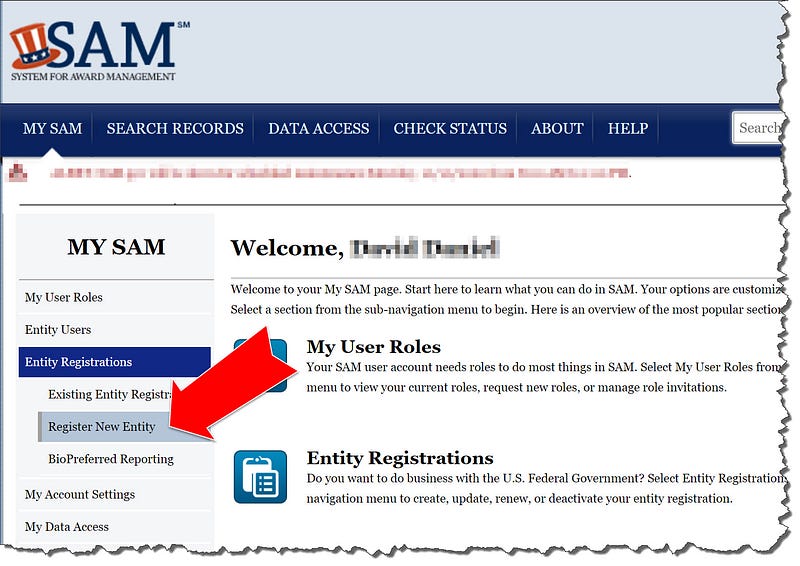
Once you have created the SAM account, navigate to the CREATE NEW ENTITY on the left side of the page. This will be your business registration.
As you walk through these steps, keep in mind that MOST LIKELY you will not be answering anything other than things you know. If you have a question about ANY of the items you will select, either contact your business attorney or the federal help desk. While this is not true for ALL businesses, generally if you do not immediately know the answer to a question, the answer is ‘no’ or ‘not applicable’.
If you are part of a domestically-owned, inverted joint venture with a follow on parent organization, you probably know that!
You will walk through a series of questions. The process will take about 15–30 minutes to complete.
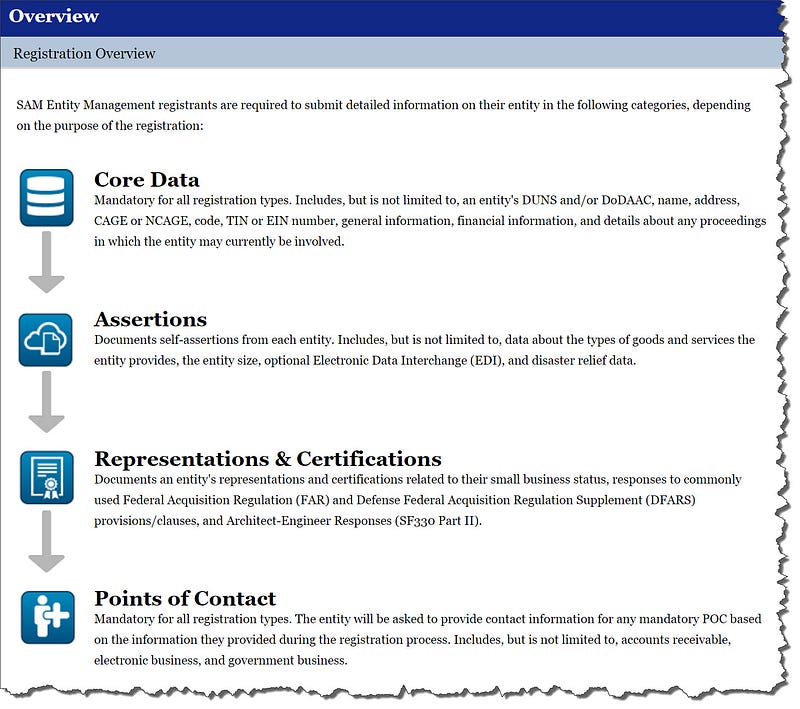
One area that causes a bit of trouble is the NAICS code selection. I suggest that you look up the one most appropriate to your industry, using an online resource like NAICS.COM.
You can select many NAICS codes to register under, though only one can be your ‘primary’.
Wrapping it all up, the points of contact are your last steps. You are ALMOST done!
The Wait
You’ve done your part. You taken all the steps. You have hit ‘submit’ on your entity registration…. now, you are waiting to get it approved.
In the past, this process took 24–48 hours to complete and you were ready to go. Currently, with reductions to staffing and an influx of new contractors for the pandemic response, the wait time for a full registration approval takes between 2–3 weeks.
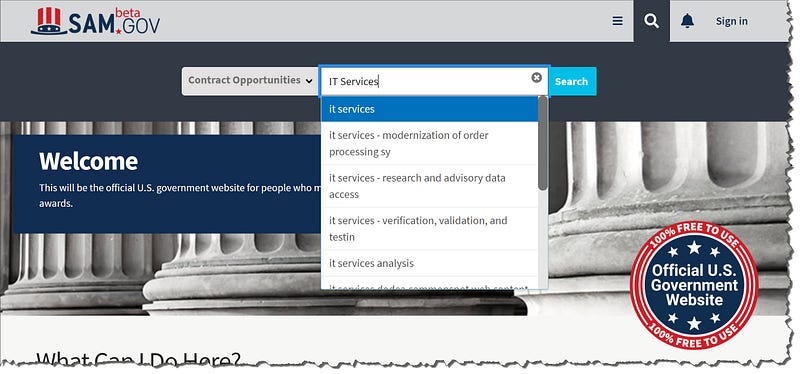
While you wait, take a look at beta.sam.gov — the official location of 95% of available US federal contract opportunities. There are plenty of sites who want to charge you for this information, but you can easily find it for free if you know where to look.
It may have looked daunting from the start. Maybe it was pretty confusing at points… but now that you have your registration, you have taken the first step you need to make towards becoming a US federal government contractor!
Join Us For Weekly Insights Into State, Local, and Federal Contracting