Summary
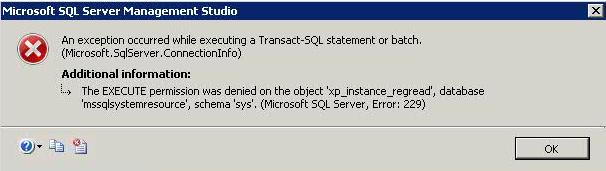
The web content describes a solution for the error "The EXECUTE permission was denied on the object ‘xp_msver’, database ‘mssqlsystemresource’, schema ‘sys’" (Microsoft SQL Server, Error: 229) that occurs when a non-admin user logs into SQL Server 2017.
Abstract
The article addresses a common error encountered by non-administrative users when attempting to log in to SQL Server 2017. The error message indicates a lack of execute permissions on the system stored procedure xp_msver within the mssqlsystemresource database. To resolve this issue, the article provides a step-by-step guide to grant execute permissions either to the public role, which includes all non-admin users, or to a specific user account. The solution involves using Transact-SQL commands in the master database context to modify the necessary permissions, thereby allowing non-admin users to access the system version information without encountering the error.
Opinions
- The article suggests that granting execute permissions on
[sys].[xp_msver] to the public role is a straightforward way to resolve the error for all non-admin users.
- It also acknowledges the need for specific permissions management by providing instructions on how to grant execute permissions to an individual user account.
- The use of the
public role is presented as a general solution, while granting permissions to a specific user is seen as a more secure approach for scenarios where broader access is not desired.