
The Cosmic Joke
A mystic haiku
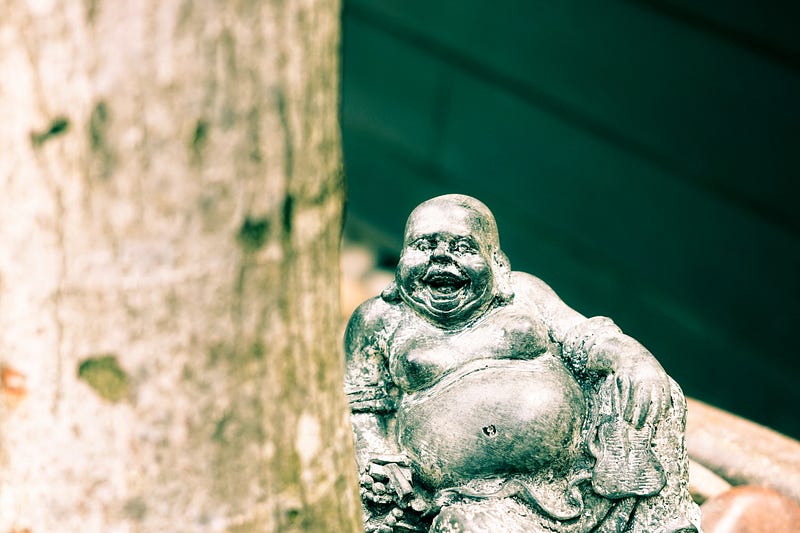
Blessed are awake, The entire world is asleep, Laugh, it’s just a play!
PS: Thanks for reading. If you enjoyed this, you might also like the one below.
Free AI web copilot to create summaries, insights and extended knowledge, download it at here
5243
Abstract
<span class="hljs-comment"># Generator F translates Y -> X.</span>
fake_y = generator_g(real_x, training=<span class="hljs-literal">True</span>)
cycled_x = generator_f(fake_y, training=<span class="hljs-literal">True</span>)
fake_x = generator_f(real_y, training=<span class="hljs-literal">True</span>)
cycled_y = generator_g(fake_x, training=<span class="hljs-literal">True</span>)
<span class="hljs-comment"># same_x and same_y are used for identity loss.</span>
same_x = generator_f(real_x, training=<span class="hljs-literal">True</span>)
same_y = generator_g(real_y, training=<span class="hljs-literal">True</span>)
disc_real_x = discriminator_x(real_x, training=<span class="hljs-literal">True</span>)
disc_real_y = discriminator_y(real_y, training=<span class="hljs-literal">True</span>)
disc_fake_x = discriminator_x(fake_x, training=<span class="hljs-literal">True</span>)
disc_fake_y = discriminator_y(fake_y, training=<span class="hljs-literal">True</span>)
<span class="hljs-comment"># calculate the loss</span>
gen_g_loss = generator_loss(disc_fake_y)
gen_f_loss = generator_loss(disc_fake_x)
total_cycle_loss = calc_cycle_loss(real_x, cycled_x) + calc_cycle_loss(real_y, cycled_y)
<span class="hljs-comment"># Total generator loss = adversarial loss + cycle loss</span>
total_gen_g_loss = gen_g_loss + total_cycle_loss + identity_loss(real_y, same_y)
total_gen_f_loss = gen_f_loss + total_cycle_loss + identity_loss(real_x, same_x)
disc_x_loss = discriminator_loss(disc_real_x, disc_fake_x)
disc_y_loss = discriminator_loss(disc_real_y, disc_fake_y)
<span class="hljs-comment"># Calculate the gradients for generator and discriminator</span> generator_g_gradients = tape.gradient(total_gen_g_loss, generator_g.trainable_variables) generator_f_gradients = tape.gradient(total_gen_f_loss, generator_f.trainable_variables)
discriminator_x_gradients = tape.gradient(disc_x_loss, discriminator_x.trainable_variables) discriminator_y_gradients = tape.gradient(disc_y_loss, discriminator_y.trainable_variables)
<span class="hljs-comment"># Apply the gradients to the optimizer</span> generator_g_optimizer.apply_gradients(<span class="hljs-built_in">zip</span>(generator_g_gradients, generator_g.trainable_variables))
generator_f_optimizer.apply_gradients(<span class="hljs-built_in">zip</span>(generator_f_gradients, generator_f.trainable_variables))
discriminator_x_optimizer.apply_gradients(<span class="hljs-built_in">zip</span>(discriminator_x_gradients, discriminator_x.trainable_variables))
discriminator_y_optimizer.apply_gradients(<span class="hljs-built_in">zip</span>(discriminator_y_gradients, discriminator_y.trainable_variables))</pre></div><p id="420d">The training loop above does the following:</p><ul><li>Gets predictions</li><li>Calculates the loss</li><li>Calculates the gradients using backpropagation</li><li>Applies the gradients to the optimizer</li></ul><p id="fadd">During the training, the network will select a random image from the training set and display it along with its translated version to let us visualize how the performance changes after every epoch, as shown in the figure below.</p><div id="4a42"><pre><span class="hljs-keyword">for</span> epoch <span class="hljs-keyword">in</span> <span class="hljs-built_in">range</span>(EPOCHS): start = time.time()
n = <span class="hljs-number">0</span> <span class="hljs-keyword">for</span> image_x, image_y <span class="hljs-keyword">in</span> tf.data.Dataset.<span class="hljs-built_in">zip</span>((train_horses, train_zebras)): train_step(image_x, image_y) <span class="hljs-keyword">if</span> n % <span class="hljs-number">10</span> == <span class="hljs-number">0</span>: <span class="hljs-built_in">print</span> (<span class="hljs-string">'.'</span>, end=<span class="hljs-string">''</span>) n += <span class="hljs-number">1</span>
clear_output(wait=<span class="hljs-literal">True</span>) <span class="hljs-comment"># Using a consistent image (sample_horse) so that the progress of the model</span> <span class="hljs-comment"># is clearly visible.</span> generate_images(generator_g, sample_horse)
<span class="hljs-keyword">if</span> (epoch + <span class="hljs-number">1</span>) % <span class="hljs-number">5</span> == <span class="hljs-number">0</span>: ckpt_save_path = ckpt_manager.save() <span class="hljs-built_in">print</span> (<span class="hljs-string">'Saving checkpoint for epoch {} at {}'</span>.<span class="hljs-built_in">format</span>(epoch+<span class="hljs-number">1</span>, ckpt_save_path))
<span class="hljs-built_in">print</span> (<span class="hljs-string">'Time taken for epoch {} is {} sec\n'</span>.<span class="hljs-buil
Options
t_in">format</span>(epoch + <span class="hljs-number">1</span>, time.time()-start))</pre></div><figure id="9bfd"><img src="https://cdn-images-1.readmedium.com/v2/resize:fit:800/1*blq_Iqn110nx3EU_acop3g.png"><figcaption></figcaption></figure><h1 id="c015">Evaluating CycleGAN</h1><p id="56e7">Once the CycleGAN has been trained, we can start feeding it new images and evaluating its performance in translating horses to zebras and vice versa.</p><p id="8f6a">Let’s test our trained CycleGAN on images from the dataset and visualize its generalization power. We’ll use the <code>generate_images</code> function, which will pick up some images, pass them through the trained network, and display the translation results.</p><div id="eadb"><pre><span class="hljs-keyword">def</span> <span class="hljs-title function_">generate_images</span>(<span class="hljs-params">model, test_input</span>): prediction = model(test_input)
plt.figure(figsize=(<span class="hljs-number">12</span>, <span class="hljs-number">12</span>))
display_list = [test_input[<span class="hljs-number">0</span>], prediction[<span class="hljs-number">0</span>]] title = [<span class="hljs-string">'Input Image'</span>, <span class="hljs-string">'Predicted Image'</span>]
<span class="hljs-keyword">for</span> i <span class="hljs-keyword">in</span> <span class="hljs-built_in">range</span>(<span class="hljs-number">2</span>): plt.subplot(<span class="hljs-number">1</span>, <span class="hljs-number">2</span>, i+<span class="hljs-number">1</span>) plt.title(title[i]) <span class="hljs-comment"># getting the pixel values between [0, 1] to plot it.</span> plt.imshow(display_list[i] * <span class="hljs-number">0.5</span> + <span class="hljs-number">0.5</span>) plt.axis(<span class="hljs-string">'off'</span>) plt.show()</pre></div><p id="e59c">Now, you can choose any test image and visualize the translation result:</p><div id="3e89"><pre><span class="hljs-keyword">for</span> inp <span class="hljs-keyword">in</span> test_horses.take(<span class="hljs-number">5</span>): generate_images(generator_g, inp)</pre></div><p id="cfed">Here are some examples obtained after the network had been trained over only 20 epochs. The results are quite good for such a short training. You can improve them by adding more epochs.</p><figure id="a7dd"><img src="https://cdn-images-1.readmedium.com/v2/resize:fit:800/1*Pg17Nfjwl84Rl1ULa8IeTg.png"><figcaption></figcaption></figure><figure id="dc2e"><img src="https://cdn-images-1.readmedium.com/v2/resize:fit:800/1*Pg17Nfjwl84Rl1ULa8IeTg.png"><figcaption></figcaption></figure><figure id="144b"><img src="https://cdn-images-1.readmedium.com/v2/resize:fit:800/1*QCIlUqMxtGolZwQ6OICU1A.png"><figcaption></figcaption></figure><figure id="ad29"><img src="https://cdn-images-1.readmedium.com/v2/resize:fit:800/1*3nTfEeoNJYMH1UlCKAzfAw.png"><figcaption></figcaption></figure><h1 id="a062">Season Transfer CycleGAN</h1><p id="f0f3">We can use the network we’ve designed for different tasks, such as day to night transfer or season transfer. In order to train our network for season transfer, all we need to do is change the training dataset to <a href="https://people.eecs.berkeley.edu/~taesung_park/CycleGAN/datasets/">summer2winter</a>.</p><p id="447f">We trained our network on the above dataset for 80 epochs. Have a look at the results.</p><figure id="a3e5"><img src="https://cdn-images-1.readmedium.com/v2/resize:fit:800/1*Xgq1gUrGLYdKvfB6eGEqEQ.png"><figcaption></figcaption></figure><h1 id="6aa7">Next Steps</h1><p id="3b12">In this article, we trained a CycleGAN with a U-Net-based generator. In the <a href="https://abdulkaderhelwan.medium.com/how-to-develop-a-cyclegan-from-scratch-cd7ee1fe2e1d">next article</a>, we’ll show you how to implement a residual-based generator and train the resulting CycleGAN on a <a href="https://abdulkaderhelwan.medium.com/how-to-develop-a-cyclegan-from-scratch-cd7ee1fe2e1d">medical dataset</a>. Stay tuned!</p><p id="49a5"><b><i>If you like the article and would like to support me make sure to: 📰 View more content on my <a href="https://medium.com/@abdulkaderhelwan">medium</a> profile<a href="https://www.blogger.com/blog/post/edit/6962154748903383574/6194706827742709853#"> </a>🔔 Follow Me: <a href="https://www.blogger.com/blog/post/edit/6962154748903383574/6194706827742709853#">LinkedIn </a>| <a href="https://www.blogger.com/blog/post/edit/6962154748903383574/6194706827742709853#">Medium</a> | <a href="https://www.blogger.com/blog/post/edit/6962154748903383574/6194706827742709853#">GitHub</a> | <a href="https://www.blogger.com/blog/post/edit/6962154748903383574/6194706827742709853#">Facebook</a></i></b></p><p id="f2b5"><b><i>👏Clap for this article<a href="https://www.blogger.com/blog/post/edit/6962154748903383574/6194706827742709853#"> </a>🚀👉 Read more <a href="https://readmedium.com/knee-osteoarthritis-grading-using-deep-learning-review-9d77637ee5c4">related articles </a>to this one on <a href="https://medium.com/@abdulkaderhelwan">Medium </a>and <a href="https://www.ai-contentlab.com/2023/12/knee-osteoarthritis-diagnosis-deep.html">AI-ContentLab</a></i></b></p></article></body>
Blessed are awake, The entire world is asleep, Laugh, it’s just a play!
PS: Thanks for reading. If you enjoyed this, you might also like the one below.