
The Best White Noise Machine For Kids? It’s A HomePod mini
It costs more, but it does more
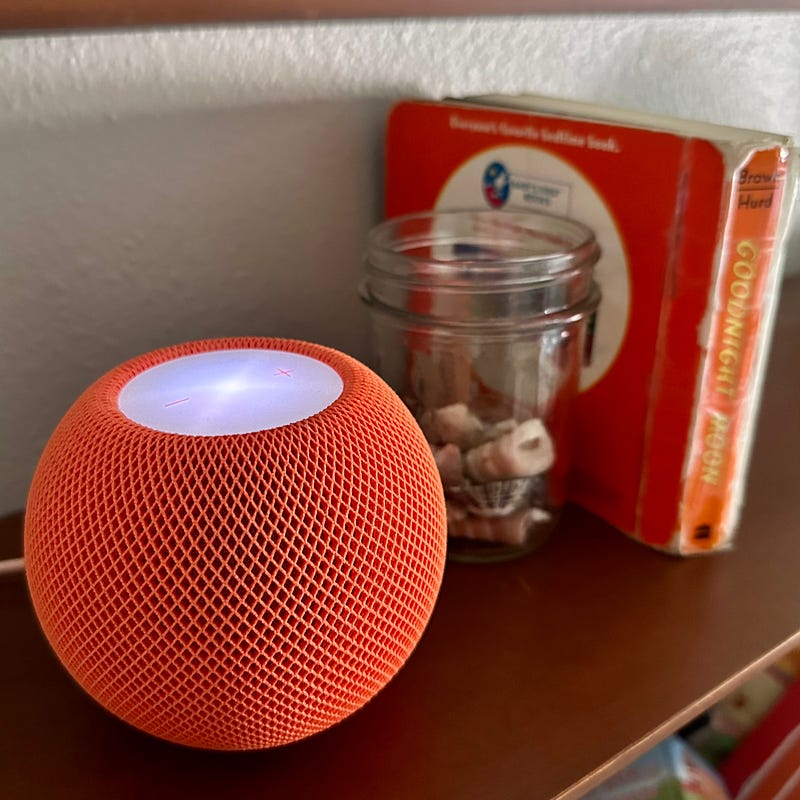
An ambient sound/white noise machine is a must for any new parent for creating a soothing sound environment for a sleeping baby while also dampening noises from outside the nursery. Fortunately, it’s easy to find inexpensive basic ones for around $15 on Amazon. Sure, you can spend more on sound machines that are shaped like a cute animal or have night lights, star/shape projectors, etc., but as long as they have a timer and play the expected sounds (rain, ocean, stream, white noise), you can be certain that even the cheapest ones will do the job.
That said, when it came time to buy a sound machine for my first daughter, I went with an unconventional, expensive choice: a HomePod mini. At the time, it seemed like a bit of a risk, or at least overkill — for its $80-$99 price, you could buy a handful of sound machines for different rooms and for travel. I’d never met anyone or read any articles recommending using a HomePod for that purpose, but I had a hunch that a device with more features could make it useful for longer. Now, with my daughter about to turn four and using her HomePod mini throughout the day, I consider it to be one of the best, most prescient pieces of baby gear I’ve ever bought.
The Basics
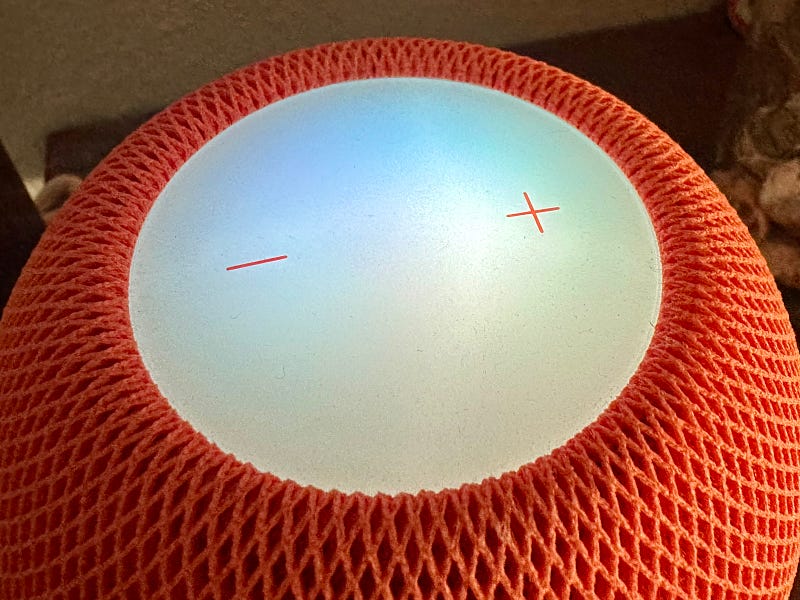
Starting in 2021with iOS 15, Apple’s HomePods (as well as iPhones and iPads) feature ambient sounds including rain, ocean, stream, white noise, dark noise, and balanced noise. You can learn how to turn them on and download the sounds here, and the easiest way to activate them is to use Siri by saying, “Hey Siri, play white noise” or whichever sound you prefer. Considering that you’ll probably be turning a sound machine on and off several times a day, especially with a new baby who naps every few hours, being able to control the HomePod with your voice alone is very handy, especially if you have a baby in your arms.
If you would rather your kid listen to soothing music, you can search around your streaming music service of choice (Apple Music obviously works the best) for an album, playlist, or station and either start it on the HomePod with Siri or AirPlay it from another device. If you are playing music on your child’s HomePod, I’d highly recommend making sure that those songs aren’t added to your Apple Music listening history, otherwise Apple Music will think that you are obsessed with lullabies or the Classical Chill playlist and will adjust its recommendations, your personal station, etc. accordingly.
Volume can be controlled from the HomePod with Siri, the +/- buttons on top of the HomePod, from a device you are AirPlaying from, and also with the Home app. Being able to control the sound while not being in the same room as the HomePod is pretty useful since, if something loud starts going on inside your house or in your neighborhood, you can turn up the volume without entering the room and risking waking up your kid. I don’t know about you, but both my kids wake up very easily when the doors to their rooms get opened, and if they’ve slept for long enough to feel rested (especially if it’s a nap), they often won’t fall back to sleep.
If you’re into smart home stuff (I’m not), the HomePod mini can be used as a smart home/HomeKit hub. I can imagine that it would be pretty cool to create a bedtime scene for your kid — ambient sound, dimmed/colored lights, and maybe even temperature and humidity settings — and be able to turn all of them on and off with a single voice command.
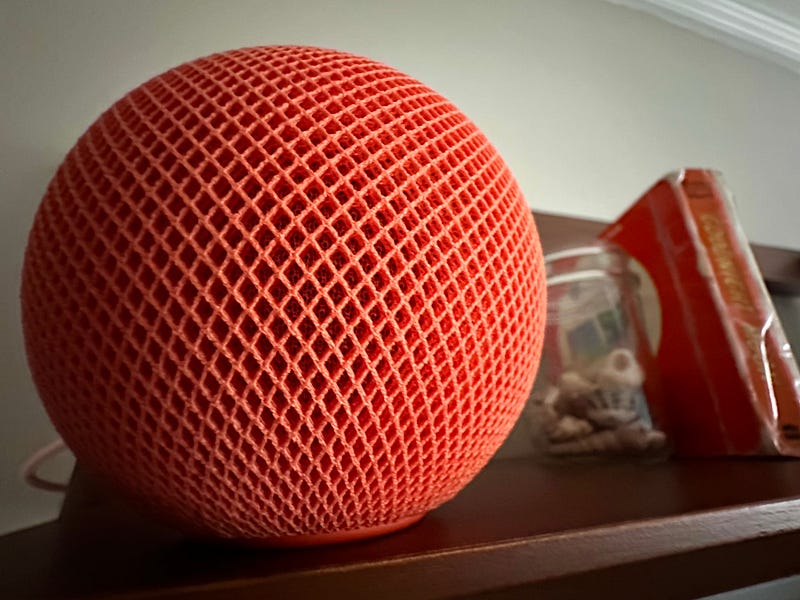
The HomePod mini comes in several colors: white, space gray (black), blue, and orange, so at least one of those will fit your decor. When I was buying my mini, Costco had the black one on sale for $10 off, but my wife insisted I pay the full $99 for the orange one 🤷🏻♂️.
Some good news is that if you want a cheap way to get some of this functionality, you can just use an old iPhone with “Hey Siri” turned on to do much of this. When I travel with my kids, I use an old iPhone 7 as their sound machine, as well as to watch videos on long drives or on a plane. The sound isn’t as good, but they haven’t complained. You could connect it to a Bluetooth speaker, but sometimes there can be confusion with Siri commands depending on whether the microphone on the iPhone or the speaker is considered the primary one. If I were to use an old iPhone as a permanent sound machine, I’d be very curious to try out a speaker that amplifies the sound without using electricity.
Music Is the X-Factor
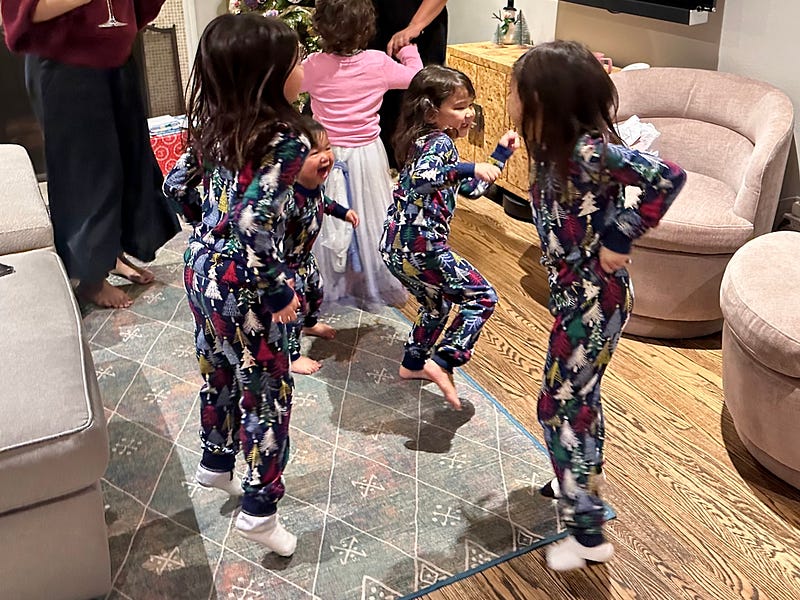
A big reason why I decided to go with the HomePod mini as a sound machine is because I figured that as my first daughter (let’s call her Z) got older, the HomePod could grow with her and be a music player she could use for years to come. However, I didn’t realize how quickly those years would arrive.
As a huge music lover, I tend to be listening to music whenever I can. In addition to always listening to music in the kitchen and car, I began playing music on the HomePod mini whenever I was spending time in the nursery playing with Z, putting her clothes away, organizing toys, hanging up decorations, etc. So I started making a playlist for her of music I thought she would like. This is something I very highly recommend for all new parents. Before Z was born, I vowed that I would not play her children’s music, the vast majority of which is incredibly annoying, grating, and eventually rage-inducing. I love music too much to have those songs stuck in my head against my will — why would I introduce some “Baby Shark”-type garbage that she may eventually demand incessantly? Kids love repetition and have no problem listening to the same song on repeat dozens of times.
I was hoping to imbue Z with good musical taste from the beginning. So in the early months, I put a lot of Beatles songs on Z’s playlist. Abbey Road was one of my favorite albums as a little kid (I particularly loved “Octopus’ Garden” for its fun imagery), and I believe that the Beatles are a great starting point for kids. The Beatles’ music changed and evolved so much over their mere seven years of recording that it’s easy to find songs that are good for any age or phase, and there’s never any swearing (not that a small kid would ever notice or understand). So early on, it was early pop era stuff like “I Want to Hold Your Hand” or fun and silly stuff like “Yellow Submarine” and “When I’m 64”. I also added music that I found relaxing, or stuff that I simply enjoyed or thought was funny — when she was fussy, I would play “I’m Upset” by Drake, and later “Crying” by Roy Orbison.
Babies start dancing basically as soon as they can walk, so if I was listening to a song that got Z going, I’d add that to her playlist. When she would respond to songs that I was singing along to, those would get added. When she started talking and could say “I like this song” when I was listening to music, those songs would get added. But if she requested a song that she maybe picked up from a friend or, later, at preschool — “I Am A Gummy Bear”, “the Floor is Lava”, and all their accursed ilk — I’d just say, “No, dada doesn’t want to hear those songs” and wouldn’t add them to the playlist.
Contrary to what some would think, there are absolutely no ill effects or consequences from refusing to play horrible music your child wants to hear. Just make sure you refuse from the very beginning and remain consistent. Your kid will just learn that mommy/daddy won’t play that music, and that’s fine — it’s actually good for kids to learn that different people like and dislike different things, since that’s what the real world is like. Conversely, if you start playing them garbage kids songs whenever they want to hear them, you’ll create an expectation that they may have to unlearn or, even worse, that you may never recover from. Also, if you end up having to listen to horrible music you detest whenever you’re with your kid, it will put you in a bad mood and increase the chances that you’ll take your annoyance out on them. In my opinion, listening to kids songs you hate will actually make you a worse parent. But if you claim you don’t mind listening to “The Wheels On the Bus”, “The Itsy-Bitsy Spider”, the Laurie Berkner Band, CoComelon, or anything else that will eventually have you contemplating murder/suicide, go nuts — literally.
So now Z (who is nearly four years old) and I have a playlist of roughly 100 songs that we both enjoy, and it’s an absolute blessing. Whenever we’re in the car together (which is nearly every day), this playlist is what we inevitably end up listening to. See why it’s so important to not include songs you don’t like? I’ve taught her that I will not be constantly skipping songs, and if she wants to skip a song, she has to say “please”. Likewise, if she wants to hear a certain song, she has to accept that her song won’t play until the current song is over (“Siri, after this play ‘2 Be Loved’ by Lizzo”). Teaching her the names of songs and artists has been a great way to exercise Z’s memory, and it’s very fun to hear a toddler correctly identify a Father John Misty song. If she wants me to play all of the Encanto soundtrack, I tell her that I’ll play an individual song if she can tell me the title, but not the whole album. Those are my rules. If there’s a song that she always wants me to skip, I’ll eventually remove it from the playlist, which can be bittersweet when she declares she no longer likes a song that she used to love when she was younger. But as everyone knows — particularly parents — nothing lasts forever.
“You Can Listen To That In Your Room”
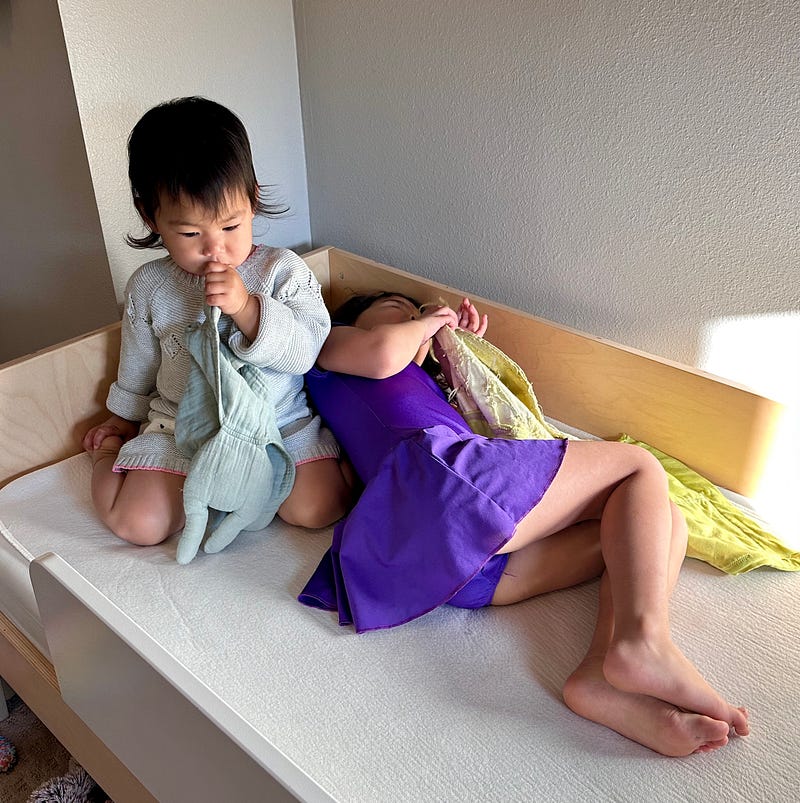
Now before anyone thinks that I’m being needlessly rigid or uncaring by not playing songs for my daughter that I don’t like, there is an excellent compromise to this, and it’s made possible by the HomePod and its voice controls.
I have made a rule that Z can listen to any music she wants when she is in her own room. So from a pretty early age, even with her adorable little kid pronunciations and lisp, she was able to get Siri to play the Daniel Tiger Essentials playlist most of the time. If she needed help getting something to play, I could go to her room and start it, or AirPlay it from my iPhone from wherever I was. As she got older, Pete the Cat Essentials and Bluey Essentials entered the rotation. And now, despite my efforts, Z has gone full on Disney musicals, primarily Moana, Frozen, and Encanto (in English, Spanish, and even Korean!).
Without the HomePod and Siri-enabled voice controls, I have no idea how Z or any small kid would be able to play her own music without an adult’s assistance. It would be extremely difficult to get a kid to understand how to use a CD player, which would also require me to either buy or burn CDs of everything she wanted to listen to. Something like an MP3 player wouldn’t work because she can’t read and wouldn’t be able to navigate through menus to find tracks. And if Z had a Bluetooth speaker, my wife and I would go nuts always having to pair our phones and then be on call for every request, which might realistically come every few seconds as Z tried to skip through a playlist or album.
But because of the HomePod, Z has embraced music. She’ll happily go up to her room to play her favorite songs, especially when she has friends over and wants to host her own dance party. Instead of coming into my bedroom at whatever ungodly hour of the morning she wakes up, Z will listen to music in her room while doing an activity like stickers, drawing, or sometimes just sitting in her chair calling out songs. It makes me so happy to know that Z is developing a relationship with music and learning that it will always be there for her, whether it’s for fun, comfort, boredom, or connection with others. She also loves playing music for her two-year-old little sister, M, who is also very much into Bluey and certain songs from Moana.
I have long believed that music is one of life’s greatest, purest joys, and it makes me so happy that Z and M are learning that as well. I don’t want music to be something divisive with my children, or something annoying because it requires too much attention or grates on my ears. Being a parent is already difficult enough. By using a HomePod mini as a sound machine, I’ve not only gotten something practical to help my kids sleep, I’ve also been able to introduce my kids to their own world of music and the source of joy and connection I know it to be.
The original HomePod, which is what I use in the kitchen, was released in 2018. Mine is still going strong and continues to get software updates, so I sincerely hope that Z and M will be able to use their HomePod mini for many more years, and hopefully into their teens. Considering how stereo equipment can last for decades if kept in good condition, I sincerely hope that HomePods will continue to work even if they stop getting new features and OS updates.
In the meantime, I’m incredibly glad that my gamble on the HomePod mini as a sound machine has paid off in ways that I never could have fully appreciated when I bought it. If I had just gotten a dedicated sound machine, it would only be used at bedtime and would eventually run its course in my kids’ lives. But with the HomePod, my daughters not only get music at an early age — something you never grow out of — but the ability to choose what they want to listen to. Hopefully this won’t mean Disney show tunes forever, but if that’s what gives them the most happiness, I’m more than happy to give them a way to listen to them — in their own rooms.