
The Best Python Libraries for Algorithmic Trading
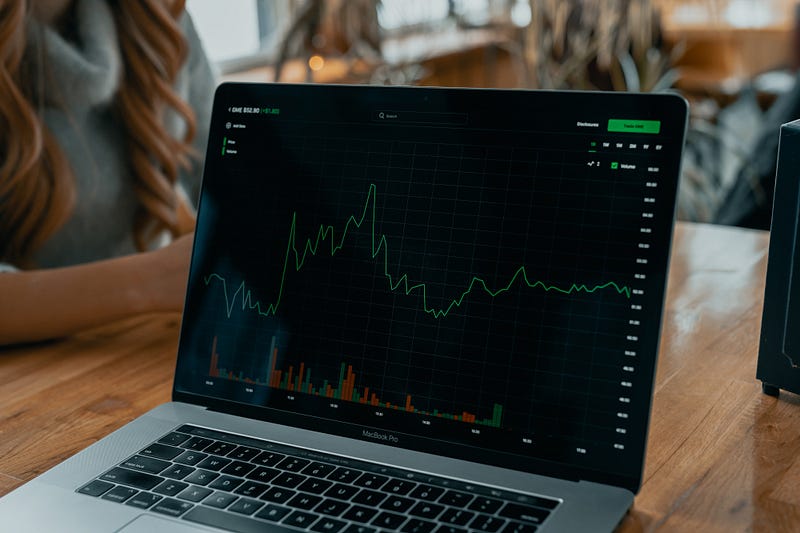
With algorithmic trading, trading decisions are made using pre-defined rules and strategies, and computer programs are used to execute trades based on these rules.
Python has become a widely used language for algorithmic trading due to its ease of use, flexibility, and extensive library support.
I’ll cover the best python libraries you can find to develop your backtesting software, trading bots, portfolio analyzers, etc…
Overview of Python Libraries for Algorithmic Trading
Before diving into the best Python libraries for algorithmic trading, it’s important to have a basic understanding of the different types of libraries used in this field. Python libraries are collections of pre-written code that can be imported into your program and used to perform specific functions. There are three main types of libraries used in algorithmic trading:
- Data analysis libraries: These libraries provide tools for cleaning, manipulating, and analyzing large amounts of data. They are essential for developing trading strategies and identifying patterns and trends in market data.
- Trading libraries: These libraries provide interfaces for connecting to brokerage accounts and executing trades automatically. They often include features such as risk management, position sizing, and order management.
- Backtesting libraries: These libraries allow traders to test their trading strategies on historical market data to evaluate their performance. They are essential for optimizing trading strategies and identifying areas for improvement.
By combining these three types of libraries, you can develop sophisticated algorithmic trading strategies that are based on data analysis, trading execution, and historical performance evaluation.
The Best Python Libraries for Algorithmic Trading
Pandas/NumPy/Matplotlib/Seaborn
You probably already know these libraries so I’m going to go over that quickly.
Pandas is a popular data analysis library that provides powerful tools for cleaning, manipulating, and analyzing data. It can be especially useful for handling time-series data and is used by a lot of algo-trading libraries.
NumPy is a numerical computing library that provides efficient tools for performing complex mathematical operations on large arrays of data. It is commonly used for tasks such as option pricing and risk management.
You can also use Matplotlib and Seaborn for visualizing your time series, statistics related to your algorithmic trading algorithm, or the performance of assets over time.
PyAlgoTrade
PyAlgoTrade is a Python library for backtesting trading strategies using historical data.
It allows you to define and test trading strategies based on technical indicators, such as moving averages, RSI, MACD, etc.
It supports multiple data sources, including Yahoo! Finance, Google Finance, and Alpha Vantage, among others.
PyAlgoTrade provides an event-driven framework that makes it easy to create custom trading strategies.
Here is an example of a simple trading strategy that uses a moving average crossover to generate buy and sell signals:
from pyalgotrade import strategy
from pyalgotrade import technical
from pyalgotrade.technical import ma
from pyalgotrade.technical import cross
from pyalgotrade.barfeed import yahoofeed

class MyStrategy(strategy.BacktestingStrategy):
    def __init__(self, feed, smaPeriod):
        super(MyStrategy, self).__init__(feed)
        self.__instrument = "AAPL"
        self.__sma = ma.SMA(feed[self.__instrument].getCloseDataSeries(), smaPeriod)

    def onBars(self, bars):
        if self.__sma[-1] is None:
            return

        if cross.cross_above(self.__instrument, self.__sma):
            self.buy(self.__instrument, 100)
        elif cross.cross_below(self.__instrument, self.__sma):
            self.sell(self.__instrument, 100)

def run_strategy(smaPeriod):
    # Load the Yahoo! Finance feed from a CSV file
    feed = yahoofeed.Feed()
    feed.addBarsFromCSV("AAPL", "AAPL.csv")

    # Evaluate the strategy with the given SMA period
    myStrategy = MyStrategy(feed, smaPeriod)
    myStrategy.run()

    # Print the results
    print("Final portfolio value: $%.2f" % myStrategy.getResult())
Backtrader
Backtrader is an alternative to PyAlgoTrade. It supports multiple data sources, such as CSV files, databases, and live feeds from brokers, and provides a wide range of indicators and order types.
Depending on the broker you use, you can use Backtrader to trade in live. Backtrader supports Interactive Brokers and Oanda.
Backtrader is my favorite library for algorithmic trading. It is so flexible, even if the learning curve is pretty steep and Backtrader is rarely convenient to use.
Here is an example of a simple strategy so that you can see the Backtrader syntax:
import backtrader as bt

class SMACrossover(bt.Strategy):
    params = (
        ('sma_period_short', 10),
        ('sma_period_long', 20),
    )

    def __init__(self):
        sma_short = bt.ind.SMA(period=self.params.sma_period_short)
        sma_long = bt.ind.SMA(period=self.params.sma_period_long)
        self.crossover = bt.ind.CrossOver(sma_short, sma_long)

    def next(self):
        if self.position.size == 0:
            if self.crossover > 0:
                self.buy()
        elif self.position.size > 0:
            if self.crossover < 0:
                self.sell()

if __name__ == '__main__':
    cerebro = bt.Cerebro()

    data = bt.feeds.YahooFinanceData(dataname='AAPL', fromdate=datetime(2010, 1, 1),
                                     todate=datetime(2022, 3, 23))

    cerebro.adddata(data)
    cerebro.addstrategy(SMACrossover)
    cerebro.run()
    cerebro.plot()
I’ve made a lot of stories about Backtrader. You can find them here if you’re interested:
Zipline
Zipline is an open-source Python library used for backtesting trading algorithms. It was developed by Quantopian, a company that provides a platform for developing and testing quantitative trading strategies.
Zipline provides an event-driven framework for backtesting that allows users to define trading algorithms and test them on historical data. It supports multiple data sources, including CSV files, Pandas DataFrames, and external data providers such as Yahoo Finance and Quandl.
One of the key features of Zipline is that it allows you to test your algorithms in a realistic simulation of the market, including transaction costs, slippage, and other factors that can impact trading performance.
Zipline also provides tools for analyzing backtest results and visualizing performance metrics, such as returns, drawdowns, and risk-adjusted performance measures.
And here is the code example to create and run a simple strategy:
import pandas as pd
from zipline import run_algorithm
from zipline.api import order_target_percent, symbol
from datetime import datetime
import pytz

def initialize(context):
    context.asset = symbol('AAPL')

def handle_data(context, data):
    ma50 = data.history(context.asset, 'price', 50, '1d').mean()
    ma200 = data.history(context.asset, 'price', 200, '1d').mean()
    if ma50 > ma200:
        order_target_percent(context.asset, 1.0)
    elif ma50 < ma200:
        order_target_percent(context.asset, -1.0)

start_date = pd.Timestamp('2010-01-01', tz='utc')
end_date = pd.Timestamp('2020-12-31', tz='utc')

result = run_algorithm(
    start=start_date,
    end=end_date,
    initialize=initialize,
    capital_base=100000,
    handle_data=handle_data,
    data_frequency='daily',
    bundle='quandl'
)

result.portfolio_value.plot()
CCXT
CCXT is a Python library that provides a unified API for accessing a wide range of cryptocurrency exchanges. With CCXT, you can write trading bots and other applications that can trade on multiple exchanges without having to learn the unique API for each exchange.
It can also be used for backtesting if you combine it with other libraries.
Here is an example to use CCXT for fetching data from Binance:
import ccxt

exchange = ccxt.binance()  # create a Binance exchange object

markets = exchange.load_markets()  # load all available markets

symbol = 'BTC/USDT'  # specify the trading pair

ticker = exchange.fetch_ticker(symbol)  # fetch the current ticker data

print(ticker['last'])  # print the last traded price
PyPortfolioOpt
PyPortfolioOpt is a Python library for portfolio optimization. It provides a range of algorithms for optimizing portfolios based on factors such as expected return, risk, and diversification. It also includes tools for portfolio analysis and visualization.
Here is an example of how to use PyPortfolioOpt to create an optimized portfolio:
from pypfopt import expected_returns
from pypfopt import risk_models
from pypfopt import EfficientFrontier
import pandas as pd

# load historical stock prices
df = pd.read_csv("stock_prices.csv", parse_dates=True, index_col="date")

# calculate expected returns and covariance matrix
mu = expected_returns.mean_historical_return(df)
Sigma = risk_models.sample_cov(df)

# create an efficient frontier object
ef = EfficientFrontier(mu, Sigma)

# optimize for maximum Sharpe ratio
weights = ef.max_sharpe()

# print the weights and expected return and volatility
cleaned_weights = ef.clean_weights()
print(cleaned_weights)
ret, vol, _ = ef.portfolio_performance(verbose=True)
print("Expected annual return: {:.2f}%".format(ret * 100))
print("Annual volatility: {:.2f}%".format(vol * 100))
Broker APIs
Broker APIs are APIs provided by brokerage firms that allow developers to access and trade financial instruments such as stocks, options, and currencies programmatically. By using a broker API, you can write trading algorithms and other financial applications that can interact with financial markets in real-time.
A lot of brokers provide an API, and most of them are implemented in Python. For example, the Alpaca API can be used the following way:
import alpaca_trade_api as tradeapi

api = tradeapi.REST("API_KEY_ID", "API_SECRET_KEY", base_url="https://paper-api.alpaca.markets")

# retrieve market data for a stock
symbol = "AAPL"
barset = api.get_barset(symbol, "day", limit=5)

# print the closing prices for the last 5 days
for bar in barset[symbol]:
    print(bar.t, bar.c)
Final Note
There are a lot of Python libraries related to algorithmic trading you can use to develop your own applications.
With this article, I tried to propose the best libraries, either that I could try myself, or that are very popular and recognized.
There are certainly many others that are very good so don’t hesitate to try some on your own as well!
To find the other stories of this series and more about mixing trading and Python, check this: Improve your Trading with Python
To explore more of my Python stories, click here!
If you liked the story, don’t forget to clap and maybe follow me if you want to explore more of my content :)
You can also subscribe to me via email to be notified every time I publish a new story, just click here!
If you’re not subscribed to Medium yet and wish to support me or get access to all my stories, you can use my link:


