
The best home office gadgets in 2023
Last year I wrote an article describing my home office setup back then.
Since then, I have moved to a new apartment and created a new home office. I took the ideas described in the article above, improved them, and added some new gadgets.
At this point, I am pretty happy with how my home office looks, and I thought its time to share my favorite home office gadgets with you.
None of the below-mentioned companies sponsor me. Only BenQ has send me a free Screenbar to try and write an honest review about it. All the recommendations below are my personal opinions.
A quick recap
Before I present you with my latest gadgets, I quickly want to mention the items I described in the previous article. There are a lot of things that I am still using and some that I replaced. Let's quickly go through it.
If you want to know more about them, feel free to go ahead and read the other article 😉
What I still love
- Capisco chair — Still the best chair I have ever owned. The different sitting positions and the quality make this chair the perfect choice for all kinds of work, even boring meetings.
- Apple air pods max — Epic sound quality, epic quality of materials. Sad that you can not shut them down unless you put them into their ugly case.
- LaMetric smartwatch — still very nice, lots of fun apps.
- The Blue Yeti World of warcraft edition mic — Still great, and no, I am still not a warcraft gamer.
- Pop Figures — I still have all my Pop figures and have updated my collection with some new ones.
What I replaced
- Monitor — I Switched to the LG ultrafine. Great price, perfect screen size, and epic mount!
- Images — Found a better solution, more on that in the next section.
So I still use most of the items from my old setup. But I improved my home office with the following gadgets!
Displate images
Images are essential to give your home office that polished and personalized touch.
But mounting images is pretty annoying, right? First, you have to measure the wall and then drill screws into the wall. I hate drilling, especially in rented flats. Once I move, I must fix the holes and clean the wall. It's not a big deal but still annoying.
What if I told you, you could have even nicer images without much measurement and drilling? Wouldn't that be cool?
Well, I recently discovered Displate.
Displate is a one-of-a-kind metal poster designed to capture your unique passions. We’ve created a 21st century canvas that’s sturdy, magnet mounted, and durable enough to withstand a lifetime of intense staring.
Initially, I was skeptical if I wanted to hang metal prints on my wall. But they had such a big selection of lovely images that convinced me. As a huge anime fan, I ordered some prints of my favorite anime shows and characters.
I ordered the following selections, three images of size M and one Large image to put on another wall.
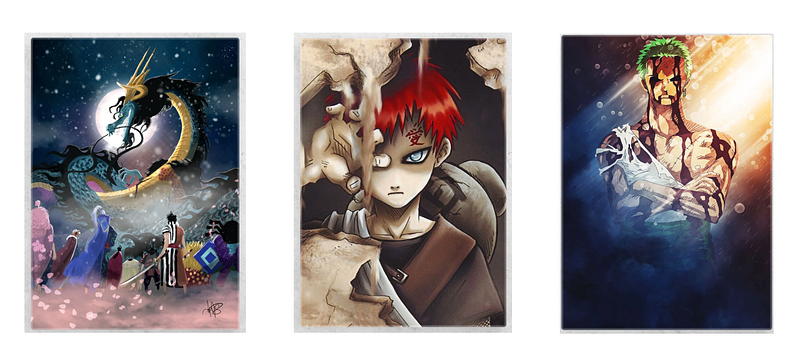
🤫 Pro tip! Copy the motive and put it into a Docs or Keynote file to get a feeling on how the images might look in real life on the wall.
I have had the Displate images for two months now and am absolutely in love with them. I can not only judge the quality, but I also went through the whole mounting experience, and here's what I love about Displate:
- They are straightforward to mount; you mount the metal plate and then hang the image on it.
- When mounting, you still have to do some measurements. But you don't have to be as precise as with the screw because you can later still move the poster on the metal mount.
- No screws are required. Did I mention that I hate drilling?
- Last but not least, they look great! The quality is excellent.
Shelves
In times of remote meetings and online courses, having an excellent background is pretty cool, especially if you are like me, a Youtube video creator.
If you’re interested in learning Angular or improving your coding skills, my Twitch channel is the perfect place for you! With live streams and interactive Q&A sessions, you’ll have the opportunity to chat, learn and get real-time feedback on your own projects.
Images in the background are already pretty cool, but still, there's a lot of white space underneath the pictures. Well, I could paint the wall, but in a rented apartment, that's even more annoying than screwing.
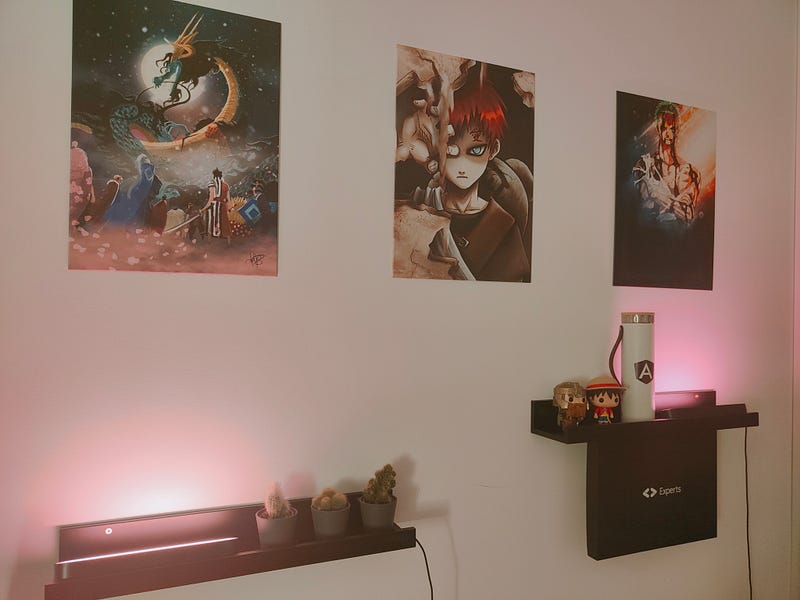
So how about some shelves? Yes, you have to mount them with screws, but they offer many decoration possibilities. You can decorate them with plants, plaques, posters, or lovely figurines. And if you, like me, have some nice lights (more on that later), you can easily combine the shelves with the lights to achieve a nice lighting effect for your images.
Say goodbye to cold coffee. ☕
It's morning, and you prepare that fresh cup of coffee and start working. Before you know it, you are in the zone. Once you switch back to your coffee. And, no, that tasty coffee is cold. 😢 Gosh.
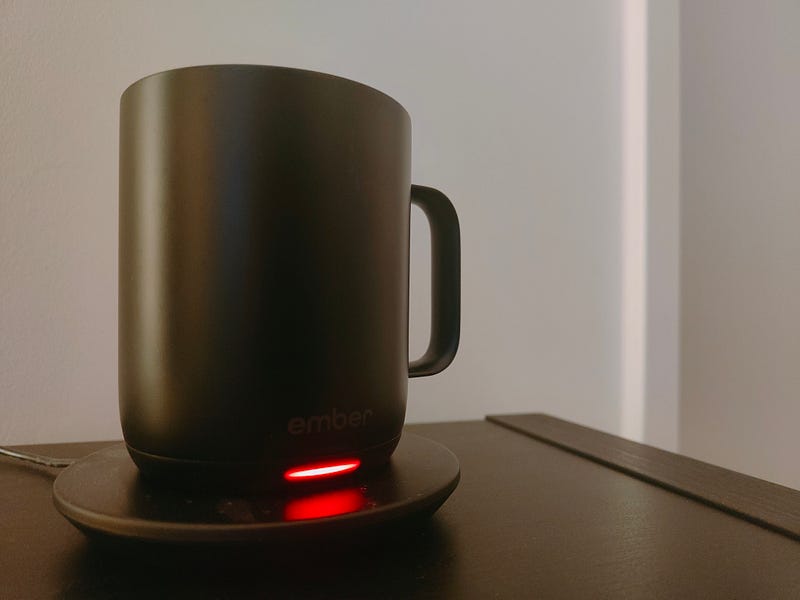
With the heatable mug from Ember, this can easily be avoided. The Ember cup connects to Temperature and allows you to set the Temperature of your coffee. The cup will then heat and keep the coffee at the desired Temperature. Once you have finished the coffee, put the cup on the plate to recharge.
Illumination based on your mood
When working, I like to surround myself with a creative environment that fits my mood. That's one of the reasons why you will find me often working from coffee shops.
Therefore, it's often helpful to change the lights in my home office based on my mood or the day I work. Well, I discovered the adjustable lights from Phillips, the Phillips Hue.
Again, the Lights come with an app that allows me to configure the scenes. So in the morning, I configure the lights differently than in the evening.
Phillips Hue has a lot of preconfigured light themes. They also offer seasonal themes. At the time I am writing this post they offer 6 different Halloween themes 🎃
Another nice thing is that you are free on how you want to mount them. I have four lights; two mounted behind my screen and two in the background. The ones behind the screen point in different directions (one to the left and one up) to create this lovely effect.
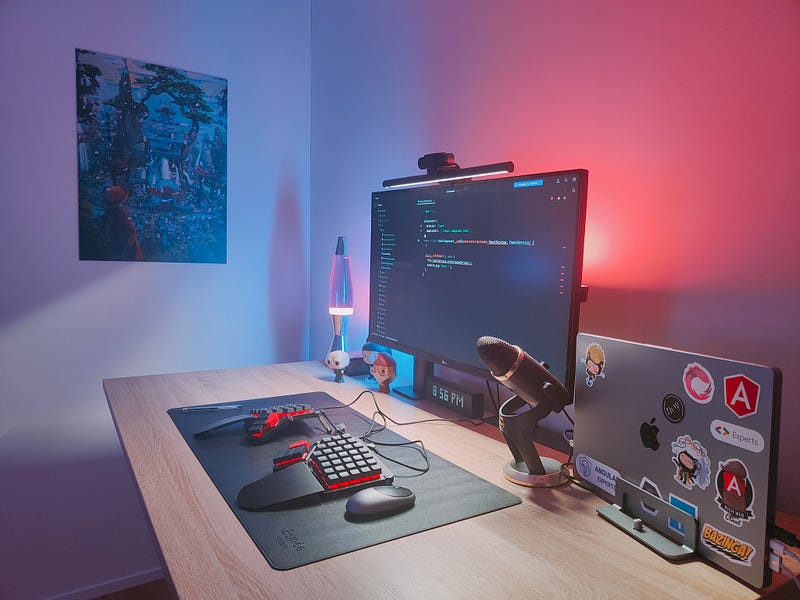
I hope you like my desk setup. If yes? You want to read on because, in the following sections, we will cover some items you currently see on the desk.
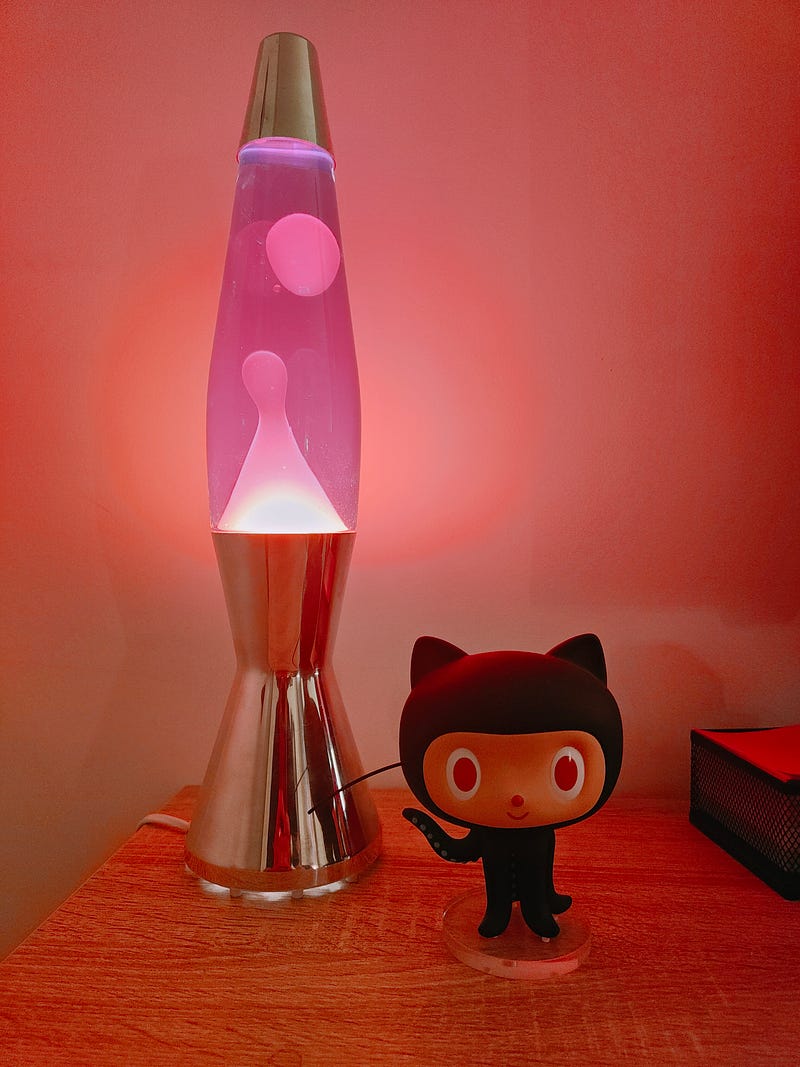
Bring back the old days with the Lavalamp 🌋
When I was a kid, a friend had this amazing lava lamp. I was fascinated by it. I could spend hours looking at the bubbles inside the lamp. When I was young, I always wanted such a lamp for my room. But once I grew up, I kinda forgot about it.
One day we entered a shop that was selling retro stuff. And guess what I found on one of the top shelves? I finally got my lava lamp, and it looks amazing.
Screen bar
The BenQ screen bar is an excellent alternative to a classic desk light. It is mounted above the screen and has the advantage that the light doesn't reflect on your screen. But be careful if you also use a webcam. Some webcams can not be mounted on top of the screen bar.
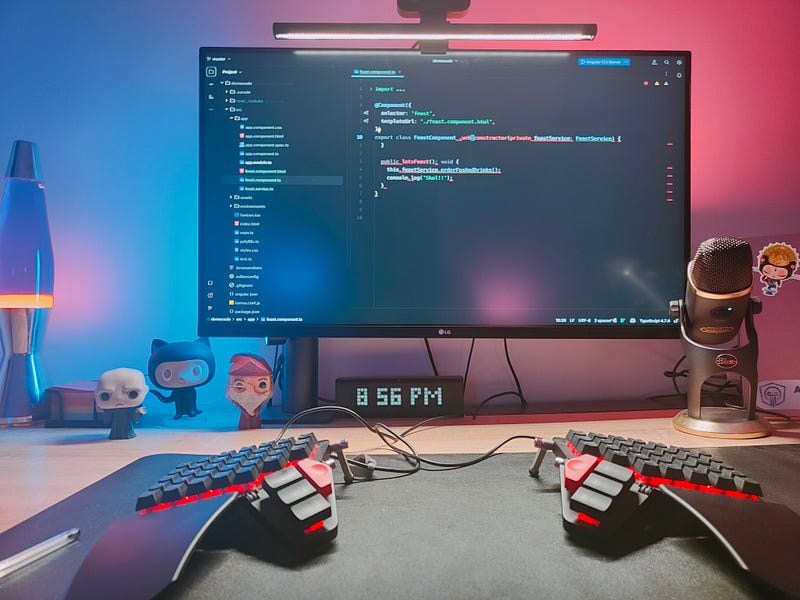
Also, I would only recommend the screen bar if you work a lot at night. I use the screen bar often at night and rarely during the day.
Table Mat
When I designed my office, I chose black/dark colors. Unfortunately, my desk did not fit into this concept. I prefer a dark wooden desk. Unfortunately, the wood on my desk is very bright, but I don't want to buy a new desk.
So I decided to put a black mate on the desk to bring it closer to the concept I had in mind.
The Moonlander 🌑
When you saw the pictures above, you were maybe already asking yourself, what the hack is this Keyboard?
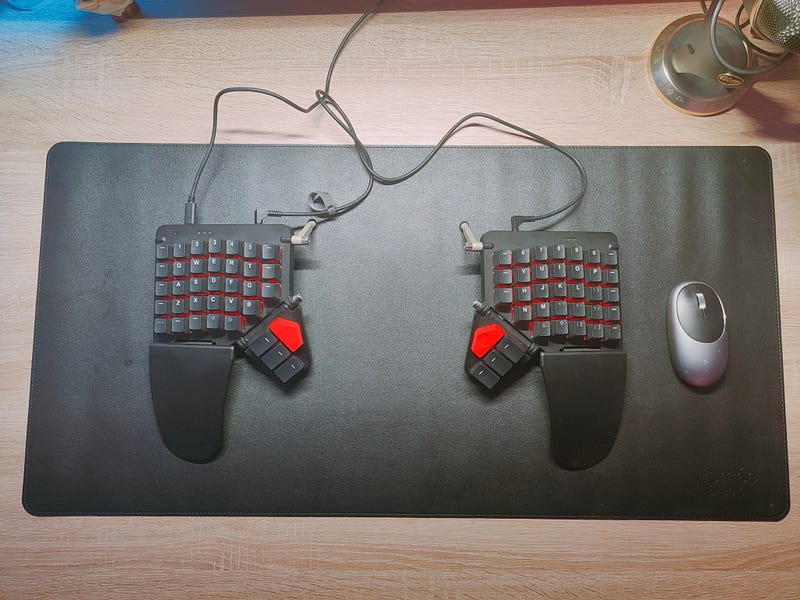
Well, this one is a bit special since I would recommend this item probably only to programmers. But I guess if you are reading these, chances are high that you are a programmer; if not, great! Happy that you read my article. And, of course, if you like the Keyboard, feel free to use it!
When I unpacked and first used this Keyboard, I felt like I was sitting in a spaceship. The hand position and the arm position felt pretty nice and natural. My chest was open, and I found myself immediately in a much healthier sitting position. The Moon lander's ergonomics are outstanding. Sounds all good, but here's the thing. My typing speed was gone.
I typed like a first-time computer user. All that excellent typing speed I built over the years is gone. But it's not only the split keyboard; it's also the ortholinear keyboard layout. It's a massive change if you are used to a staggered layout.
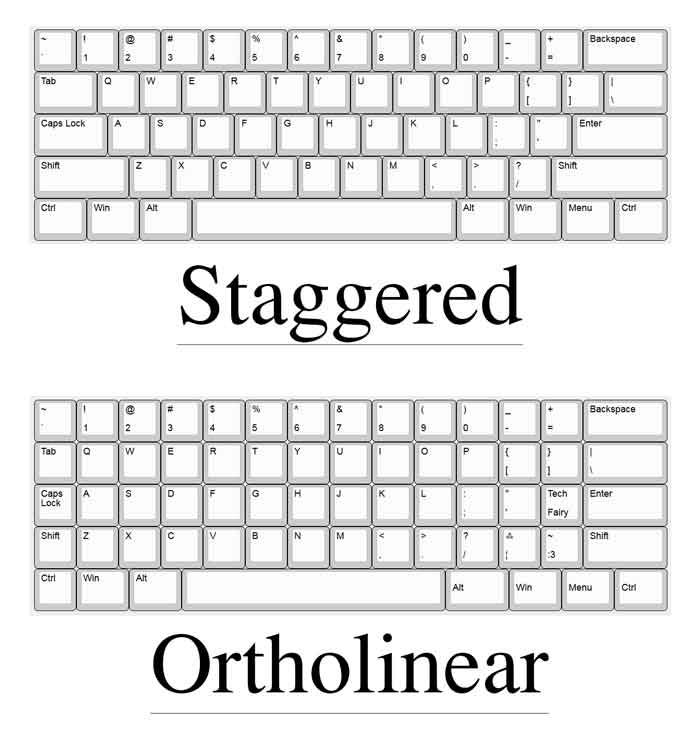
I can't tell you how many times I typed V instead of C or C instead of X. But if you think about it, it actually doesn't make sense to use staggered layouts. It's much unhealthier for your fingers, but everybody uses them; why? Well, for historical reasons. We have staggered layouts since typewriters needed this layout for mechanical linkages between the keys and the levers. But we no more use typewriters, right?
Then there's the configuration. The configuration is what makes the Moonlander even more powerful. The Moonlander has a very nice GUI that allows you to configure your Keyboard according to your needs. But boy, configuring it until you feel comfortable with it takes time.
And then there's the best part. Once you feel comfortable with the Moonlander, returning to a standard keyboard is tough. Well, why would you return? Did I tell you I love working from coffee shops on my laptop with the staggered layout?
Would I do it again and go through all the hustle to configure and build the muscle memory to be productive with the moon lander? 100%. Would I recommend it to everybody, 100% not! If you want to use the moon lander, be prepared for a steep learning curve. But as usual, with deep learning curves, it is worth it once mastered!
What do you think of the gadgets mentioned above? Do you have a nice gadget that is missing from this list? Please leave a comment, and maybe you will find your gadget in my blog post, home office gadgets in 2023 😉

Welcome to the world of Angular excellence — angularexperts.ch
Do you find the information in this article useful? — We are providing tailored expert support for developing of your Angular applications. Explore our wide range offers on angularexperts.ch