
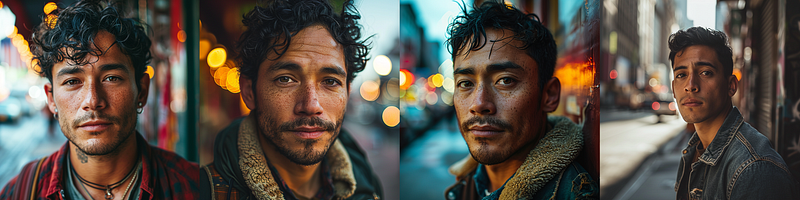
From Average to Extraordinary
The Art of Midjourney Aesthetics: How Style 750 Turns an Ordinary Portrait into Perfection
If you’ve ever been curious about the purpose of the style attribute and how it influences outcomes, here’s a brief explanation with some very interesting examples. Let’s kick off with a few instances:
The Prompt
an average latin american man in a dense city setting, portrait photoshoot
As anticipated, the result is a depiction of a man in a city. However, by employing the style attribute, you have the power to significantly alter the output. To activate the style attribute, simply utilize a double dash followed by an “s” (--s + number).
Style 0
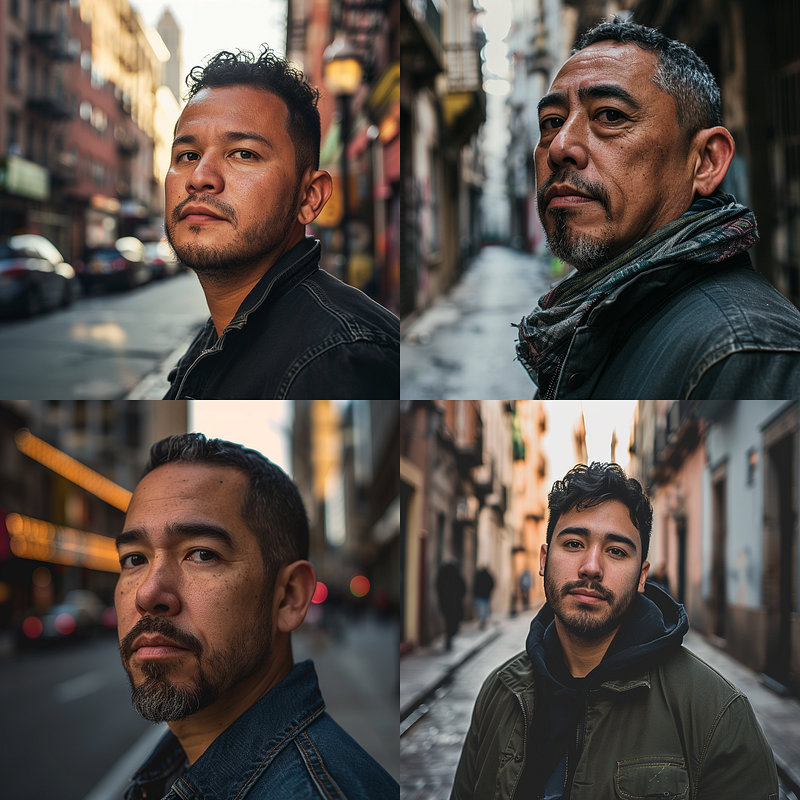
Style 0 closely resembles an average man, presenting a good appearance but falls short of the characteristics of a male model.
Style 250
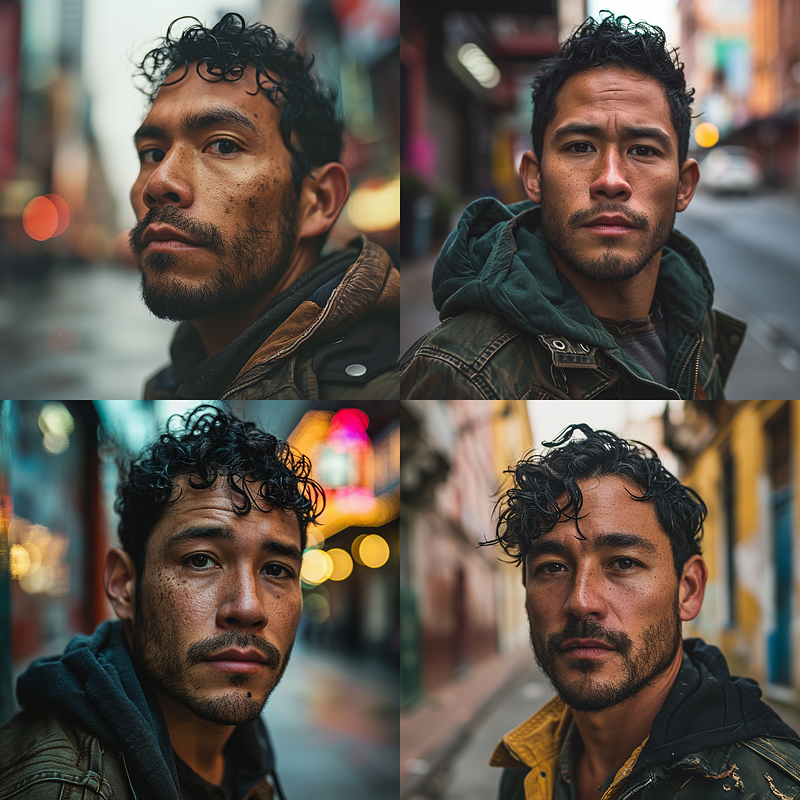
Under Style 250, his attractiveness is enhanced, yet he maintains a normal beauty.
Style 500
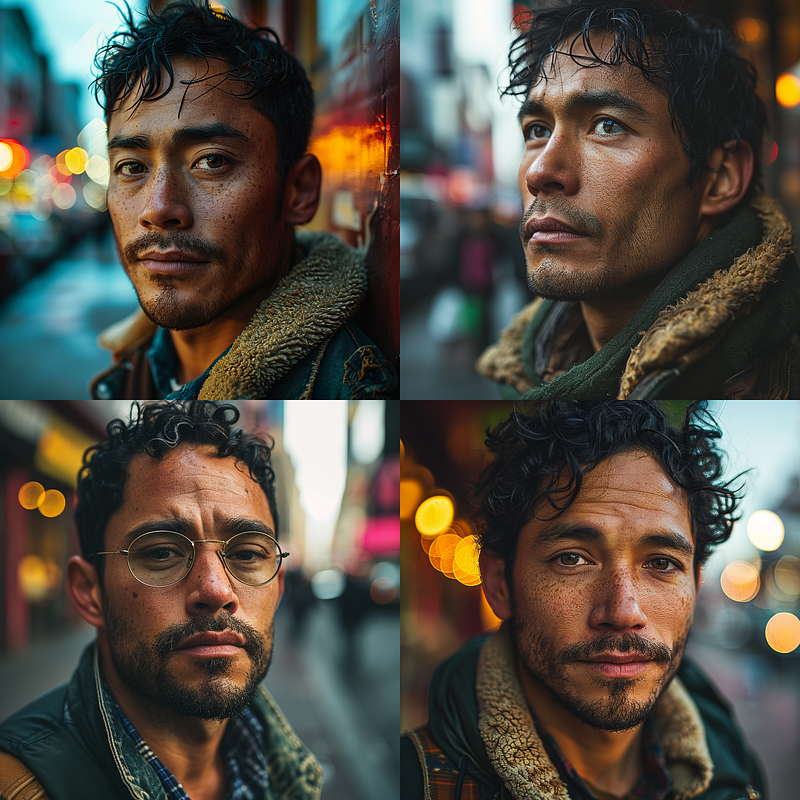
His beauty is increasing, transitioning gradually from an average look towards a more male model aesthetic. Guess what happens if we raise the style attribute to 750?
Style 750
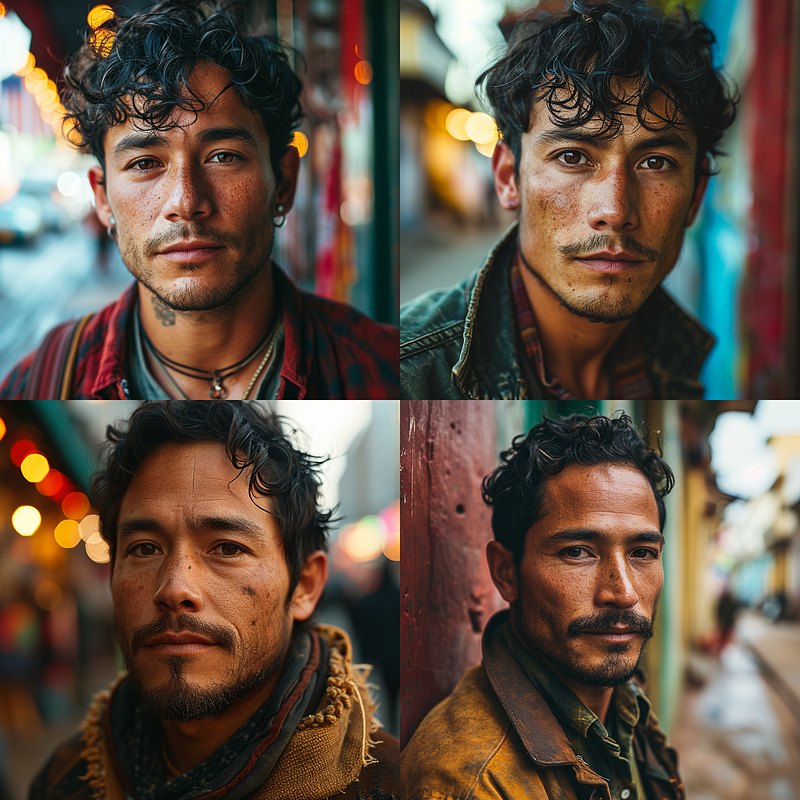
He has transformed into a remarkably beautiful and nearly flawless individual. Despite the age gap between the top left and bottom right, he appears almost perfect.
Conclusion
In conclusion, what does the Style attribute accomplish? It grants Midjourney the liberty to interpret the prompt. A style of 0 maintains proximity to the prompt, while higher style attributes provide Midjourney with more artistic freedom.
Personally, I lean towards sticking with style 0 or raw style. A young individual remains youthful and flawless, while an older person gains a more distinct character. I seldom experiment with other style parameters, but when I do, I tend to opt for 750 or even higher (up to 1000 is possible).
Feel free to comment and tell me what you think about those results and if you have and ideas or suggestions you’d like to see drop this in the comments as well!
Hej there! Can I ask you a favour (it will really help me out to grow this blog)?
If you find this article insightful, consider following me please and clap as many times as you want as this helps me to each a wider audience.
And if you really enjoy my content feel free to buy me a coffee. Thanks for reading and enjoy your day!


