
The Art of Google Dorking for Recon
Hey there, fellow bug hunters and curious minds!
If you haven’t already, check out my article about the exciting journey of reconnaissance, the significant steps and essential tools.
Now, we will dive into one specific type of recon — Google dorking (for OSINT — Open Source Intelligence).
What is Google dorking?
At its core, Google dorking refers to the practice of using specific search queries (known as “dorks”) to uncover sensitive information and vulnerabilities in online systems. We need to strategically craft these search queries, and bypass the traditional search results, and then access hidden or unprotected data. This is usually not available on a website (not intended for public viewing). Google dorking is one of the most effective way of finding sensitive information of any website.
Let us uncover some hidden end-points and sensitive data like a pro.
Start simply:
Start with “site:<domain>”. This returns a list of all indexed URLs from the specified domain. The second example below searches for any “help” related content from all the “.com” websites.
site:target.com
site:.com "help"
Using cache:
This returns the cached version of a website. This is the same as clicking on the “Cached” link on Google’s main results page.
cache:target.cominurl:
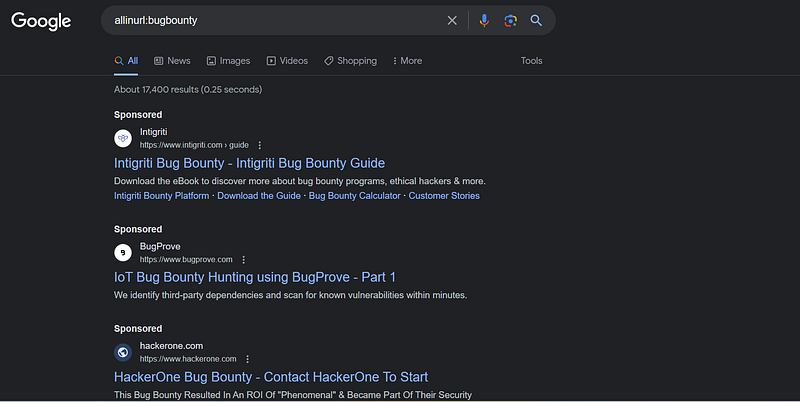
This will restrict the results to the documents containing that word in the url. Put simply, it searches for the word in the URL. The below example queries for all the URLs containing target.php. Another operator is “allinurl” — This returns the results whose URL contains all the specified characters.
inurl:"admin"
allinurl:target.php
intext:
This locates the web pages that contain certain characters or strings inside the text.
intext:"index of /" site:target.comI will further provide a list of google dork search queries to be used in the recon phase.
Always, remember that Google dorking should be used in legitimate testing and it is essential to emphasize that these should be used with proper authorization and ethical concerns. Always adhere to responsible and legal testing practices.
site:target.com
— To enumerate all indexed pages and subdomains of target.com.
intitle:”Login”
— To find pages with “Login” in their title, revealing potential login pages.
inurl:”admin”
— To locate URLs containing “admin,” indicating administrative sections.
filetype:pdf site:target.com
— To search for PDF files within the target site.
ext:php intext:”Powered by PHP”
— To identify pages using PHP, which may be vulnerable to PHP-related exploits.
inurl:/wp-content/
— To discover WordPress-related files and directories.
intext:”index of /” site:target.com
— To search for open directories within the target site.
inurl:”config” ext:php site:target.com
— To find configuration files potentially containing sensitive information.
filetype:log site:target.com
— To locate log files that may contain sensitive information.
intext:”Error Message” site:target.com
— To search for error messages that might reveal vulnerabilities.
inurl:robots.txt site:target.com
— To access the robots.txt file for insights into site structure and exclusions.
inurl:.git site:target.com
— To identify Git repositories that may expose source code and configuration.
inurl:/cgi-bin/
— To find Common Gateway Interface (CGI) scripts.
inurl:”/phpinfo.php” site:target.com
— To locate phpinfo.php files that might reveal PHP configuration details.
inurl:/sql/ site:target.com
— To identify SQL-related directories that may contain database files.
intitle:”index of” inurl:ftp site:target.com
— To find FTP directories and potentially discover sensitive files.
inurl:/config/ site:target.com
— To search for configuration files.
inurl:/backup/ site:target.com
— To locate backup files that may contain sensitive information.
intitle:”Index of” inurl:/logs/ site:target.com
— To search for log files.
inurl:”/etc/passwd”
—To locate instances of /etc/passwd files that might expose user information.
inurl:”/phpmyadmin”
— To identify phpMyAdmin installations that might be accessible.
intitle:”Index of” inurl:wp-content/uploads/
— To search for publicly accessible WordPress uploads directories.
filetype:env site:target.com
— To find environment configuration files, which can contain sensitive data.
intitle:”Index of” inurl:/config/
— To search for configuration files and directories.
intitle:”Index of” inurl:/logs/
— To find log files and directories.
filetype:sql inurl:/config/ site:target.com
— To search for SQL database configuration files that may be exposed.
inurl:”/db-backup/” site:target.com
— To discover database backup directories.
intitle:”Index of” inurl:/db/
— To search for database-related directories and files.
inurl:”/backup” site:target.com
— To identify backup directories that may contain sensitive data.
intext:”parent directory” inurl:/tmp/
— To find potentially exposed temporary directories.
filetype:log intext:”access.log” site:target.com
— To search for access logs that may contain security information.
intitle:”Index of” inurl:/conf/
— To find configuration files and directories.
filetype:xml inurl:/conf/
— To locate XML configuration files.
inurl:/images/ intext:”index of /images/”
— To discover image directories.
inurl:”/uploads” site:target.com
— To find file upload directories that may contain sensitive content.
inurl:”/uploads/” intext:”.php” site:target.com
— To search for uploaded PHP files.
inurl:/images/ ext:png
— To find PNG image files.
filetype:txt inurl:/secrets/ site:target.com
— To search for text files within a “secrets” directory.
intitle:”Index of” inurl:/uploads/
— To locate upload directories and files.
inurl:”/uploads” ext:pdf site:target.com
— To find PDF files within upload directories.
filetype:json site:target.com
— To search for JSON files that may contain sensitive data.
intext:”apikey” site:target.com
— To identify pages containing API keys or credentials.
inurl:”/cgi-bin/” site:target.com
— To find CGI scripts and potentially vulnerable scripts.
filetype:db site:target.com
— To discover database files, which may be exposed.
inurl:”/logs” ext:log site:target.com
— To locate log files, which might contain security information.
inurl:”/includes/config” site:target.com
— To search for configuration files within “includes” directories.
filetype:xml inurl:/config/ site:target.com
— To find XML configuration files that may be exposed.
inurl:”/private” ext:txt site:target.com
— To search for text files in “private” directories.
intitle:”index of” inurl:/wp-admin/
— To identify WordPress admin login pages.
filetype:php inurl:”/admin/” site:target.com
— To find PHP files within admin directories.
The above are some important and useful search queries from my personal list that I usually make use of. Feel free to highlight or comment the ones that you use and I will add them to this list, so that this can be your go-to google dorking query list. I am always eager to learn and improve :)
Happy hunting!


