
The AirPods Max’s Absolute Bullsh*t
Why, Apple?
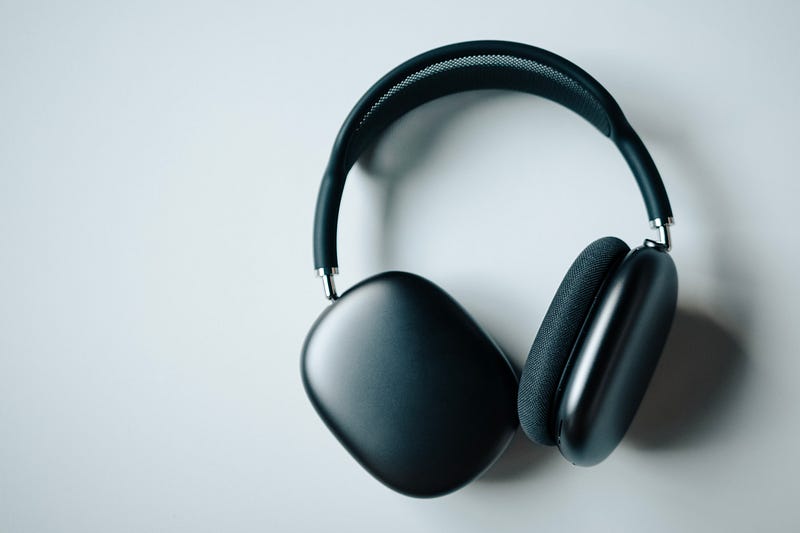
I’m late to the party.
The AirPods Max were released in Dec 2020, and I’ve bought them just a couple of days ago. Anyways,
I’m super-excited of getting my first headphones ever. What’s more exciting is: they’re Apple. ¯\_(ツ)_/¯
Their
- Sound Quality,
- Noise Cancellation & Transparency, and
- the iconic Spatial Audio
are simply superb.
Pros aside, but here are some things of AirPods Max that feel absolutely absurd and annoyed me to the hell.
#1. The “Smart” Case
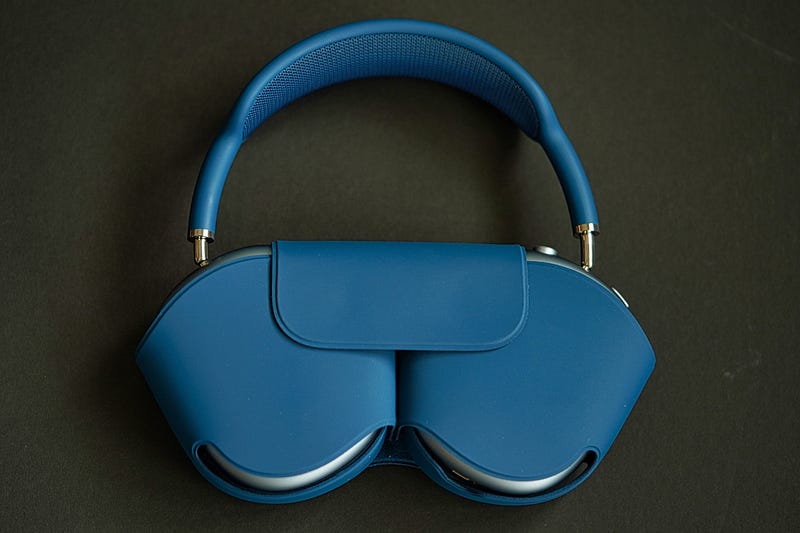
Perhaps Apple considers a plain case with two fringe magnets, a “smart” case.
Okay, no judgement.
Unlike other headphone cases, the AirPods Max’s case doesn’t fully protect the pods.
Though the pods get covered, they aren’t immune to falls. And the headband’s flimsy mesh still gets exposed out anyway.
For such a high price of $550, I’d expect a sturdy hard case — not a weak, thin cover.
Also, the notch cut-out isn’t properly aligned to the power port of AirPods Max. And it annoys me every time I plug in the wire.
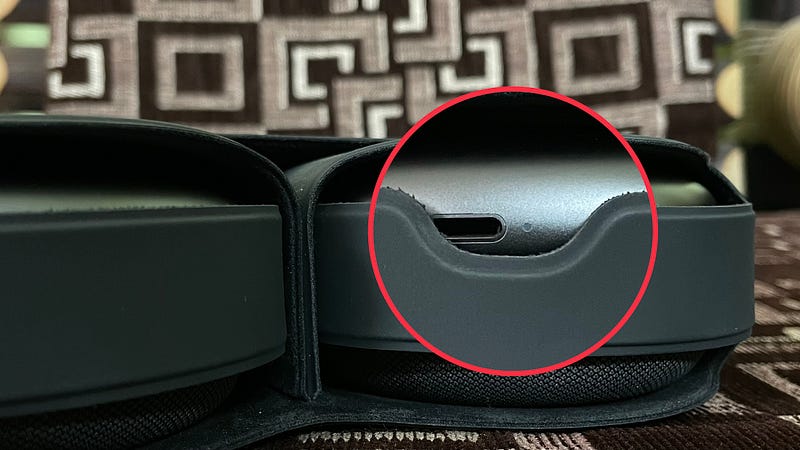
Didn’t Apple check it before bulk manufacturing? It’s an absolute blunder.
#2. No Power button ⏻
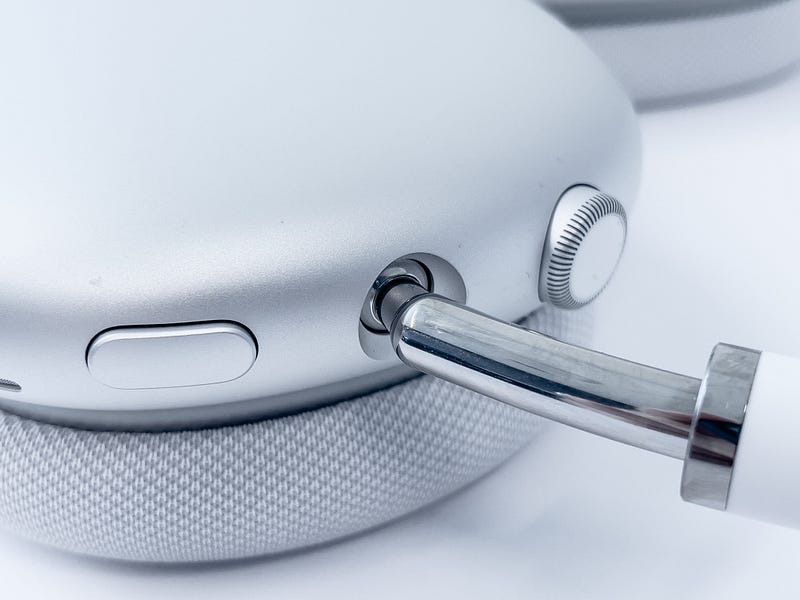
This surprised me.
It’s the first pair of headphones of my life, and I’ve never thought they’d lack something as basic as a power button.
Apple says: when the AirPods Max are put into their case, they get disconnected to the nearby device and get into low power mode that preserves battery.
Read it again — ‘Low Power Mode’, not power off.
In fact, they can’t be powered off.
It’s due to this fact, their battery always stays alive — and it slowly (and surely) drains battery and wastes charge cycles.
This is absolutely absurd. Why doesn’t Apple want my AirPods Max to never be turned off?
For Find My? Maybe.
I hope for this
I want to turn off my AirPods Max by, maybe pressing and holding the noise control button for few secs.
C’mon Apple, you can make this possible with a simple software update.
Ah, update.
#3. The Weary Updation Process
The AirPods have got the weirdest updation process ever.
What’s weirder is: You won’t even be notified of a new firmware update.
So here’s how Apple says I update my AirPods Max.
- Connect AirPods Max to your iPhone,
- Put them back into their Smart Case. (This will disconnect them, so you can’t see if they’re updated without connecting them back again.)
- Plug them to a power source, and wait.
Isn’t it too complicated-ed?
Lately, while I was updating (to 4E71), I had to take them out 3 times to check if they’re updated.
But,
Why doesn’t
- Apple notify of new firmware updates?
- Apple notify after they’re updated?
- Apple make the process simpler?
Oh, Apple.
I wish I could update my AirPods Max like this.
- With a separate AirPods app on my iPhone, or
- By connecting them wired to my Mac.
Ah, wired.
#4. Can’t use them Wired with the Type-C cable
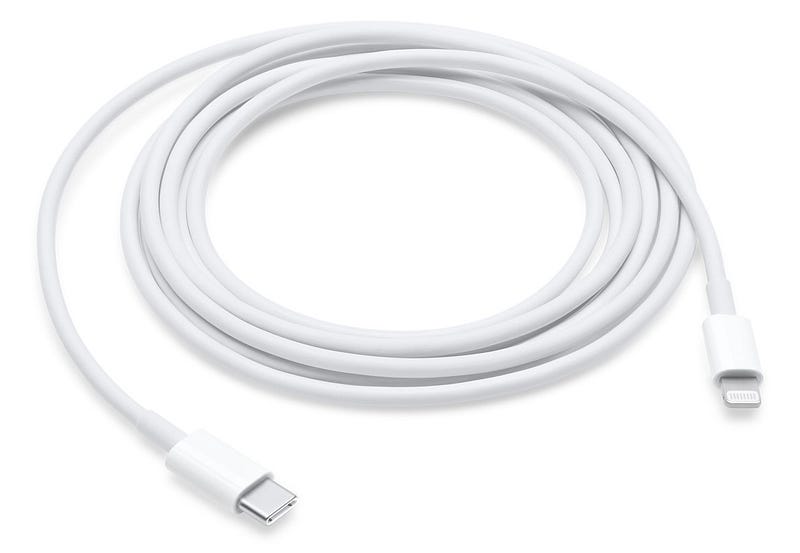
The AirPods Max come with the lightning to Type-C cable in the box.
Overjoyed, I connected them to my Mac for wired listening.
Mac’s Type-C ports are marvellous.
- They support mics.
- They support speakers.
- They support both.
But, Apple has perhaps programmed their drivers to not support AirPods Max wired connection with the in-box lightning to Type-C cable.
If you connect them, they’ll only charge. And you still gotta use the laggy Bluetooth for listening.
Did you know? Apple sells a separate $35 lightning to 3.5mm cable for wired-lovers.
“How do I use them wired, Apple?” “Give us $35.” “I already gave you $550.” “But we’re Apple!”
#5. Finally, I bought the $35 cable, but its…
$35 is the most unreasonable price I’ve ever paid for a cable.
For such a price, I’d expect a braided wire with a gold plated L-shaped 3.5mm jack. Like this.
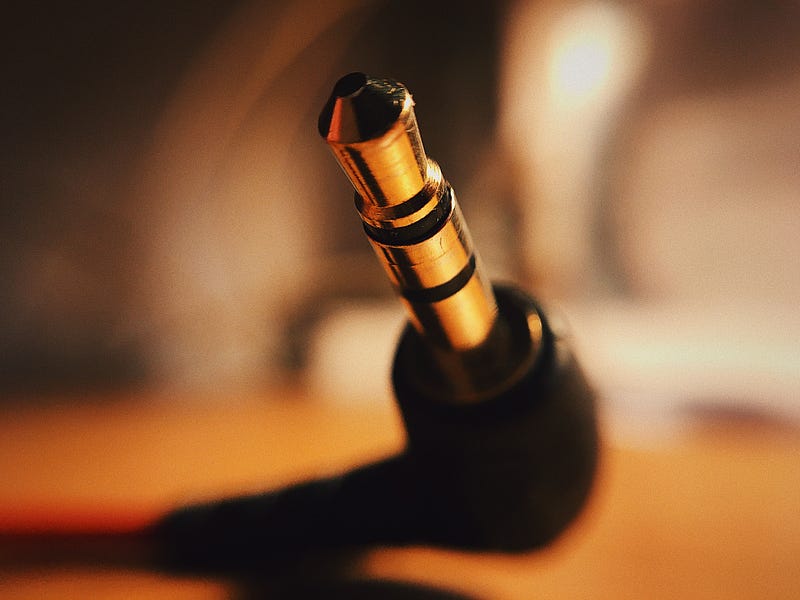
But what I received was
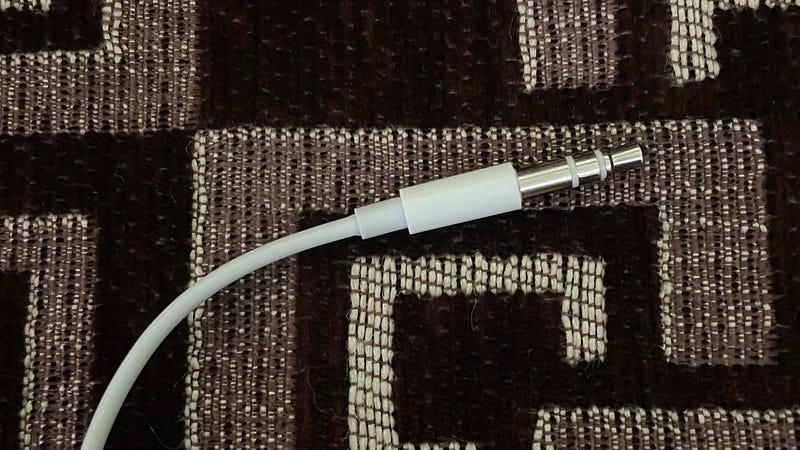
— A thin wire that can become two halves with an ant’s bite.
Why is it bullsh*t?
1. It’s so weak.
Manufacturing it should’ve costed Apple not more than $1. I’m sure my cable will break in a year.
2. It has no mic.
Observe the 3.5mm jack carefully. It has two stripes, not three. What does that signify?
If a 3.5mm jack has:
- two stripes — it’s called a stereo cable. It can only transfer speaker audio.
- three stripes — stereo+mic. It indicates the presence of a mic, or mic input transferring capability.
Clearly, this means the cable is stereo-only, so it can only transfer audio, not mic input. If you’re using them wired, the mic you’ll be using is your Mac’s, not AirPods’s.
Obviously, your audio will feel noisy to others on Zoom.
3. It doesn’t draw power.
It doesn’t draw power from the connected device to keep the AirPods alive. So, if the AirPods Max are out of charge, you can’t listen them wired too.
4. And,
You can’t control volume of the connected device with the Digital Crown if you use AirPods Max wired. Strange.
Workaround: turn Mac’s volume to 100, and control it 0–100 by the pods’ Digital Crown.
Finally,
Hands-down, AirPods Max are an elegant pair of headphones. However,
The few points we’ve talked about feel simply absurd & bullsh*t, and stay as a dark mark that override their elegance.
Hope Apple rectifies them with future software updates, and AirPods Max 2.
AirPods’ savvy? Find more of my AirPods’ articles here.
Join 170+ others to get notified whenever I publish a new story.


