
The 28 Figma Updates That Will Make You Say ‘Why Didn’t They Do This Sooner?’
The Game-Changing Evolution of Figma
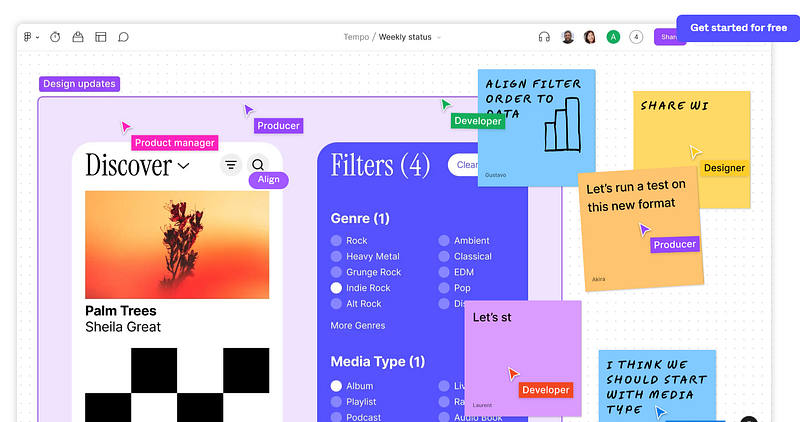
Figma has recently dropped some big news. If you’re in the design community, you’ll want to listen up. The company, a frontrunner in the design software space, has just released a series of updates.
Why is this such a big deal? Because Figma is aiming to revolutionize your design workflow.
They’ve rolled out a whopping 28 new features and enhancements. This isn’t just about adding some new bells and whistles. No, each update is designed to make a meaningful impact.
The purpose behind these updates is clear: to elevate the quality and efficiency of your design projects. Figma understands that in the fast-paced world of design, every little advantage counts.
So they’ve gone above and beyond to bring you features that offer more than just cosmetic changes.
Your design workflow is about to get a major upgrade, thanks to Figma’s latest innovations.
1. On-Canvas Preview: Real-Time Blending Mode Visualization
Gone are the days when you had to click through each blending mode to visualize its effect on your design.
The On-Canvas Preview feature allows you to hover over various blending modes, instantly displaying the results.
This not only saves time but also facilitates a more intuitive selection process.
2. Luminance Mask Support: Advanced Customization Capabilities
Adding a creative touch to your designs is now easier than ever.
The Luminance Mask Support feature lets you harness an object’s brightness levels to create intricate masks.
This introduces an additional layer of customization, empowering you to bring more nuanced designs to life.
3. Multi-Select Search: Maximized Efficiency
The enhanced search function now supports multi-selection, a godsend for those working on intricate projects.
Simply hold down the Command or Shift key to choose multiple items from the search results.
This feature enables you to make bulk changes, significantly reducing the time spent on repetitive tasks.
4. Leading Trim: Precision Meets Typography
The Leading Trim feature puts you in the driver’s seat when it comes to text styling.
This update allows you to remove extra space above and below text lines, enabling more precise alignment and layout options.
Your days of wrestling with clunky text boxes are officially over.
5. Flexible Numbering: Freedom in Structuring Content
No longer are you confined to lists that begin with the number one.
Figma’s Flexible Numbering allows you to start lists with any number, providing you with the freedom to structure your content in a way that makes sense for your project.
6. Hanging Punctuation: Elevate Your Typography
With the introduction of Hanging Punctuation, Figma adds a sophisticated flair to text alignment.
By allowing punctuation marks to sit outside the text box, this feature ensures that text aligns perfectly, enhancing the overall visual harmony of your designs.
7. Search in New Tab on Desktop (Beta): Revolutionizing File Accessibility
Currently in beta, this feature promises to simplify the way you search for files.
It opens a new tab within the desktop app specifically for searching, cutting down on time spent toggling between tabs and improving your workflow.
8. Desktop Tab Hover Previews: Quick Glances, Big Gains
Eliminate the cumbersome process of tab-switching just to preview a file.
Desktop Tab Hover Previews display thumbnail previews of your files when hovering over a tab, making it quicker and easier to find exactly what you’re looking for.
9. Mac Desktop App Haptics: An Immersive Experience
For Mac users, Figma introduces haptic feedback when using the FigJam feature.
This tactile sensation provides an immersive experience, which you can toggle on or off according to your preference.
10. Rich Text in Comments: Dynamic Communication Unleashed
The ability to include rich text in comments adds a dynamic layer to your team’s communication.
Now, you can directly embed links within comments, making it easier to reference files, resources, or any web-based content.
11. Batched Comment Notifications: A Cleaner Inbox Awaits
Figma simplifies email notifications with its batched comment feature.
Now, if multiple comments are made within a single file, you receive just one consolidated email, keeping your inbox less cluttered and more manageable.
12. Simplified Project Movement: Effortless Organization
Organizing your workspace becomes a breeze with this update.
Now, you can effortlessly move projects to different folders or locations by simply right-clicking on the project.
It’s all about making project management as straightforward as possible.
13. Component Props: Exposed Nested Instances
This feature unlocks the ability to expose nested instances within a component, providing you with the agility to customize nested components directly from their parent.
This accelerates the design process, offering more flexibility and less complexity.
14. Component Props: Preferred Instances
Preferred Instances allow you to set default options for components, streamlining the design consistency across different projects.
This feature serves as a real-time tool for teams aiming for a unified design language.
15. Snapping to Aspect Ratio: Picture-Perfect Scaling
When resizing images, Figma’s Snapping to Aspect Ratio feature ensures that the image’s proportions are maintained.
This removes the guesswork from image scaling, guaranteeing visually pleasing results every time.
16. Pasting Improvements: Refined Copy-Pasting
Figma refines the art of copy-pasting.
When you paste an image into a design element, the new feature ensures that only the image fill is replaced, leaving other attributes like color fills, gradients, or patterns intact.
17. Re-Align During Image Editing: Total Control, Zero Compromises
With this feature, Figma allows you to use alignment tools even while you’re editing an image.
This means you don’t have to toggle between different modes to perfect your layout, giving you unprecedented control over the editing process.
18. Align to Nested Instances: Precision Layouts Simplified
This update offers the ability to align elements to nested instances within a component.
If you’re obsessive about precise layouts, this feature will become your new best friend.
19. Right Click to Remove Rulers: A Clutter-Free Workspace
Say goodbye to a cluttered workspace. Now, you can easily remove all vertical or horizontal rulers with a simple right-click, streamlining your design space and your thought process.
20. Library Update Improvements: Stay In the Know
Figma now notifies you whenever there are component updates from other design systems.
You can preview these changes and make informed decisions about whether to implement them in your current project.
21. SVG Import Bug Fixes: Clip Paths Fully Supported
This update resolves the clip paths issue in SVG files, offering more reliability and flexibility when working with SVG imports.
22. New Fetch API for Plugins: A Developer’s Delight
Plugin developers can now make API requests more easily, streamlining the plugin development process and offering an improved user experience.
23. CreateImageSync API for Plugins: Simplified Image Creation
This new API feature facilitates a smoother process for creating images within plugins, reducing the steps involved and making life easier for developers.
24. Photo Booth Widget Shows Mirror Image: Selfies, but Better
When taking a FigJam selfie, the photo booth widget now shows a mirror image, providing a more accurate representation.
25. Transparency for FigJam Shape Fill: Aesthetic Flexibility
You can now make FigJam shapes transparent, allowing for more nuanced and layered designs.
26. FigJam Shape Colors in Toolbar: Streamlined Design Workflow
Set your go-to shape colors right in the FigJam toolbar.
This seemingly small change can significantly speed up your design process by reducing the steps needed to select and apply colors.
27. FigJam Sticky Note Animation: Subtle Flair
The subtle page curl animation added to FigJam sticky notes differentiates them from regular rectangles, adding a touch of sophistication to your designs.
28. Sticky Scrolling in Prototyping: Enhanced User Experience
With Sticky Scrolling, certain design elements remain fixed at the top of the frame while others move, simulating a real-world browsing experience and allowing for more interactive prototypes.
Final Words
With these groundbreaking updates, Figma has not only solidified its position as a top-tier design tool but has also set the gold standard for what users can expect from design software.
Embrace the future of design with Figma, and here’s to creating more compelling and dynamic designs!
If you liked the article, show your support with a clap 👏 and follow me! Feel free to highlight your favorite parts too. Your engagement keeps me inspired!
Get a curated list of game-changing tools, best practices, UX frameworks, and UI inspirations for UI/UX designers.