
APPLE MACBOOK
The 2024 M3 MacBook Air Should Be Your Laptop Of Choice
When light meets power, it’s an awesome combination
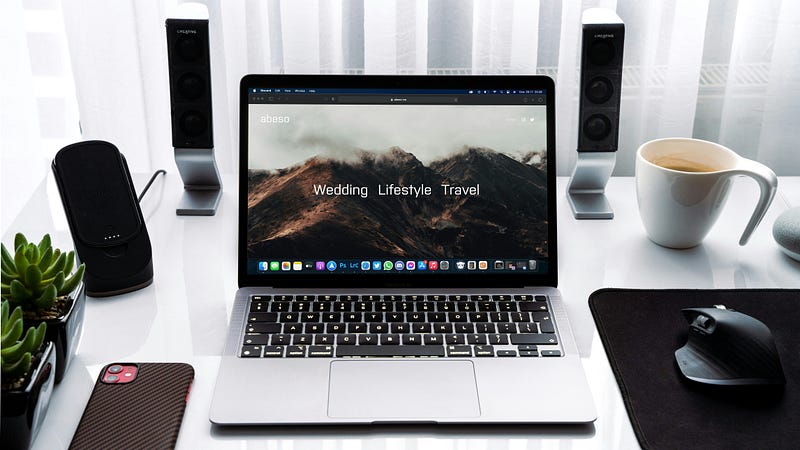
Apple quietly upgraded the MacBook Air with the latest M3 chip. If you go to their website, you’ll notice that the MacBook Air is now the first thing you see at the top of the page.
Lean. Mean. M3 machine, is the new tagline for the MacBook Air, you can start ordering it already with deliveries expected to ship out on the 8th of this month.
With this upgrade, Apple no longer sells any Mac with the old M1 chip.
Should you still desire to get a brand-new Apple device with the M1 chip, the only one available right now is the iPad Air.
However, if you do not wish to get the M3 MacBook Air, you can still get it with the M2 chip, albeit only the 13-inch model as the 15-inch model can only be bought with the more powerful M3 chip.
But with this upgrade, the MacBook Air must surely be the laptop of choice for most people now.
Let’s dive a bit into what we know about it.

Price
The base M2 model starts at $999 while the base M3 model starts at $1,099. These prices are for the 13-inch models.
If you want the 15-inch model, it starts at $1,299 and you can only get it with the M3 chip as I mentioned above.
Specs
The base 13-inch models are basically the same where you’ll get an 8-core CPU with 4 performance cores and 4 efficiency cores, an 8-core GPU, and a 16-core Neural Engine.
The only difference is you get a Hardware-accelerated ray tracing with the M3 model.
The display is the same as before.
You’ll get a 13.6-inch (diagonal) LED-backlit display with IPS technology, 2560-by-1664 native resolution at 224 pixels per inch, and 500 nits brightness, with support for 1 billion colors, wide color (P3), and True Tone technology.
In terms of ports, it’s the same as before as well where you’ll get:
- MagSafe 3 charging port
- 3.5 mm headphone jack
- Two Thunderbolt / USB 4 ports (with support charging, display, Thunderbolt 3, and USB 4)
For storage, you’ll start with the base 256GB SSD but configurable up to 2TB should you require that much space.
If you require an additional display for your MacBook Air, the M3 model will now allow you two external displays (one up to 6K resolution at 60Hz and another one up to 5K resolution at 60Hz).
However, you will have to close the lid of your MacBook Air to be able to use the second external display.
The M2 model only allows for one external display of up to 6K resolution at 60Hz.
For audio, the M3 model gets a few extra features such as Voice Isolation and Wide Spectrum microphone modes, as well as enhanced voice clarity in audio and video calls.
Aside from those bits of extras for the M3 model, it is largely the same as its slightly less powerful (but still powerful enough) sibling, the M2 model.
While you only have the option of the base M3 chip for the MacBook Air (its bigger siblings have options for the M3 Pro and M3 Max versions), it should be more than enough for almost anything and everything that you’ll need to do with the MacBook.
And just like how the M1 chip is still powerful enough to this day despite it being almost 4 years old, the M3 chip will make the MacBook Air stay relevant for years to come.
Honestly, if you’re looking to get into the Apple ecosystem and a MacBook is a laptop that you’re looking at, the new MacBook Air with the M3 chip should be the one to get.
It’ll be powerful for many more years to come, and it’ll still look great even when it’s not so powerful anymore.
But more importantly, you most likely won’t need to get another laptop for at least the next 6–7 years.
And that’s a really great reason to get one.