avatarJack Roper

Free AI web copilot to create summaries, insights and extended knowledge, download it at here

8050

Abstract

"SystemAssigned"</span> }

storage_os_disk { name = <span class="hljs-string">"${var.vm_name}-os-disk"</span> caching = <span class="hljs-string">"ReadWrite"</span> create_option = <span class="hljs-string">"FromImage"</span> managed_disk_type = <span class="hljs-string">"Standard_LRS"</span> }

os_profile { admin_password = <span class="hljs-keyword">var</span>.<span class="hljs-type">admin_password</span> <span class="hljs-variable">admin_username</span> <span class="hljs-operator">=</span> <span class="hljs-string">"azureuser"</span> computer_name = <span class="hljs-keyword">var</span>.vm_name }

os_profile_windows_config { provision_vm_agent = <span class="hljs-literal">true</span> }

delete_os_disk_on_termination = <span class="hljs-keyword">var</span>.<span class="hljs-type">vm_os_disk_delete_flag</span> <span class="hljs-variable">delete_data_disks_on_termination</span> <span class="hljs-operator">=</span> <span class="hljs-keyword">var</span>.vm_data_disk_delete_flag }</pre></div><h2 id="8745">outputs.tf</h2><p id="1d6d">This file outputs anything we want to pass back to the root for re-use.</p><div id="d28c"><pre><span class="hljs-attribute">output</span> <span class="hljs-string">"vm_id"</span> { <span class="hljs-attribute">value</span> = <span class="hljs-string">"${azurerm_virtual_machine.windows_vm.id}"</span> }

output <span class="hljs-string">"vm_name"</span> { <span class="hljs-attribute">value</span> = <span class="hljs-string">"${azurerm_virtual_machine.windows_vm.name}"</span> }

output <span class="hljs-string">"vm_location"</span> { <span class="hljs-attribute">value</span> = <span class="hljs-string">"${azurerm_virtual_machine.windows_vm.location}"</span> }

output <span class="hljs-string">"vm_resource_group_name"</span> { <span class="hljs-attribute">value</span> = <span class="hljs-string">"${azurerm_virtual_machine.windows_vm.resource_group_name}"</span> }</pre></div><h2 id="ebfd">variables.tf</h2><p id="53d8">This file defines all the variables the module expects to be defined in the call from the root module.</p><div id="4c7a"><pre><span class="hljs-keyword">variable</span> <span class="hljs-string">"resource_group_name"</span> { }

<span class="hljs-keyword">variable</span> <span class="hljs-comment">"location"</span> <span class="hljs-comment">{</span> }

<span class="hljs-keyword">variable</span> <span class="hljs-comment">"sloc"</span> <span class="hljs-comment">{</span> }

<span class="hljs-keyword">variable</span> <span class="hljs-comment">"vm_size"</span> <span class="hljs-comment">{</span> default <span class="hljs-comment">=</span> <span class="hljs-comment">"Standard_B1s"</span> }

<span class="hljs-keyword">variable</span> <span class="hljs-comment">"vm_subnet_id"</span> <span class="hljs-comment">{</span> }

<span class="hljs-keyword">variable</span> <span class="hljs-comment">"vm_name"</span> <span class="hljs-comment">{</span> }

<span class="hljs-keyword">variable</span> <span class="hljs-comment">"vm_os_disk_delete_flag"</span> <span class="hljs-comment">{</span> default <span class="hljs-comment">= true</span> }

<span class="hljs-keyword">variable</span> <span class="hljs-comment">"vm_data_disk_delete_flag"</span> <span class="hljs-comment">{</span> default <span class="hljs-comment">= true</span> }

<span class="hljs-keyword">variable</span> <span class="hljs-comment">"network_security_group_id"</span> <span class="hljs-comment">{</span> default <span class="hljs-comment">=</span> <span class="hljs-comment">""</span> }

<span class="hljs-keyword">variable</span> <span class="hljs-comment">"static_ip_address"</span> <span class="hljs-comment">{</span> }

<span class="hljs-keyword">variable</span> <span class="hljs-comment">"publisher"</span> <span class="hljs-comment">{</span> }

<span class="hljs-keyword">variable</span> <span class="hljs-comment">"offer"</span> <span class="hljs-comment">{</span> }

<span class="hljs-keyword">variable</span> <span class="hljs-comment">"sku"</span> <span class="hljs-comment">{</span> }

<span class="hljs-keyword">variable</span> <span class="hljs-comment">"tags"</span> <span class="hljs-comment">{</span> type <span class="hljs-comment">= map</span> description <span class="hljs-comment">=</span> <span class="hljs-comment">"All mandatory tags to use on all assets"</span>

default <span class="hljs-comment">= {</span> activityName <span class="hljs-comment">=</span> <span class="hljs-comment">"AzureVMWindowsDemo"</span> automation <span class="hljs-comment">=</span> <span class="hljs-comment">"Terraform"</span> costCenter1 <span class="hljs-comment">=</span> <span class="hljs-comment">"A00000"</span> dataClassification <span class="hljs-comment">=</span> <span class="hljs-comment">"Demo"</span> managedBy <span class="hljs-comment">=</span> <span class="hljs-comment">"[email protected]"</span> solutionOwner <span class="hljs-comment">=</span> <span class="hljs-comment">"[email protected]"</span> } }

<span class="hljs-keyword">variable</span> <span class="hljs-comment">"activity_tag"</span> <span class="hljs-comment">{</span> }

<span class="hljs-keyword">variable</span> <span class="hljs-comment">"admin_password"</span> <span class="hljs-comment">{</span> }</pre></div><h2 id="e7a7">Calling the module</h2><p id="c4cc">In main.tf in the root, the module is called and the required variables are passed to it. Note the source is pointing to the path of the local ‘vm’ folder. Also, note that you can use outputs from other modules to pass into other child modules (the vm_subnet_id and admin_password here are defined in other modules and the values are outputted). You can define the variable value directly here, or read it from the root variable definitions.</p><div id="5927"><pre>module windows_desktop_vm_using_local_module { source = <span class="hljs-string">"./vm"</span> resource_group_name = azurerm_resource_group<span class="hljs-selector-class">.rg</span><span class="hljs-selector-class">.name</span> location = <span class="hljs-string">"uksouth"</span> sloc = <span class="hljs-string">"uks"</span> vm_subnet_id = module<span class="hljs-selector-class">.network</span><span class="hljs-selector-class">.vnet_subnets</span><span class="hljs-selector-attr">[0]</span> vm_name = <span class="hljs-string">"tfdtlocmod"</span> vm_size = <span class="hljs-selector-tag">var</span><span class="hljs-selector-class">.desktop_vm_size</span> publisher = <span class="hljs-selector-tag">var</span><span class="hljs-selector-class">.desktop_vm_image_publisher</span> offer = <span class="hljs-selector-tag">var</span><span class="hljs-selector-class">.desktop_vm_image_offer</span> sku = <span class="hljs-selector-tag">var</span><span class="hljs-selector-class">.desktop_vm_image_sku</span> static_ip_address = <span class="hljs-string">"10.0.1.15"</span> activity_tag = <span class="hljs-string">"Windows Desktop"</span> admin_password = module<span class="hljs-selector-class">.vmpassword</span><span class="hljs-selector-class">.secretvalue</span> }</pre></div><h2 id="f61a">root variables.tf</h2><p id="0090">variables to be passed to the child module are defined here…</p><div id="9681"><pre># read in from the terraform.auto.tfvars <span class="hljs-keyword">file</span>

<span class="hljs-keyword">variable</span> <span class="hljs-string">"subscription_id"</span> { } <span class="hljs-keyword">variable</span> <span class="hljs-comment">"client_id"</span> <span class="hljs-comment">{</span> } <span class="hljs-keyword">variable</span> <span class="hljs-comment">"client_secret"</span> <span class="hljs-comment">{</span> } <span class="hljs-keyword">variable</span> <span class="hljs-comment">"tenant_id"</span> <span class="hljs-comment">{</span>

Options

} <span class="hljs-keyword">variable</span> <span class="hljs-comment">"global_settings"</span> <span class="hljs-comment">{</span> } <span class="hljs-keyword">variable</span> <span class="hljs-comment">"desktop_vm_image_publisher"</span> <span class="hljs-comment">{</span> } <span class="hljs-keyword">variable</span> <span class="hljs-comment">"desktop_vm_image_offer"</span> <span class="hljs-comment">{</span> } <span class="hljs-keyword">variable</span> <span class="hljs-comment">"desktop_vm_image_sku"</span> <span class="hljs-comment">{</span> } <span class="hljs-keyword">variable</span> <span class="hljs-comment">"desktop_vm_image_version"</span> <span class="hljs-comment">{</span> } <span class="hljs-keyword">variable</span> <span class="hljs-comment">"desktop_vm_size"</span> <span class="hljs-comment">{</span> }</pre></div><h2 id="1432">terraform.auto.tfvars</h2><p id="83a4">The variable values are defined in this file.</p><div id="aa71"><pre>subscription_id = <span class="hljs-string">"6840913c-76e6-488d-xxxx-0a27872c70e6"</span> client_id = <span class="hljs-string">"c0bcbf81-c51b-4ca2-xxxx-759c688e2d9f"</span> client_secret = <span class="hljs-string">"zNGdvqm7Ft.xxxxxxx"</span> tenant_id = <span class="hljs-string">"5759ecf2-97b4-4017-xxxx-4f0b25f016d2"</span>

global_settings = {

#<span class="hljs-keyword">Set</span> of <span class="hljs-comment">tags</span> tags <span class="hljs-comment">= {</span> applicationName <span class="hljs-comment">=</span> <span class="hljs-comment">"Windows VM Demo"</span> businessUnit <span class="hljs-comment">=</span> <span class="hljs-comment">"Technical Solutions"</span> costCenter <span class="hljs-comment">=</span> <span class="hljs-comment">"MPN Sponsorship"</span> DR <span class="hljs-comment">=</span> <span class="hljs-comment">"NON-DR-ENABLED"</span> deploymentType <span class="hljs-comment">=</span> <span class="hljs-comment">"Terraform"</span> environment <span class="hljs-comment">=</span> <span class="hljs-comment">"Dev"</span> owner <span class="hljs-comment">=</span> <span class="hljs-comment">"Jack Roper"</span> version <span class="hljs-comment">=</span> <span class="hljs-comment">"0.1"</span> }

}

Desktop <span class="hljs-comment">VM variables</span>

desktop_vm_image_publisher <span class="hljs-comment">=</span> <span class="hljs-comment">"MicrosoftWindowsDesktop"</span> desktop_vm_image_offer <span class="hljs-comment">=</span> <span class="hljs-comment">"Windows-10"</span> desktop_vm_image_sku <span class="hljs-comment">=</span> <span class="hljs-comment">"20h1-pro"</span> desktop_vm_image_version <span class="hljs-comment">=</span> <span class="hljs-comment">"latest"</span> desktop_vm_size <span class="hljs-comment">=</span> <span class="hljs-comment">"Standard_B1s"</span></pre></div><p id="deb0">That's it! You now have a reusable bundle of code (module) you can use to create a VM on Azure.</p><h1 id="5917">Registry Module Example</h1><p id="3f90">It is easier still to call a module from the public registry. It can be considered less flexible to use public modules as you don't have direct control over the module code. I like to use them as the first port of call, if they can’t do a particular thing I want them to, then I will define a local module instead.</p><p id="0602">To create a VM on Azure, there is a single file called</p><h2 id="e473">vm_module_registry_example.tf</h2><p id="cf43">Note the source here is pointing to “<a href="https://registry.terraform.io/modules/Azure/compute/azurerm/latest">Azure/compute/azurerm</a></p><p id="55d6">The variables required for the module can be found on the ‘inputs’ tab on the public registry module web page.</p><div id="25c2"><pre># Windows <span class="hljs-number">10</span> desktop VM(s) <span class="hljs-keyword">module</span> <span class="hljs-string">"windows_desktop_vm_using_registry_module"</span> { source = <span class="hljs-string">"Azure/compute/azurerm"</span> version = <span class="hljs-string">"3.10.0"</span> resource_group_name = azurerm_resource_group<span class="hljs-variable">.rg</span><span class="hljs-variable">.name</span> is_windows_image = true vm_hostname = <span class="hljs-string">"tfdtregmod"</span> <span class="hljs-comment">// line can be removed if only one VM module per resource group</span> admin_username = <span class="hljs-string">"admin"</span> admin_password = <span class="hljs-keyword">module</span><span class="hljs-variable">.vmpassword</span><span class="hljs-variable">.secretvalue</span> public_ip_dns = [<span class="hljs-string">"tfdtregmod"</span>] <span class="hljs-comment">// change to a unique name per datacenter region</span> vm_os_publisher = <span class="hljs-keyword">var</span><span class="hljs-variable">.desktop_vm_image_publisher</span> vm_os_offer = <span class="hljs-keyword">var</span><span class="hljs-variable">.desktop_vm_image_offer</span> vm_os_sku = <span class="hljs-keyword">var</span><span class="hljs-variable">.desktop_vm_image_sku</span> vm_size = <span class="hljs-keyword">var</span><span class="hljs-variable">.desktop_vm_size</span> remote_port = <span class="hljs-string">"3389"</span> nb_instances = <span class="hljs-string">"1"</span> vnet_subnet_id = <span class="hljs-keyword">module</span><span class="hljs-variable">.network</span><span class="hljs-variable">.vnet_subnets</span>[<span class="hljs-number">0</span>] tags = <span class="hljs-keyword">var</span><span class="hljs-variable">.global_settings</span><span class="hljs-variable">.tags</span>

depends_on = [azurerm_resource_group<span class="hljs-variable">.rg</span>] }</pre></div><p id="619a">The variables.tf and terraform.auto.tfvars files will be the same as the local module example.</p><p id="bbad">And that's it! As you can see there is a lot less code involved in using a public module. If you have Terraform Cloud or Enterprise, you can also host your local modules in a module repository to get the same benefits, and pull them down easily, rather than manually copying the code between projects.</p><p id="b764">Check out the Terraform docs for further explanation.</p><div id="419a" class="link-block"> <a href="https://www.terraform.io/docs/language/modules/index.html"> <div> <div> <h2>Modules Overview — Configuration Language — Terraform by HashiCorp</h2> <div><h3>Hands-on: Try the Reuse Configuration with Modules collection on HashiCorp Learn. Modules are containers for multiple…</h3></div> <div><p>www.terraform.io</p></div> </div> <div> <div style="background-image: url(https://miro.readmedium.com/v2/resize:fit:320/0*RtHmtCVrbxROu8U0)"></div> </div> </div> </a> </div><p id="949c">Thanks for reading and hit the follow button!</p><p id="8d56">Want more Terraform content? <a href="https://readmedium.com/terraform-related-articles-index-52fab8f11a0b">Check out my other articles on Terraform here</a>!</p><p id="2c4b">Cheers! 🍻</p><div id="4518" class="link-block"> <a href="https://www.buymeacoffee.com/jackwesleyroper"> <div> <div> <h2>Jack Roper is Blogging on Azure, Azure DevOps, Terraform & Cloud tech!</h2> <div><h3>Hi! Hopefully, my blog helped you out and you enjoyed the content!Thanks for the support it is really appreciated! I…</h3></div> <div><p>www.buymeacoffee.com</p></div> </div> <div> <div style="background-image: url(https://miro.readmedium.com/v2/resize:fit:320/0*C5FIPcfTmOnVd56A)"></div> </div> </div> </a> </div></article></body>

Terraform best practices — how to use modules

When starting out with Terraform it’s hard to know what is considered ‘best practice’ in a number of areas.

This post is the second in the series which focuses on point 2 in the list, ‘use modules wherever possible’.

  1. Use a consistent file structure across your projects.
  2. Use modules wherever possible.
  3. Use a consistent naming convention.
  4. Use a consistent format and style.
  5. Hold your state file remotely, not on your local machine.
  6. Avoid hardcoding variables.
  7. Fewer resources in a project are easier and faster to work with.
  8. Limit resources in the project to reduce the blast radius.
  9. Test your code.

What are ‘Modules’ in Terraform?

A Module is simply a collection of .tf configuration files that define multiple related resources, coded in such a way that the code can be reused. These files are held in a folder.

If you use modules, you will have folders in your project structure. These modules (folders) can also be nested (sub-folders), although it is recommended not to go more than 3/4 levels deep and to avoid this if possible to reduce complexity.

The root directory of the project can also be referred to as the ‘root module’, and any code in sub-folders is referred to as ‘child modules’. The code in the root module usually calls the child modules as required.

The above describes the concept of ‘local modules’. You can also call modules from a private or public module registry. The ability to host your modules in a private module registry is a feature of Terraform Cloud.

Put simply — the benefit of using modules wherever possible is that coding effort will be greatly reduced when doing the same thing across multiple projects.

The Terraform registry has a huge collection of ready-to-use modules, saving you time and effort when it comes to coding for common tasks, e.g. instead of defining code for creating a VM in Azure, you could call the Azure VM module from the public registry.

Local Module Example

A module will consist of a set of .tf configuration files and the module will be called by some code in the root module.

Variable values can be passed from the root to the child module, and also outputted from the child module back to the root.

As such, each module will typically contain a variables.tf, outputs.tf along with the necessary config file containing the resource definitions, e.g. vm.tf.

The following example will create a VM using a local module.

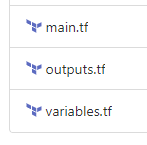
I have a folder called ‘vm’, in which there are 3 .tf configuration files
main.tf

This file defines the group of resources required to create a VM in Azure.

resource "random_string" "nic_prefix" {
  length  = 4
  special = false
}

resource "azurerm_network_interface" "vm_nic" {
  name                = "${var.vm_name}-nic1"
  location            = var.location
  resource_group_name = var.resource_group_name

  ip_configuration {
    name                          = "${var.vm_name}_nic_${random_string.nic_prefix.result}"
    subnet_id                     = var.vm_subnet_id
    private_ip_address_allocation = "Static"
    private_ip_address            = var.static_ip_address
  }
  tags = var.tags
}

resource "azurerm_network_interface_security_group_association" "vm_nic_sg" {
  network_interface_id      = azurerm_network_interface.vm_nic.id
  network_security_group_id = var.network_security_group_id
  count                     = var.network_security_group_id == "" ? 0 : 1
}

resource "azurerm_virtual_machine" "windows_vm" {
  name                = var.vm_name
  vm_size             = var.vm_size
  location            = var.location
  resource_group_name = var.resource_group_name

  tags = merge(var.tags, { activityName = "${var.activity_tag} " })

  network_interface_ids = [
    "${azurerm_network_interface.vm_nic.id}",
  ]

  storage_image_reference {
    publisher = var.publisher
    offer     = var.offer
    sku       = var.sku
    version   = "latest"
  }

  identity {
    type = "SystemAssigned"
  }

  storage_os_disk {
    name              = "${var.vm_name}-os-disk"
    caching           = "ReadWrite"
    create_option     = "FromImage"
    managed_disk_type = "Standard_LRS"
  }

  os_profile {
    admin_password = var.admin_password
    admin_username = "azureuser"
    computer_name  = var.vm_name
  }

  os_profile_windows_config {
    provision_vm_agent = true
  }

  delete_os_disk_on_termination    = var.vm_os_disk_delete_flag
  delete_data_disks_on_termination = var.vm_data_disk_delete_flag
}

outputs.tf

This file outputs anything we want to pass back to the root for re-use.

output "vm_id" {
  value = "${azurerm_virtual_machine.windows_vm.id}"
}

output "vm_name" {
  value = "${azurerm_virtual_machine.windows_vm.name}"
}

output "vm_location" {
  value = "${azurerm_virtual_machine.windows_vm.location}"
}

output "vm_resource_group_name" {
  value = "${azurerm_virtual_machine.windows_vm.resource_group_name}"
}

variables.tf

This file defines all the variables the module expects to be defined in the call from the root module.

variable "resource_group_name" {
}

variable "location" {
}

variable "sloc" {
}

variable "vm_size" {
  default = "Standard_B1s"
}

variable "vm_subnet_id" {
}

variable "vm_name" {
}

variable "vm_os_disk_delete_flag" {
  default = true
}

variable "vm_data_disk_delete_flag" {
  default = true
}

variable "network_security_group_id" {
  default = ""
}

variable "static_ip_address" {
}

variable "publisher" {
}

variable "offer" {
}

variable "sku" {
}

variable "tags" {
  type        = map
  description = "All mandatory tags to use on all assets"

  default = {
    activityName       = "AzureVMWindowsDemo"
    automation         = "Terraform"
    costCenter1        = "A00000"
    dataClassification = "Demo"
    managedBy          = "[email protected]"
    solutionOwner      = "[email protected]"
  }
}

variable "activity_tag" {
}

variable "admin_password" {
}

Calling the module

In main.tf in the root, the module is called and the required variables are passed to it. Note the source is pointing to the path of the local ‘vm’ folder. Also, note that you can use outputs from other modules to pass into other child modules (the vm_subnet_id and admin_password here are defined in other modules and the values are outputted). You can define the variable value directly here, or read it from the root variable definitions.

module windows_desktop_vm_using_local_module {
  source              = "./vm"
  resource_group_name = azurerm_resource_group.rg.name
  location            = "uksouth"
  sloc                = "uks"
  vm_subnet_id        = module.network.vnet_subnets[0]
  vm_name             = "tfdtlocmod"
  vm_size             = var.desktop_vm_size
  publisher           = var.desktop_vm_image_publisher
  offer               = var.desktop_vm_image_offer
  sku                 = var.desktop_vm_image_sku
  static_ip_address   = "10.0.1.15"
  activity_tag        = "Windows Desktop"
  admin_password      = module.vmpassword.secretvalue
}

root variables.tf

variables to be passed to the child module are defined here…

# read in from the terraform.auto.tfvars file

variable "subscription_id" {
}
variable "client_id" {
}
variable "client_secret" {
}
variable "tenant_id" {
}
variable "global_settings" {
}
variable "desktop_vm_image_publisher" {
}
variable "desktop_vm_image_offer" {
}
variable "desktop_vm_image_sku" {
}
variable "desktop_vm_image_version" {
}
variable "desktop_vm_size" {
}

terraform.auto.tfvars

The variable values are defined in this file.

subscription_id = "6840913c-76e6-488d-xxxx-0a27872c70e6"
client_id       = "c0bcbf81-c51b-4ca2-xxxx-759c688e2d9f"
client_secret   = "zNGdvqm7Ft.xxxxxxx"
tenant_id       = "5759ecf2-97b4-4017-xxxx-4f0b25f016d2"

global_settings = {

  #Set of tags 
  tags = {
    applicationName = "Windows VM Demo"
    businessUnit    = "Technical Solutions"
    costCenter      = "MPN Sponsorship"
    DR              = "NON-DR-ENABLED"
    deploymentType  = "Terraform"
    environment     = "Dev"
    owner           = "Jack Roper"
    version         = "0.1"
  }

}

# Desktop VM variables
desktop_vm_image_publisher  = "MicrosoftWindowsDesktop" 
desktop_vm_image_offer      = "Windows-10" 
desktop_vm_image_sku        = "20h1-pro" 
desktop_vm_image_version    = "latest"
desktop_vm_size             = "Standard_B1s"

That's it! You now have a reusable bundle of code (module) you can use to create a VM on Azure.

Registry Module Example

It is easier still to call a module from the public registry. It can be considered less flexible to use public modules as you don't have direct control over the module code. I like to use them as the first port of call, if they can’t do a particular thing I want them to, then I will define a local module instead.

To create a VM on Azure, there is a single file called

vm_module_registry_example.tf

Note the source here is pointing to “Azure/compute/azurerm

The variables required for the module can be found on the ‘inputs’ tab on the public registry module web page.

# Windows 10 desktop VM(s) 
module "windows_desktop_vm_using_registry_module" {
  source              = "Azure/compute/azurerm"
  version             = "3.10.0"
  resource_group_name = azurerm_resource_group.rg.name
  is_windows_image    = true
  vm_hostname         = "tfdtregmod" // line can be removed if only one VM module per resource group
  admin_username      = "admin"
  admin_password      = module.vmpassword.secretvalue
  public_ip_dns       = ["tfdtregmod"] // change to a unique name per datacenter region
  vm_os_publisher     = var.desktop_vm_image_publisher
  vm_os_offer         = var.desktop_vm_image_offer
  vm_os_sku           = var.desktop_vm_image_sku
  vm_size             = var.desktop_vm_size
  remote_port         = "3389"
  nb_instances        = "1"
  vnet_subnet_id      = module.network.vnet_subnets[0]
  tags                = var.global_settings.tags

  depends_on = [azurerm_resource_group.rg]
}

The variables.tf and terraform.auto.tfvars files will be the same as the local module example.

And that's it! As you can see there is a lot less code involved in using a public module. If you have Terraform Cloud or Enterprise, you can also host your local modules in a module repository to get the same benefits, and pull them down easily, rather than manually copying the code between projects.

Check out the Terraform docs for further explanation.

Thanks for reading and hit the follow button!

Want more Terraform content? Check out my other articles on Terraform here!

Cheers! 🍻

Terraform
Azure
DevOps
Gitops
Infrastructure As Code
Recommended from ReadMedium