
KEEP ONLY WHAT’S NECESSARY
Ten Tips to a Tidy Minimalist Office
The minimalist office approach is making strides and becoming more popular. The reason for that is it permits you to increase productivity and creativity.
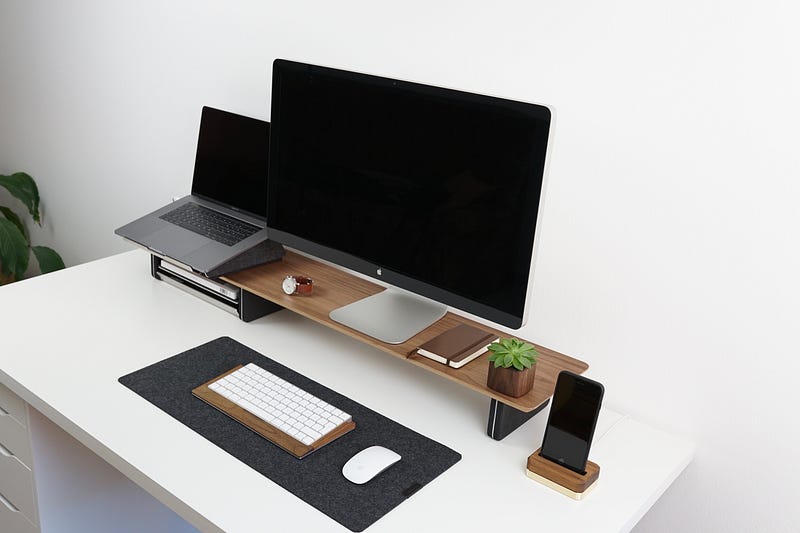
Are you tired of not getting as much accomplished as you would like? Do you have too much clutter in your office? The best method of getting things done is to get the clutter out of your office.
The less cluttered your desk, the easier it is to find the item you need. If you keep a journal with story ideas, keep it handy. If it’s under a pile of papers waiting to get filed, you will waste valuable time looking for it.
My head was full of tidying tips, and I had complete, albeit misguided, confidence that I could tidy any place. — Marie Kondo
1. Switch to a Laptop — If you have the option, you should stick with a laptop. Some have both a laptop and a desktop. This can lead to more clutter and problems. You go on a business trip, and the document you need is on your desktop in the office.
2. Use Cloud Storage — New laptops force you to store everything in cloud storage. You can pull documents down from anywhere with cloud storage, so you don’t need a flash drive or external hard drive. Now you can even sync your devices so that everything gets updated.
3. Go paperless — Instead of printing those documents out and filing it. Save it to the cloud and only print when a client needs a copy. Using digital storage will save all those piles of papers that you don’t have time to file.
4. Scan originals — Instead of keeping those expense receipts, scan it. Check with your accountant to ensure you don’t need to have original. If not, get rid of those. Get to where you only handle things once.
5. Go Digital — Most companies and government agencies allow digital signatures, so there’s no need to keep a lot of papers.
6. Remove those unnecessary items — I’m not saying to get rid of the family photos but try to rid your desk of unnecessary clutter. If it’s not necessary or doesn’t inspire you, remove it. Only keep the essential elements on your desk or in your office. Put those where everyone has access to them. That way, others won’t have to ask, “Can I borrow your widget or whatever?” And you won’t waste time trying to find those necessary tools.
7. Use multifunction tools and devices — There’s no need for a scanner, printer, and a copier. Get one that performs all three functions. You’ll save time and space. This is just an example, most printers now perform all these functions.
8. Use a filing cabinet when necessary — If you need to maintain physical files, choose a file cabinet. This helps to organize your office a lot more efficiently. Just make sure those documents go from the inbox to the filing cabinet. An inbox is not storage.
9. Put any cables under your desk — Cable management is crucial. Look around your office, and you will discover wires running everywhere. Tighten those cables up by using a cable management system. Office Depot, Office Max, and Amazon have lots of those.
10. Clean your office at the end of the day — That means to eliminate any clutter that collects during the day — file it or toss it. It’s the best way to maintain a minimalist office.
Takeaways
Try to use these ideas for a more efficient minimalist office. It might be challenging to part with some of the things you’ve come to love in your office, but less clutter will make you more productive and efficient.
Focus on going paperless, adding cloud storage and a laptop that forces you to store your documents there. Therefore, you can get away from that desktop and all the cumbersome clutter that goes with it.
When you create a minimalist office by gradually applying each of these tips, you will have a fantastic and efficient office space that you will love!
More of My Stories

Stephen Dalton is a retired US Army First Sergeant with a degree in journalism from the University of Maryland and a Certified US English Chicago Manual of Style Editor. Currently living in the Philippines, Stephen is a Top Writer in Virtual Reality.
You can see his portfolio here. Email [email protected]


