
Take Back The Classroom’s Interest With Memes
An experiential technique that works wonders with the current generation — when you can’t convince them, join them instead.
I love to teach, and as much I hate to admit it — most of my fellow teachers have been trying really hard to connect with their students, ever since universities opened back again. Many things have changed ever since the pandemic started and the students feel agitated, afraid and perhaps even tired of the hullabaloo that is school life. Especially, when half of the world is still being ravaged by a coronavirus pandemic.
Recently I got a message from an old student of mine — who finally was able to graduate. He had been in probation long since until one fine day, I came across him sitting alone in the lecture hall all by himself. We connected swiftly as we both shared our love for memes. I remember our first interaction clearly when I stumbled upon him, he was watching Instagram comics. Oh Boy, there are some fantastic creators out there who do know how to make someone laugh. As soon as I came into the classroom, everybody froze. Especially him.
I could feel that the classroom was feeling anxious. I was there as a substitute because a professor of mine was unable to attend the university. So I decided to take the class in his stead. Now, most of these youngsters were probably at their start of senior year. The course was Introduction to Mobile Application Development 101 and I could feel that the class was not interested whatsoever — ever since they came back to school.
Thus I decided to improvise and use the tactic of introducing myself. I told them about myself and why I was there. What we will learn for the time being that I’m here and How will we learn it? After a small ramble of technical jargon — I decided to ask the boy a question “you there, one with the pointy hat — what’s your name son?” He stood up shook, “my name is Jared, Sir!” After listening to his answer, I told him at ease dear boy. “Why all shook, I’m not gonna cut your classroom points or anything.” I then decided to ask the rest of the classroom about the mode of instruction that they prefer.
I had already created an action plan — with small byte-sized lectures and classroom activities. As we were learning Mobile application development, I asked them all a fantastic question, “Have you ever learned to program using memes?” The entire class was puzzled as silence surrounded the entire hall and after a few second pauses started laughing.
I took a slide, from my presentation to motivate them by showing something impractical. Humour is something that can be used to motivate students to learn to program. I learned to program by building impractical stuff that could be used as a medium for instruction, and the following example is one of the many ways I use to inspire the spirit of programming in aspiring young students.
Programming Android applications or any mobile application can be dauntingly boring for new students unless there are motivating examples regarding their interests. Thus you have to take creative steps in creating a way to attract the younger generation by using memes. Memes are an excellent way of sharing an instance into a byte-sized medium. It shows how you can learn to take a joke and have fun while doing it. What’s more awesome than you can integrate memes into learning aligning them to the candidate’s interests.
Not only does it help students garner interest in mobile application development but in all fields of programming when done the right way. Because it acts as an external motivation they need to get started.
Introducing BartsAss — One Meme To Rule Them All
BartsAss is meme mobile mockup application, it is basically a small animation app that fades into another frame — when tapped creates an Intent like feature. An intent is how you navigate from one app frame to the next. Like if you press the next button and another window popups in your mobile app, that function is implemented using Intents.
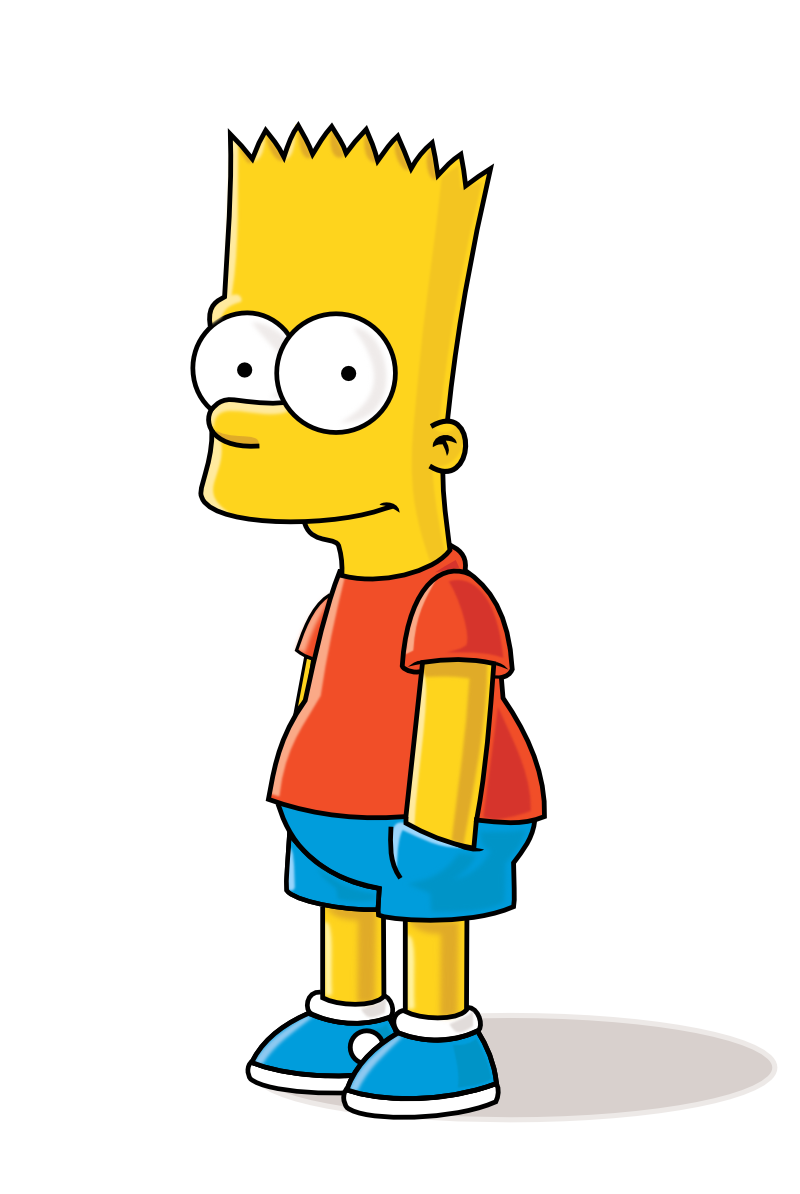
Creating a simple meme app using little to no java code is absolutely possible. Well, First of all, you need two images that will be the basis for your app. They can be any two images that can stick together to make a point. The point could be satirical, perhaps could even be an animation. The ideas around the app can be limitless. As there are many pop culture meme-worthy moments, Find those images and plan your application accordingly. For this example, we would be using Bart as he is the prime example of modern-day youth.
Introduction (Pre-req download Android Studio)
Step 1: Create a new project, and select an empty project. Then name your project for this example, we will call it meme app.
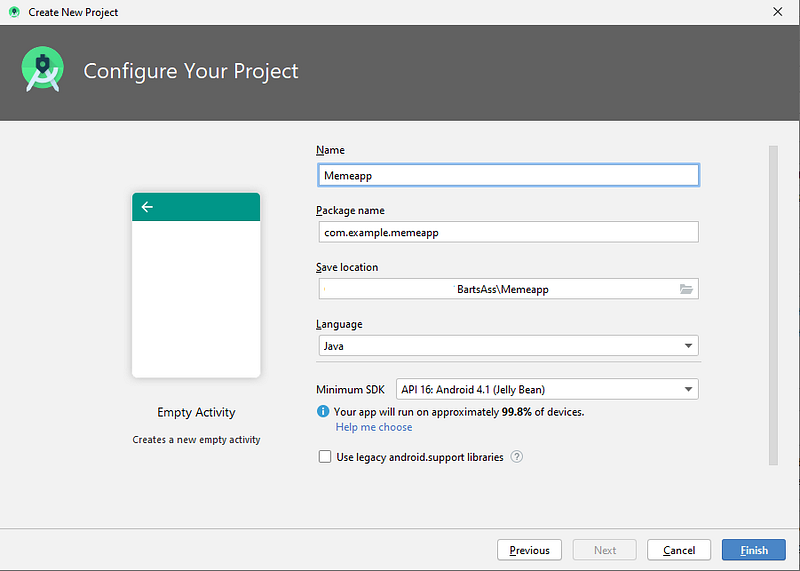
Step 2: Click Finish. And you’ll have an empty activity open up as follows:
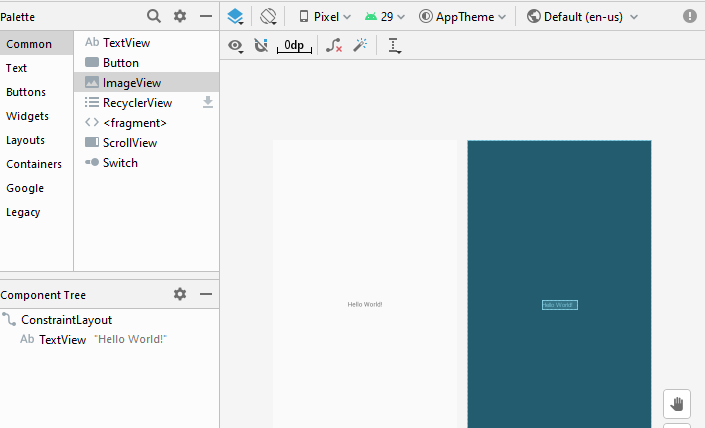
Step 3: Adjust layouts by dragging two image views onto the canvas.
Remember to delete the text view or edit it according to your own preferred message. Now click on the image view and drag it onto the canvas.
When clicked, it will ask you to add a resource like a window below, where you will add both images into the drawable folder.
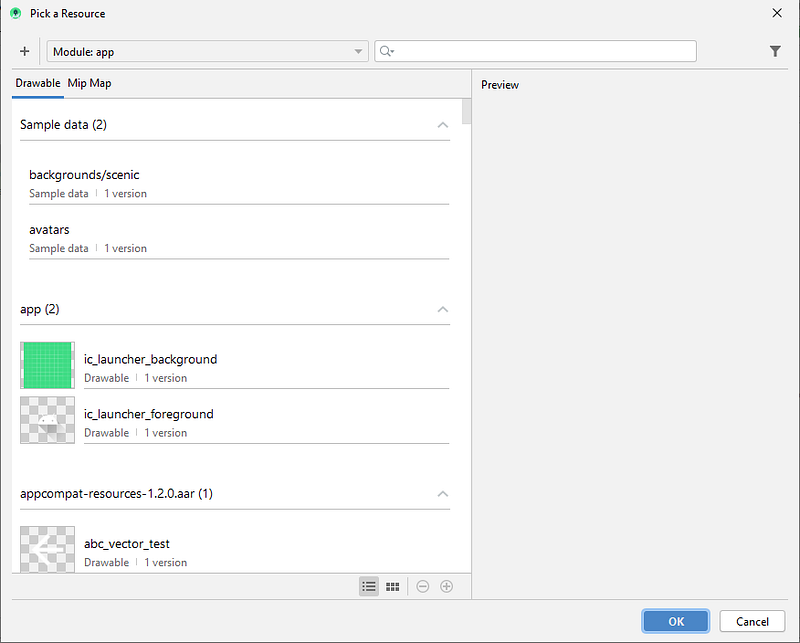
Remember for this example, we would be creating two image views to transition one image view into another thus creating a fade effect animation using both bart and bart2 asset images. But you can name them as you want to.
Step 4 NSFW: Acquire Images
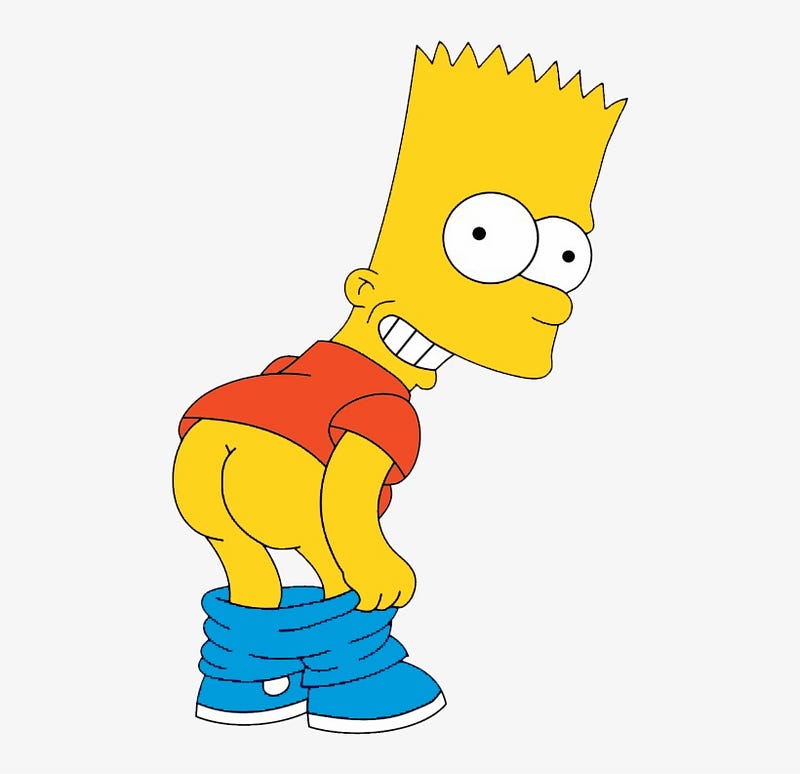
Add these assets into the drawable folder. Following are the two asset images primarily bart, and bart2 respectively. Each image has a different id, that you can set in the drawable folder.
Step 5: Create Image placeholder in Main Activity XML
// This is the layout of your meme app, for the current layout of the app we have chosen relative layout. Check why here.

<RelativeLayout xmlns:android=”http://schemas.android.com/apk/res/android" xmlns:app=”http://schemas.android.com/apk/res-auto" xmlns:tools=”http://schemas.android.com/tools" android:layout_width=”match_parent” android:layout_height=”match_parent” tools:context=”.MainActivity”>
<ImageView android:id=”@+id/bart” android:layout_width=”match_parent” android:layout_height=”match_parent” android:onClick=”fade” app:srcCompat=”@drawable/bart2"/><ImageView android:id=”@+id/bart2" android:layout_width=”match_parent” android:layout_height=”match_parent” android:alpha=”0" app:srcCompat=”@drawable/bart”/></RelativeLayout>Step 6: Create Main Activity Class (Driver Class containing java code that will run the frame transition)
Following main class first points to the two images, whose ids are primarily named bart and bart2. We have created two image views in the Mainactivity.xml where we have pointed both images to their id. And thus pointing the id towards the image view using java code findViewbyId accordingly.
We then are using the animate function to set a duration at which the first image will fade, and the next image will reappear. Thus creating an image transition effect to create our meme effect.
package com.example.bartssssss;

import androidx.appcompat.app.AppCompatActivity;

import android.os.Bundle;
import android.view.View;
import android.widget.ImageView;

public class MainActivity extends AppCompatActivity {
    public void fade (View view) {
ImageView bart = findViewById(R.id.bart); bart.animate().alpha(0).setDuration(50); //you can choose to change the setting and playaround as you like ImageView bartasss = findViewById(R.id.bart2);
bartasss.animate().alpha(1f).setDuration(2000);
}
@Override
protected void onCreate(Bundle savedInstanceState) {
super.onCreate(savedInstanceState);
setContentView(R.layout.activity_main);
}
}Final Step: Putting it all together
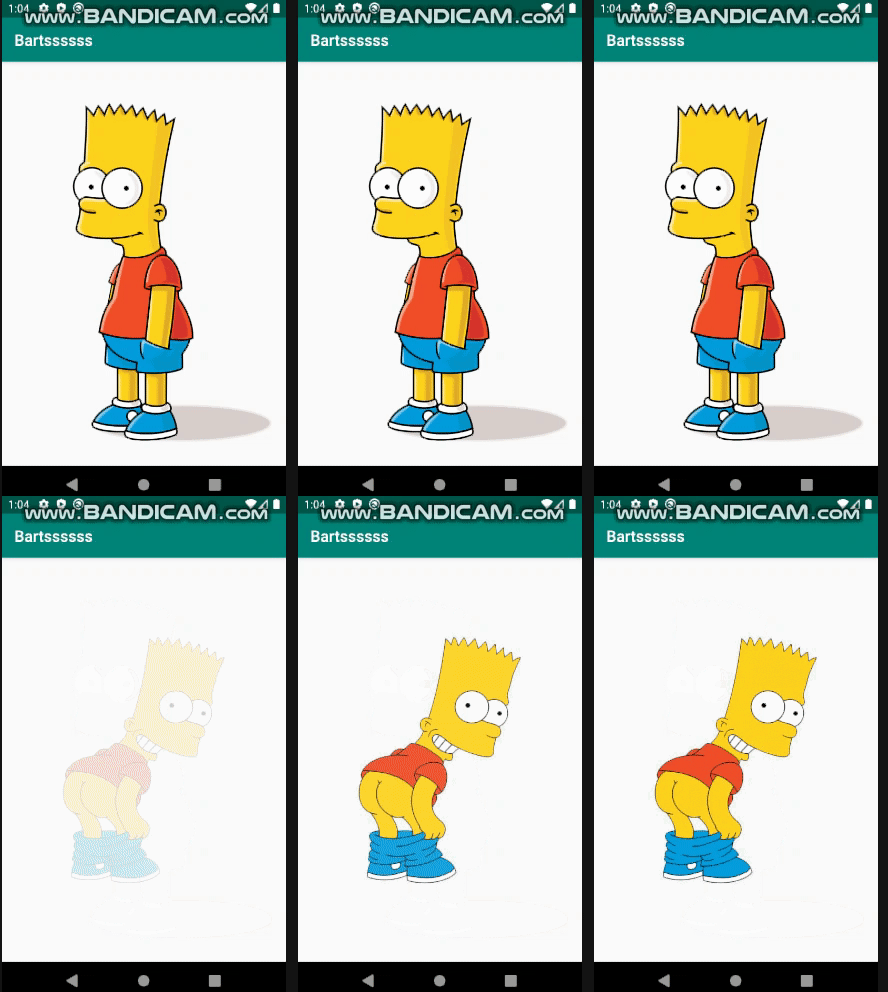
Then we run it using the android studio. The Gradle will take some time to compile, and then you can view your app using the android emulator as shown in the image below.

After downloading the emulator click the Run button — it will take some time and then the emulator will open. It will depend on your system memory to initialize and the main emulator window will open up having the sample app. The output of the following project would be as follows: When pressed it will fade into the next image transitioning into a gif like an effect giving anyone you show it to a quick laugh.
The Result — Experiential Learning at it’s finest
I handed the slide, to one of my students and told them to run the app. And as you can imagine everybody took it really humorously. The code for the application is fairly simple to implement. My students were able to create fantastic pieces of fading meme animations that made an impact. It allowed me to put myself in their shoes. Improvising my way in creating a bond that transcended normal instructional methods.
The first thing they asked right after the animation ended was that “how did you make it — we want to learn to make it as well.” And that ladies and gentleman is how you garner their interest in mobile application development or programming for that matter.
The main purpose of this experiential method is not to dig into the details — it is to show that you can have fun while doing programming. The students will learn as they learn to debug, crash, and implement the code. They will ask you questions with an innate interest in making their impractical applications, practical.
The best part of it all is that they will feel that they have accomplished something significant. They will think out of the box, using analytical and critical thinking skills to brainstorm the many different ways impractical ideas can be implemented in creating practical mobile apps.
At the end of the day, that is what is mostly missing in the classroom i.e. the freedom to think freely about solutions regardless of the applications where it can be used. Somethings are better yet felt than said. The students who were motivated using this technique will most definitely improve their skills with the passion to create, inspire and aspire others as well as themselves — an endless supply of external motivation to learn and succeed.
P.S You can download the code here.
Final Thoughts
As Bart is a mischievous character caught pants down — I was able to use that to motivate my students to create simple applications that made no sense but in doing so, I instilled within them the love for programming. Because now each one of my students knows that you don’t just program to build applications that do X in Y minutes. Now they know that they can build applications to have fun and just have an awesome time doing it. It will allow them to share laughter and moments of joy by showing their creative skills in conceiving many impractical ideas just for the sake of having fun.
Learning is an activity that should empower students. And a classroom is perhaps the best place for students to do just that. If I had followed the old “I speak, you listen” routine. I would just be wasting their precious time. I don’t want to do that in a million years. Instead, I would improvise my way in making my students learn with zest. I want them to become cheeky, and I want them to enter the classroom with an idea that can be simple, dumb and fun. Whatever their ideas are regardless of their practical use — they should be allowed to explore them with the utmost moral support and respect.
This is one of the many ways — you can gain back the confidence of your students. Learning how to program should be revolutionized with memes. Instructional manuals should have pieces of comics, that detail humour in the funniest of ways possible.
BartsAss is one of the many, arsenals I have to motivate my students to learn programming. I’m hoping that it will also inspire you to create applications and programs for your students so that they too can aspire to do impractical fun stuff to learn with zest.
Disclaimer: Use the following example with caution, it is better to be adopting a creative approach, as the images are still somewhat NSFW but for college students, they fit the right bill. I believe it is in the right sense to motivate them to learn and open up with their instructor.
For high schoolers, I believe you would have to brainstorm and use pop culture references that everyone is acquainted with. That will help you land that one impression your students will never forget. Happy learning together! ❤️ 💻
Peace, Thank you so much for reading. Stay Safe and Take Care!


