
Sysmon for Linux
Today on the 25th birthday of Sysinternals Sysmon 1.0.0 for Linux has been released and it is open source software!
This short blog is a quick overview of the capabilities to give you an idea of what you can expect from this initial release.
Installing Sysmon for Linux
Sysmon relies on their implementation of eBPF so you’ll need to compile and install that first. https://github.com/Sysinternals/SysinternalsEBPF

When eBPF is installed you can move on to compiling and installing Sysmon, it has been well documented in the repository, just walk through the steps. https://github.com/Sysinternals/SysmonForLinux
Once complete we can run it and we’re greeted with a familiar prompt
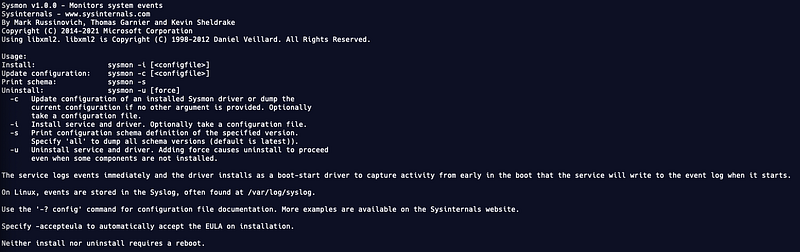
Avid Sysmon users will immediately notice that there is less command line options than on Windows. However, over time I am sure there will be more features added.
One thing that is cool is that Sysmon for Windows and Linux share the same manifest, so also the same schema. This means all events, that are loggable, will have exactly the same set of fields per event type that will be logged.
The contents of the fields will obiously differ per operating system and on Linux not all will be populated but all field names will be the same, as well as creating a configuration, which is great! Keep this in mind when requesting the schema, on Linux you will get the same output as the equivalent on Windows.
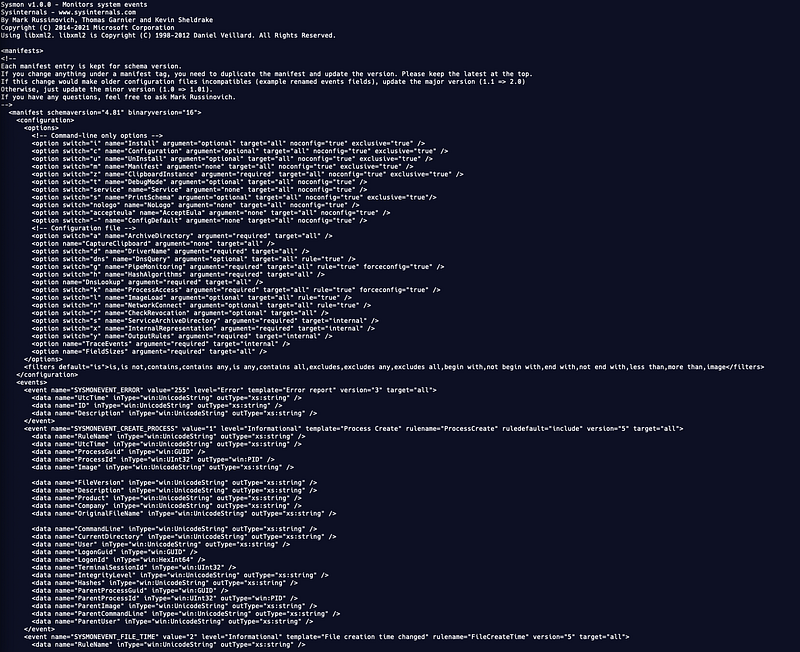
However, not all event types are currently supported by Sysmon for Linux at the time of release. Right now the following events are supported by the Linux version:
Event ID | Description1 | Process Creation3 | Network Connect5 | Process Terminate9 | RAW access read11 | File Create / Overwrite 16 | Sysmon config change23 | File DeleteA great overview and deployment templates by Roberto Rodriguez can be found here
Configuration
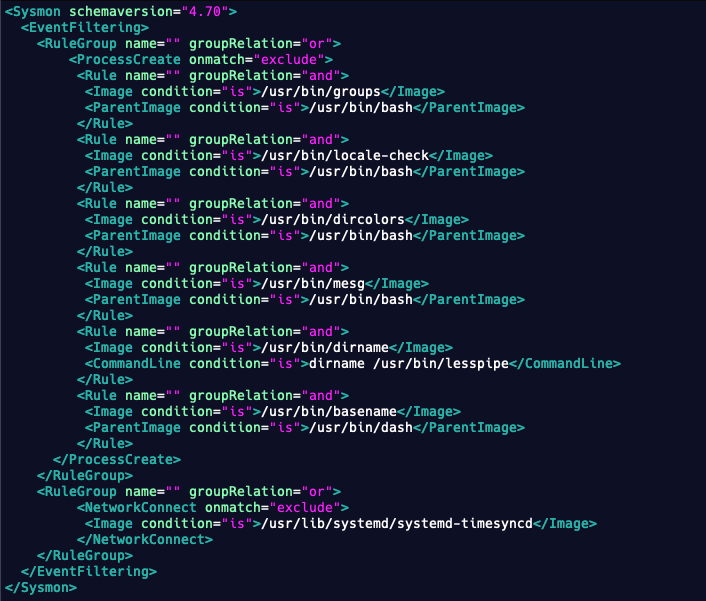
Writing a configuration will be very familiar to people that have used it on Windows before. The exact same structure and filters can be applied to it.
Logging
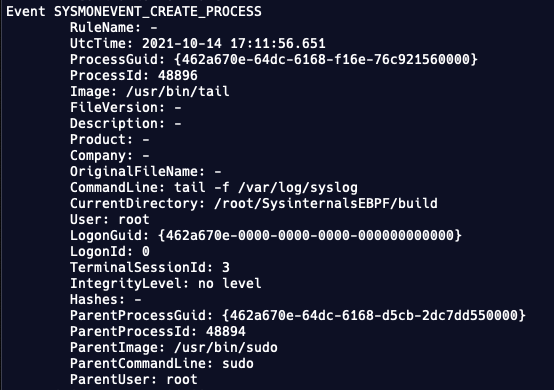
All logs are written as an XML event to the syslog file. The Sysinternals team also included the sysmonLogView utility for parse the data in a more readable format on the local system.

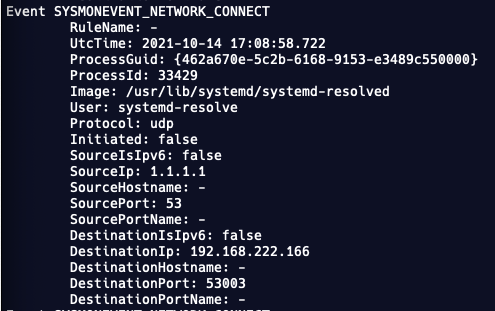
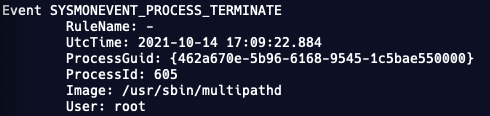
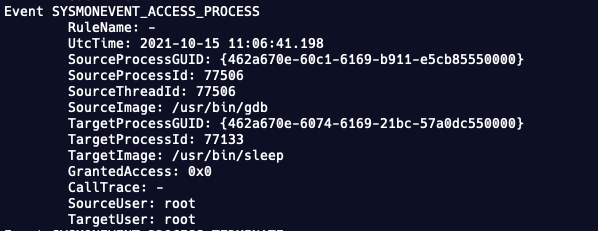
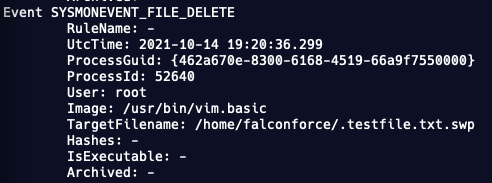
As you can see from the examples that were created with the sysmonLogView tool below, the events look very similar to the Windows equivalent. For the Process Creation events the only thing that is obviously missing is the PE data as well as the hashes.

Please let me know whether you like this new release, and join our community to discuss the use, configuration and other topics on our discord server


