
Synchronize Your JavaScript Code With Async-Mutex
Share resources or control number of instances with async-mutex

JavaScript runtime is single-threaded, but the asynchronous nature of promises introduces the necessity to synchronize access on resources in certain use cases.
Event handlers are asynchronous events that can benefit from mutual exclusion. Events like scroll and button click handlers can fire off multiple events within a second, but sometimes you only need the first event (and the others are undesirable). We need a way to be able to guarantee the order of the asynchronous events.
About async-mutex
async-mutex is an npm package that implements the synchronizing primitives, allowing you to control asynchronous events deterministically.
The synchronizing primitives are Mutex and Semaphore.
- Mutex (short for mutual exclusion) is a lock. Once someone acquires the lock, any other attempts to acquire it will block until the holder of the lock releases it!
- Sempahore is similar to a Mutex except it can allow multiple people to ‘acquire’ it. This is useful for cases when you can only allow up to X asynchronous events at a time.
async-mutex also exposes a withTimeout decorator. In summary, when you wrap a Mutex or Semaphore with a withTimeout decoration, you can specify a maximum time of blocking on a lock before the requester is rejected.
You can install async-mutex through the following command
npm install --save async-mutexOnce installed, you can import the objects exposed by async-mutex
import { Mutex, Semaphore, withTimeout } from 'async-mutex';Ready? let’s start exploring the usage of these synchronizing primitives. I will introduce our example first. Afterwards, I will show examples of proper mutual exclusion with Mutex and Semaphore.
Ordered Server Counter
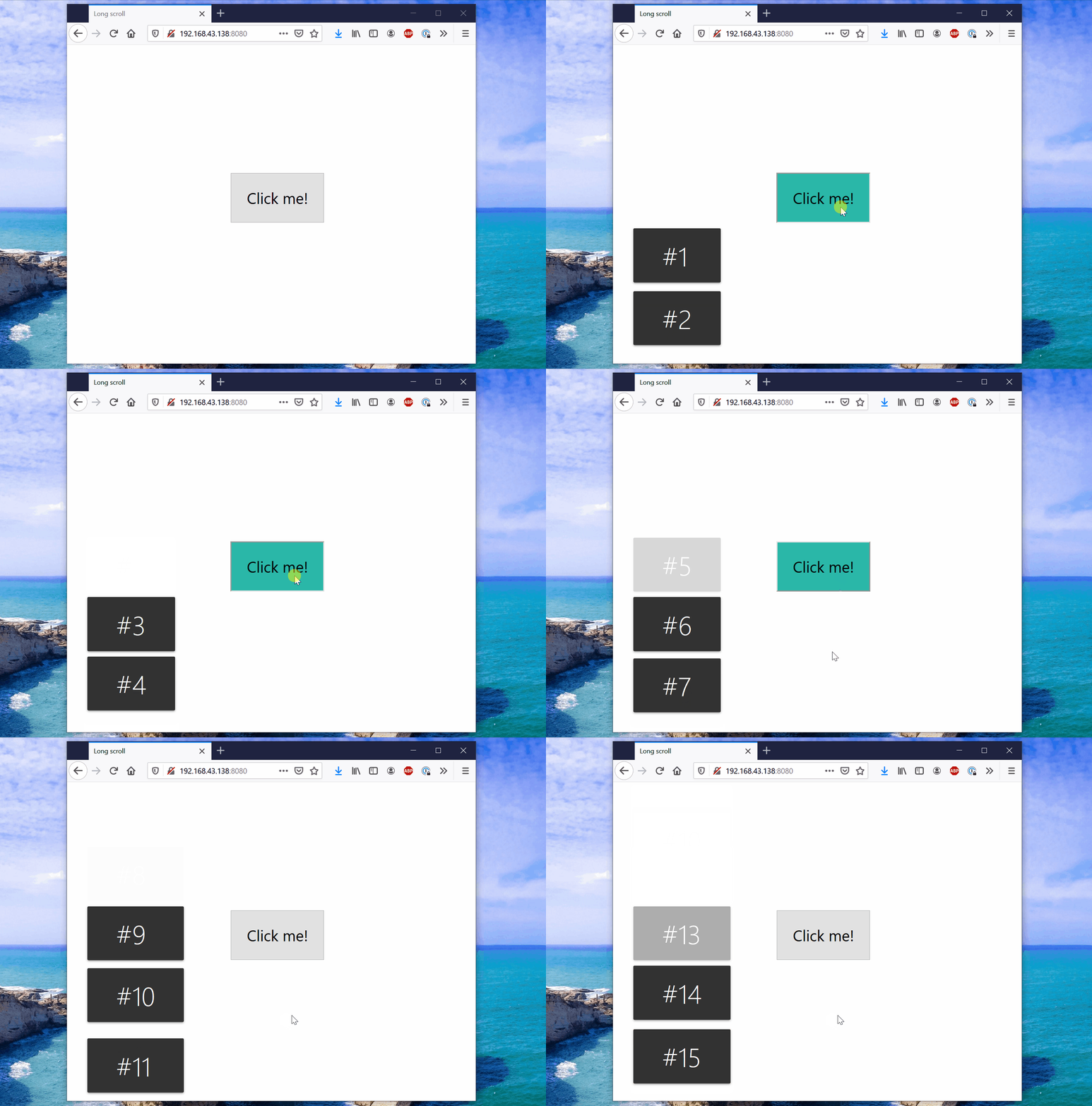
The example above is an ordered server counter that we wish to build. When you click on the button:
- An asynchronous request is sent to a server
- The server increments an internal counter
- The server returns the current counter value
- The client (our webpage) displays the counter in a Toast shown above.
It is important the the order of the numbers is preserved when received. So how can we synchronize the order of the requests? We know that network requests are asynchronous. It is totally possible for the first request to take longer to arrive than the second request, or the second request to take longer than the third request, and so on. This out-of-order arrival of requests will be a problem for our application.
The ‘No synchronization’ approach
What would happen if we were to develop this application with no synchronization constructs? Here is a sample implementation of a simulation of this application with no synchronization.
The server is simulated with processCommmand() , and the network delays are simulated with serverDelay() . Since there are no synchronization mechanisms, once the button “Click me” is clicked, a new request is fired off immediately.
This is the result of this implementation.
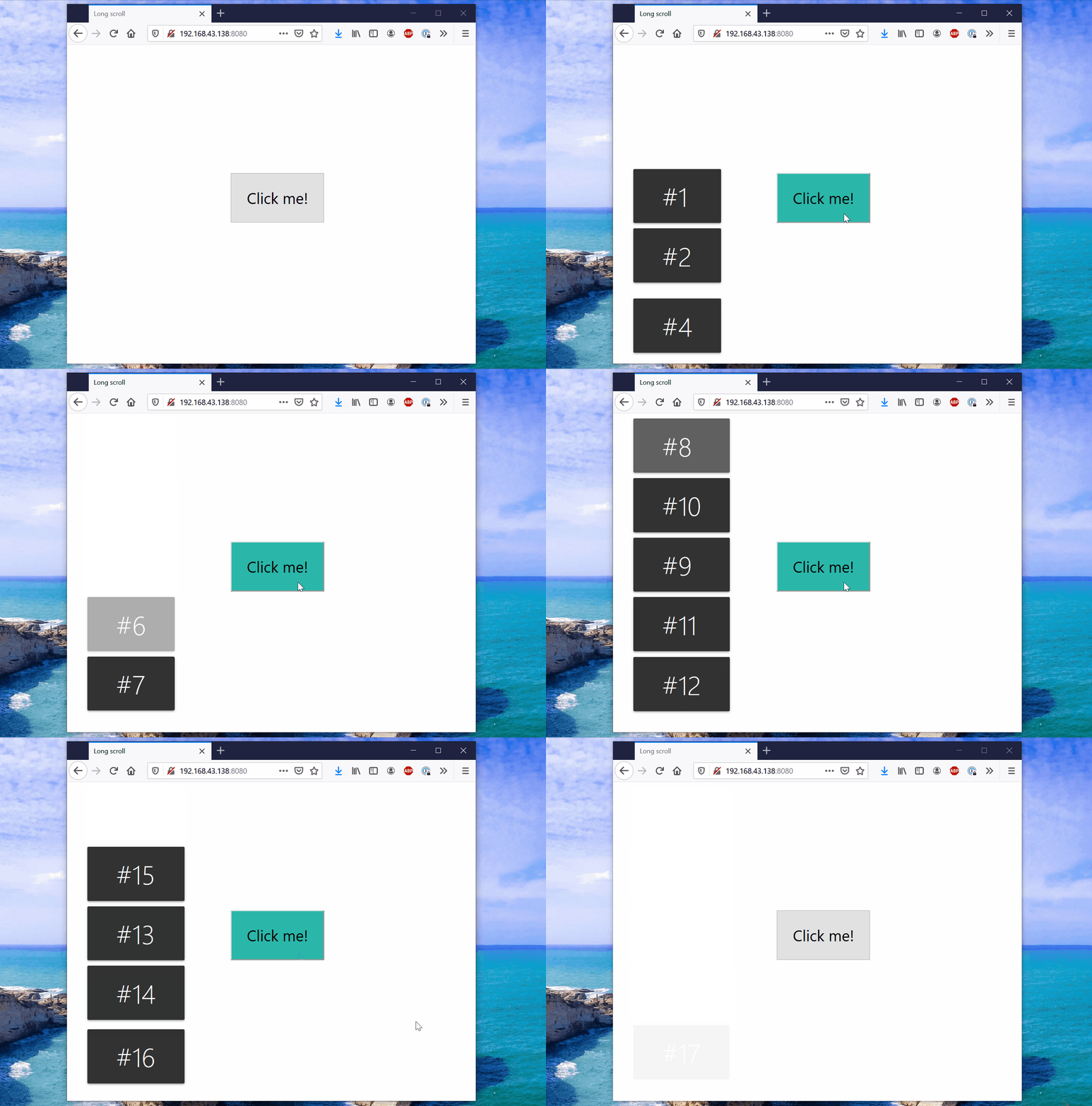
Uh oh — the numbers, as expected, are showing up out-of-order, and we have failed to make our application to show numbers in order.
Overcoming the out-of-order issue with Mutex
The issue is that network requests are out of order, but our application wants them to be in order. One way to solve this is to use a Mutex lock to only allow one request to be processed at a time, blocking the other requests until it is their turn.
Here is the implementation with Mutex.
The Mutex API usage flow is the following:
- Line 23: A request to acquire the
clientLockis initiated. This request will block if someone else has already acquired the lock and has not released it yet - Line 33: The client lock is released after the server has responded and we has shown the toast. This allows other button click events to now compete for the lock and initiate their server network request!
This locking mechanism guarantees that only one button event will be processing at a time, blocking and queuing up the others. We have now achieved the intended ordered implementation of our original example shown at the beginning!
Limiting number of visible Toasts
What if you don’t like that several Toasts can flood the screen at a time? We can extend our logic to limit the number of Toasts displayed at a time. Our synchronization construct here would be a Semaphore!
Think of a Sempahore like a Mutex, but it can allow multiple asynchronous requests to be executing a piece of code at a time. You can configure the maximum number, too!
Using a Mutex and Semaphore, I was able to limit the number of Toasts on the screen to 2 at a time.
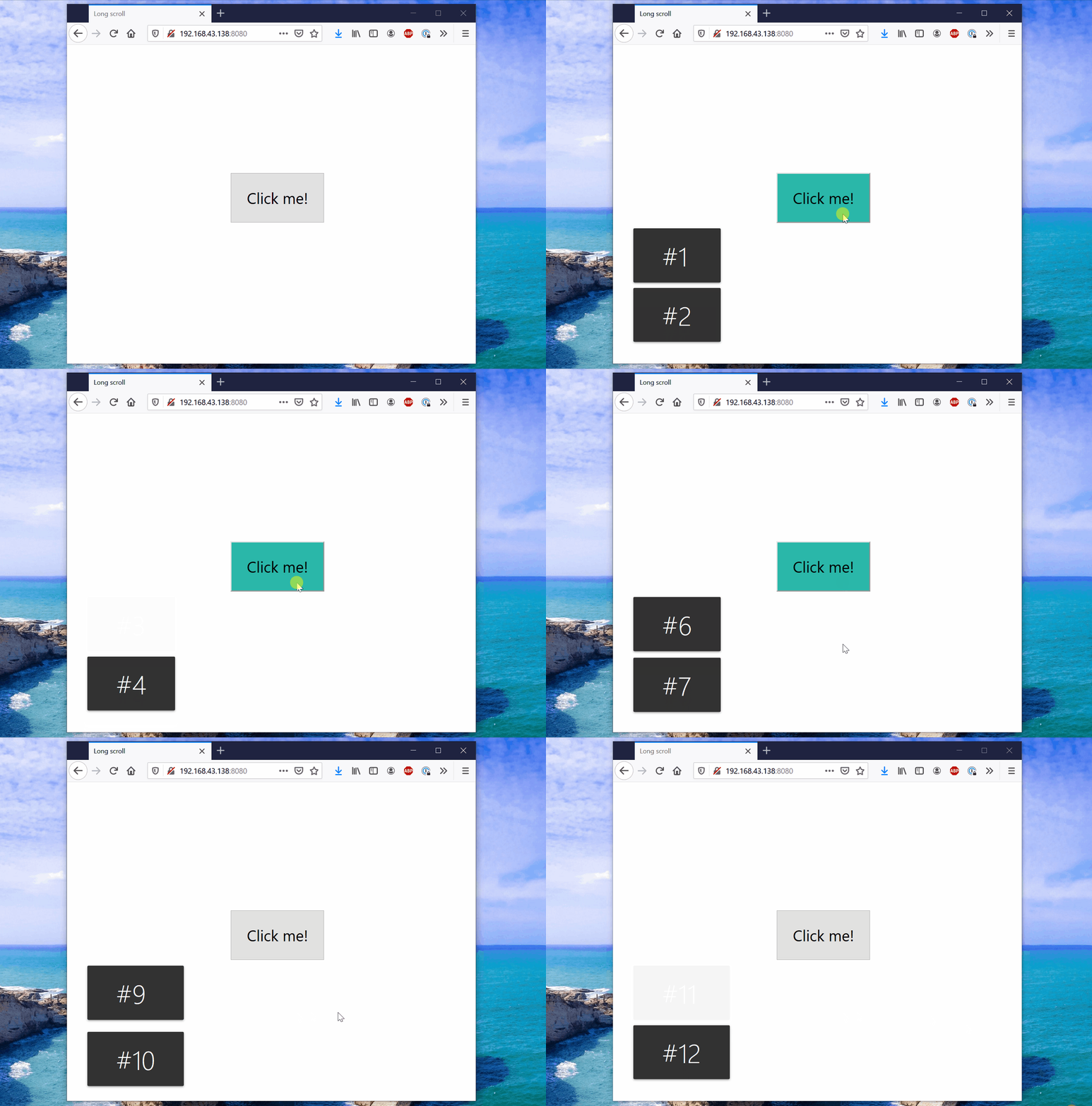
And here is the code associated it with the example above
Line 6
The Sempahore structure is initialized with the value 2, which specifies that only a maximum of 2 toasts can be displayed a time.
Line 26–31
Our semaphore logic comes to help us when we want to display the Toast. We attempt to acquire the Sempahore. If we were succeeded, then we create the Toast object, and then we pass releaseSemaphore() to the completeCallback function of the Toast. This callback is called when the toast is dismissed.
And that’s it! Using Mutex and Semaphore, you can synchronize asynchronous code in your programs!


