
Stop Using Pandas for Large Datasets — Terality is a 20 Times Faster Alternative
Pandas is painfully slow when processing large datasets. Is Terality the solution you’ve been looking for?

If I had to pick one Python library I couldn’t live without, it would be Pandas. Nothing else comes close. Does that mean Pandas is without flaws? Well, no — it’s terribly slow for processing large datasets. Also, working with larger-than-memory datasets is a challenge of its own. There are ways around this, and we’ll explore one such option today.
It’s called Terality — a blazing fast freemium service that moves computation away from your machine. It has a dedicated Python library that is 100% identical to Pandas, so the learning curve is non-existent.
This is not a sponsored article, but I’ve decided to reach out to Terality after exploring how the service works. They were kind enough to enroll me in their 2 TB plan free of charge. Their always free plan comes with 500 GB of data processing bandwidth. Is it enough? Continue reading to find out.
What is Terality and how to set up an account
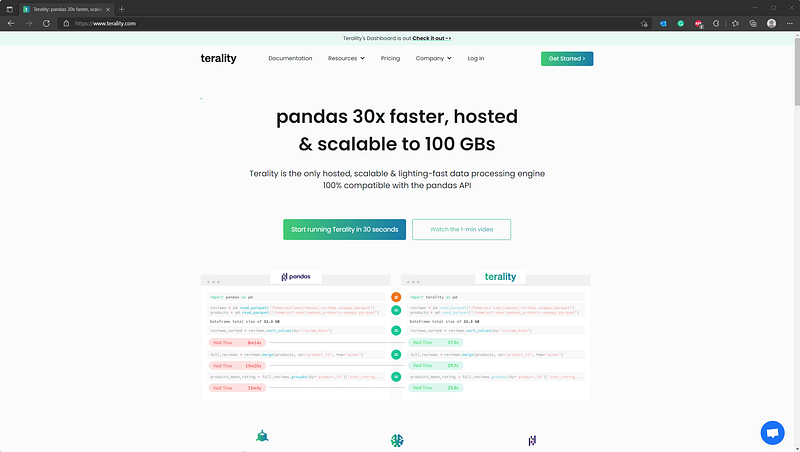
As mentioned earlier, Terality is fast and hosted data processing engine that works just like Pandas. Their API is 100% identical, as you can see from the image below:
The account registration process is straightforward — just use your Google or GitHub credentials. You’ll get enrolled with a free 500 GB plan, but you can always upgrade if you need more. After the registration, you’ll see a dashboard page:
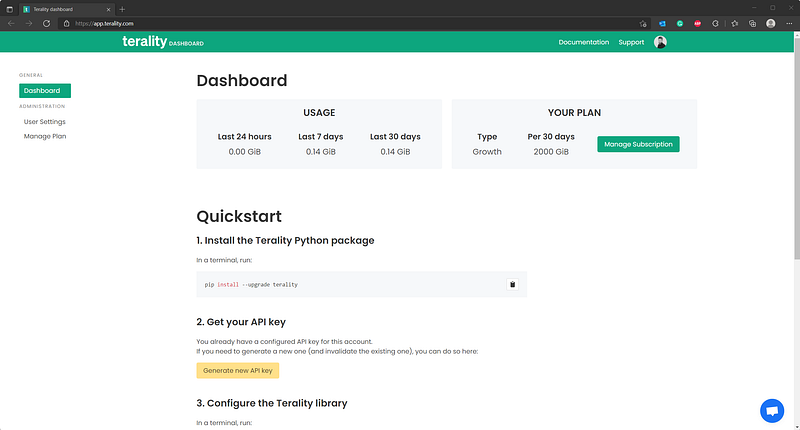
The top of the dashboard shows you how much data processing you have left. You’d be surprised by how quickly the usage goes up, but more on that later. The Quickstart section instructs you how to install Terality and how to configure it, since you need an API key to get the thing running:
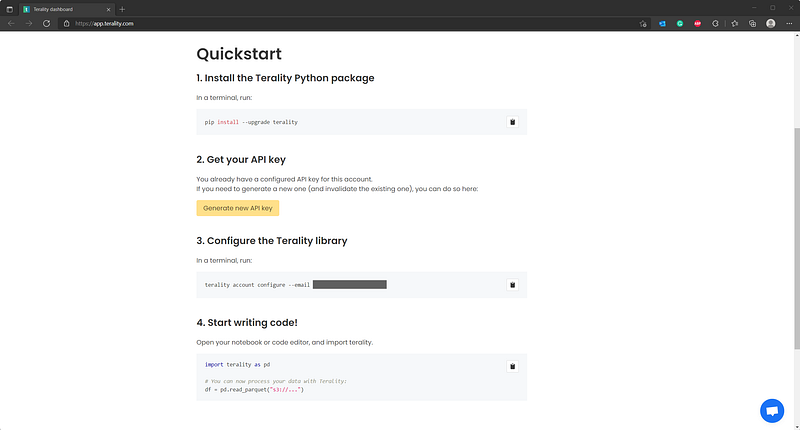
I’ve installed it in a separate virtual environment:
conda create --name terality_env python=3.9
conda activate terality_env

pip install --upgrade terality
After the initial installation, you should click on the Generate new API key button and save it somewhere. You can then open a new Terminal window and use the command below to configure Terality:
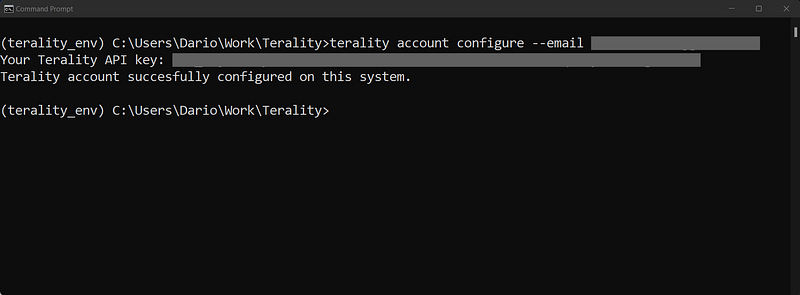
And that’s it — you’re ready to roll!
Keep in mind — Terality works best when used with a cloud storage solution like Amazon S3 or Azure Data Lake. If you were to load a local dataset file, Terality first has to upload it, which could take some time. It depends on your Internet speed, but you get the point.
Pandas vs. Terality — Creating benchmark data
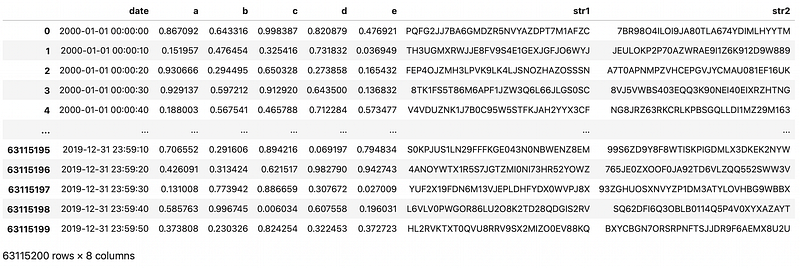
We have to create some synthetic data before comparing Pandas and Terality. You’ll create a dataset with 20 years of data sampled at 10-second intervals in this section. The dataset will have over 60 million rows, so it should be large enough for a fair comparison.
It has a mixture of data types in the dataset, including floats, strings, and dates. Feel free to adjust the below snippet if you run into RAM limitations. My machine has 16 GBs, and I haven’t experienced any issues:
Here’s how the dataset looks like:
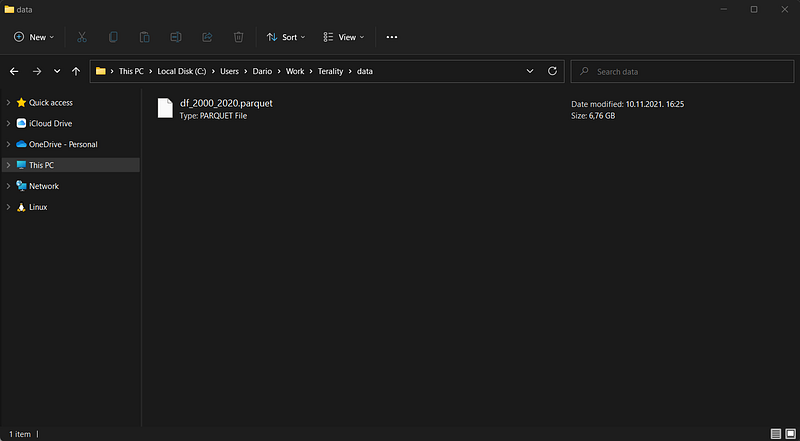
Let’s save it to a Parquet file next. It’s important to specify the row_group_size parameter. It controls the size of a single partition of a Parquet file. For example, if you want 20 row groups, do an integer division of the dataset length by 20:
Here’s how it looks on disk:
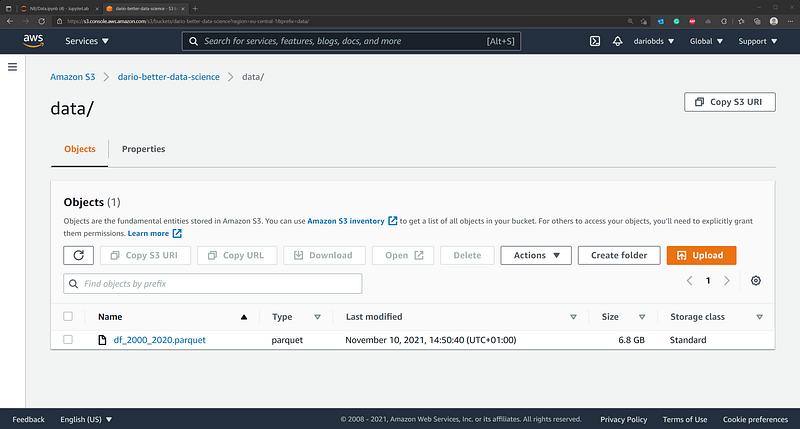
As mentioned earlier, Terality works best with Amazon S3. You can make it work with local datasets, but only if you have excellent upload speeds. I don’t, so I decided to upload the Parquet file into an S3 bucket:
And that’s it! Let’s do a couple of tests next and see which one is faster.
Pandas vs. Terality — Benchmark results
The Speed of the Pandas library will highly depend on your hardware specs. Here’s mine — it’s nothing premium, but not low-end either:
- OS: Windows 11
- CPU: AMD Ryzen 5 5600x (6-core)
- GPU: NVIDIA RTX3060Ti 8 GB
- RAM: 16 GB DDR4
With that out of the way, let’s dive into the good stuff.
1. Dataset loading
This is the only benchmark in which the code snippet differs between Pandas and Terality because in my use case it was more efficient to read data from disk with Pandas, and from S3 with Terality:
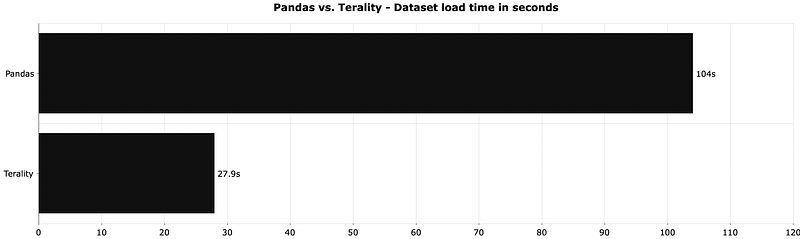
Terality is almost 4 times faster than Pandas when reading identical Parquet files. Keep in mind that Terality reads data from Amazon S3, while Pandas reads data from a local disk. You can read S3 files with Pandas, but all examples I’ve found boil down to downloading the file first.
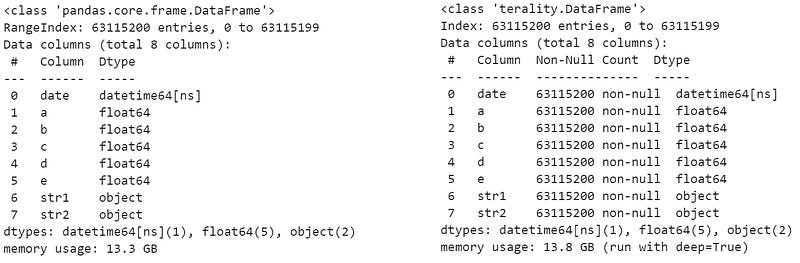
Once loaded, both take a lot of memory:
2. Sorting
The goal was to sort values by the column a in descending order. There are over 60 million rows, so sorting should take a while:
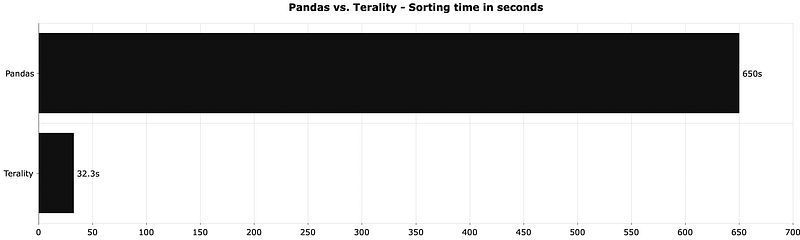
Demolished. Terality was 20 times faster for identical computation, showing you exactly what you can expect when you move computation away from your machine.
3. Creating a new column
We’ll add a new column representing a year and month combination. Adding new features is a common operation in data science and machine learning, so it’ll be interesting to see who has the edge here:
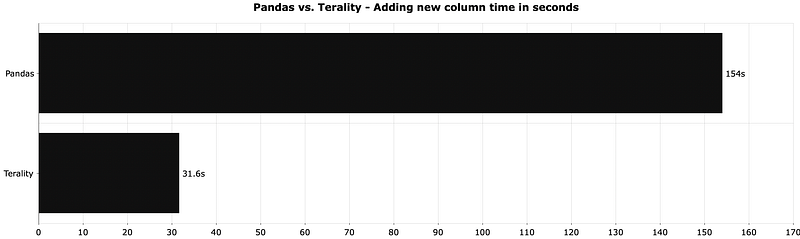
It’s not a 20x improvement like in the previous test, but Terality was still 5 times faster.
4. Grouping
The goal was to group the dataset by the year and month combination and to use sum() as an aggregation function. It’s a common operation in every data analysis project:
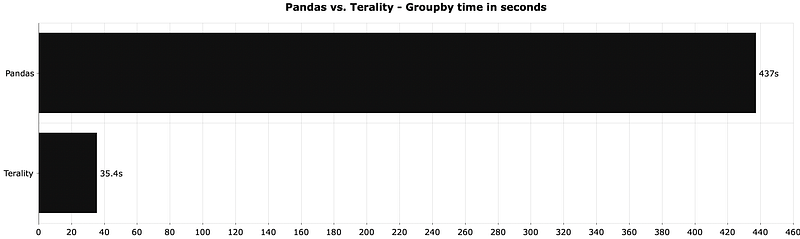
Terality was around 12 times faster when grouping and aggregating data. That’s a huge difference, especially if you take into account that you’re likely to do operations such as sorting and grouping frequently for a single project.
Pandas vs. Terality — The verdict
So, should you try Terality? The benchmarks say you do, but let’s not jump to conclusions. You should keep in mind that the free version lets you process 500 GB of data. That doesn’t mean you can work all month with 500 GB datasets. Every operation you do adds up. For example, doing 3 operations on a 10 GB dataset would result in 30 GB usage.
Here’s how much usage I spend writing this article alone:
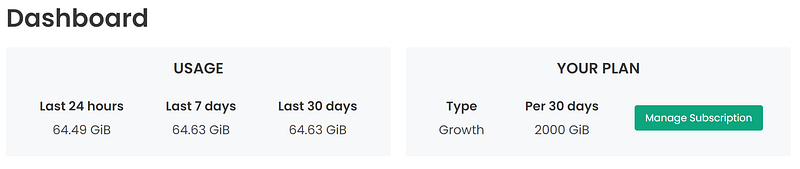
It’s fair to assume you’ll run out of usage rather quickly. The next tier gets you 5 TB of usage, but that’s only if you’re willing to pay a monthly subscription fee.
The best way to optimize usage is to make sure your code is error-free before you connect to Terality. Your usage goes up irrelevant if the code execution succeeds. I found this disappointing, so I reached out to their team. They’ll change the behavior in the upcoming releases.
To summarize — I recommend Terality if you can benefit from the added processing power. Time is money, and running code 10–20 times faster means you can do more per hour, and hence handle more clients, or charge more to a single client. It only becomes relevant if you have enough work going your way, so make sure to have that figured out first.
What do you guys think of Terality? Have you tried the service, and if so, how long did the free tier last? Let me know in the comment section below.
Loved the article? Become a Medium member to continue learning without limits. I’ll receive a portion of your membership fee if you use the following link, with no extra cost to you.
Stay connected
- Sign up for my newsletter
- Subscribe on YouTube
- Connect on LinkedIn


