avatarAmanda Jayne O'Hare

Free AI web copilot to create summaries, insights and extended knowledge, download it at here

4474

Abstract

gmamamov-21&creative=6738&linkCode=as2&creativeASIN=B00N1YPXW2&linkId=4611d564bed222fa8710148aa7a0d701">Yeti </a>make great Mics. I linked 2 that are great-quality mics for home use; I use a <a href="https://www.amazon.co.uk/gp/product/B014PYGTUQ/ref=as_li_qf_asin_il_tl?ie=UTF8&amp;tag=strongmamamov-21&amp;creative=6738&amp;linkCode=as2&amp;creativeASIN=B014PYGTUQ&amp;linkId=0b2eb39d54dc0012f5100992b622e484">Blue Snowball</a> right now, which is fine as a first mic.</p><p id="20ef">You can use an external <a href="https://www.amazon.co.uk/gp/product/B07M5LQ1YZ/ref=as_li_qf_asin_il_tl?ie=UTF8&amp;tag=strongmamamov-21&amp;creative=6738&amp;linkCode=as2&amp;creativeASIN=B07M5LQ1YZ&amp;linkId=c1c56a4b3b006b5b73299f56373d14b2">podcaster studio like this</a> if you want to feel like a radio DJ — it’ll rack your costs up, but some folks prefer this setup.</p><p id="6d1b">I just use Garageband and a <a href="https://www.amazon.co.uk/gp/product/B014PYGTUQ/ref=as_li_qf_asin_il_tl?ie=UTF8&amp;tag=strongmamamov-21&amp;creative=6738&amp;linkCode=as2&amp;creativeASIN=B014PYGTUQ&amp;linkId=0b2eb39d54dc0012f5100992b622e484">Blue Snowball mic</a> and <a href="https://www.epidemicsound.com/referral/8b23ht/">Epidemic Sound</a> for my music beds and Intros to keep it all legal. (<i>You can’t just fire any old music in there, you need to hold the right licenses</i>).</p><figure id="657e"><img src="https://cdn-images-1.readmedium.com/v2/resize:fit:800/1*NPT7hPq_qOFS4H4SSV5mow.jpeg"><figcaption>Photo by <a href="https://unsplash.com/@cowomen?utm_source=unsplash&amp;utm_medium=referral&amp;utm_content=creditCopyText">CoWomen</a> on <a href="https://unsplash.com/s/photos/podcasting?utm_source=unsplash&amp;utm_medium=referral&amp;utm_content=creditCopyText">Unsplash</a></figcaption></figure><h1 id="b100">What About Interviews?</h1><p id="6eba">If you’re wanting to have your own interview-based podcast you’ll need the same setup as described so far. Next, you need to decide if you’re interviewing in person, or if you’re going to do it over the phone.</p><p id="8385">My interviewees are sprinkled all over the globe and I most certainly can’t afford to pay to fly them to me, so I use <a href="https://zoom.us/">Zoom</a>. You can set up a free <a href="https://zoom.us/">Zoom</a> account to do this, you’d need to upgrade however if you want to download a recording that goes over the time you set for the interview or if you want more than 3 people on the call for over 40 minutes. Sometimes it’s worth upgrading.</p><p id="3d0e">You can easily pop the recordings into Garageband, editing them there.</p><p id="5dbd">It’s worth asking the person on the other end to use phone earphones with a mic for better sound quality if they don’t have a mic themselves. Make sure you ask them not to do things in the background like tapping or fiddling about with things unless you want messy background noise messing up your recording (I learnt this in experience), you can edit out a certain amount of background noise, but things like tapping — no.</p><p id="a8d1">Make sure you get your interviewees to sign a waiver before putting your podcast out too — to save any legal problems popping up in future; or at the very least to get you covered a bit.</p><p id="a57e">It’s a good idea to send an outline of what your show is going to be about and find out a little bit about your interviewee before recording; including anything that they don’t want to discuss, to save yourself awkward silences mid recording, lots of editing; or worse, an unhappy guest.</p><h1 id="8e1d">Platforms To Set Up Your Podcast With</h1><p id="7d55">I stream my podcast using <a href="https://www.buzzsprout.com/?referrer_id=217741">Buzzsprout</a> because it’s user friendly. You can set it up to stream to Apple Podcasts, Spotify, Stitcher, and other big platforms really easily, all from one place — so when you publish an episode it goes straight to each.</p><p id="7c4f">Buzzsprout also allows you to follow the analytics to see where your audience is coming from; allowing you to see where to put your focus. Also giving you the option to embed them onto your own website and blog posts.</p><p id="9810">If you’re wanting to make some extra money you can use your referral code with friends. When you use a referral code, the new podcaster gets a <a href="https://www.buzzsprout.com/?referrer_id=217741">$20 Amazon voucher</a> if they get a paid account (<i>which you’ll wan

Options

t to do if you don’t want your episodes to get deleted after 90 days</i>) and you get a 25 one.</p><h1 id="8fc4">Music</h1><figure id="45bd"><img src="https://cdn-images-1.readmedium.com/v2/resize:fit:800/1*TJLnHbg9ubrUgCws8inBFg.jpeg"><figcaption>Photo by <a href="https://unsplash.com/@mohammadmetri?utm_source=unsplash&amp;utm_medium=referral&amp;utm_content=creditCopyText">Mohammad Metri</a> on <a href="https://unsplash.com/s/photos/music?utm_source=unsplash&amp;utm_medium=referral&amp;utm_content=creditCopyText">Unsplash</a></figcaption></figure><p id="fce8">If you want to include music/sounds in your podcast or any recording, you need to make sure you have the right to use the music.</p><p id="302b">I use a subscription with <a href="https://www.epidemicsound.com/referral/8b23ht/">Epidemic Sound</a> for the music in my Podcasts. You’ll be able to find intros and music beds (<i>the music that runs underneath your voice in things like guided meditations</i>) — In the case of either, you’d record your voice and then add the music stream afterward; which is why using software like GarageBand is useful.</p><p id="5b8f">You don’t have to use any music in your podcast; if you’re wanting it to sound professional from the off though, the difference between music and no music could be that bridge.</p><p id="1e7d">Alternatively, you could hop on somewhere like<a href="https://www.fiverr.com/search/gigs?query=podcast%20intros&amp;source=top-bar&amp;search_in=everywhere&amp;search-autocomplete-original-term=podcast%20intros"> Fiverr</a> and pay someone a fee to put together an intro and outro for you and credit them in the show notes.</p><h1 id="fad1">Growing Your Audience</h1><p id="3be0">Consider setting up a free <a href="https://www.mailchimp.com/">Mailchimp</a> account to send newsletters to keep listeners in the loop, the more you engage your listeners, the more likely they are to come back.</p><p id="9c8f">Use <a href="https://www.podkite.com/">Podkite</a> to find out where your podcasting is ranking in the podcast charts, and in what categories —<i> I didn’t know mine ranked in Ireland and the US in the mental health category until I got a free account at Podkite.</i> You can upgrade for more benefits.</p><p id="22a8">You can hop onto Facebook and search for <a href="https://www.facebook.com/groups/BuzzsproutCommunity/">podcasting groups</a> to search for guests and offer yourself up as a guest too or try sites like <a href="https://www.podcastguests.com/">Podcast Guests</a>. Appearing on other people’s podcasts is a great way to grow your own audience — <i>because you know they already like listening to podcasts.</i></p><p id="ee1c">Don’t forget to share your podcast on your social media channels like <a href="https://www.facebook.com/">Facebook</a>, <a href="https://www.twitter.com/strongmamamoves">Twitter</a>, and<a href="https://www.instagram.com/strong.mama.moves"> Instagram </a>too — You might want to set up a separate account altogether to promote your podcast. This way you can share with groups on Facebook and also use paid ads to boost reach.</p><h1 id="9d5b">Monetizing your Podcast</h1><p id="998a">You can set up a <a href="https://patreon.com/invite/mybywm">Patreon</a> account to make it easier to receive donations, you can create whatever level memberships you like. Using this link to set up you’ll get 50 once you’ve got 20 Patrons. It’s a really cool way of setting up a private community to support your work.</p><p id="9ac4">You can also set up a free account on <a href="https://www.podcorn.com/">Podcorn</a> which allows you to try and find sponsorship for your podcast by putting ads at the beginning, middle or end of your podcast or do special features. This is better once you’re hitting over 1000 downloads per episode, but there’s no reason you can’t start pitching before you get there. There’s plenty information on the site on how you can get started.</p><p id="fb38">If you’re curious, you can check out my Podcast <a href="https://strongmamamoves.com/podcast-strongmamamoves-on/">here</a>.</p><p id="9bb2"><a href="https://www.medium.com/@amandajohare">By Amanda Jayne O’Hare</a></p><p id="a1e4">Amanda Jayne is single mummy to Ruby, aged 2, Personal Trainer and Nutrition Advisor of over a decade; and a C-PTSD warrior passionate about sharing all she’s learned about personal growth, self-development, fitness hacks, and her own healing and wellbeing journey.</p></article></body>

Starting Your Own Podcast: For Beginners

It’s never been easier to achieve starting your own podcast.
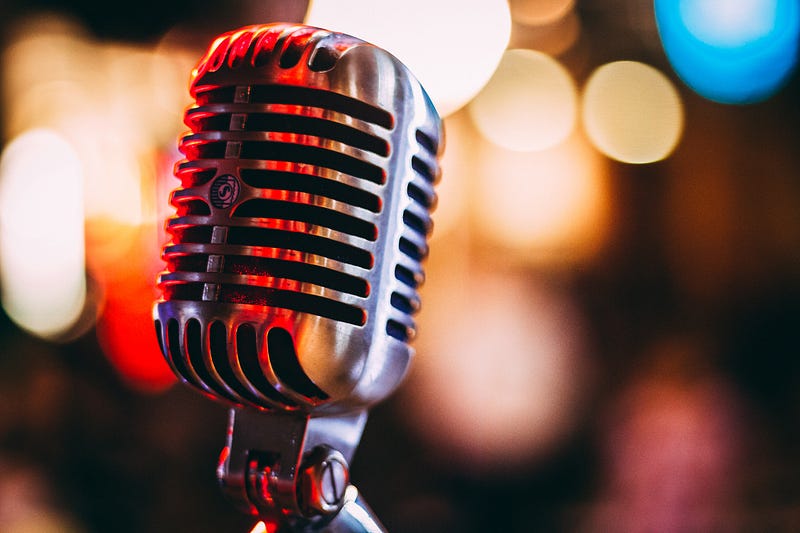
Photo by israel palacio on Unsplash

With so many platforms and companies making it accessible and user friendly, you don’t need to be technically minded to share your ideas and passions.

There’s no limit to what you do your podcast on either. If you’re interested in something enough that you’d like to broadcast it to the world, you can guarantee there is someone out there in the world who is your ideal listener; you may even end up building your community on interest in cat wine.

I decided to pop together a short blog on how to get started with your own podcast after a few friends and colleagues asked how I was doing it.

If you’ve come here looking for complex, techy tips you’re in the wrong place. However, I’ve peppered plenty of links and gems that you may not be using yet though, so it’s worth a dive in. I’ve used some affiliate links in here; you won’t be charged extra for them but may get a gift yourself and I will get a small payment from some of them.

For me, podcasting is more of a hobby than anything and I’ve found that sometimes the ones who take it really seriously can make you feel inferior for not using the right equipment or streaming platforms.

Do you know what’s worse?

Having an idea and not following it through because you’re scared of not doing it right; so instead, it takes up rent space in your head, burning up precious energy on procrastination instead of action.

My Podcast isn’t perfect, yet I still have plenty of listeners, and charts in some countries (The US and Ireland) in the mental health category — even if you have an impact on one life — you’re making a worthwhile impact.

Play around with it to start with and if you feel like it’s something you want to get serious with, you can buy more equipment and put money into growing it as you go.

Getting Started

First off, you need your idea. What do you want to do your podcast on? Once you’ve figured that out, you want to get onto somewhere like Apple Podcasts, Stitcher or Spotify and listen to some podcasts in the same niche to get a feel for what style you’d like to follow.

Using a free online planner like Trello can really help you to find your feet in the planning stages here. It’s also really useful when you’re putting together interview schedules.

You don’t necessarily need a mad setup. Initially, I just recorded my podcast using my iPhone to voice notes and converted to mp3 on a free online converter.

However, you’d better using a USB mic and recording using Garageband — which comes free with Apple products, if you have a Mac, for example.

I’ve found these YouTube Videos really helpful for learning how to do basic editing in Garageband.

Equipment

If you’re wanting good sound quality on your podcast it’s a good idea to get a USB plug-in mic suitable for podcasting. Look for studio-quality sound — Rode and Yeti make great Mics. I linked 2 that are great-quality mics for home use; I use a Blue Snowball right now, which is fine as a first mic.

You can use an external podcaster studio like this if you want to feel like a radio DJ — it’ll rack your costs up, but some folks prefer this setup.

I just use Garageband and a Blue Snowball mic and Epidemic Sound for my music beds and Intros to keep it all legal. (You can’t just fire any old music in there, you need to hold the right licenses).
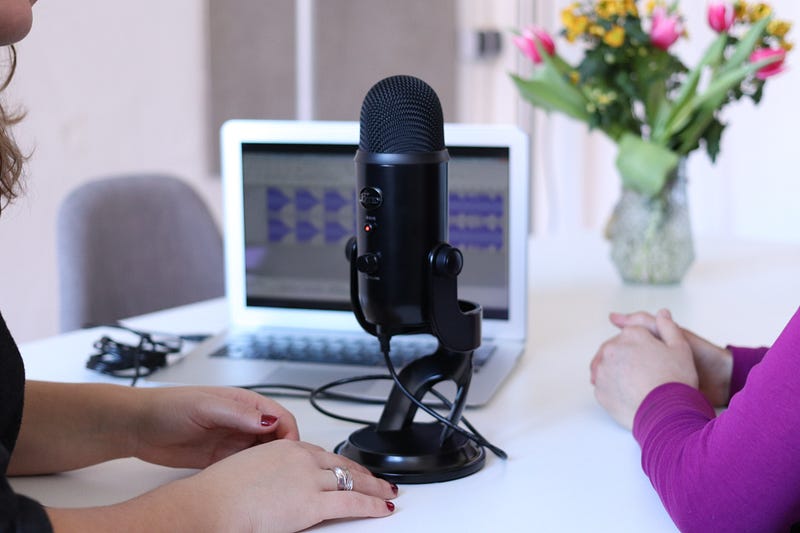
Photo by CoWomen on Unsplash

What About Interviews?

If you’re wanting to have your own interview-based podcast you’ll need the same setup as described so far. Next, you need to decide if you’re interviewing in person, or if you’re going to do it over the phone.

My interviewees are sprinkled all over the globe and I most certainly can’t afford to pay to fly them to me, so I use Zoom. You can set up a free Zoom account to do this, you’d need to upgrade however if you want to download a recording that goes over the time you set for the interview or if you want more than 3 people on the call for over 40 minutes. Sometimes it’s worth upgrading.

You can easily pop the recordings into Garageband, editing them there.

It’s worth asking the person on the other end to use phone earphones with a mic for better sound quality if they don’t have a mic themselves. Make sure you ask them not to do things in the background like tapping or fiddling about with things unless you want messy background noise messing up your recording (I learnt this in experience), you can edit out a certain amount of background noise, but things like tapping — no.

Make sure you get your interviewees to sign a waiver before putting your podcast out too — to save any legal problems popping up in future; or at the very least to get you covered a bit.

It’s a good idea to send an outline of what your show is going to be about and find out a little bit about your interviewee before recording; including anything that they don’t want to discuss, to save yourself awkward silences mid recording, lots of editing; or worse, an unhappy guest.

Platforms To Set Up Your Podcast With

I stream my podcast using Buzzsprout because it’s user friendly. You can set it up to stream to Apple Podcasts, Spotify, Stitcher, and other big platforms really easily, all from one place — so when you publish an episode it goes straight to each.

Buzzsprout also allows you to follow the analytics to see where your audience is coming from; allowing you to see where to put your focus. Also giving you the option to embed them onto your own website and blog posts.

If you’re wanting to make some extra money you can use your referral code with friends. When you use a referral code, the new podcaster gets a $20 Amazon voucher if they get a paid account (which you’ll want to do if you don’t want your episodes to get deleted after 90 days) and you get a $25 one.

Music
Photo by Mohammad Metri on Unsplash

If you want to include music/sounds in your podcast or any recording, you need to make sure you have the right to use the music.

I use a subscription with Epidemic Sound for the music in my Podcasts. You’ll be able to find intros and music beds (the music that runs underneath your voice in things like guided meditations) — In the case of either, you’d record your voice and then add the music stream afterward; which is why using software like GarageBand is useful.

You don’t have to use any music in your podcast; if you’re wanting it to sound professional from the off though, the difference between music and no music could be that bridge.

Alternatively, you could hop on somewhere like Fiverr and pay someone a fee to put together an intro and outro for you and credit them in the show notes.

Growing Your Audience

Consider setting up a free Mailchimp account to send newsletters to keep listeners in the loop, the more you engage your listeners, the more likely they are to come back.

Use Podkite to find out where your podcasting is ranking in the podcast charts, and in what categories — I didn’t know mine ranked in Ireland and the US in the mental health category until I got a free account at Podkite. You can upgrade for more benefits.

You can hop onto Facebook and search for podcasting groups to search for guests and offer yourself up as a guest too or try sites like Podcast Guests. Appearing on other people’s podcasts is a great way to grow your own audience — because you know they already like listening to podcasts.

Don’t forget to share your podcast on your social media channels like Facebook, Twitter, and Instagram too — You might want to set up a separate account altogether to promote your podcast. This way you can share with groups on Facebook and also use paid ads to boost reach.

Monetizing your Podcast

You can set up a Patreon account to make it easier to receive donations, you can create whatever level memberships you like. Using this link to set up you’ll get $50 once you’ve got 20 Patrons. It’s a really cool way of setting up a private community to support your work.

You can also set up a free account on Podcorn which allows you to try and find sponsorship for your podcast by putting ads at the beginning, middle or end of your podcast or do special features. This is better once you’re hitting over 1000 downloads per episode, but there’s no reason you can’t start pitching before you get there. There’s plenty information on the site on how you can get started.

If you’re curious, you can check out my Podcast here.

By Amanda Jayne O’Hare

Amanda Jayne is single mummy to Ruby, aged 2, Personal Trainer and Nutrition Advisor of over a decade; and a C-PTSD warrior passionate about sharing all she’s learned about personal growth, self-development, fitness hacks, and her own healing and wellbeing journey.

Startup
Podcast
Entrepreneurship
Life Lessons
Business
Recommended from ReadMedium