
Stability AI’s Stable Video Website Is Finally Here

Stability AI first introduced Stable Video in November 2023, releasing the model codes on GitHub and weights on HuggingFace for users to download and run locally on capable hardware.
But what about everyone else who didn’t have a powerful GPU or the technical skills to set all that up? Well, Stability AI has finally launched their Stable Video website this week, so now anyone can play around with making AI videos.
All you need to get started is a Google account and a web browser.
What is Stable Video?
Stable Video Diffusion is a powerful tool designed for a wide range of video applications across media, entertainment, education, and marketing. It allows users to turn text and image inputs into vivid scenes, transforming ideas into cinematic experiences.
Stable Video Diffusion is released in the form of two image-to-video models, capable of generating 14 and 25 frames at customizable frame rates between 3 and 30 frames per second.
This is what it’s capable of:
- Video duration: 2–5 seconds
- Frame rate: up to 30 FPS (frames per second)
- Processing time: 2 minutes or less
How does it work?
Stable Video Diffusion relies on a complex process utilizing diffusion models (DMs), classifier-free guidance, and a base model architecture specifically designed for video generation.
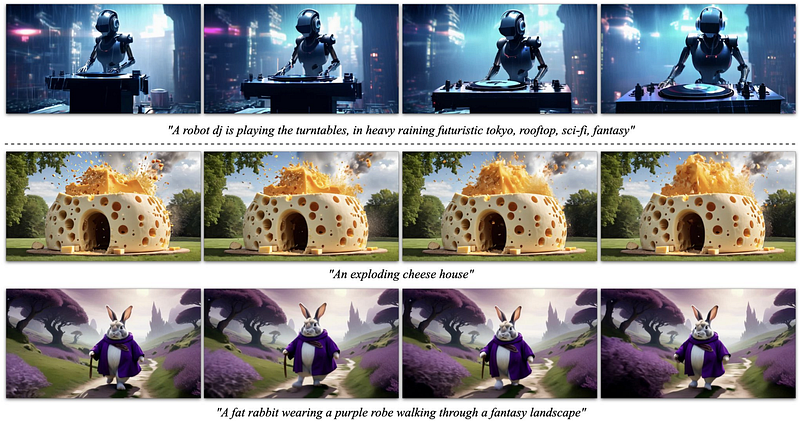
If you want to learn more about how it works, check out this whitepaper.
Example videos
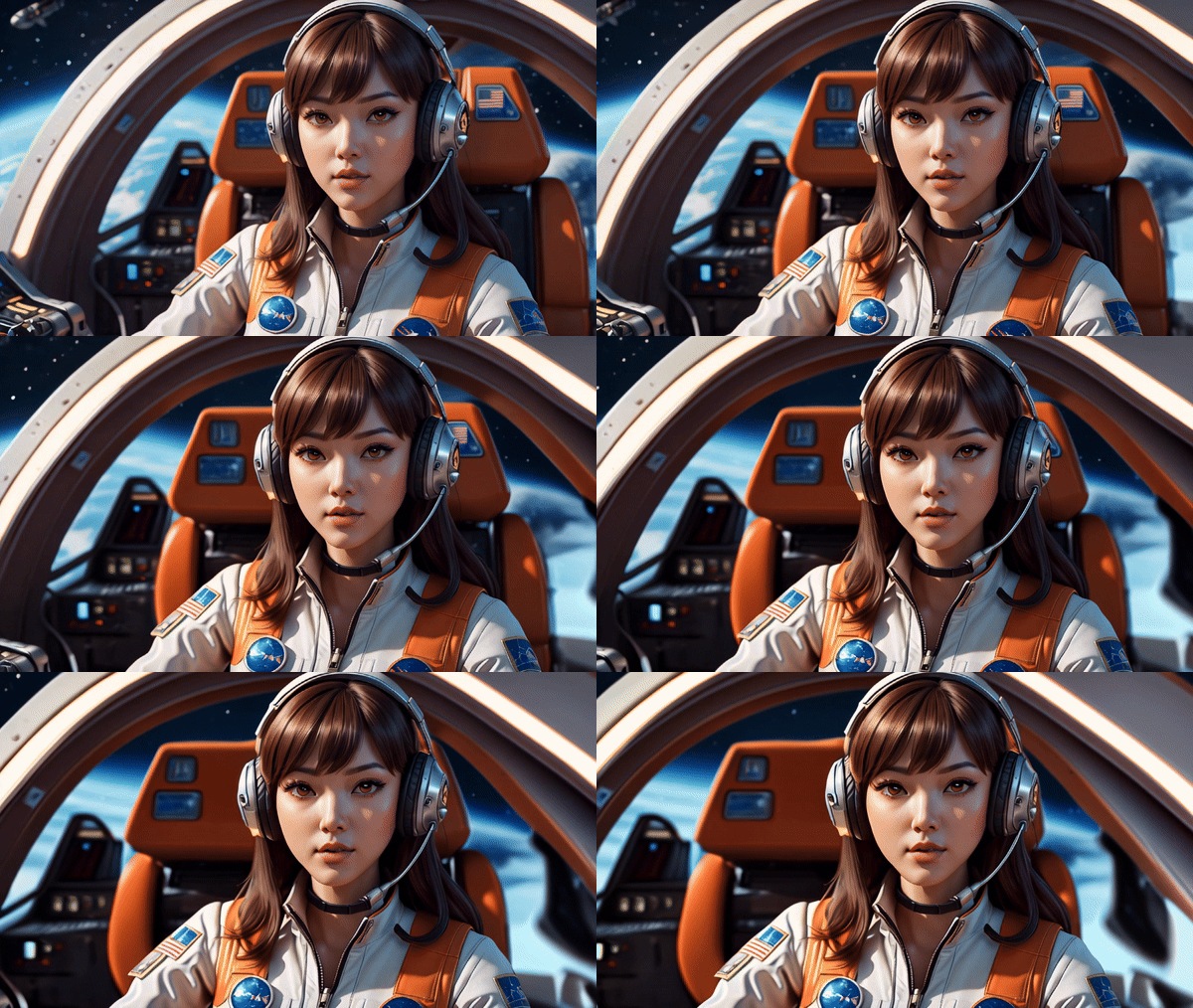
The example videos below were generated by the community and showcased on the Stable Video website.
Prompt: aurora borealis

Prompt: african elephant

Prompt: depth of field anime girl operating space shuttle cockpit close-up laser light show reflective mirrors god rays ray tracing metallicsaturated vivid colors a stunning Asian female fashion model with long brown in the style of daz3d, cartoon-like characters, glamorous pin-ups, shiny eyes, artgerm, 32k uhd, cute cartoonish designs prismatic colors bending light speed curves background
How to access Stable Video?
Head over to their website and sign in with your Google account. The dashboard looks like this:
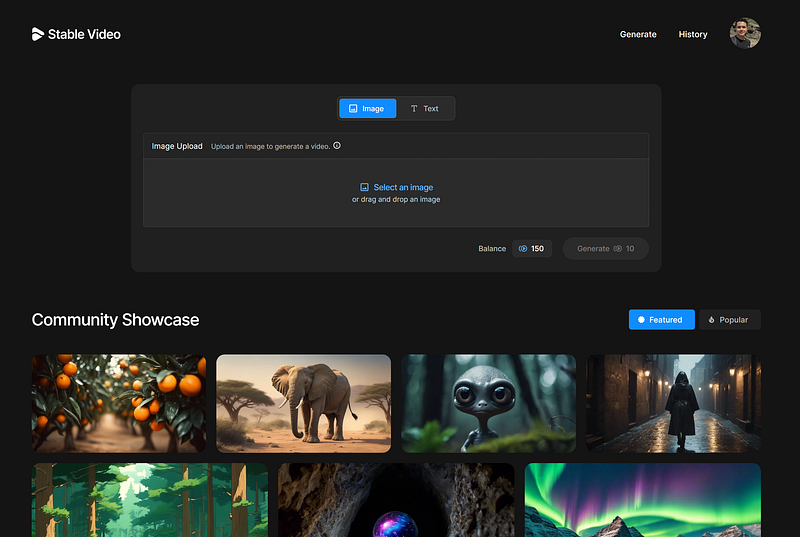
You can describe the video with a text prompt or upload an image as input. On signup, you’ll get 150 free credits.
Here’s an example with a text prompt:
Prompt: A stylish woman walks down a Tokyo street filled with warm glowing neon and animated city signage. She wears a black leather jacket, a long red dress, and black boots, and carries a black purse. She wears sunglasses and red lipstick. She walks confidently and casually. The street is damp and reflective, creating a mirror effect of the colorful lights. Many pedestrians walk about.
The AI will not immediately produce a video output. It will generate four images at first, then select the one you like best.
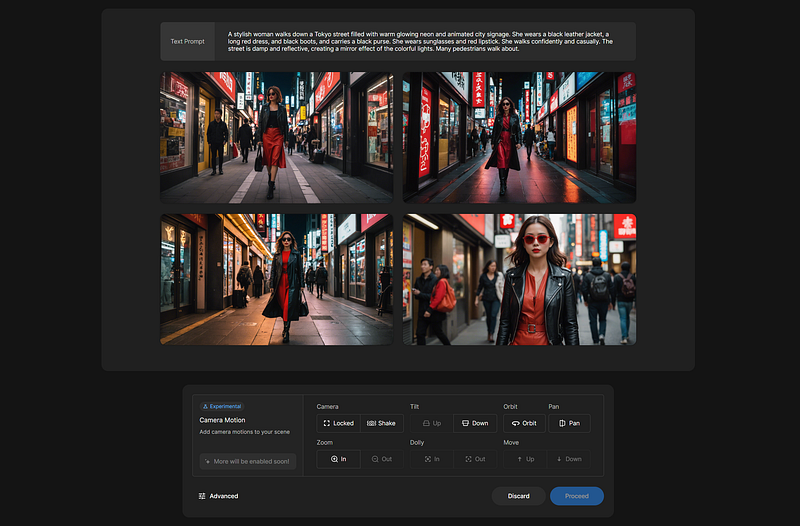
The AI first generates four images, allowing you to select your favorite. Upon clicking ‘proceed,’ the final video generation begins. While you wait, Stability AI leverages this time by showing you two videos and requesting your preference to help improve future models.
Within about two minutes, the video is complete.

While the quality may not yet fully rival that of Sora, it still looks decent enough.
Note: Generating using a text prompt will cost you 11 credits. Using an image as an input costs 10 credits per generation.
Let’s try another example. The image I used below is a video frame from one of the examples from OpenAI’s Sora.
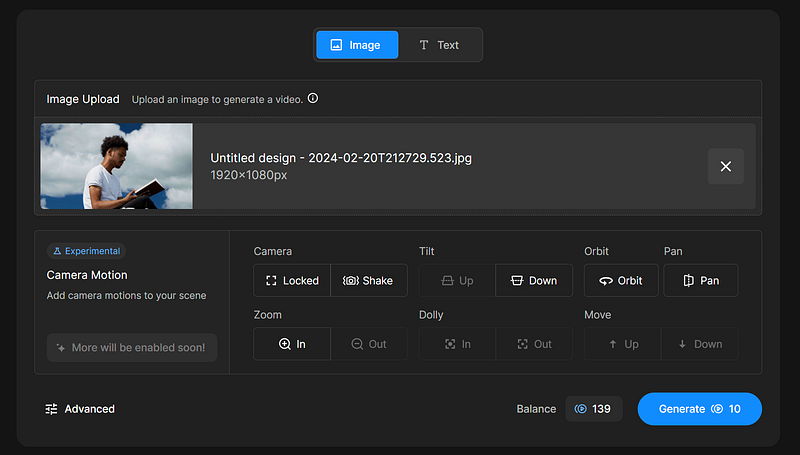
Here’s the final result:

How much does it cost?
New users start with 150 free credits. Additional credits can be purchased as follows:
- $10 for 500 credits: about 50 video generations.
- $50 for 3,000 credits: about 300 video generations.

Can you use the videos for commercial purposes?
Unfortunately, no.
Stability AI provides the model code and weights for research and non-commercial purposes. The license and Stability’s Acceptable Use Policy outline specific restrictions.
Final Thoughts
Overall, I am happy to see another AI video generator announced this week. The rate of progress in ML this past year has been breath-taking.
I can’t wait to see what people do with this once ControlNet is properly adapted to video. Generating videos from scratch is cool, but the real utility of this will be the temporal consistency.
Is it comparable to Sora? Not quite.
Getting stable video out of stable diffusion typically involves lots of manual post-processing to remove flicker. Perhaps after a few more iterations, it’ll be as good as Sora.
Also, the $10 price tag for 50 videos is also expensive, in my opinion. If you have a high-end GPU, just run the video model on your PC and generate unlimited videos for free.

This story is published on Generative AI. Connect with us on LinkedIn and follow Zeniteq to stay in the loop with the latest AI stories. Let’s shape the future of AI together!
