Spring Boot: how to design an efficient search REST API? ( with Live Demo )
In general, search APIs often have to deal with large collections of data. It would be inefficient to retrieve the entire collection and search through it every time you want to find a specific item. Therefore, it is important to design an optimized search API.

A few of the most important features for consuming an API are:
- Filtering — to narrow down the query results by specific parameters, e.g. creation date, or country
- Sorting — basically allows sorting the results ascending or descending by a chosen parameter or parameters, e.g. by date
- Paging — uses “size” to narrow down the number of results shown to a specific number, and “offset” to specify which part of the results range to be shown — this is important in cases where the number of total results is greater than the one presented, this works like pagination you may encounter on many websites
Usually, these features are used by adding a so-called query parameter to the endpoint that is being called. These may look as follows:
Filtering: GET /cars?country=USA GET /cars?createDate=2019–11–11
Sorting: GET /cars?sort=createDate,asc GET /cars?sort=createDate,desc
Paging: GET /cars?size=100&offset=2
All together: GET /cars?country=USA&sort=createDate:desc&size=100&offset=2
(this query should result in the list of 100 cars from the USA, sorted descending by the creation date, and the presented records are on the second page, which means they are from a 101–200 record number range).
Let’s practice
Assuming that we have an existing car API management system with basic CRUD (create, read/retrieve, update, delete) capabilities, we want to add the ability to filter cars by manufacturer and model, as well as by type. All of these filters should be optional, so that users can specify any combination of filters they want.
With Spring Data, it is straightforward to create Repositories with custom search methods. Then we can use this repository in your controller.
We have to manage request parameters to determine the appropriate repository method manually. While it is not a big problem for a single request parameter, this approach becomes unacceptable when there are more variables (5 fields in Car.java). So This is not an acceptable approach. For beginners in Java, the best Spring tutorials are the most reliable way to understand the Spring framework in detail.
Don’t work hard, work smarter
Fortunately, there is an existing solution to these problems. The following article reveals the magic formula: using Spring Data and Specification Argument Resolver.
We can receive a considerable benefit from these components: First of all, we have not to guess all possible methods in the repository nor to verify if the filtering value is available for each field or no. Thanks to the interface Specification of Spring Data, who can deduct which Predicate is selected. On another side, we do not need to check the query para manually. Specification Argument Resolver asserts this task.
As a result, we reduce code complexity (no repository method explosion, no tedious code in the controller)
Step 1: Add dependency
Step 2: Override the method addArgumentResolvers that implements WebMvcConfigurer
Step 3: Implement the CarController class
Step 4: Implement the CarService class
The project code source is available in Github.
Let’s test it
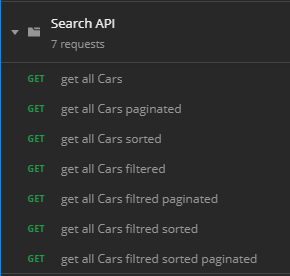
Notice that with one method, we can use it for several cases:
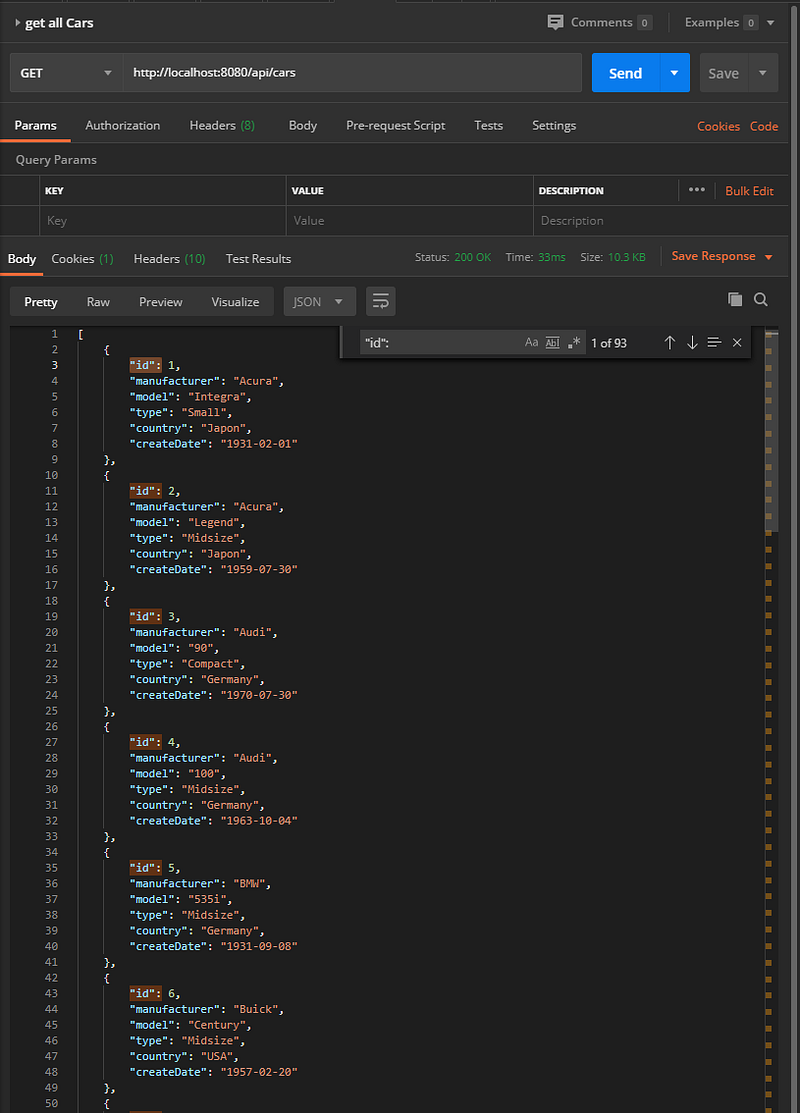
case 1: get all car list
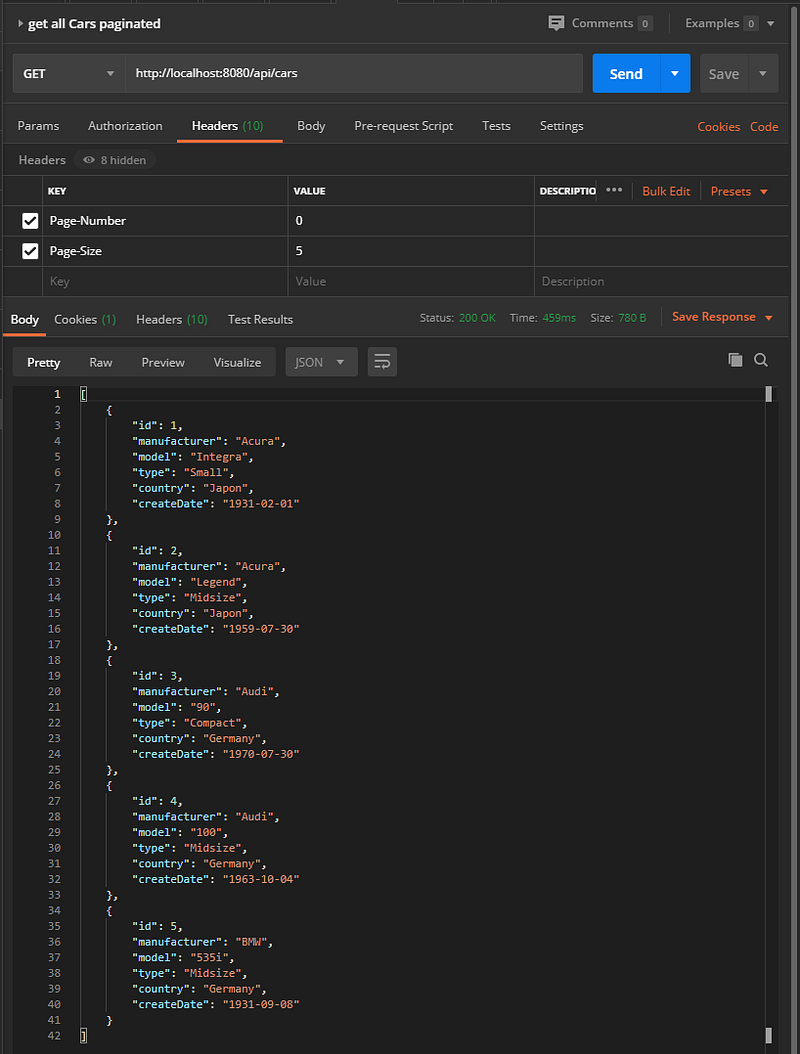
case 2: get all paginated car list We fix the parameter page-size in their request header at 5 and page-number to 0. So we retrieve page number 0 and with 5 elements:
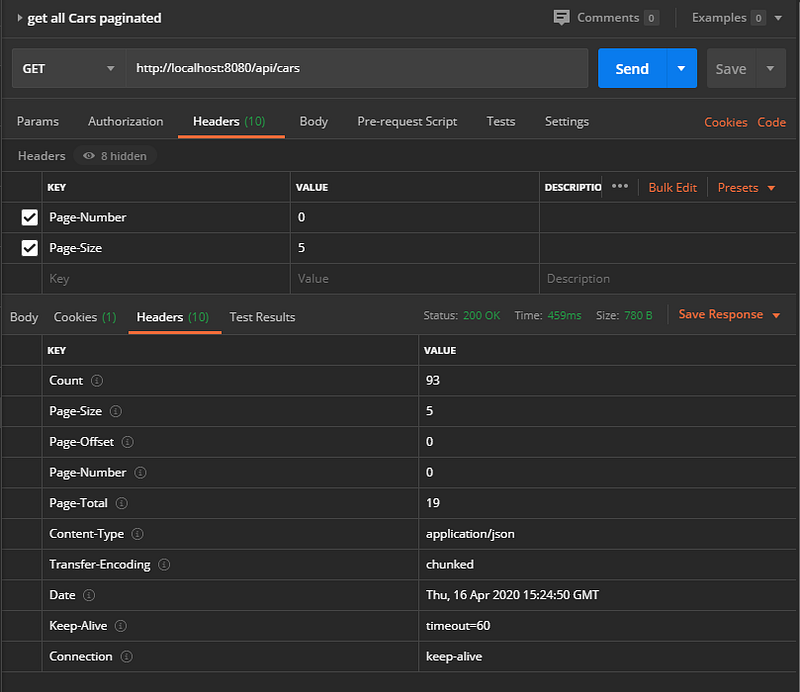
In the header response, we have the total number of pages, which is 19 pages (where each page has 5 elements ):
case 3: get all sorted car list
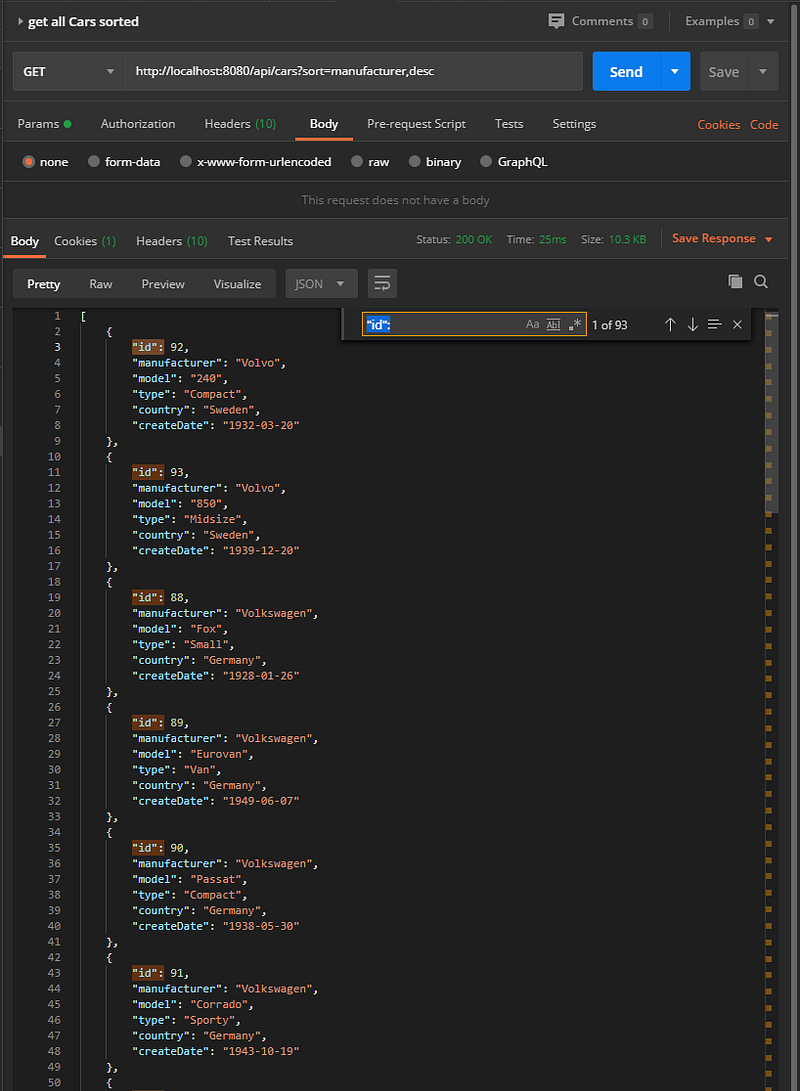
case 4: get filtered car list If you look for American cars:
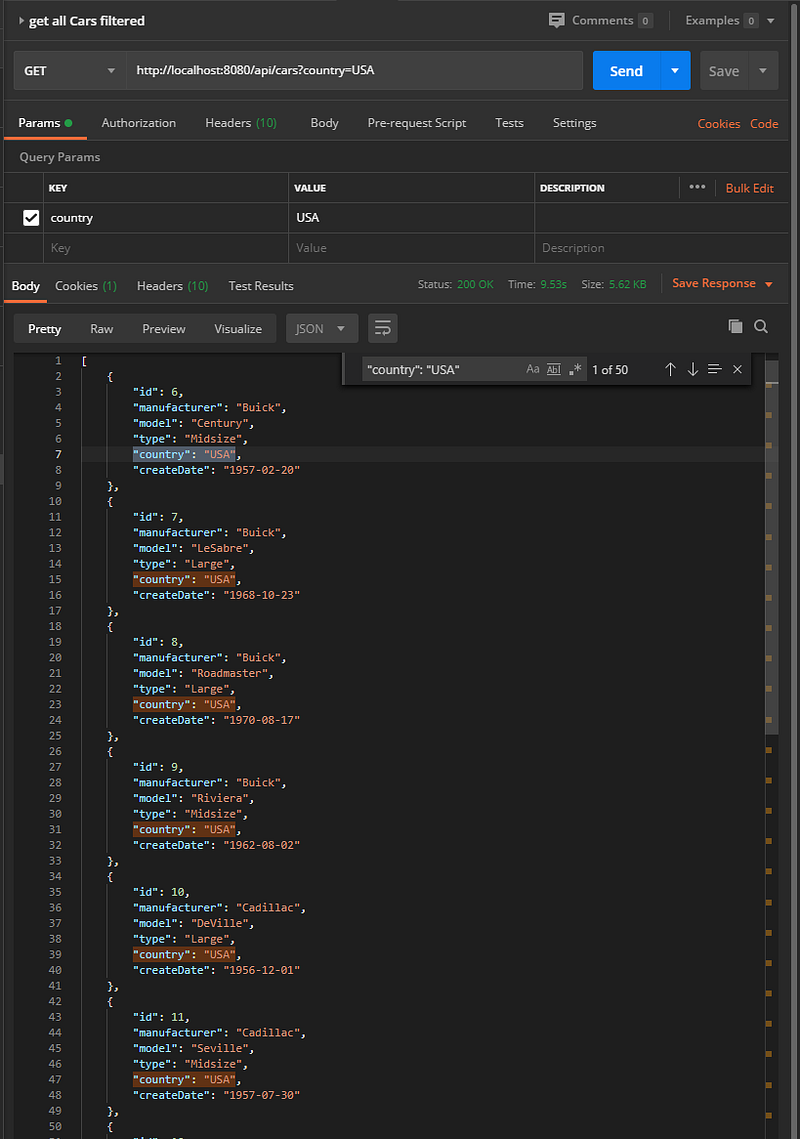
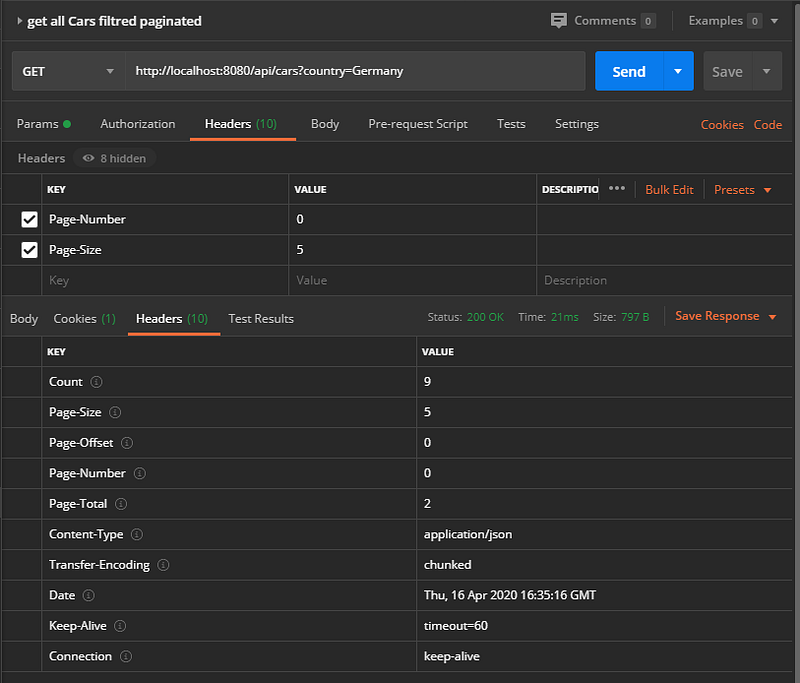
case 5: get filtered paginated car list For you search 5 German cars by page
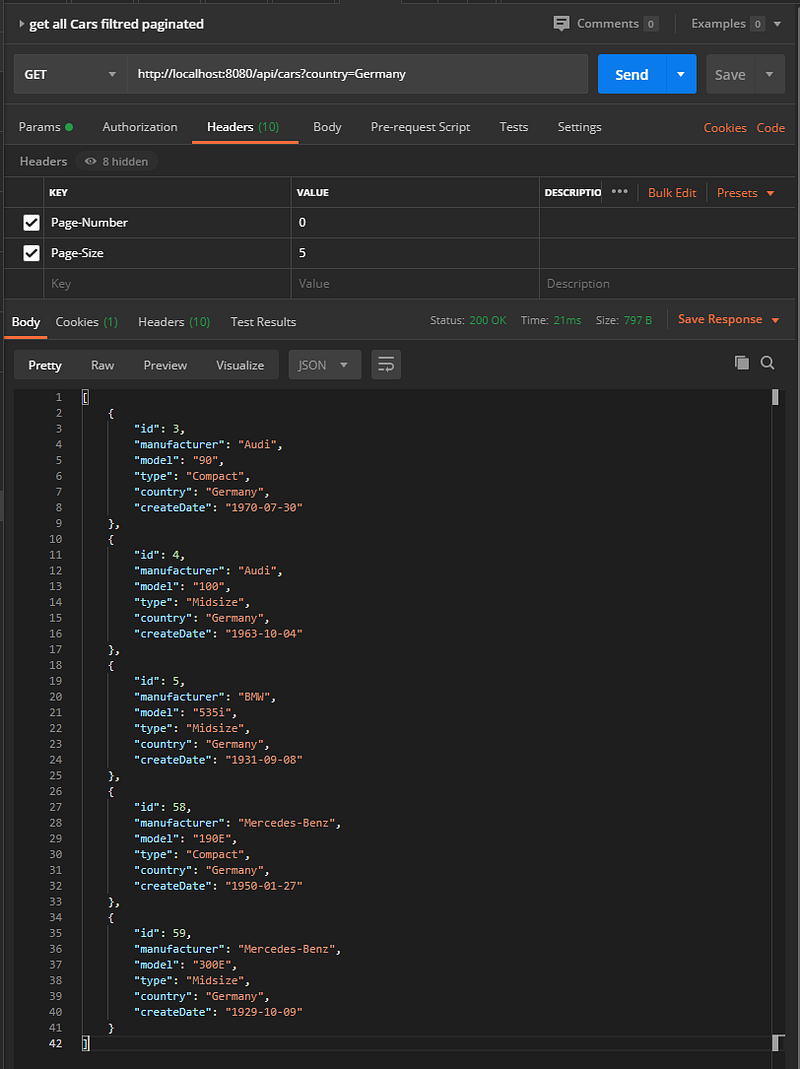
Globally there are 9 German cars in 2 pages.
case 6: get filtered, sorted car list Let’s assume that we search for Japonais cars created between 30/07/1959 and 1/11/1966 displayed in ascending order.
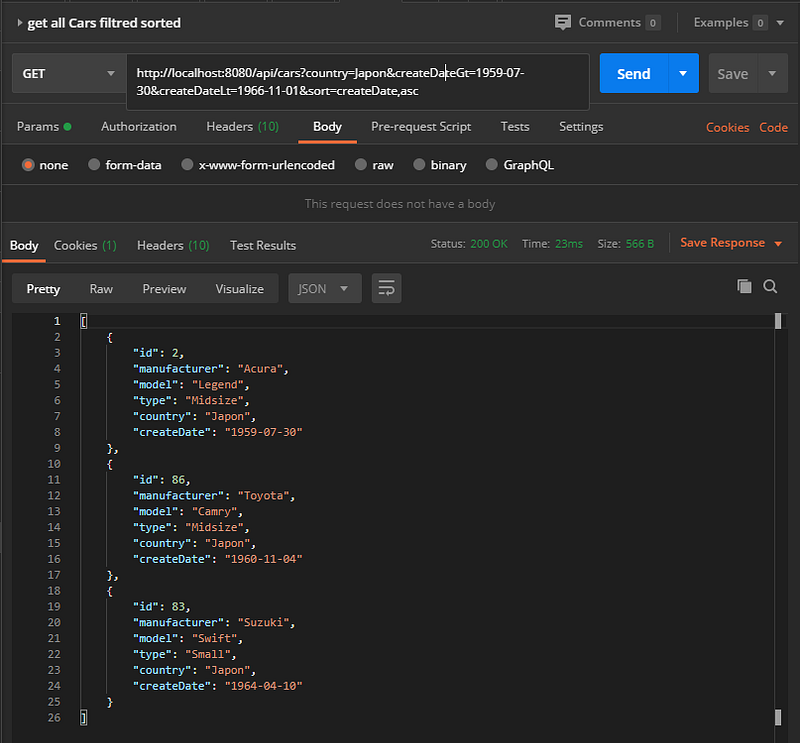
case 7: get filtered sorted and paginated car list
let’s search for American cars with type small sorted by created date in descending order.
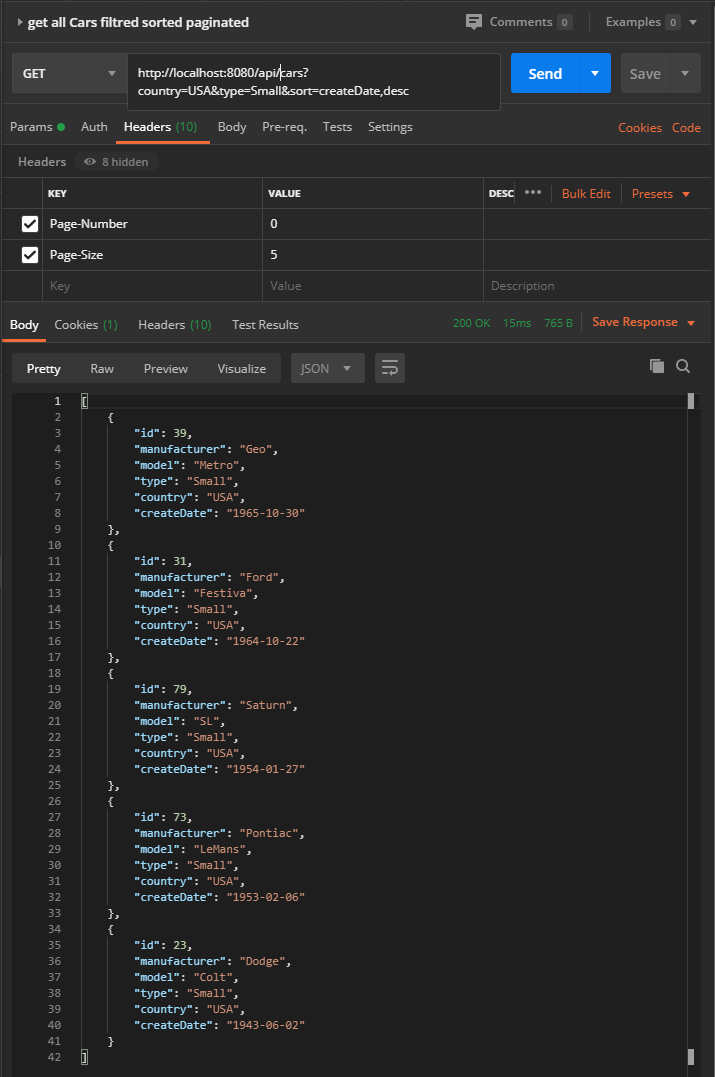
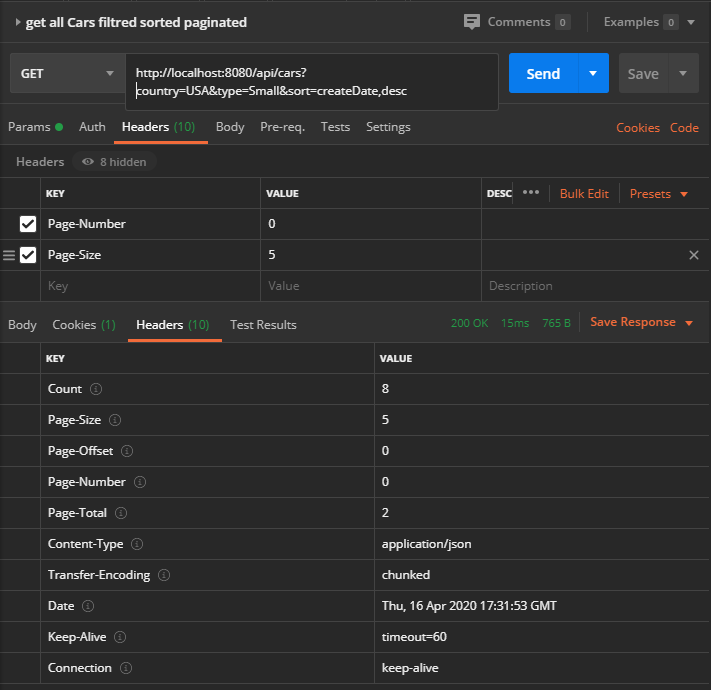
There are 8 cars in 2 pages of size 5.
Live Demo
Fly.io is a platform that enables developers to build, run, and operate applications entirely in the cloud.
I use this platform to deploy this project in the cloud. So you can try:
https://spring-boot-efficient-search-api.fly.dev/api/cars
or
curl — location ‘https://spring-boot-efficient-search-api.fly.dev/api/cars?country=Japan&sort=createDate%2Cdesc' \ — header ‘Page-Number: 0’ \ — header ‘Page-Size: 5’
Conclusion
This design approach allows us to avoid having a large number of methods in the repository, which can make it difficult to maintain and update the code. By using a more organized and streamlined approach, we can simplify the code and make it easier to manage. This design also allows us to provide a single endpoint for search, which can handle pagination, sorting, and filtering on different attributes. This enables us to support a wide range of use cases and provide a more flexible and user-friendly search experience.
✉ Let’s keep in touch! Sign up for my weekly newsletter
❤ If you liked this post, you might also love:
Sources
REST API Design: Filtering, Sorting, and Pagination Effective RESTful Search API In Spring Paging with Spring Boot


