
Spring Boot Applications Monitoring with Ostara for Spring
In this story, we’re going to learn how to monitor and manage Spring Boot Applications with Ostara for Spring.
· Prerequisites · Overview ∘ What is Ostara for Spring? ∘ Why use Ostara for Spring? · Getting Started ∘ Spring boot Application ∘ Setting up Ostara · Conclusion · References
Prerequisites
This is the list of all the prerequisites:
- Spring Boot 3
- Maven 3.6.+
- Java 17 or later
Overview
What is Ostara for Spring?
Ostara for Spring is a modern tool for managing and monitoring actuator-enabled microservices, a Spring Boot Admin alternative, that aims to make the process more user-friendly and straightforward.
Ostara allows you to gain insights into the performance and health of your applications by providing real-time data of metrics such as CPU and memory usage, app and system properties, beans and their dependencies, and much more. In addition, the app allows you to perform actions on your applications like changing log levels and evict caches.
Why use Ostara for Spring?
- It’s open source
- Easy to setup
- It’s a desktop application that monitors and manages the application (No need to host a service)
- It utilizes all the spring boot actuator endpoints to build a simple and intuitive spring boot admin panel. Without any need for code changes, and completely decoupled from your spring boot applications.
Getting Started
Spring boot Application
We will start by creating a simple Spring Boot project from start.spring.io.
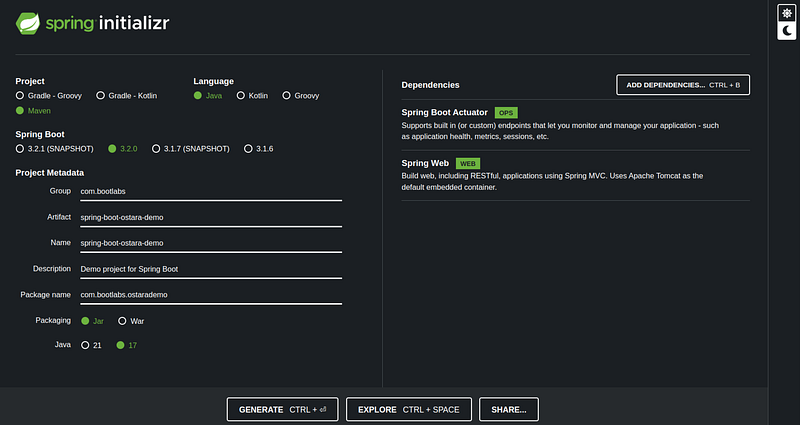
To use Ostara we must have a running and accessible Spring Boot application with Actuator Web API. By default all web endpoints are not exposed, we need to enable them.
management:
  endpoints:
    web:
      base-path: /management
      exposure:
        include: '*'
  endpoint:
    health:
      show-details: always
  info:
    env:
      enabled: true
If your Actuator endpoints are protected, you may apply these authentication settings when creating your application in Ostara.
That is all for our Spring boot API setup. In this story, actuator endpoints are available under the /management path.
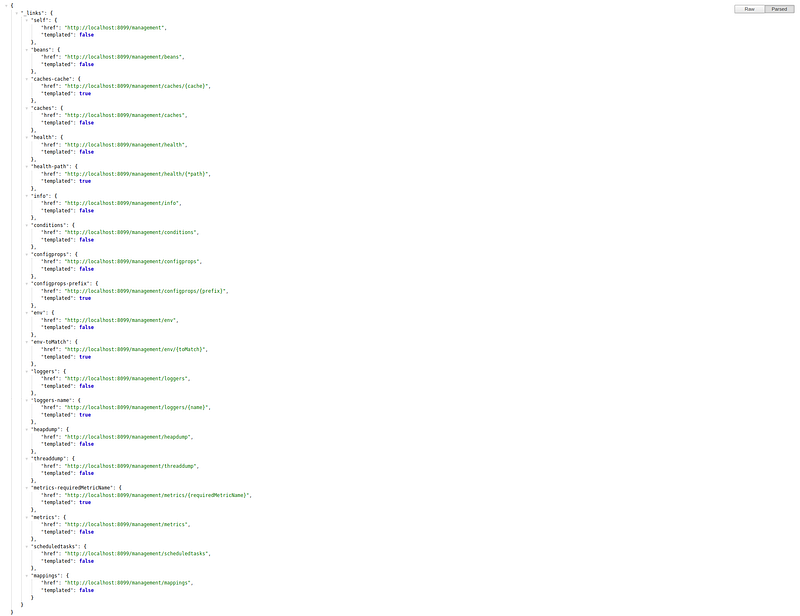
Setting up Ostara
Download and install Ostara from the website based on your OS.
Once the Ostara desktop is ready, add an instance by clicking Create Instance.
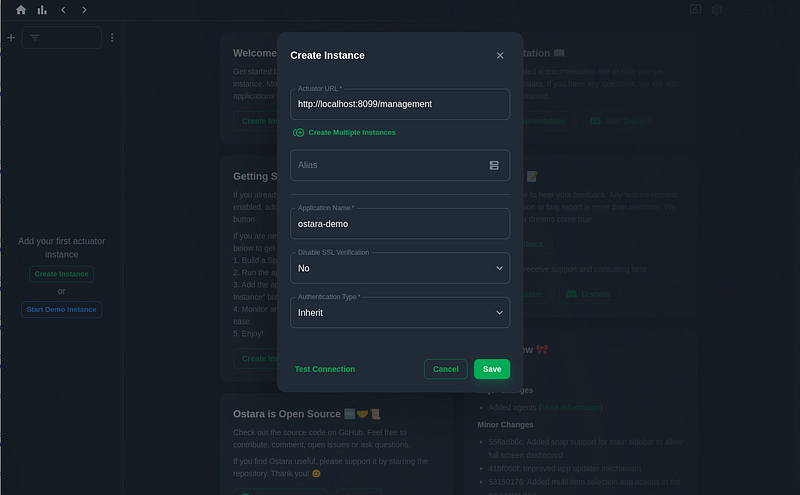
- Actuator URL: (It’s the URL for the actuator.) In this case http://localhost:8099/management
- Alias: (Instance alias name)
- Application Name: (application name: ostara-demo)
- Disable SSL Verification: Yes or NO
- Authentication Type: (if Actuator endpoints are protected)
The dashboard visualizes application instances based on their respective health states in real-time. We can add multiple instances to an application
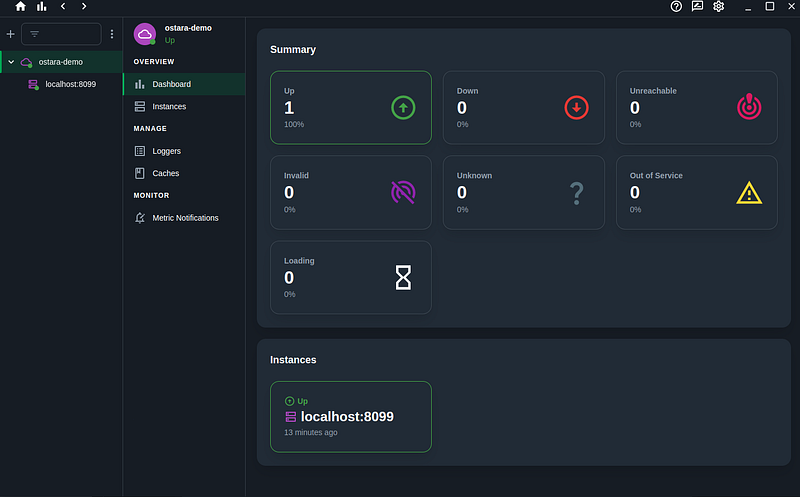
Displaying all important information for specific instances.
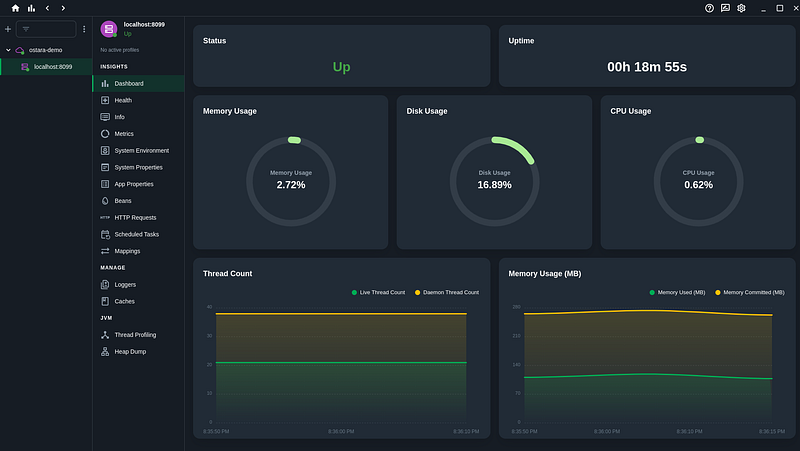
Ostara provides many useful views and dashboards.
Conclusion
In this story, We have seen how to monitor easily spring boot applications using Ostara for spring.
The complete Spring boot app source code is available on GitHub.
If you enjoyed this article, please give it a few claps 👏.
Thanks for reading!


