
Spring Boot 3 — Code quality with SonarQube
Code quality strengthens review processes and keeps project code simple, readable, and easier to maintain. In this story, we’ll learn how to configure a SonarQube server with Docker and integrate it with a Spring Boot application.

· Prerequisites · Overview ∘ What is SonarQube? ∘ Developing with Sonar · Setup SonarQube Server ∘ Installing with Docker-compose ∘ Log in to SonarQube ∘ Project setup ∘ Token creation · Using SonarQube in the Spring Boot Project ∘ Project Analyzing ∘ Java test coverage ∘ Using a Jenkins pipeline · Conclusion · References
Prerequisites
This is the list of all the prerequisites:
- Spring Boot 3+
- Maven 3.6.+
- Java 17 or later
- Docker installed
- Docker compose installed
Overview
What is SonarQube?
SonarQube is a continuous inspection tool that can be used to test the quality of the code. It integrates into your existing workflow and detects issues in your code to help you perform continuous code inspections of your projects. The tool analyses 30+ different programming languages and integrates them into your CI pipeline and DevOps platform to ensure that your code meets high-quality standards.
Developing with Sonar

The Sonar solution performs checks at every stage of the development process:
- SonarLint provides immediate feedback in your IDE as you write code so you can find and fix issues before a commit.
- SonarQube’s PR analysis fits into your CI/CD workflows with SonarQube’s PR analysis and use of quality gates.
- Quality gates keep code with issues from being released to production, a key tool in helping you incorporate the Clean as You Code methodology.
- The Clean as You Code approach helps you focus on submitting new, clean code for production, knowing that your existing code will be improved over time.
Setup SonarQube Server
Installing with Docker-compose
We will use Docker containers. We will create a docker-compose file containing all the instructions to run the SonarQube instance in standalone mode.
Once you’ve created this yml, open your CLI and run the following command: docker-compose up -d
The following volumes will be created. They help prevent the loss of information when updating to a new version or upgrading to a higher edition.
sonarqube_data: contains data files, such as the embedded PostgreSQL database and Elasticsearch indexes.sonarqube_logs: contains SonarQube logs about access, web process, CE process, and Elasticsearch.sonarqube_extensions: will contain any plugins you install and the PostgreSQL JDBC driver if necessary.
Log in to SonarQube
Now open in browser http://localhost:9000 and login to our default admin account.
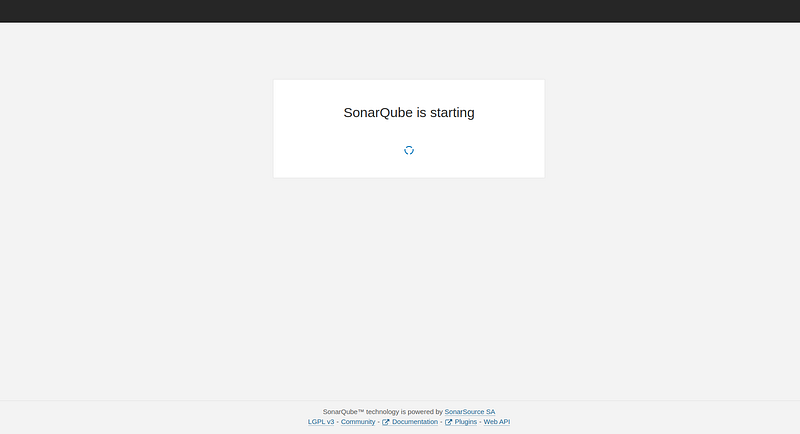
admin/admin

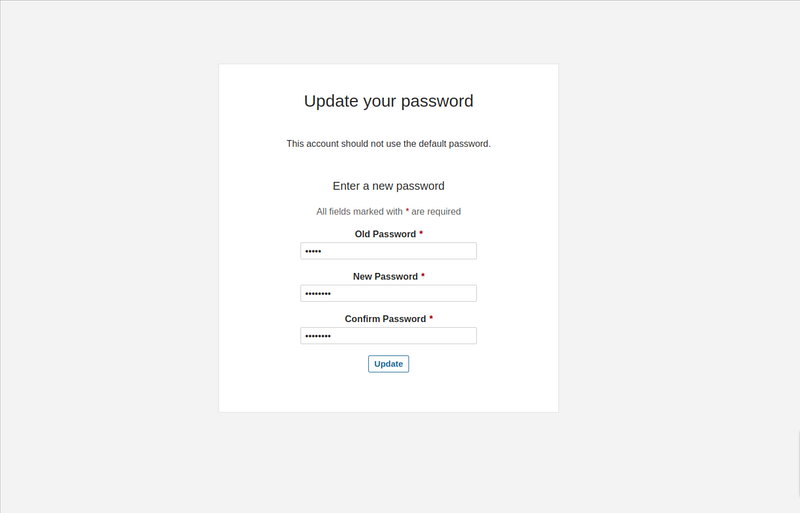
When logging in for the first time, we need to change the administrator password.
Project setup
After updating your administrator password, the dashboard will be displayed. We’ll create a project manually.

To keep the project key unique, we compose it with groupId:artifactId from our project.

Token creation
In order to add our Maven project to SonarQube we need to create a Token, for this, we just follow the next steps.

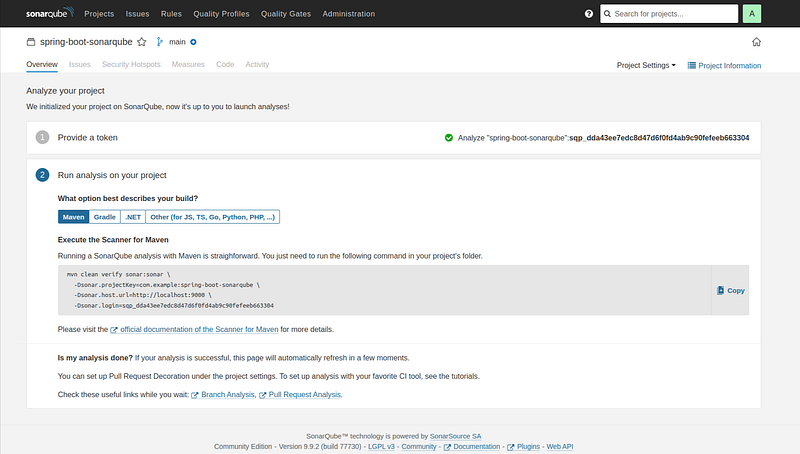
We will use a Spring boot project with Maven. so we select the Maven option.
Using SonarQube in the Spring Boot Project
We created a simple REST Spring Boot application with a Rest controller to test our application.
@RestController
@RequestMapping("/api")
public class WebDeployController {

    @GetMapping("/deploy")
    public Map<String, Object> index() {
        return Map.of("message", "Web deploy ok", "date", LocalDateTime.now());
    }

}
Project Analyzing
After getting the project token, we need to run the SonarQube analysis in the Maven project.
mvn clean verify sonar:sonar \
  -Dsonar.projectKey=<<project_key>> \
  -Dsonar.host.url=http://localhost:9000 \
  -Dsonar.login=<<project_token>>
Java test coverage
Test coverage reports and test execution reports are important metrics in assessing the quality of your code. Test coverage reports tell you what percentage of your code is covered by your test cases. Test execution reports tell you which tests have been run and their results.
SonarQube supports the reporting of test coverage as part of the analysis of your Java project.
To add coverage to the Maven project we need to use the jacoco-maven-plugin and its report goal to create a code coverage report.
<plugin>
    <groupId>org.jacoco</groupId>
    <artifactId>jacoco-maven-plugin</artifactId>
    <version>0.8.8</version>
    <executions>
       <execution>
          <id>jacoco-initialize</id>
          <goals>
             <goal>prepare-agent</goal>
          </goals>
          <phase>test-compile</phase>
       </execution>
       <execution>
          <id>report</id>
          <phase>test</phase>
          <goals>
             <goal>report</goal>
          </goals>
       </execution>
    </executions>
</plugin>
Using a Jenkins pipeline
SonarScanners running in Jenkins can automatically detect branches and pull requests in certain jobs.
To run project analysis with Jenkins, we need to install and configure the following Jenkins plugins in Jenkins:
- The SonarQube Scanner plugin.
- The Branch Source plugin that corresponds to your DevOps Platform (Bitbucket Server, GitHub, or GitLab).
We provide a withSonarQubeEnv block that allows to select the SonarQube server you want to interact with
Declarative pipeline example:
pipeline {
    agent any
    stages {
        stage('SCM') {
            steps {
                git url: '<<url>>'
            }
        }
        stage('build && SonarQube analysis') {
            steps {
                withSonarQubeEnv('My SonarQube Server') {
                    // Optionally use a Maven environment you've configured already
                    withMaven(maven:'Maven 3.5') {
                        sh 'mvn clean package sonar:sonar'
                    }
                }
            }
        }
        stage("Quality Gate") {
            steps {
                timeout(time: 1, unit: 'HOURS') {
                    // Parameter indicates whether to set pipeline to UNSTABLE if Quality Gate fails
                    // true = set pipeline to UNSTABLE, false = don't
                    waitForQualityGate abortPipeline: true
                }
            }
        }
    }
}
For further details regarding Jenkins Integration, you can refer to this documentation.
Well done !!.💪
Conclusion
In this story, we have seen how to integrate SonarQube with a Spring Boot application.
The complete source code is available on GitHub.
If you loved reading the story, don’t forget to clap 👏. You can reach out to me and follow me on Medium, Twitter, GitHub
Thanks for reading!


