avatarToni Tails

Free AI web copilot to create summaries, insights and extended knowledge, download it at here

1569

Abstract

e, folks! Move along!</p><div id="cc2f" class="link-block"> <a href="https://readmedium.com/sleep-sweet-little-baby-23a5e5389357"> <div> <div> <h2>Sleep Sweet Little One</h2> <div><h3>An illustrated Haiku</h3></div> <div><p>medium.com</p></div> </div> <div> <div style="background-image: url(https://miro.readmedium.com/v2/resize:fit:320/1*87CxKhSBjERc2swUmKy20Q.png)"></div> </div> </div> </a> </div><p id="de46">I tried some other methods that didn’t work. I won’t regale you with those tales. Let’s get straight to the good stuff!</p><figure id="d43e"><img src="https://cdn-images-1.readmedium.com/v2/resize:fit:800/1*g2zCz51JSui6pXEH_TT4Yg.png"><figcaption></figcaption></figure><h1 id="8c61">First Step: Post to your Profile</h1><h2 id="a7dc">Don’t Copy and Paste</h2><p id="58e8">If you try to copy and paste the link to your story, you’ll get this fun pop-up;</p><figure id="c7e3"><img src="https://cdn-images-1.readmedium.com/v2/resize:fit:800/1*CKPj6ORv-bUC8xq3a0nxwg.png"><figcaption>Feel free to let Facebook know! I’ve done it about 10,000 times, give or take a few.</figcaption></figure><p id="5087">Look a little lower on my page, and you’ll see I’ve been able to share the same story with no problem.</p><figure id="63ef"><img src="https://cdn-images-1.readmedium.com/v2/resize:fit:800/1*AlKEiQKXAoEtT-h-wBMuLw.png"><figcaption></figcaption></figure><h2 id="1f99">Share From Medium</

Options

h2><p id="46ab">That’s because I shared directly from Medium. Go to your story on a PC, and click the little Facebook icon to share. I’ve never had a story rejected when I share it this way.</p><ul><li><b><i>Tip: If you share using a mobile browser, the URL is much shorter.</i></b></li></ul><figure id="e521"><img src="https://cdn-images-1.readmedium.com/v2/resize:fit:800/1*nZ4cI8w-d5ZZ3lSJlT5lbA.png"><figcaption></figcaption></figure><p id="c2b1">Once you’ve shared your beautiful story, make sure to set it to public viewing.</p><figure id="3da1"><img src="https://cdn-images-1.readmedium.com/v2/resize:fit:800/1*RJRWz20PKK28posSx3zRfw.png"><figcaption></figcaption></figure><figure id="dfb5"><img src="https://cdn-images-1.readmedium.com/v2/resize:fit:800/1*g2zCz51JSui6pXEH_TT4Yg.png"><figcaption></figcaption></figure><h1 id="7acf">Second Step: Copy Link Address</h1><p id="b73e">Hover over your story and right-click. Then choose <i>Copy link address</i>.</p><figure id="6dfd"><img src="https://cdn-images-1.readmedium.com/v2/resize:fit:800/1*zqQX057n68dnq_AfP25Rqw.png"><figcaption></figcaption></figure><h1 id="9d98">All Done!</h1><p id="5995">Now you can post your link on Facebook, and everyone will get to read your fantastic work!</p><figure id="f014"><img src="https://cdn-images-1.readmedium.com/v2/resize:fit:800/1*g2zCz51JSui6pXEH_TT4Yg.png"><figcaption></figcaption></figure><p id="20dd">Let me know if this works for you, or if you’ve found other workarounds for this problem. If you have any other questions, I’m happy to help!</p></article></body>

Tech, Social Media

SOLVED! How To Fix Facebook Blocking Links

It’s EASY and FAST — you can do it in two steps

image by Ulkar — purchased by the author

If you use Facebook to share your stories, you may have noticed that some links are automatically blocked! I’ll explain how to bypass this annoying Facebook glitch.
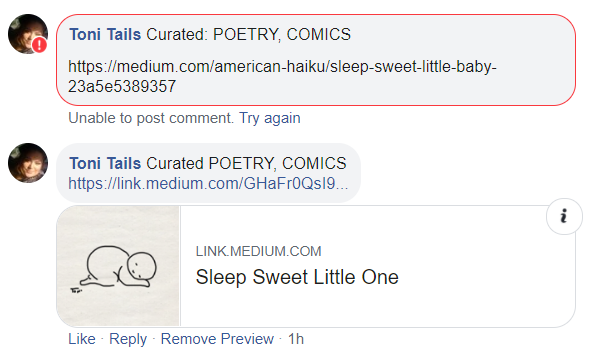
all of the following images are screencaps from the author’s Facebook

Lowered Standards

I tried posting a link without the publisher, thinking that might do the trick. While the link indeed posted, clicking it brought me to this message;
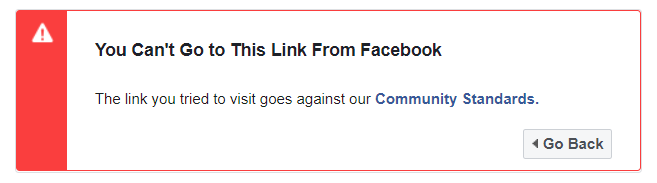
If you look at the link I’m trying to post — you’ll see it’s as innocuous as they get. It’s an illustrated haiku about a sleeping baby! Nothing to see here, folks! Move along!

I tried some other methods that didn’t work. I won’t regale you with those tales. Let’s get straight to the good stuff!

First Step: Post to your Profile

Don’t Copy and Paste

If you try to copy and paste the link to your story, you’ll get this fun pop-up;
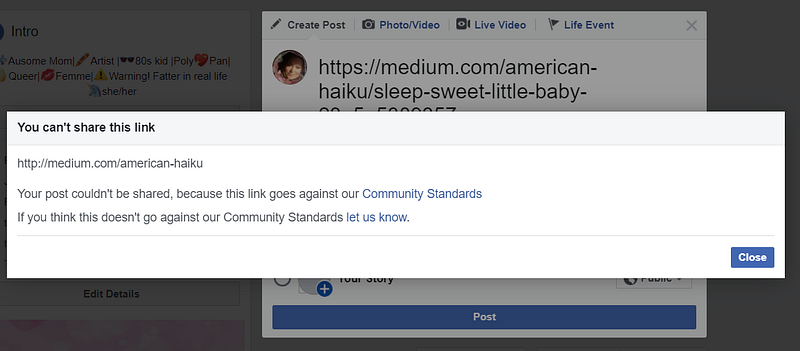
Feel free to let Facebook know! I’ve done it about 10,000 times, give or take a few.

Look a little lower on my page, and you’ll see I’ve been able to share the same story with no problem.
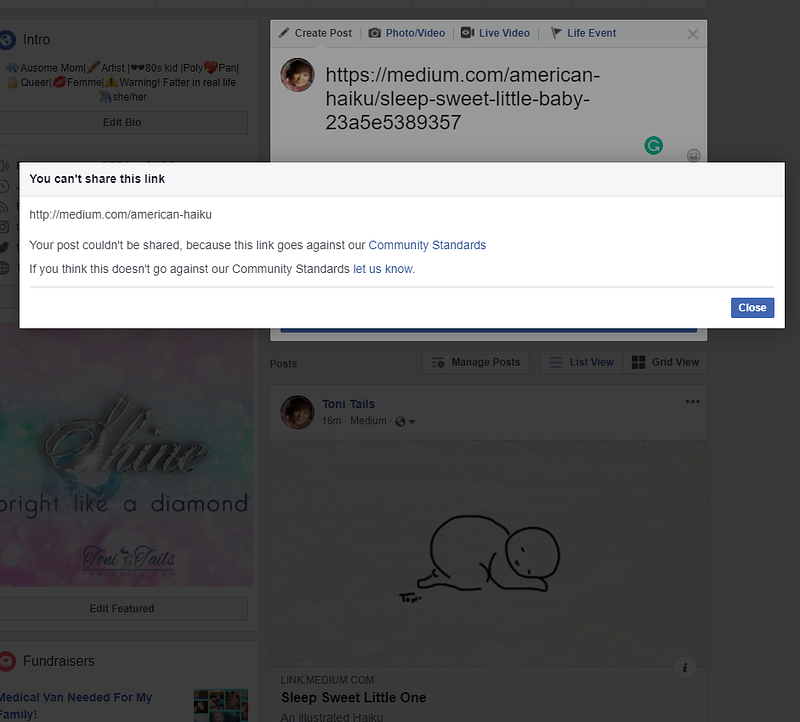
Share From Medium

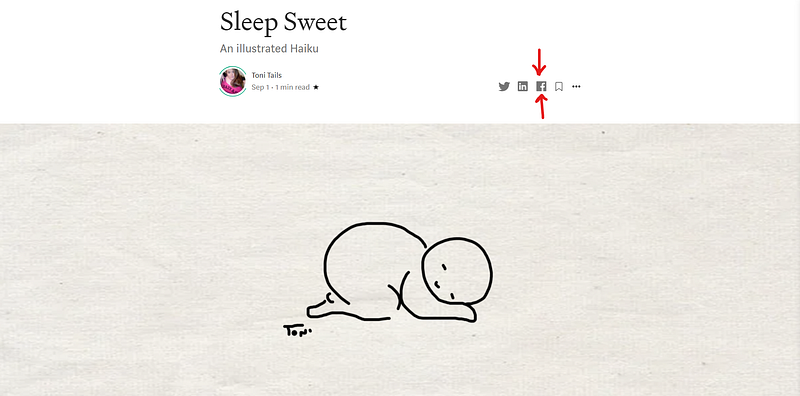
That’s because I shared directly from Medium. Go to your story on a PC, and click the little Facebook icon to share. I’ve never had a story rejected when I share it this way.

  • Tip: If you share using a mobile browser, the URL is much shorter.
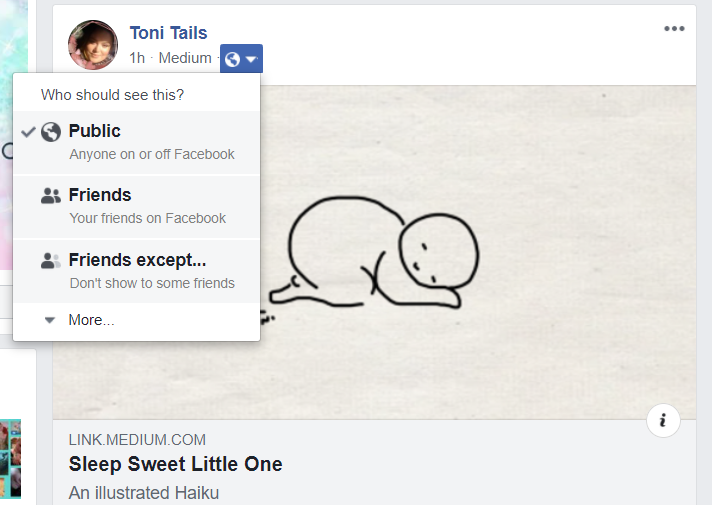
Once you’ve shared your beautiful story, make sure to set it to public viewing.
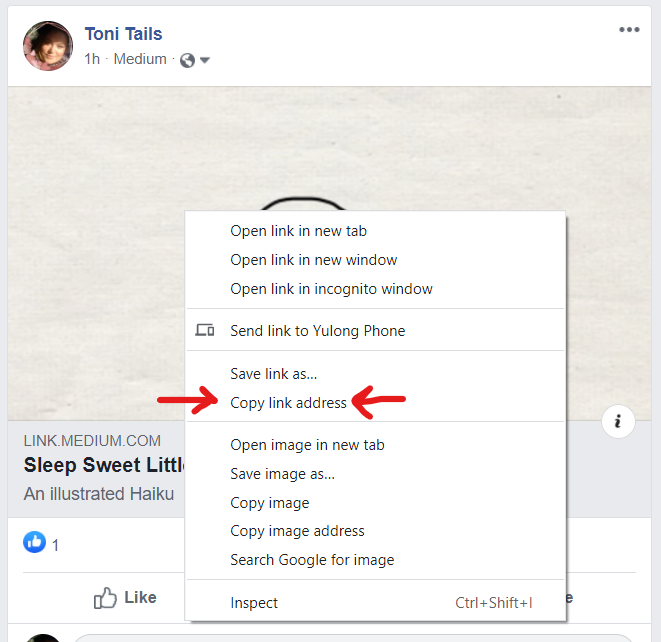
Second Step: Copy Link Address

Hover over your story and right-click. Then choose Copy link address.
All Done!

Now you can post your link on Facebook, and everyone will get to read your fantastic work!

Let me know if this works for you, or if you’ve found other workarounds for this problem. If you have any other questions, I’m happy to help!

Social Media
Productivity
Creativity
Technology
Writing
Recommended from ReadMedium
