
avatarNikita Rusin

Free AI web copilot to create summaries, insights and extended knowledge, download it at here

1544

Abstract

mple.</p><h2 id="9117">Prevent our view from being overlapped by Snackbar</h2><figure id="d0de"><img src="https://cdn-images-1.readmedium.com/v2/resize:fit:800/1*9kOTgZN6PqD7yaRYJuKDXQ.gif"><figcaption></figcaption></figure><p id="b00c">It’s quite easy: dodgeInsetEdges are edges on which view expects overlapping to potentially occur. So, if we just add <i>layout_dodgeInsetEdges=”bottom” </i>attribute to view, it will dodge Snackbar and lift up like FloatingActionButton does.</p><h2 id="8e33">But why FAB is dodging Snackbar without dodgeInsetEdges attribute?</h2><p id="fa12">Because FAB has a CoordinatorLayout behaviour. And it sets layout_dodgeInsetEdges=”bottom” by default. Which means that FAB will dodge any view that will try to overlap it from the bottom.</p><p id="3b3f"><a href="https://github.com/android/platform_frameworks_support/blob/master/design/src/android/support/design/widget/FloatingActionButton.java#L597"><i>FloatingActionButton#Behavior#onAttachedToLayoutParams</i></a></p><div id="2b90"><pre><span class="hljs-keyword">if</span> <span class="hljs-params">(lp.<span class="hljs-attr">dodgeInsetEdges</span> == Gravity.NO_GRAVITY)</span> { <span class="hljs-string">//</span> If the developer hasn't <span class="hljs-keyword">set</span> dodgeInsetEdges, lets <span class="hljs-keyword">set</span> it to BOTTOM so that <span class="hljs-string">//</span> we dodge any Snackbars lp.dodgeInsetEdges = Gravity.BOTTOM;
}</pre></div><h2 id="b4f0">Let’s add some animated view on the bottom</h2

Options

<figure id="3dfe"><img src="https://cdn-images-1.readmedium.com/v2/resize:fit:800/1*AGYd8gQfnxj--v0JzK9t0A.gif"><figcaption></figcaption></figure><p id="3460">Looks not very good. Our view is overlapped by the bottom sheet and the FAB is not reacting on this. Why do dodgeInsetEdges work with Snackbar but not with this view?</p><p id="4969">CoordinatorLayout doesn’t know which view can overlap other views. To let it know which view must be dodged we need to set insetEdge attribute on this view. So, let’s set <i>layout_insetEdge=”bottom”.</i></p><p id="be52">Snackbar by default implements bottom insetEdge. That means that Snackbar and our bottom view will influence all views in CoordinatorLayout with dodgeInsetEdges <b>bottom</b> or <b>all.</b></p><p id="eb0e"><a href="https://github.com/android/platform_frameworks_support/blob/master/design/src/android/support/design/widget/BaseTransientBottomBar.java#L433">BaseTransientBottomBar#showView</a></p><div id="0ebf"><pre><span class="hljs-comment">// Also set the inset edge so that views can dodge the bar correctly clp.insetEdge = Gravity.BOTTOM;</span></pre></div><figure id="4ffe"><img src="https://cdn-images-1.readmedium.com/v2/resize:fit:800/1*JZMzNQzKKdbVsk5hQJi5vg.gif"><figcaption></figcaption></figure><p id="92f6">That’s all. Just set dodgeInsetEdges on view that must dodge and insetEdge on view that must be dodged.</p><h2 id="c92a">Sample code here. If this post is useful, clap your hands.</h2><h2 id="9a28">Thanks @dimsuz for help.</h2></article></body>

Simple view dodging with CoordinatorLayout

You may not know about such powerful useful feature of CoordinatorLayout as dodging. Snackbar or some animated view can overlap important content on the screen.
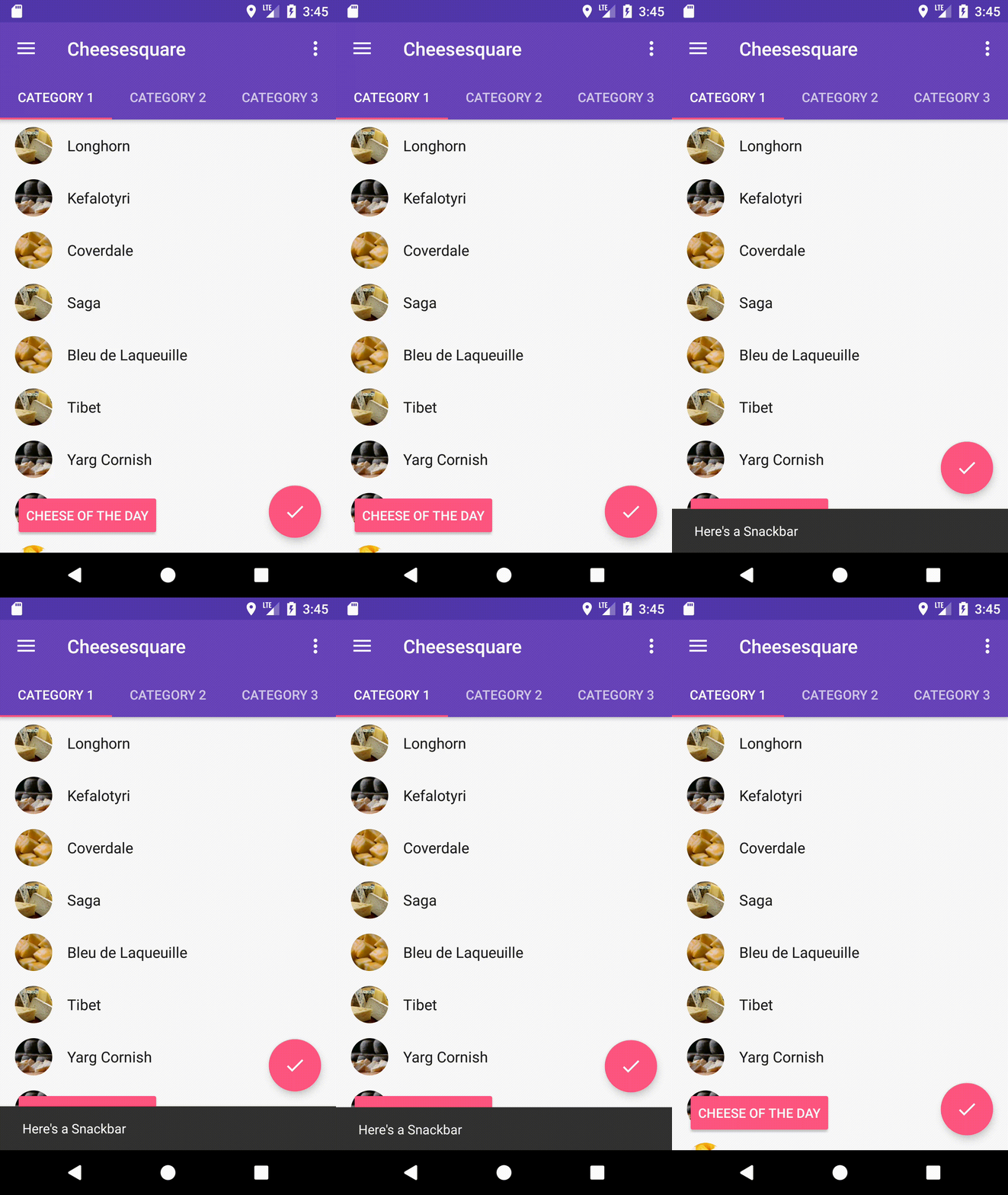
As we see here, FloatingActionButton is dodging Snackbar but sample view is not. It turns out that we don’t need to write custom animations or coordinator layout behaviours to fix it.

To find a solution let’s take a look on CoordinatorLayout documentation.

Children can specify insetEdge to describe how the view insets the CoordinatorLayout. Any child views which are set to dodge the same inset edges by dodgeInsetEdges will be moved appropriately so that the views do not overlap.

So let me explain this by example.

Prevent our view from being overlapped by Snackbar
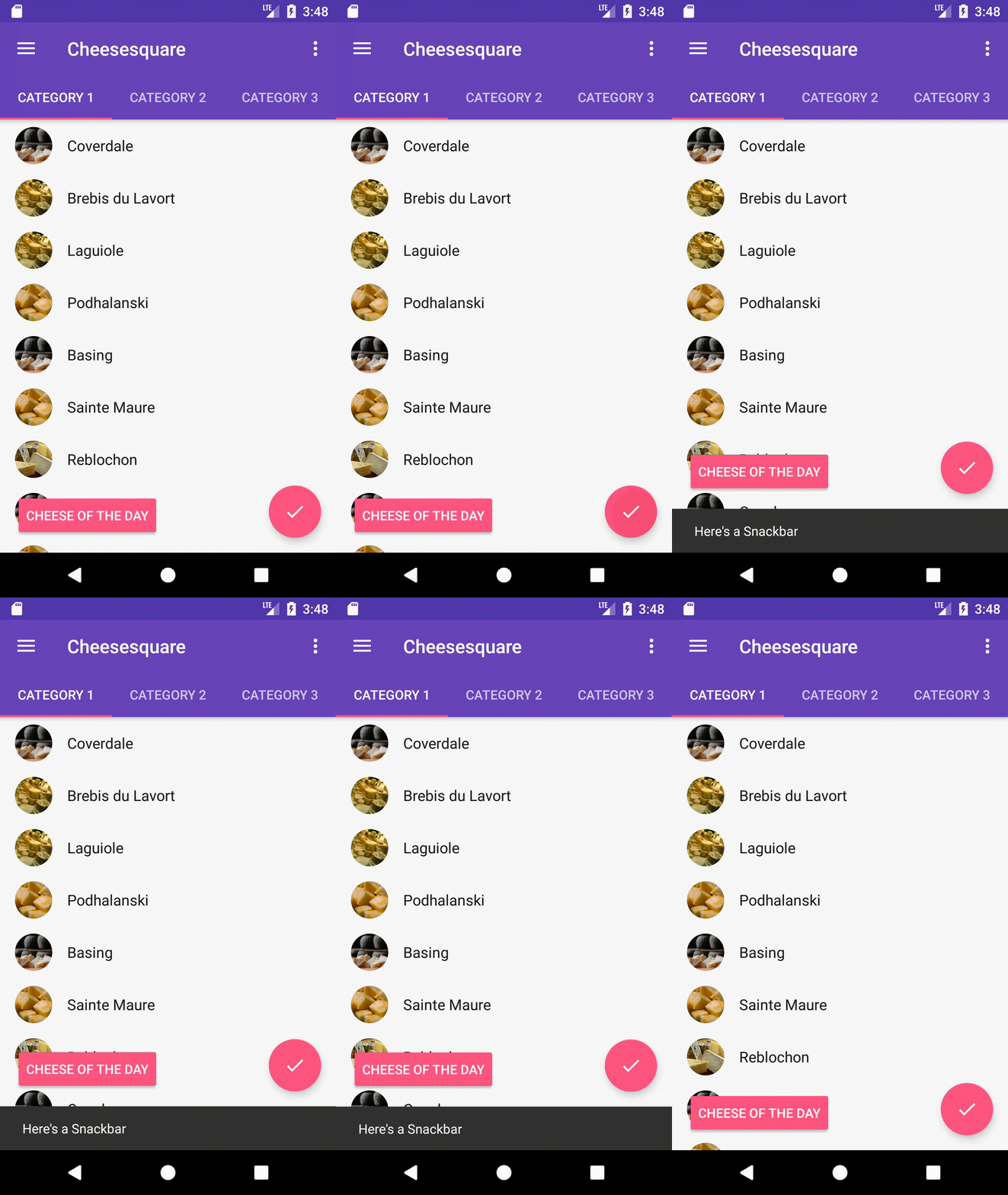
It’s quite easy: `dodgeInsetEdges` are edges on which view expects overlapping to potentially occur. So, if we just add layout_dodgeInsetEdges=”bottom” attribute to view, it will dodge Snackbar and lift up like FloatingActionButton does.

But why FAB is dodging Snackbar without dodgeInsetEdges attribute?

Because FAB has a CoordinatorLayout behaviour. And it sets layout_dodgeInsetEdges=”bottom” by default. Which means that FAB will dodge any view that will try to overlap it from the bottom.

FloatingActionButton#Behavior#onAttachedToLayoutParams

if (lp.dodgeInsetEdges == Gravity.NO_GRAVITY) {
    // If the developer hasn't set dodgeInsetEdges, lets set it to BOTTOM so that
    // we dodge any Snackbars
    lp.dodgeInsetEdges = Gravity.BOTTOM;            
}

Let’s add some animated view on the bottom
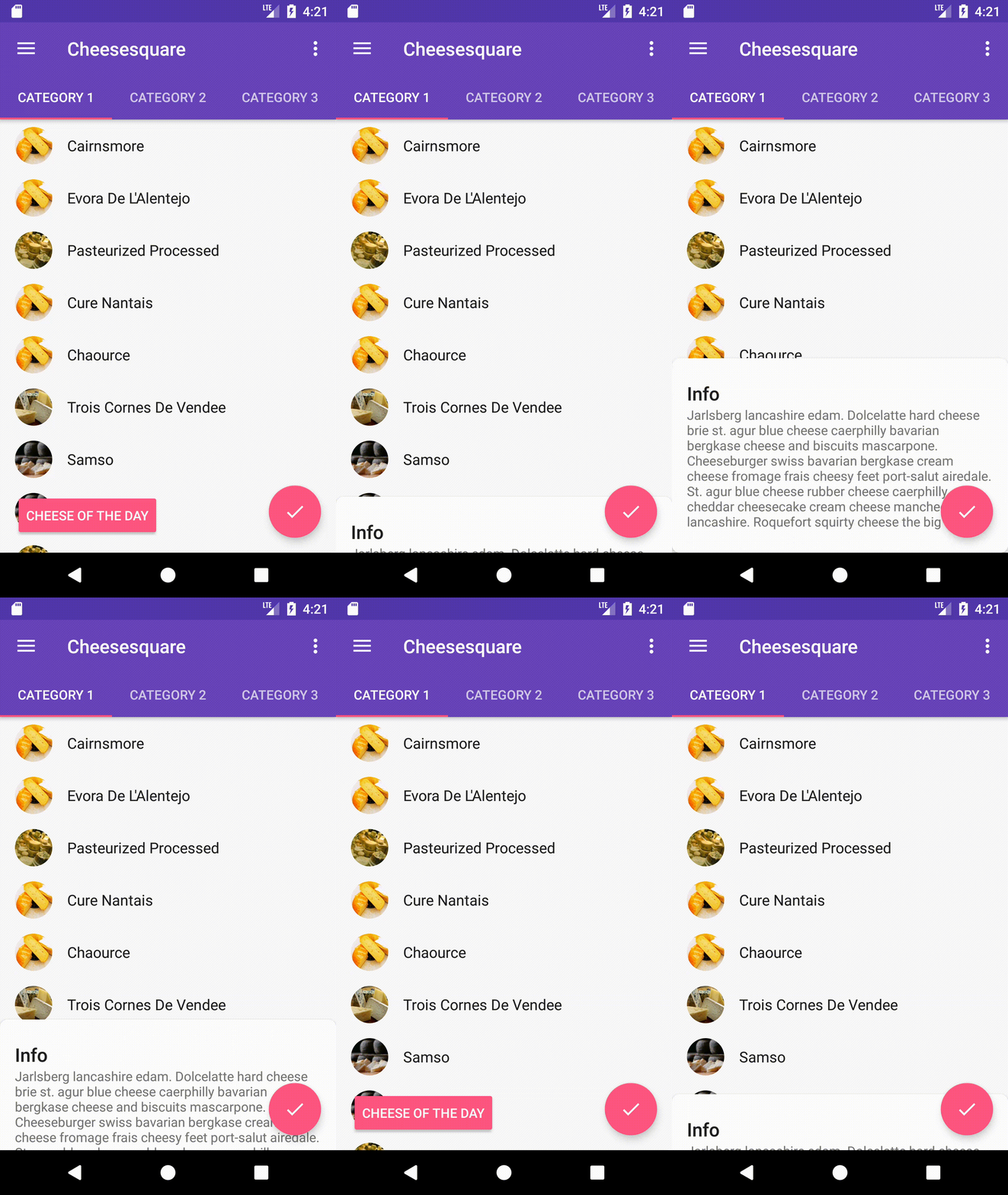
Looks not very good. Our view is overlapped by the bottom sheet and the FAB is not reacting on this. Why do dodgeInsetEdges work with Snackbar but not with this view?

CoordinatorLayout doesn’t know which view can overlap other views. To let it know which view must be dodged we need to set insetEdge attribute on this view. So, let’s set layout_insetEdge=”bottom”.

Snackbar by default implements bottom insetEdge. That means that Snackbar and our bottom view will influence all views in CoordinatorLayout with dodgeInsetEdges bottom or all.

BaseTransientBottomBar#showView

// Also set the inset edge so that views can dodge the bar correctly                clp.insetEdge = Gravity.BOTTOM;
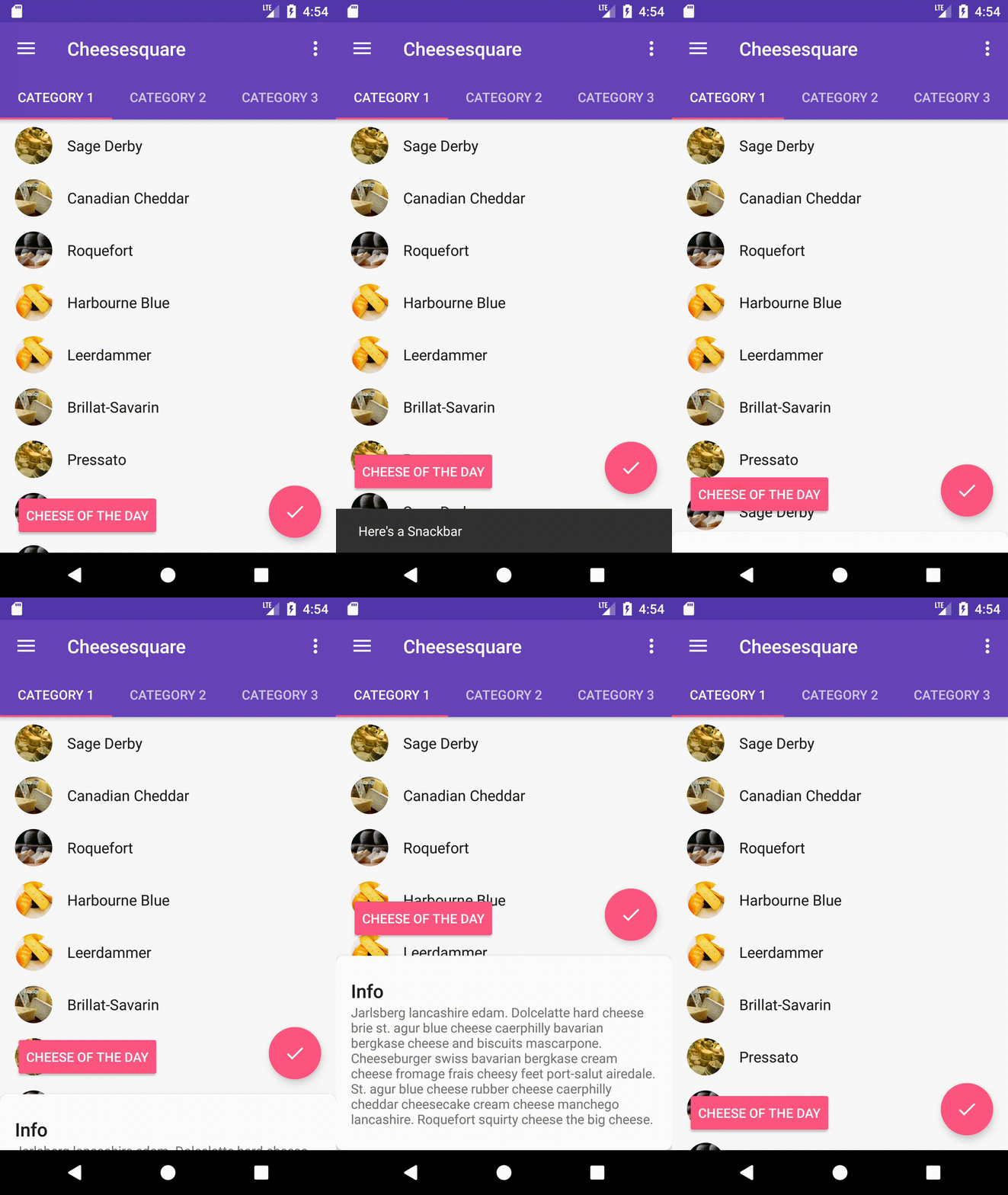
That’s all. Just set dodgeInsetEdges on view that must dodge and insetEdge on view that must be dodged.

Sample code here. If this post is useful, clap your hands.

Thanks @dimsuz for help.

Android App Development
Android
AndroidDev
Android Tips
Recommended from ReadMedium