
Shodan for Bug Bounty — and Why you shouldn’t use these 53 Dorks.

Shodan is a much-loved and widely adopted attack surface management tool. But what actually is it? How do we use it beyond basic usage? and lastly, should you be using it at all? Since this is such a popular tool, and also an under-taught tool, I thought it would be useful to aggregate as much useful information as I could find into this one blog; so that’s what I did, I dorked for blogs, tweets, and any source I could to find out about Shodan.
Today We’re going to be talking about:
- What actually is it?
- Shodan basics
- The different ways to use shodan.
- Misc bounty tips.
- 53 Shodan dorks — and the limitations
What actually is it?
Shodan may be sold on Twitter as the hidden secret you need to be successful in bug bounty by entering 3 words into a search bar and magically getting P1s, but at the end of the day, Shodan is fundamentally a large dataset, and an API to access that dataset — a search engine. Nonetheless, it is still an incredibly useful tool, which rewards a hacker for their skill, knowledge and patience as opposed to the failure of the target company — as I hope to prove by the end of this blog.
Shodan is also not special! There are lots of alternatives which may provide more up-to-date or different data compared to shodan. Check out Censys, Zoomeye, Netlas, hunter.how and many more! For example, the recent TSA nofly list leak was found using Zoomeye, as opposed to Shodan (Source). Although this blog is oriented toward bounty hunters, these datasets can be used by a variety of people and for various causes, from attack surface management to threat intelligence.
Shodan basics
There’s no need to reinvent the wheel so I won’t waste your time explaining every filter shodan has to offer, especially since they are well-detailed on the official page (https://www.shodan.io/search/filters). However, bug bounty hunters only need to know 4 basic filters by heart.
asn:{ASNnumber}Large organisations may need lots of IPs, and thus they may own their own “section of the internet”, a collection of IPs, which then get assigned an Autonomous System Number, Shodan allows you to search by these numbers to get all the assets associated with the company.
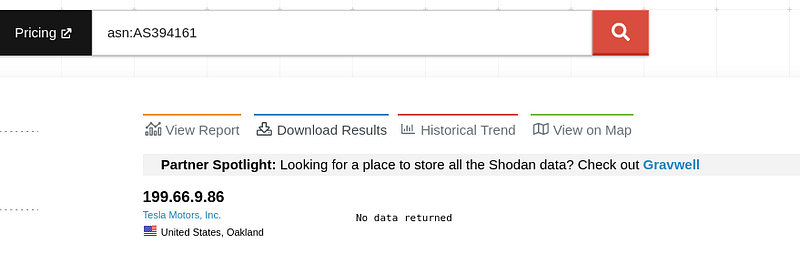
2. org:"Company name" Similarly, Shodan will organise IPs with their associated Organisation names, you can retrieve these IPs using the “org” dork.
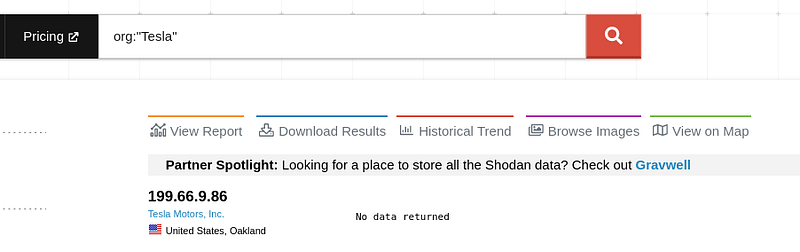
3. port:{PortNumber} To search for specific ports that are open (or at least have been).
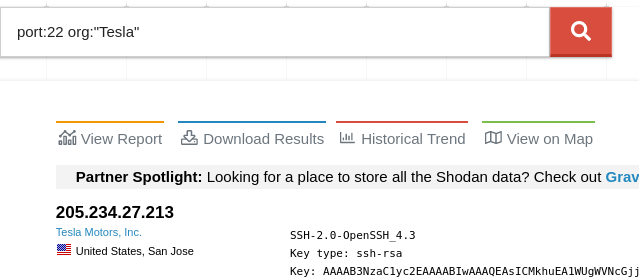
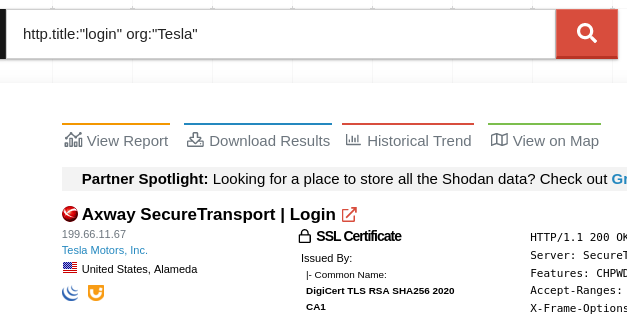
4. Lastly, search for specific teach stacks or content with http.title:"title"
How do you use Shodan?
Most people only use Shodan in one way, despite there being four — all with advantages and disadvantages.
Firstly, and most known, Shodan has a GUI — a search bar — which is used to query the dataset, https://www.shodan.io/search?query=test. You’ve probably used it before, you’ve seen it already in this blog, and it’s nothing special. However, it is good for smaller-scale projects or testing out ideas.
Secondly, Shodan via the CLI. Shodan allows you to perform mass analysis all via commands, which enables you to automate your workflow, scale up your projects and save time. If you want to see the official documentation click here (https://cli.shodan.io/#commands). This functionality is especially useful if you want to identify trends, search for vulnerabilities specific to a tech stack, or find all instances of a zero-day.
shodan download — the download function will create a large dataset containing all necessary information to perform queries locally, saving you API credits, allowing for repeated analysis and saving you bandwidth. Try something like shodan download --limit -1 org:Target wordpress to get a database.

shodan parse — the parse function can then be used to selectively retrieve necessary data from the dataset, which can then be piped into further tool chains.
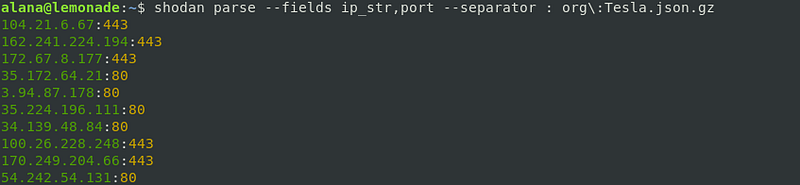
Largely under-mentioned, Shodan Monitor allows you to continuously monitor IPs for updates. This however is largely behind a paywall and is not practical for — or aimed at — bug hunters, and thus it will not be discussed greatly here. This service can also be largely replaced, automated and tailored to fit your needs via other tools such as Massscan and other tech stack fingerprinting tools of your choice.
Lastly, Shodan has browser extensions which work in the background and fetch information about the particular page you’re on. When bug hunting we often look for port 80/443 when web app hunting, but often neglect alternative ports such as 8080, 8888, etc. So getting better visibility on a target’s surface gives you more opportunity for bugs.
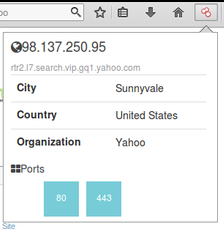
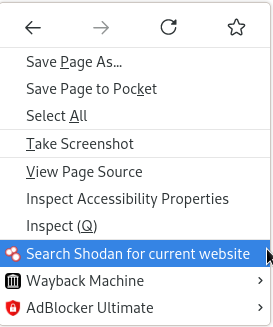
Also, it gives us a nice quality-of-life feature, where we can right-click on a site, and immediately search for the exact page on Shodan if we need further information. This last method is not as powerful as the prior, however, makes manual hunting slightly more efficient.
Bug bounty tips and advice
There are some odd bits of information I’ve picked up via my experience and my readings which I can’t really classify, so I’ll just put them here. In no particular order:
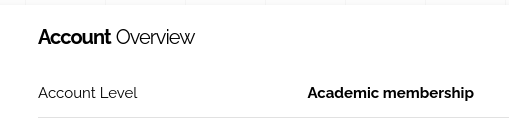
Rate limits — If you sign up with a free account you will be limited in terms of the type of queries you can do, and how many results you can get back. This does not make bug hunting impossible, especially for smaller targets — however, there are two ways to get more at a relatively low cost. Firstly, if you are a student and have an academic email, you can sign up with that and be granted an “Academic membership”, which gives you significantly more access (I’ve never needed more than this). Secondly, Shodan will occasionally do significant giveaways, where you can get a lifetime membership for $1. Follow their Twitter for updates. (https://twitter.com/shodanhq)
zero/one days — There are different styles of bug hunting, one is developing zero days and applying them to all instances of this. Similarly, closely tracking new CVEs and finding or developing PoCs for them, and applying this to the prior method can result in lots of bugs. Shodan is a great tool for this as you can use your PoC and scan it against all IPs belonging to your scope.
Scope — Firstly, Shodan is best suited for big organisations, not small companies. The bigger the company, the harder it is for an admin to manage the attack surface, and thus they often forget they even have assets exposed — Shodan is good for finding these forgotten assets. Secondly, Shodan is not responsible for getting the scope correct, you are! Always check that assets returned by Shodan are actually in scope, and not mislabelled.
Dorks — If you ever see a dork containing the word “admin”, make sure to replace it with “administrator”, “root”, “master”, “superuser”, “debug”, etc, and try again! More on dorks at the end.
Why you shouldn’t use these 53 dorks.
I scraped dorks from Twitter, medium and anywhere else I could. I removed the absolute worst of them and kept the rest. Socials will often repackage these same dorks without providing any reference to where they are from, their actual purpose, or why they are useful.
- Have a peek at the list, choose a random dork and ask yourself what you would do if a result came back. For example one of the dorks below “ADVIPSERVICESK9_LI-M” has been populated in multiple “bug bounty tip” sources, and yet if you do some research behind it, it is a dork completely unrelated to bounty hunting and is used to find Telcos running Cisco Lawful Intercept Wiretaps. A waste of your time, but it still looks good in a tweet or blog — so it got reposted.
The title is, of course, hyperbolic. There are good dorks in that list if you are looking for specific things, but it’s still important to know what they mean. I said, almost sarcastically, at the start of the blog there are four basic dorks in Shodan, but they are also probably the most important ones there are, which leads to my next point.
- Shodan is a tool. It rewards skilled researchers and patience. If you want to get good results with shodan, start with the
org,http.titleandhttp.status:200dork, and just have a look around. You will learn lots more, and find more bugs overall.
Key takeaways
- Shodan — and other datasets — allow you to find bugs and attack surfaces at scale.
- Shodan can be used not only for bug bounty hunting but also for attack surface management, recon and threat intelligence.
- Shodan is a tool that requires skill and patience and is not a get-rich-quick scheme as Twitter presents.
- The basic dorks Shodan has to offer are the most powerful
If you thought any of this information useful, clicking this link, and retweeting the story would be a free way to support me. Tell me which bug type you would like a deep dive on next @_nynan on Twitter. 💙
You can also follow me on Medium, my goal is to reach 1500 followers and we’re already 96% of the way there!
Considering becoming a member on medium? Use this link at no extra cost to yourself, and support me :) (https://medium.com/@nynan/membership)
The Dork list:
title:”kibana” port:”443" ”230 login successful” port:”21" vsftpd 2.3.4 port:21 230 ‘anonymous@’ login ok set-cookie: webvpn; Siemens S7 vsftpd 3.0.3 Set-Cookie: phpMyAdmin Set-Cookie: lang= Set-Cookie: PHPSESSID Set-Cookie: webvpn Set-Cookie:webvpnlogin=1 Set-Cookie:webvpnLang=enHow to do this appropriately Set-Cookie: mongo-express= Set-Cookie: user_id= Set-Cookie: phpMyAdmin= Set-Cookie: _gitlab_session X-elastic-product: Elasticsearch x-drupal-cache access-control-allow-origin WWW-Authenticate X-Magento-Cache-Debug kbn-name: kibana X-App-Name: kibana x-jenkins org:’company’ port:’80, 81, 443, 8000, 8001, 8008, 8080, 8083, 8443, 8834, 8888'. site:target.com inurl:admin intitle:login site:website.com intitle:/admin site:website.com inurl:admin intitle:admin intext:admin kibana content-length:217 net:cidr html:Dashboard Jenkins http.component:jenkins X-Amz-Bucket-Region x-jenkins 200 X-Generator: Drupal 7 all:mongodb server information all:metrics port:27017 -all:partially all:fs.files port:9200" all:elastic indices product:elastic port:9200 title:system dashboard html:jira product: apache tomcat html:secret_key_base html:rack.version title:Citrix Gateway org:*programorg* authentication disabled RFB 003.008 html:/dana-na/ Docker Containers: port:2375 root@ port:23 -login -password -name -Session Cisco IOS ADVIPSERVICESK9_LI-M Server: NessusWWW 230 login successful port:21"


