
Sentiment Analysis of Stock Market in Python (Part 1)- Web Scraping Financial News

Stock market sentiments can be valuable info that hints at future price action. Many often stock investors react to the market sentiments in making their decision to buy or sell their assets. Hence, stock sentiment analysis has become a popular and useful technique to gauge the investors’ opinions of a specific stock and plan for an investment strategy.
One direct way to understand market sentiments is by following and reading the news on daily basis. However, this can be quite a tedious process. Here, we are going to explore how can we use Python to perform the stock sentiment analysis for us.
We will break this sentiment analysis process into two main parts:
- Web scraping financial news and preprocessing the text data
- Calculating sentiment score and visualization (Presented in Part 2 Article)
In this article, we will only focus on the first part and the second part will be presented in another article.
Disclaimer: The writing of this article is only aimed at demonstrating the steps to perform stock market sentiment analysis in Python. It doesn’t serve any purpose of promoting any stock or giving any specific investment advice.
Prerequisite Python Packages
- BeautifulSoup — https://pypi.org/project/beautifulsoup4/
- Pandas — https://pandas.pydata.org/
- NLTK — https://pypi.org/project/nltk/ (Will be used in the Part 2 Article)
Github
The original full source codes presented in this article are available on my Github Repo. Feel free to download it (SentimentAnalysis_part1.py) if you wish to use it to follow my article.
Web Scraping Financial News
1. Identifying sources of financial news
Firstly, we need to identify the source of the financial news where we would like to gather the sentiment data. There are many potential sources such as Google Finance, Yahoo Finance, FINVIZ, MarketWatch, etc.
In this article, we are going to gather our sentiment data from Financial Modeling Prep (FMP).
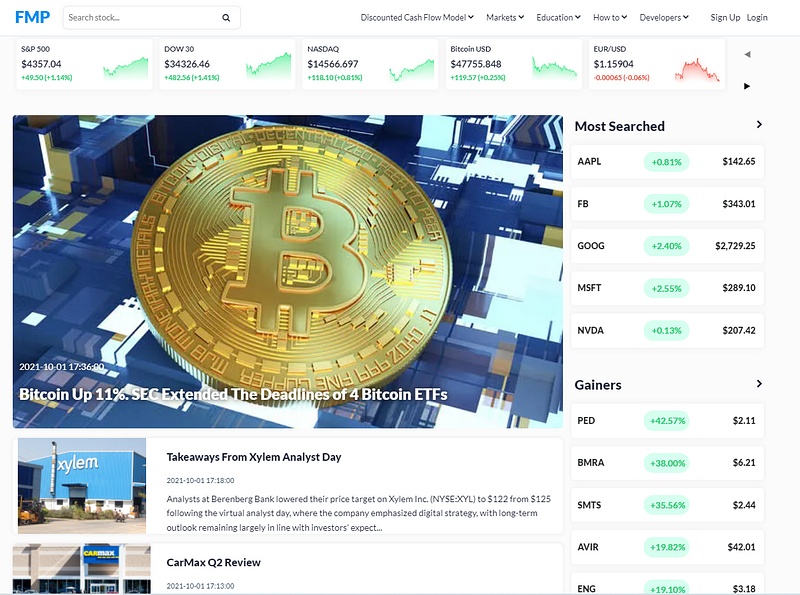
FMP offers us clean and well structured financial information. We can simply type a ticker symbol “AAPL” in the search bar at the top-left corner to search for further details of Apple stock.

The search will lead us to a financial summary page as below.
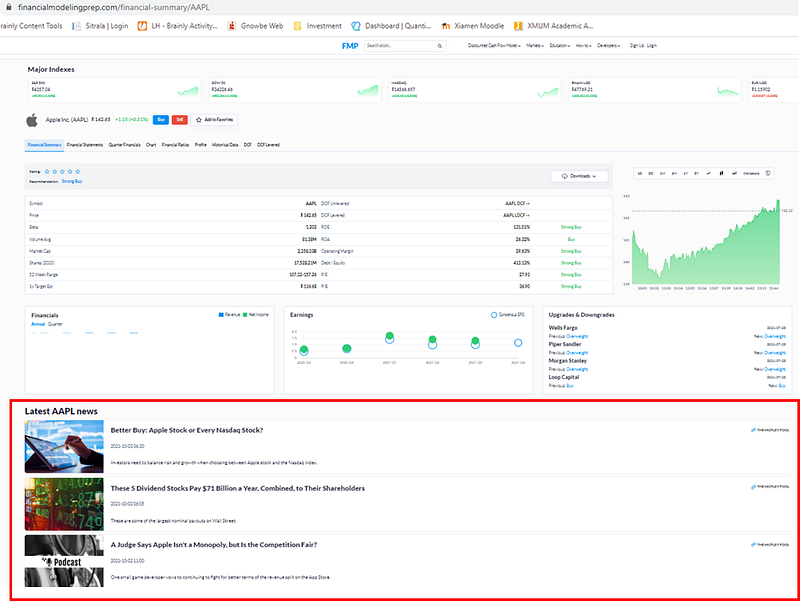
If we look at the bottom part of the financial summary page of AAPL, there is a list of the latest AAPL news.
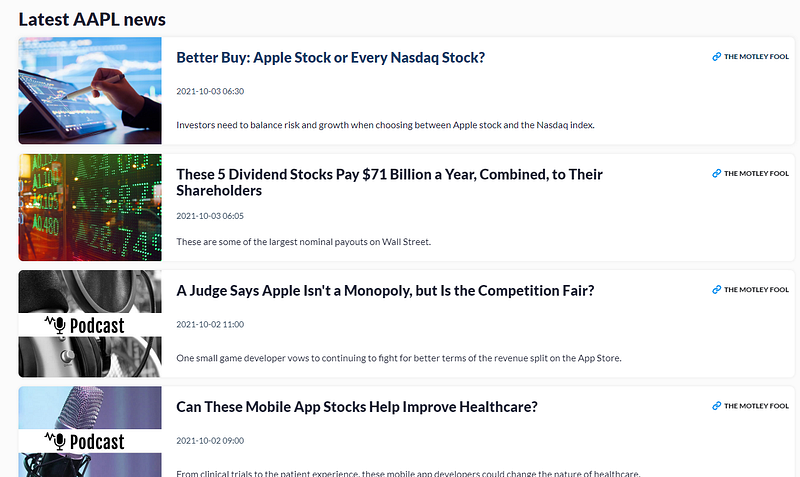
The news is the sources of our sentiments that we will extract for sentiment analysis using Python.
2. Examining HTML Structure of Web Page
To extract the financial news, we will first need to examine the HTML structure of the page. HTML is a markup language that lays down the structure of a webpage.
We can right-click on the web page and click “Inspect” to view the HTML codes. (This step is done by presuming we are using Google Chrome).
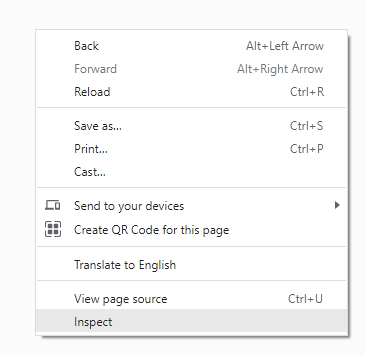
We shall see the HTML codes that render our web page as below.
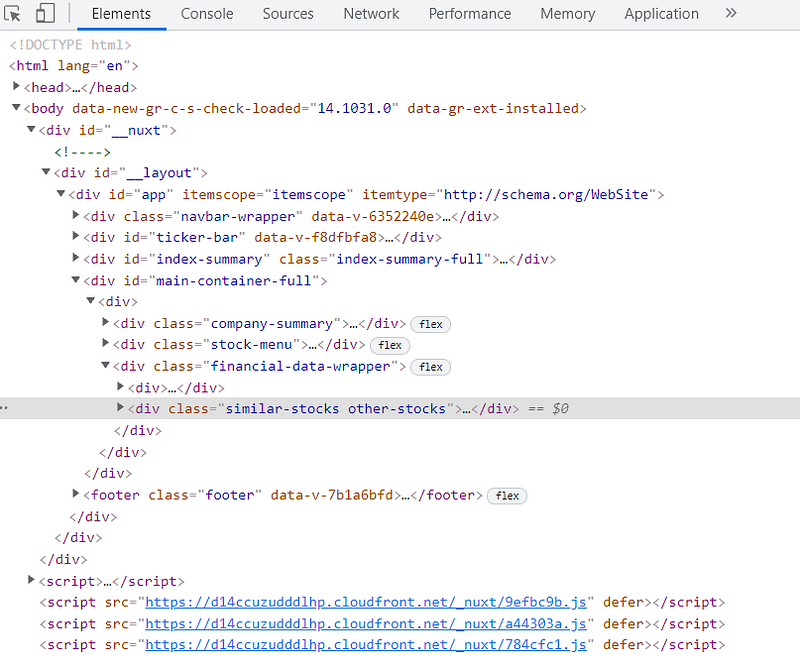
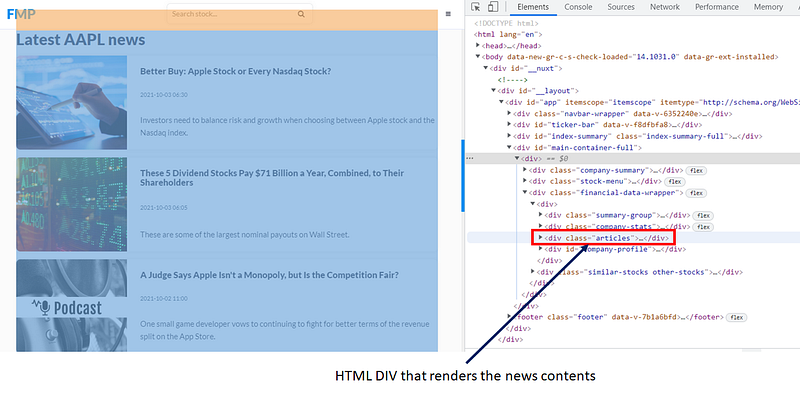
We can traverse through the HTML tags to hunt for the tag that is responsible to render the news content. We do it by placing our mouse cursor on each of the tags (e.g. div) and examine the highlighted area of the webpage. Besides, we can also click on the “triangle” shape button to expand the HTML tags.
We will find that the news contents are rendered by a “div” with a class name “articles”.
If we try to expand the div class= “article” further, we shall see the news contents are wrapped inside an anchor tag <a> with a class name, article-item. Inside the anchor tag, the news’ title, date and text are marked up by h4, h5 and p tags, respectively.
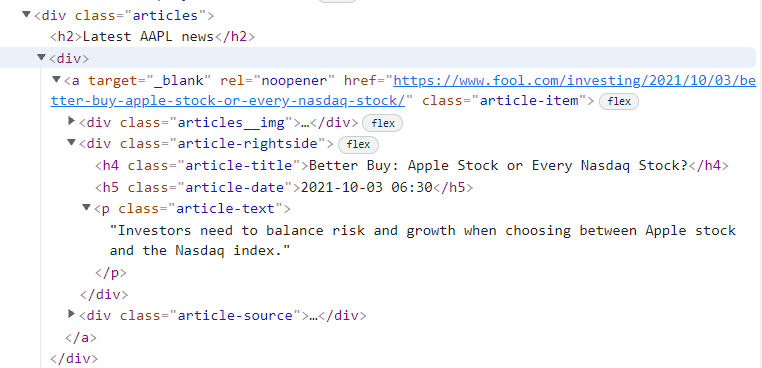
A similar HTML structure, as shown above, is repetitive for all the news on the web page.
Our next task is to use Python to perform the web scraping on the financial news page.
3. Extracting HTML contents
Now, we are going to use Python to extract the content of the financial web page. To do so, let us examine the URL of the financial web page again. We can see the URL can be split into two components: a static base URL, and a ticker.

Based on this observation, we can generate a dynamic link to the FMP financial page for different tickers.
Line 1–3: Import all the required Python packages.
Line 5–6: Set a ticker (e.g. AAPL). Generate a URL to the FMP page for the ticker by joining the base URL with the ticker.
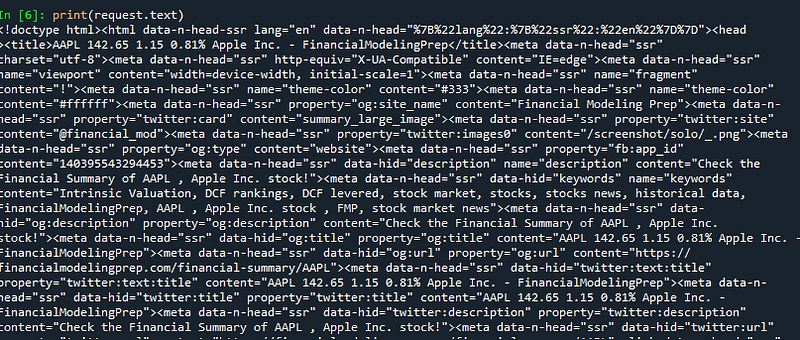
Line 7: We use the Python requests module’s get method to start an HTTP request to the FMP website routed by the dynamic URL. This will return the web page content for us.
4. Parsing web content
The raw web content is not really useful for us as they look like some gibberish texts mixed with too much unnecessary info for our sentiment analysis. Here, we need to parse our extracted web contents and look only for the targeted financial news section.
We will use another Python module, BeautifulSoup to parse our web content.
Line 1: Use the BeautifulSoup module to create a parser for our extracted web content.
Line 2: From the previous section, we have known our targetted news content are wrapped inside the anchor tag with a class name “article-item”. Now, we use the parser’s find_all method to look for all the anchor tags with a class name ‘article-item’. This will give us a list of news info wrapped inside the anchor tags and we store the parsed info in news_html.
Line 3: We print the first item of parsed info as a sample to visualize the news info we have managed to extract so far.
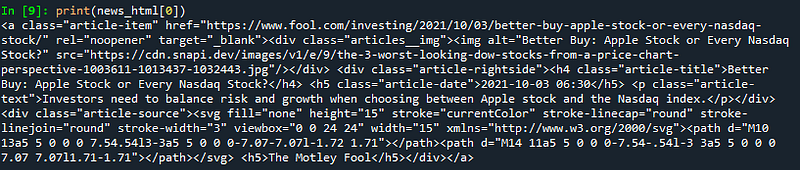
From the result above, apart from our targetted article’s title, date and text, we can still find a lot of unwanted info. In the following line of code, we will narrow down our search to only extract the three relevant pieces of info from each of the anchor tags stored in the news_html.
Line 5–14: Create a sentiments list to hold the target news info. Create a for-loop to traverse through the anchor tags and in every loop, we use the parser’s find method to search for the h5, h4 & p tags where the news date, title and text are placed. We also specify the associated class names (article-date, article-title, article-text) so that the parser can identify and return the correct info as below:
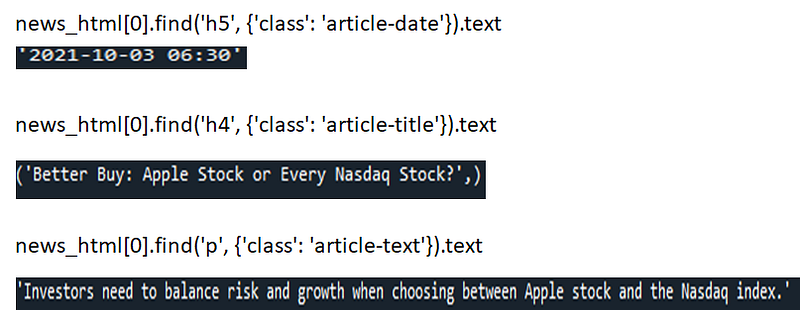
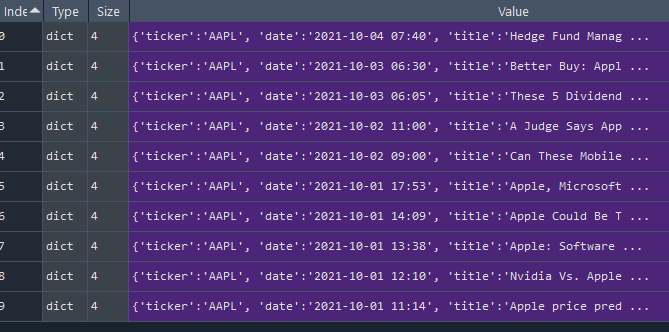
We encapsulate the news info such as the ticker, date, title and text into a Python dictionary and append the dictionary to the sentiments list in every round of loop.
At the end of the loop, our news info is captured in a list of Python dictionaries.
5. Converting Python List to Pandas Dataframe
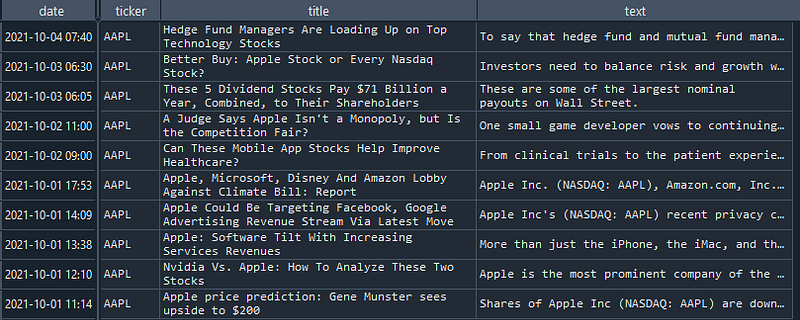
To ease our task to perform sentiment analysis in the later stage, we can convert our Python list of news info into a Pandas Dataframe.
Line 1: Use the Pandas DataFrame method to convert our Python list of news info into a dataframe.
Line 2: Use the set_index method to set the date as the index of the dataframe.
Conclusions
In this Part 1 Article, we have managed to web scrape the news info from the FMP website and also preprocess them into a dataframe format to be ready for the sentiment analysis later. The web scraping and HTML parsing are simple and straightforward and they are applicable to garner a variety of info from other web resources. Hence, you can also treat this article as an independent article guide to web scrape online sources for analysis.
In the Part 2 article, we will go through the process of sentiment analysis using the NLTK module.
I wish you enjoy reading this article.
Subscribe to Medium
If you like my article and would like to read more similar articles from me or other authors, feel free to subscribe to Medium. Your subscription fee will partially go to me. This can be a great support for me to produce more articles that can benefit the community.


