avatarJeremy M Williams

Free AI web copilot to create summaries, insights and extended knowledge, download it at here

1960

Abstract

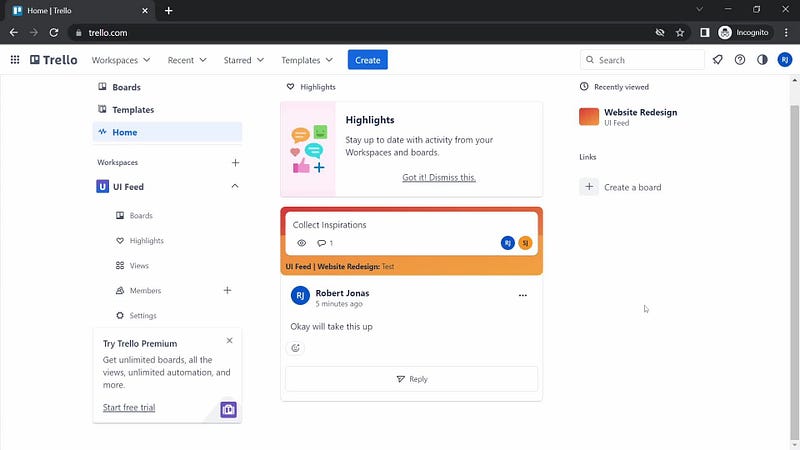
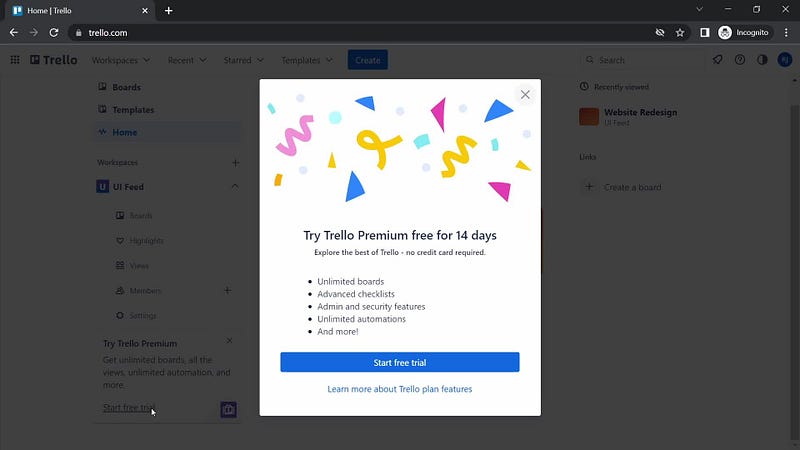
mg src="https://cdn-images-1.readmedium.com/v2/resize:fit:800/1*Pb_7u16O9XzeuAZQL8xj2g.jpeg"><figcaption></figcaption></figure><p id="fcc0">Now let’s flip the script and look at Trello and Wordpress. Trello makes its upgrade prompts the star of the show, with banners and pop-ups constantly reminding you of the premium features within reach. Wordpress, on the other hand, weaves their upgrade prompts seamlessly into the user experience. A glimpse of a premium feature while crafting a blog post might just spark the thought, “I could really use that.”</p><figure id="9e9e"><img src="https://cdn-images-1.readmedium.com/v2/resize:fit:800/1*jHD3irULUNxzFJy03EoHyw.jpeg"><figcaption></figcaption></figure><figure id="e6b3"><img src="https://cdn-images-1.readmedium.com/v2/resize:fit:800/1*GE-OLKJ_aoOrC2azDgOXGA.jpeg"><figcaption></figcaption></figure><figure id="85da"><img src="https://cdn-images-1.readmedium.com/v2/resize:fit:800/1*ml3PbYJ_79uw-2XKjdYUdg.jpeg"><figcaption></figcaption></figure><figure id="2eaa"><img src="https://cdn-images-1.readmedium.com/v2/resize:fit:800/1*E6Kc0Eup_Fs43aNVoIDmlw.jpeg"><figcaption></figcaption></figure><p id="6421">Writesonic, Jira, and Spline, these guys have carved out their own niche, mastering the art of context-specific upgrade prompts. Writesonic triggers an upgrade prompt when you’re craving more AI writing prowess. Jira spotlights advanced project management features at the perfect moments — when your team’s projects start to test their limits. Spline plays it cool, gently urging you to upgrade when you hit the ceiling of their 3D design functionality.</p><figure id="ebd7"><img src="https://cdn-images-1.readmedium.com/v2/resize:fit:800/1*KBSEQs1buopMskwU3LnMoA.jpeg"><figcaption></figcaption></figure><p id="05d8">Remember Spotify’s approach? They’d tactfully interrupt your groove with a gentle reminder that an ad-free experience was just an upgrade away. They revealed the problem, and then, pres

Options

ented the solution.</p><figure id="b181"><img src="https://cdn-images-1.readmedium.com/v2/resize:fit:800/1*91Bc37EQzZpUKcAizFtxEQ.jpeg"><figcaption></figcaption></figure><p id="4512">Airtable takes a different path. They lay out the full potential of their tool without pestering you with upgrade prompts at every turn. They let you explore, and discover the locked treasures you can unlock by upgrading at your own pace.</p><figure id="62a8"><img src="https://cdn-images-1.readmedium.com/v2/resize:fit:800/1*MEp17dU3UcImn_8UKXu5yg.jpeg"><figcaption></figcaption></figure><p id="2442">For all the new startups, pay attention to this — it’s vital to understand your users’ mindset and expectations. Nobody enjoys a hard sell. Your users are sharp. Your mission is to connect with them, exhibit the value, and kindle a desire to upgrade without applying any undue pressure.</p><p id="8b91">Let’s talk about the do’s and don’ts. The artistry of upgrade prompt design and placement revolves around three things: timing, relevance, and value. Don’t sabotage your user experience with incessant, nagging prompts. Do strategically place these prompts where users can truly appreciate the value. Remember — show, don’t tell.</p><p id="0bde">In the realm of luxury and e-commerce, there’s a wealth of opportunities to revolutionize upgrade prompts. Picture this — an online shopping experience where the more items you drop into your cart, the bigger the savings with a premium membership become apparent. Or a luxury brand unveiling an exclusive, premium members-only collection.</p><p id="80c9">At the end of the day, it’s not about coercing users to upgrade. It’s about making them crave the upgrade. It’s about crafting an experience</p><p id="1ce1">Follow me on LinkedIn and contact me if you need some work done the right way: <a href="https://www.linkedin.com/in/jeremymerrellwilliams/">https://www.linkedin.com/in/jeremymerrellwilliams/</a></p></article></body>

Scaling Up the Smart Way: Mastering the Fine Art of Upgrade Prompts for Your Brand’s Success

Alright, we’re getting down to business. In this fast-paced digital world, your UI and UX aren’t just trimmings — they’re the steak and potatoes of your enterprise. When it comes to SaaS or any online product, the key to unlocking a river of revenue is getting users to upgrade. But let’s be clear — it’s not about shoving an aggressive “Upgrade Now!” button in their face. No, it’s about sculpting an experience so compelling that upgrading feels like the only logical next move.

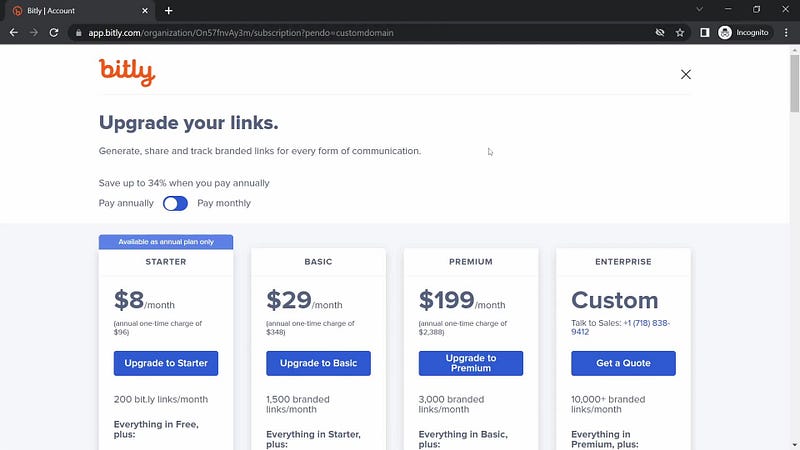
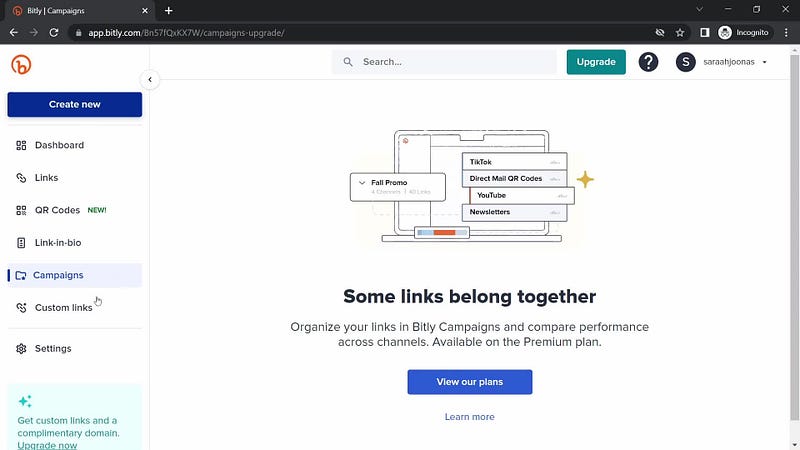
Take a gander at Bitly. They play it smart. The more you lean on their link-shortening service, the clearer the boundaries of the free version become. But they’ve got a secret weapon in the form of a subtle, ever-present upgrade option tucked in the sidebar. It’s a gentle nudge — a constant whisper of the unlimited possibilities just a few dollars a month can unlock. They’ve woven it into their workflow. You can’t ignore it.
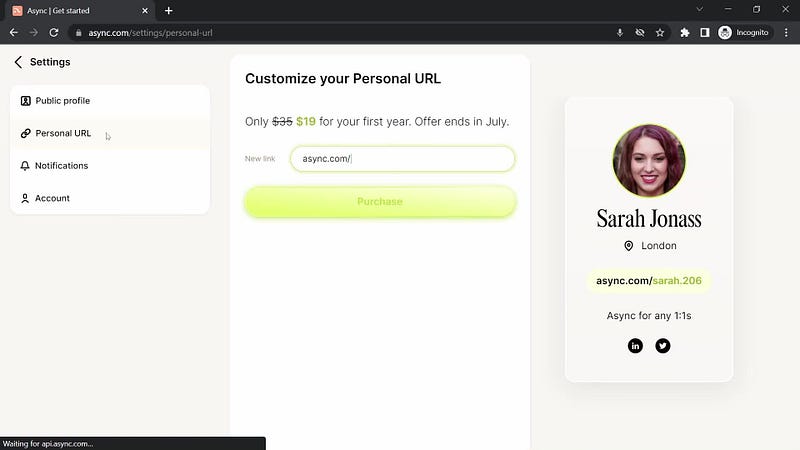
Then there’s Async, marching to the beat of a different drum. Their strategy is all about showcasing value. As you immerse yourself in their platform, you start to feel the sting of what you’re missing. It’s show and tell at its finest — they don’t just demand you to upgrade, they illustrate why it’s worth it. It’s like giving you a sneak peek from the penthouse suite and saying, “This vista could be all yours.”
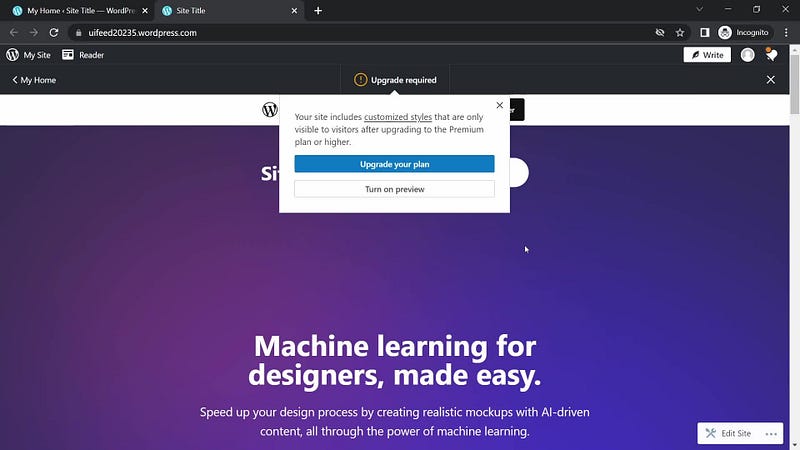
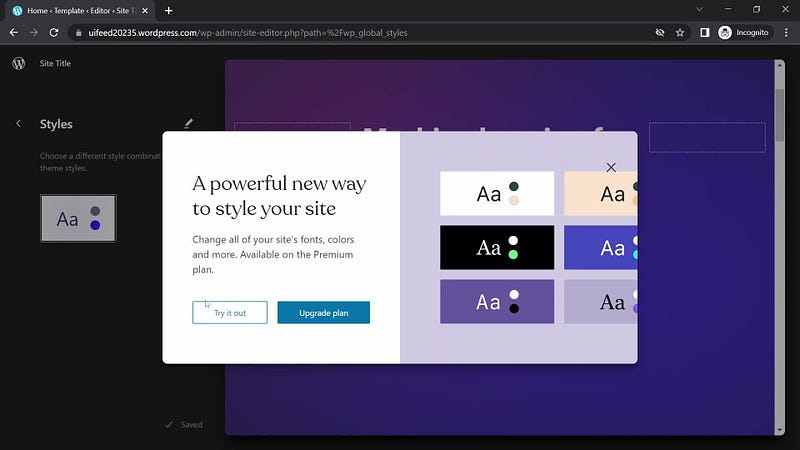
Now let’s flip the script and look at Trello and Wordpress. Trello makes its upgrade prompts the star of the show, with banners and pop-ups constantly reminding you of the premium features within reach. Wordpress, on the other hand, weaves their upgrade prompts seamlessly into the user experience. A glimpse of a premium feature while crafting a blog post might just spark the thought, “I could really use that.”
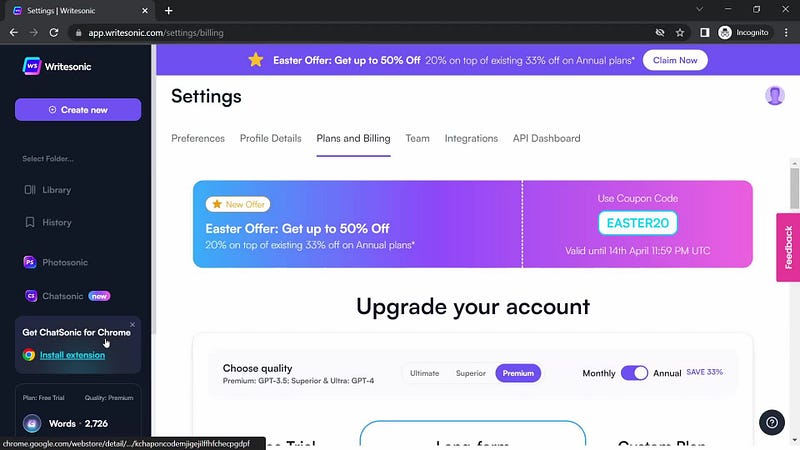
Writesonic, Jira, and Spline, these guys have carved out their own niche, mastering the art of context-specific upgrade prompts. Writesonic triggers an upgrade prompt when you’re craving more AI writing prowess. Jira spotlights advanced project management features at the perfect moments — when your team’s projects start to test their limits. Spline plays it cool, gently urging you to upgrade when you hit the ceiling of their 3D design functionality.
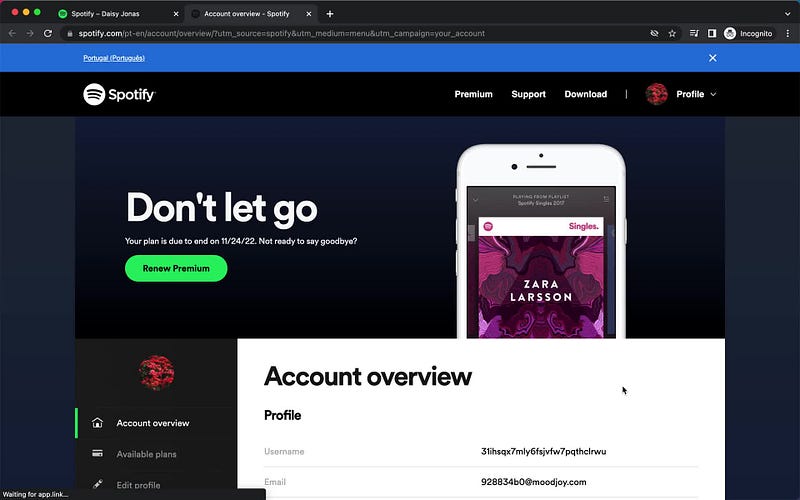
Remember Spotify’s approach? They’d tactfully interrupt your groove with a gentle reminder that an ad-free experience was just an upgrade away. They revealed the problem, and then, presented the solution.
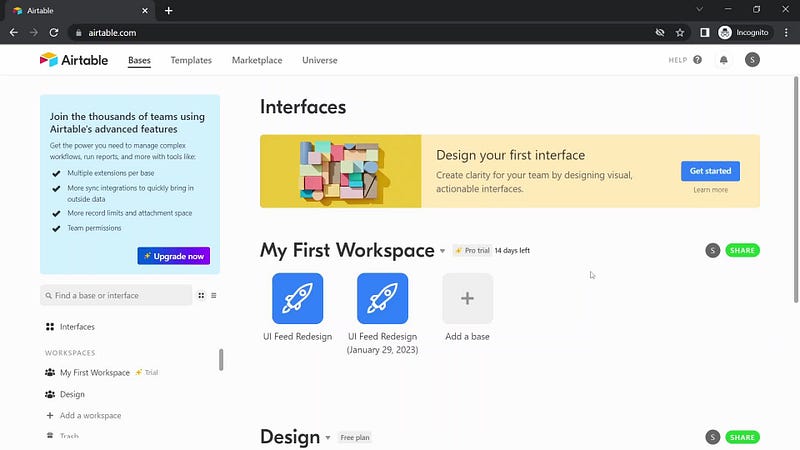
Airtable takes a different path. They lay out the full potential of their tool without pestering you with upgrade prompts at every turn. They let you explore, and discover the locked treasures you can unlock by upgrading at your own pace.
For all the new startups, pay attention to this — it’s vital to understand your users’ mindset and expectations. Nobody enjoys a hard sell. Your users are sharp. Your mission is to connect with them, exhibit the value, and kindle a desire to upgrade without applying any undue pressure.

Let’s talk about the do’s and don’ts. The artistry of upgrade prompt design and placement revolves around three things: timing, relevance, and value. Don’t sabotage your user experience with incessant, nagging prompts. Do strategically place these prompts where users can truly appreciate the value. Remember — show, don’t tell.

In the realm of luxury and e-commerce, there’s a wealth of opportunities to revolutionize upgrade prompts. Picture this — an online shopping experience where the more items you drop into your cart, the bigger the savings with a premium membership become apparent. Or a luxury brand unveiling an exclusive, premium members-only collection.

At the end of the day, it’s not about coercing users to upgrade. It’s about making them crave the upgrade. It’s about crafting an experience

Follow me on LinkedIn and contact me if you need some work done the right way: https://www.linkedin.com/in/jeremymerrellwilliams/

Upgrade
UI
UX
UX Design
Startup
Recommended from ReadMedium