avatartarun bhatt

Free AI web copilot to create summaries, insights and extended knowledge, download it at here

1454

Abstract

rm Configuration files</p><p id="2649">Its the most important component of a Terraform project. Configuration files contains the code which is primarily responsible to provision resources on Cloud. The config files have an extension of “.tf”.</p><p id="11c6">3. Terraform Providers</p><p id="6e3e">A provider is responsible for exposing and provisioning resources of a Cloud platform. For example ‘Microsoft Azure’ is a provider for Terraform to get access to Azure platform. A provider calls platform specific APIs (ARM : Azure Resource Manager APIs) to create, read, update and delete cloud resources.</p><p id="f5ba">4. Terraform Plugins</p><p id="b747">Plugins are used to interact with service providers. For example, if Terraform wants to talk to ‘Microsoft Azure’ provider to provision and access Azure resources, its the responsibility of the plugin to establish the communication.</p><p id="7d9d">5. State Files</p><p id="deae">State files are used to store the current state of configuration file. When a configuration file is used to provision resources, the state of the configuration file is saved in the state files. In case an update is requested with an updated configuration file, its compared to the state saved in the state files.</p><p id="3a44"><b>Different parts of Terraform Config file</b></p><ol><li>Variables: To store values to be used in the configuration file</li><li>Provider</li><li>Data: Information about existing resource

Options

s in Azure</li><li>Resource: Azure resource to be created</li><li>Output: Information out of the deployment</li></ol><p id="d8d9"><b>Terraform Installation</b></p><p id="4361">Click <a href="https://www.terraform.io/downloads.html">here</a> to download the executable for your OS.</p><p id="0191">Update the PATH environment variable to point to the Terraform executable</p><figure id="6963"><img src="https://cdn-images-1.readmedium.com/v2/resize:fit:800/1*WBnZlNXqUj8nw4QEPQk8aw.png"><figcaption></figcaption></figure><p id="590e">Open command prompt and execute command : Terraform</p><figure id="8c32"><img src="https://cdn-images-1.readmedium.com/v2/resize:fit:800/1*FEPqrSTf_t_j-0R7DXbU6g.png"><figcaption></figcaption></figure><p id="74e3">In the next article, I will go through a simple DEMO to create a new resource group in Azure.</p><p id="5516">Regards Tarun</p><p id="3e2a">P.S — Medium is an excellent platform to read, write and learn from fellow authors. If you want to join me in this journey, Join <a href="https://tarunbhatt9784.medium.com/membership">medium</a> today.</p><p id="6512"><b>References</b>:</p><p id="d0e0"><a href="https://www.hashicorp.com/products/terraform/">Overview</a></p><p id="9426"><a href="https://learn.hashicorp.com/terraform/getting-started/install.html">Installation</a></p><p id="6816"><a href="https://app.pluralsight.com/library/courses/getting-started-terraform">Getting Started</a></p></article></body>

Say Hi to Terraform

With the evolution of Cloud technologies, infrastructure as a code is one of the biggest priorities for most Tech companies.

IaC is all about provisioning infrastructure through software to achieve consistent and predictable environments.
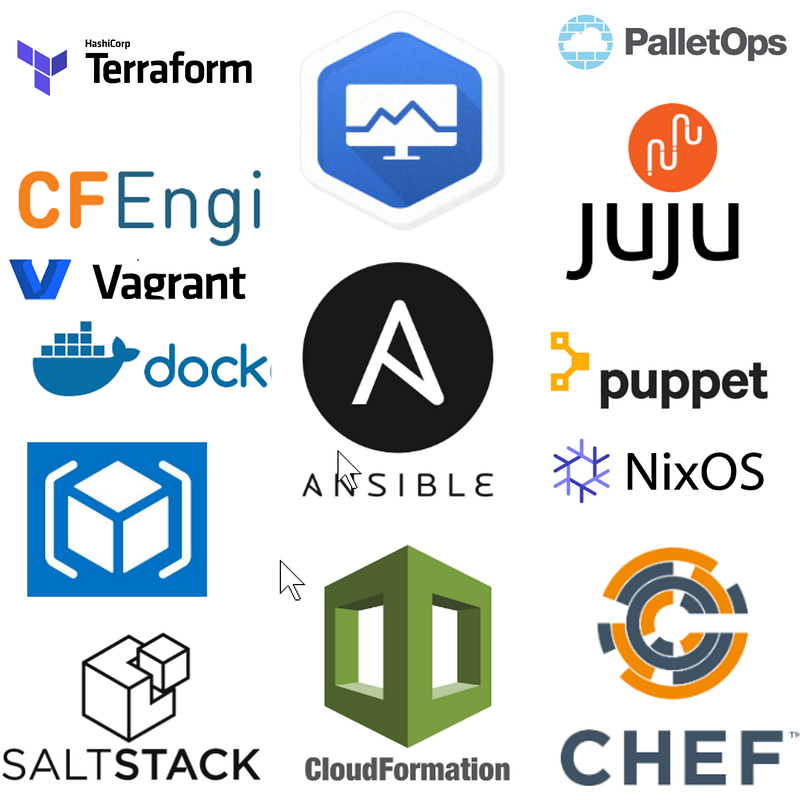
Self made using brand icons

Key advantages of IaC are as:

  • Automated deployments to achieve consistent environments
  • Repeatable process
  • Reusable components

What is Terraform?

Terraform is an open source IaC (Infrastructure as Code) based tool developed by HashiCorp. Its written in a statically typed compiled programming language known as “GO”.

Terraform uses IaC concepts to automate provisioning of Cloud Infrastructure.

Terraform Components

  1. Terraform Executable

Terraform executable is a standalone library which is enough to execute all commands. Installation is straightforward with no need of extra DLLs. It can be installed on all major OS.

2. Terraform Configuration files

Its the most important component of a Terraform project. Configuration files contains the code which is primarily responsible to provision resources on Cloud. The config files have an extension of “.tf”.

3. Terraform Providers

A provider is responsible for exposing and provisioning resources of a Cloud platform. For example ‘Microsoft Azure’ is a provider for Terraform to get access to Azure platform. A provider calls platform specific APIs (ARM : Azure Resource Manager APIs) to create, read, update and delete cloud resources.

4. Terraform Plugins

Plugins are used to interact with service providers. For example, if Terraform wants to talk to ‘Microsoft Azure’ provider to provision and access Azure resources, its the responsibility of the plugin to establish the communication.

5. State Files

State files are used to store the current state of configuration file. When a configuration file is used to provision resources, the state of the configuration file is saved in the state files. In case an update is requested with an updated configuration file, its compared to the state saved in the state files.

Different parts of Terraform Config file

  1. Variables: To store values to be used in the configuration file
  2. Provider
  3. Data: Information about existing resources in Azure
  4. Resource: Azure resource to be created
  5. Output: Information out of the deployment

Terraform Installation

Click here to download the executable for your OS.

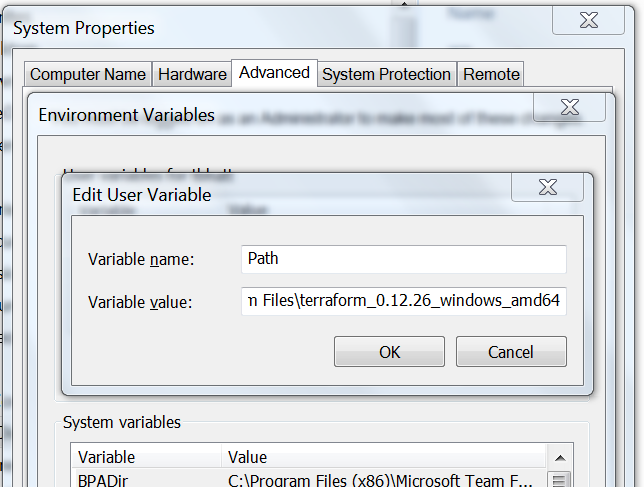
Update the PATH environment variable to point to the Terraform executable
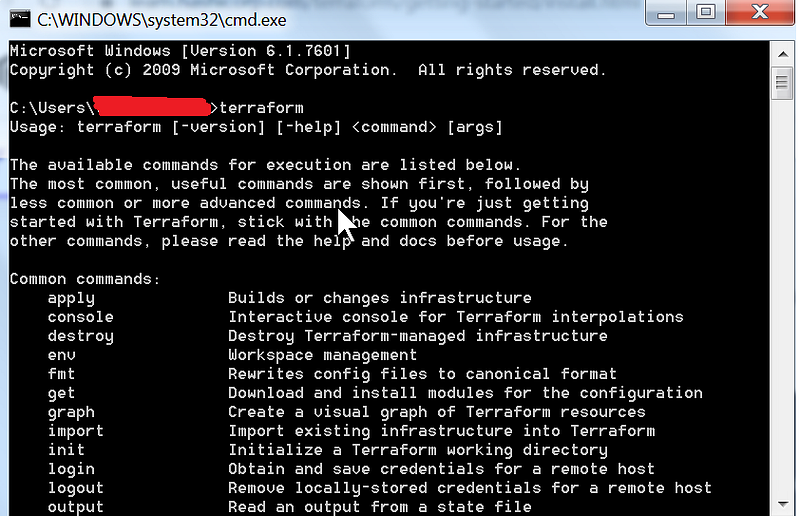
Open command prompt and execute command : Terraform
In the next article, I will go through a simple DEMO to create a new resource group in Azure.

Regards Tarun

P.S — Medium is an excellent platform to read, write and learn from fellow authors. If you want to join me in this journey, Join medium today.

References:

Overview

Installation

Getting Started

Terraform
Infrastructure As Code
DevOps
Azure
Recommended from ReadMedium