Say Goodbye to Chrome: Microsoft Edge’s AI Features Will Blow Your Mind!
The future of web browsing is here — and it’s named Microsoft Edge!

Whatever you are or what you do, using web browsers for daily online activity is critical, and most people rely on Google Chrome for their browsing requirements. For sure, Brave and DuckDuckGo have emerged as alternatives, although their user bases are far smaller than Chrome.
However, a new competitor has emerged, and it is none other than Microsoft Edge(it has been there for a while, but thanks to AI capabilities, it is rapidly expanding its user base.).
What distinguishes it from its competitors is the use of AI capabilities to increase user productivity, and here is where things get intriguing.
One of the most impressive features of the new Microsoft Edge is its ChatGPT-like functionality. This means that users can interact with the browser using natural language, making the browsing experience more intuitive and seamless.
Whether you’re asking questions about a website, composing messages, or improving the quality of videos, Edge’s AI-powered capabilities have got you covered. And the best part? It’s all done with ease and in a conversational manner.
If you’re intrigued by this innovation and want to give it a try, download the Microsoft Edge app. After installing the Edge, you will see an icon in the upper right corner.
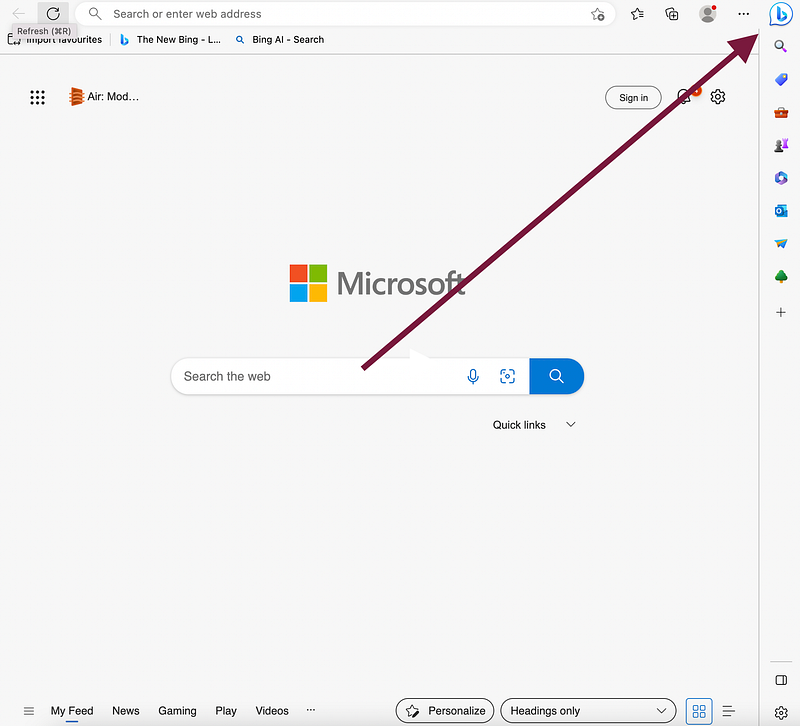
You have to click that icon, and you will be presented with three tabs: Chat, Compose, and Insights.
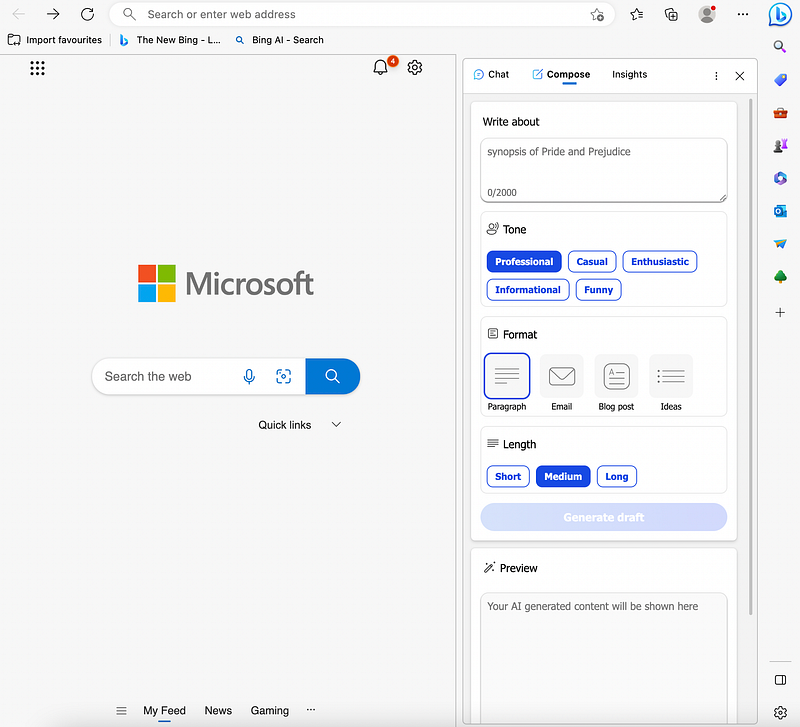
Want to know more about it? Continue reading.
Understanding Concepts Made Easy: How Microsoft Edge’s AI Chat Makes Learning Effortless
As a programmer or content writer, I normally read 20–30 posts, which is time-consuming and annoying.
Sometimes, the creator tries to explain complicated concepts, leaving me with little to no understanding of the topic at hand. However, with the integration of AI capabilities in Microsoft Edge, understanding complex ideas has become a breeze.
With the click of a button, I can comprehend complex concepts within seconds.
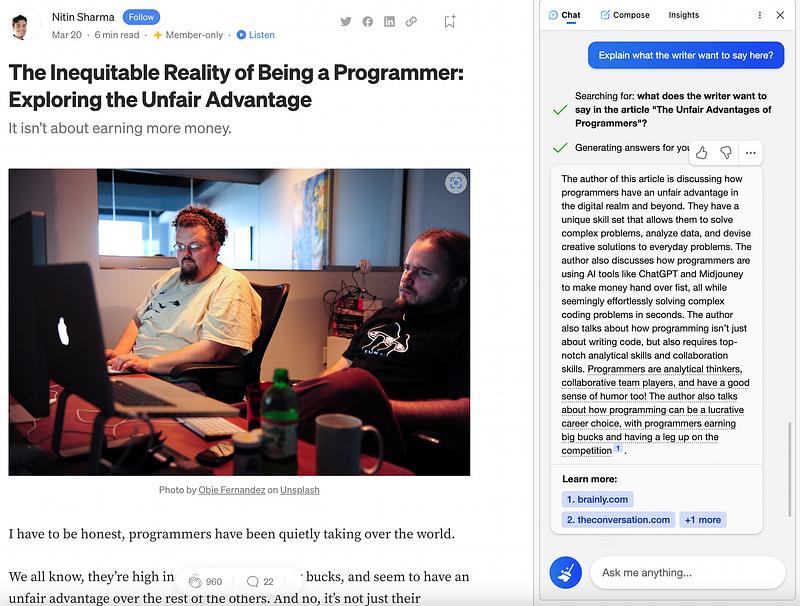
As seen in the image above, I used Microsoft Edge’s AI Chat capability to know the writer’s point of view in a few sentences. This feature has been a game-changer for me, saving me valuable time that I can now devote to more critical tasks.
Let me take another example(a complex one).
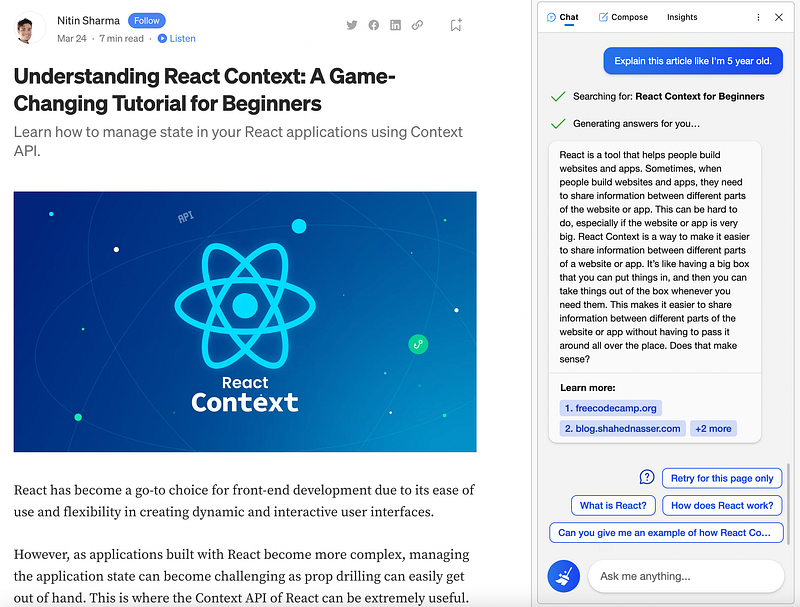
Let’s assume that I want to learn about React Context as a beginner. And that’s where, I can use Microsoft Edge’s Chat feature to ask for an explanation of the topic in simple terms, just like I was a 5-year-old.
This AI-driven Chat feature will provide me with an easy-to-understand response that I could never have gotten from a traditional blog post or tutorial. Because of the integration of AI capabilities within Microsoft Edge, learning has become more efficient and accessible than ever before.
Regardless of whether you are a developer or not, you can utilize this technology to quickly and effortlessly learn anything like a pro.
Compose: For Next Level Productivity
Have you ever had trouble coming up with ideas or an outline?
It might be difficult for a writer to come up with fresh and valid topics for a blog post. While reading relevant blog articles might assist, there is another tool you can utilize to improve your research: the Microsoft Edge Compose tab.
You may get ideas and insights from an AI-powered assistant by putting your topic or query into the Compose tab.
For example, if you’re stuck developing an outline for an article on “effective time management,” you may ask the AI assistant for key point recommendations.
In a couple of seconds, the assistant can provide relevant information and suggestions, allowing you to do more productive and efficient research.
This tool not only saves you time and effort but also helps to improve the quality of your content. The Compose tab provides access to a plethora of information that can help you improve your writing and get a competitive advantage in the content production field.
For instance, I want to create a post as shown below, and that’s where I asked this assistant to provide details.
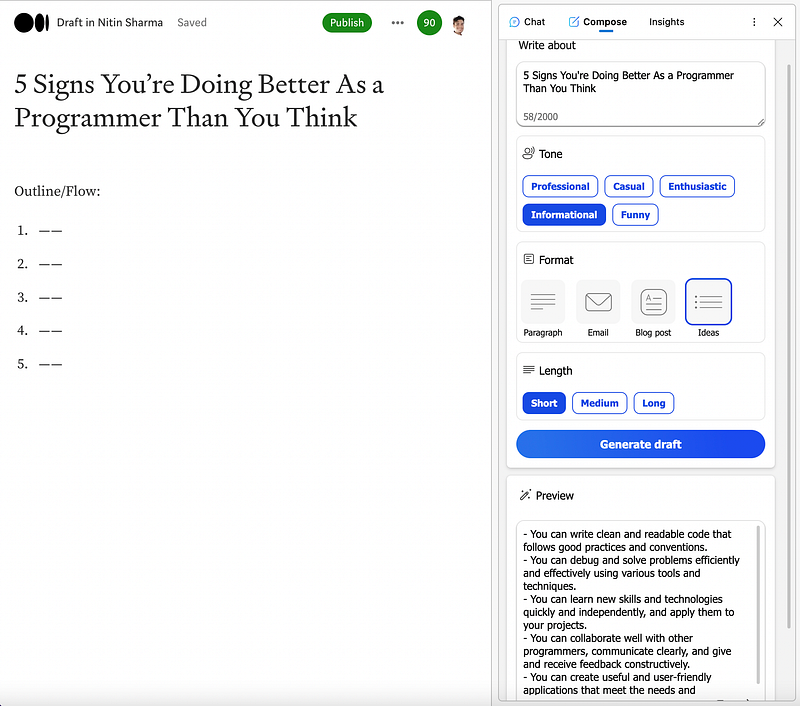
And as you can see, it literally comes up with good points(in the bottom right).
In short, the Compose tab in Microsoft Edge is an effective tool that may assist authors in quickly and effectively generating strong points and researching ideas. It may certainly be useful for a variety of activities depending on what you do, such as generating emails, blog posts, and so on.
Insights: Get the Website Info
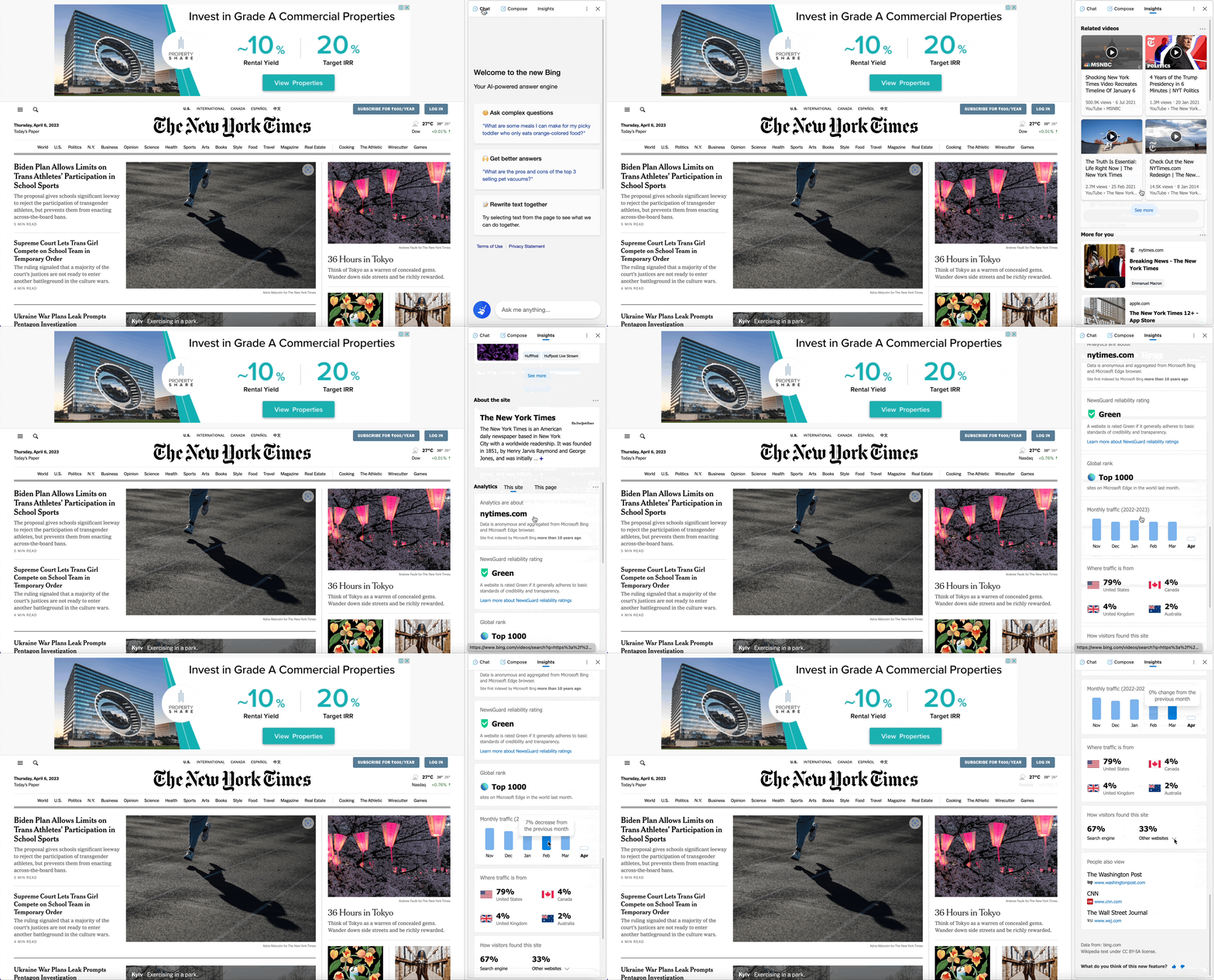
Visit any website and open the “Insights” tab and it provides a rapid and detailed summary of a website’s reliability rating, global rank, and monthly traffic.
This feature can help users in a variety of ways by providing them with valuable information that can be used to become better at their work. As a Medium writer, for example, I can utilize this tool to acquire useful insights about where my viewers are coming from.
With this information, I may write articles that are tailored to their interests and preferences. This not only boosts my audience but also aids in the establishment of my authority inside specialized sectors.
Similarly, it can be helpful to you as well based on what you do.
No doubt, in today’s digital age, having access to such insights can make all the difference between success and failure.
Image Creator: Generate the Image You Want
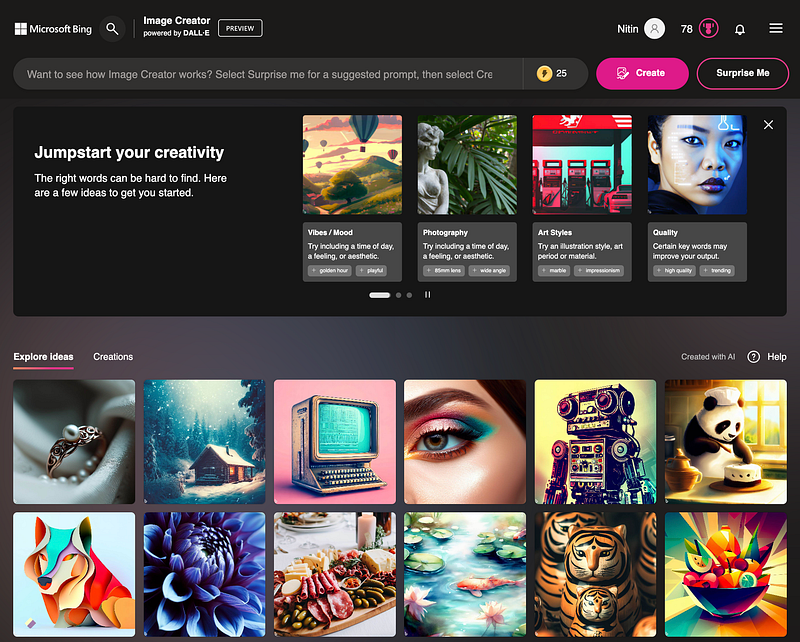
The introduction of powerful AI technologies such as Midjourney and Lexica has dramatically changed how we approach image production.
These technologies can accept human input and generate amazing visuals that are extraordinary, detailed, and frequently generated within seconds. You can, however, generate the specific images using Microsoft Edge as well.
Simply go to this URL and type in whatever you wish. It should be noted that the image quality produced is far superior and up to par.
For example, I wrote “A dream home near mountains and rivers”. And these are the images that it generated. You may certainly examine each image and utilize it as you see fit.
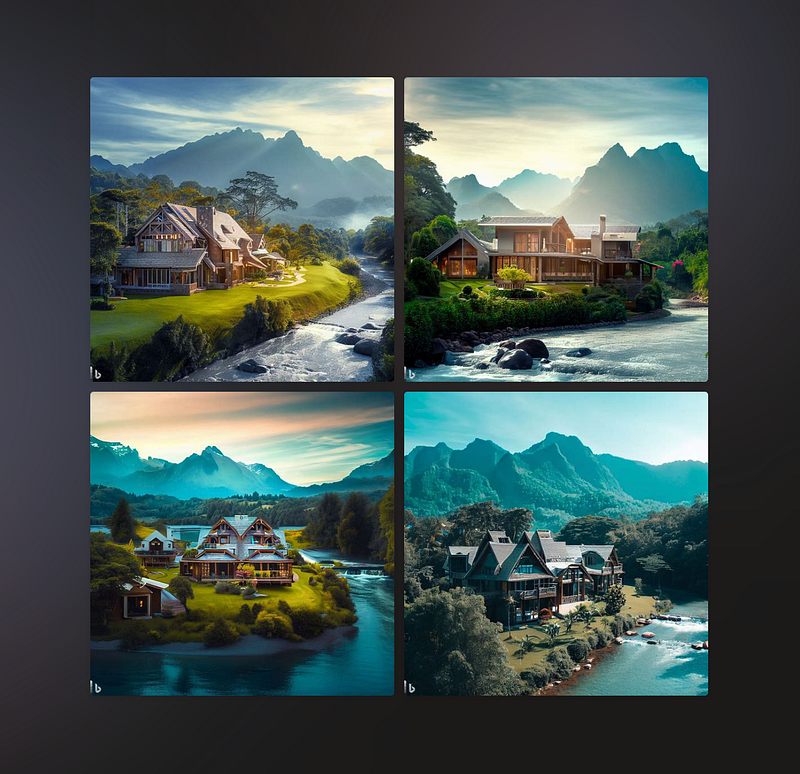
For sure, you can look at each image, and use it wherever you want.

Insane, right?
The possibilities are nearly limitless with this. These images might be used for presentations, marketing stuff, social media posts, or simply to satisfy your own creative urges.
And it’s simple to see why so many people are enthusiastic about the possibility of AI-generated images because the entire process is so quick and straightforward.
Hope you like it.
That’s it — thanks.
Consider becoming a Medium member if you appreciate reading stories like this and want to help me as a writer. It costs $5 per month and gives you unlimited access to Medium content. I’ll get a little commission if you sign up via my link.