
Better than M1 iPad Pro?!! Samsung Galaxy Tab S8 Ultra
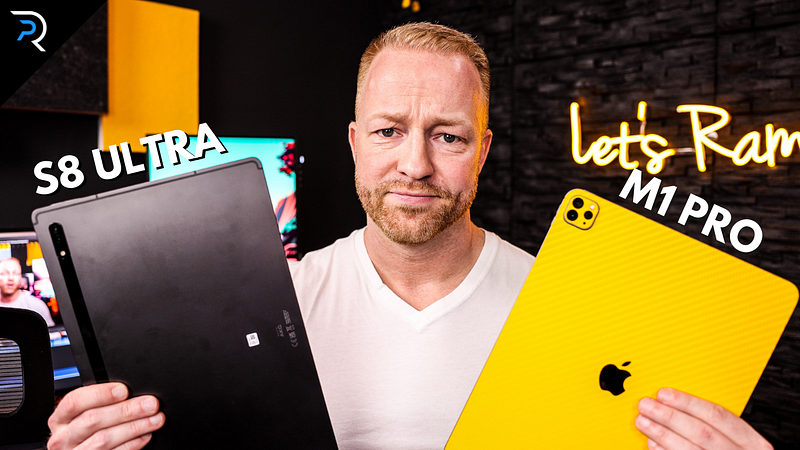
A little while ago, the Samsung Galaxy Tab S8 Ultra came out and, being a tech YouTuber, I immediately picked one up for review. Especially since the iPad Pro has historically played an important part on my YouTube channel and Samsung’s newest flagship tablet might just be powerful enough to become the only “iPad Killer” on the market. The question of course is whether it lives up to the hype and whether it is in fact the iPad killer I’ve had some time to test both devices against each other and here’s my thoughts!
Disclaimer
Alright so before we get into this, I want to clarify a few things: yes, I am an Apple user, I use an iPhone 13 Pro, A 14 inch Macbook Pro with the M1 Max chip, I love my iPad mini 6, and of course my M1 iPad Pro, which is the iPad we will be pitting against the Samsung today. Heck, I even wear and Apple Watch. But would I consider myself an Apple fanboy? Absolutely not, I come from many years of Android usage, I will use whatever works best for me at a given time, I am a lover of tech not, a lover of brands. If you want to know why I ended up switching everything to Apple, there’s a little story time in my S8 Ultra Unboxing video.
Anyway, I can confidently say that I went into this test without much bias and fully open to accepting whatever outcome I would find. Now, with that said, let’s dive in. We’re going to have a look at the design, the speakers, talk about this notch!, the cameras, we will test the processing power, compare the displays, of course we’re going to take a look at the S-pen and the Apple Pencil, Check out the keyboard cases on both devices, We’ll talk about apps, battery life, price, of course we will try to come to a clear conclusion of which is the better tablet, or rather which one is better for you
Design
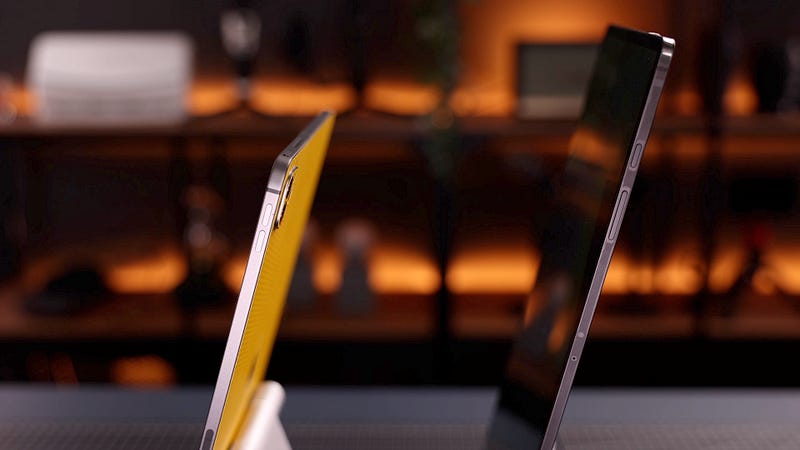
Starting off with the design, there are some obvious differences, and the first thing I noticed is how thin this Samsung tablet really is. It is hard to imagine all of this tech crammed into a super flat body like this. It is also significantly taller than the iPad Pro, and because it is so thin and so tall, it appears to be very light but it is in fact a little bit heavier than the M1 iPad Pro. The iPad Pro is a little bit wider but the Samsung is a lot taller. The dimensions of the iPad Pro are pretty similar to an A4 sheet of paper which makes it feel quite natural to read documents in portrait mode, whereas the dimensions of the Samsung, make it feel a little awkward to use in portrait orientation and it does feel much more like it was meant to be used in landscape mode, and we will talk more about that later on.
Another thing I noticed straight away is that the bezels on the Samsung are much thinner, and that does look very sleek but it also means there is less room to place your hands and your thumbs, and it is more prone to accidental taps, and that indicates to me that this tablet might be geared more towards desktop use, rather than using it primarily as a handheld tablet. Looking at the sides of each tablet, both tablets have a power button, volume rockers, they both have four speakers — which we have tested, more on that later, but the iPad has 5 microphones and the Samsung has 3. They both have a tray, although the one on the M1 iPad Pro is for a sim card and the one on the ULTRA, since mine is the wifi only version, is for a micro SD card, which is one of the advantages of this tablet because it actually lets you expand the internal storage.
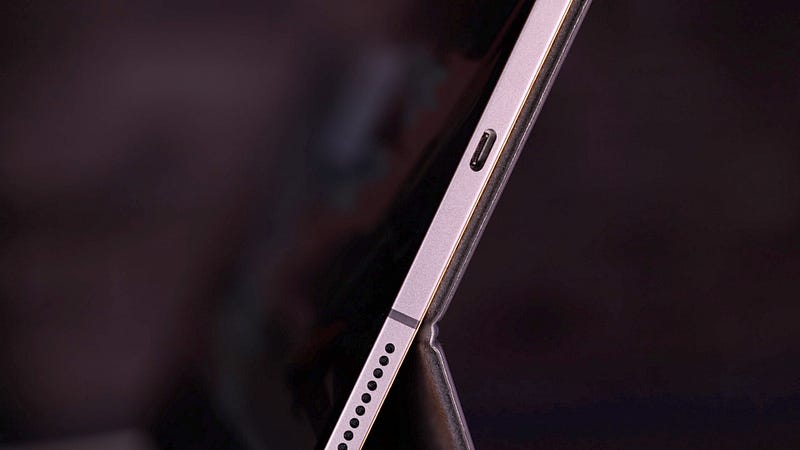
Now of course micro SD card speeds are nothing compared to the speed of the internal SSD, which means this expandable storage is meant for documents and files and not for things like apps (yes, you can place some apps on the external SD but don’t expect to run games or heavy apps from it). Nevertheless it’s a nice option to have and one that Apple doesn’t offer, because they just LOVE selling us their very expensive internal storage. Both tablets have a USB C port although the Samsung’s port is USB C 3.2 whereas the iPad Pro is rocking a Thunderbolt port, which allows for faster transfer speeds. Now, this probably won’t matter a great deal to most people but for things like photo and video editing, the faster transfer speeds on the iPad Pro are certainly a welcome feature.
Speakers
there has been a lot of debate on the internet about which tablet has the better speakers. In my opinion there is one clear winner, but I do find that with audio this often tends to be a matter of taste and preferences. Obviously we can’t test the audio in this article, but I did test it in my review video, in case you want to hear them both at work. If you do decide to give it a listen, please let me know in the comments section which system you prefer. To me personally, the iPad sounds fuller and richer, but again, that is down to personal preference and both systems provide stellar audio, considering there are tiny speakers in a tablet.
That notch though!
We will talk about the mics on both tablets during our camera comparison. But first let’s talk about this notch! Yeah the Samsung has a NOTCH and if you remember the commercials where Samsung ridiculed Apple for having a notch, you understand why this is funny. Anyway, I just told you I am Apple user, my iPhone has a notch and now even my Macbook Pro has a notch, so I would be a little bit of a hypocrite if I were to act like this notch bothers me, and to be quite honest with you — it doesn’t. After a few minutes I don’t even notice it’s there. And of course the notch has a purpose, because it houses not one but two cameras and it supports face-unlock. Now, face-unlock in my experience has been hit or miss, enough to make it annoying to use, so I actually prefer the finger print scanner on the Samsung which works without fail. Face ID on the M1 iPad Pro however, works just fine pretty much every time.
Having said that, the dual camera setup in the notch is nice to have and, in my opinion, the front facing camera looks better than the one on the iPad Pro, and even though the iPad has more mics, I have to say that I think the Samsung sounds better too. The image seems crisper to me and the audio sounds fuller. Again, a little difficult to show in an article, but feel free to check out the video review for that comparison. Now, does that mean the Samsung is better for video calls. Well, we know that Apple introduced centre stage where the camera keeps you in the center at all times, and because it is cropped in, it can emulate pan and tilt motions. The Samsung has something similar but it’s not as smooth. Still, i Much prefer doing video calls on the Samsung for one main reason and that is the positioning of the camera.
Samsung seems to understand how most of us use our tablets when we do video calls, whereas Apple for some reason stubbornly keeps placing the camera on the top op the iPad, which means when you’re using it in landscape mode, you get this weird side angle, even with center stage, which makes it look like you’re looking off to the side and I find that quite disengaging. I really hope Apple changes that in the near future.
Cameras
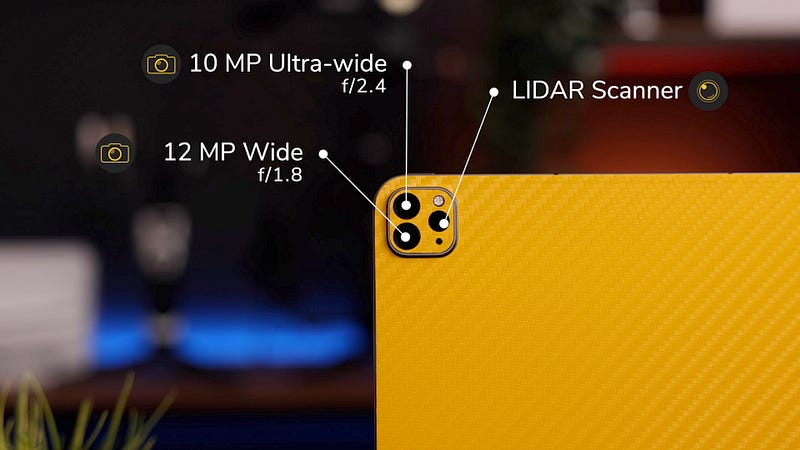
Now let’s talk about these rear cameras for a bit, the iPad Pro has an f/1.8, 12MP Wide, and f/2.4 10MP Ultra Wide camera, plus a LiDAR scanner. The Samsung has an f/2.0, 13MP wide camera but only a 6MP ultra wide, which shoots at f2.2 aperture. Both can record in 4K and let’s just agree that the quality is alright. The cameras on your phone are probably better and personally I don’t care about the rear facing cameras on my tablets, I only really use them for things like scanning documents. I am not sure why anyone would use these cameras to film or take photos, you really don’t want to be holding this massive tablet up in public, you’re not that guy. The LIDAR scanner is a different story, I do see the value of it for certain applications and professions and I think it has massive potential for the future.
Horsepower
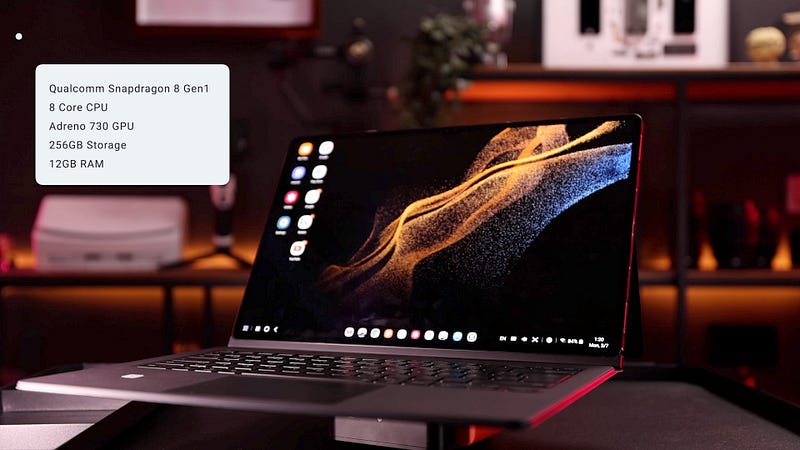
Let’s talk about specs really quick, I don’t like spending a lot of time on specs, you can read the box yourself, but I know some of you are interested and for the sake of being complete, let’s just quickly go over them. The iPad Pro has the M1 Chip, my iPad is the 1TB storage version, which comes with 16GB of RAM. It has an 8 core CPU, 8 Core GPU, and a 16 Core Neural Engine. The Samsung Tab s8 Ultra has a Qualcomm Snapdragon 8 (Gen one) processor. The 8 Core CPU is paired with the Adreno 730 GPU. The version I’ve tested is the 265GB storage version which comes with 12GB of RAM. These tablets were quite hard to come by when I ordered, so unfortunately I couldn’t get a hold of the 16GB version that comes with 512GB of storage, which is something to keep in mind when we look at the benchmarks.
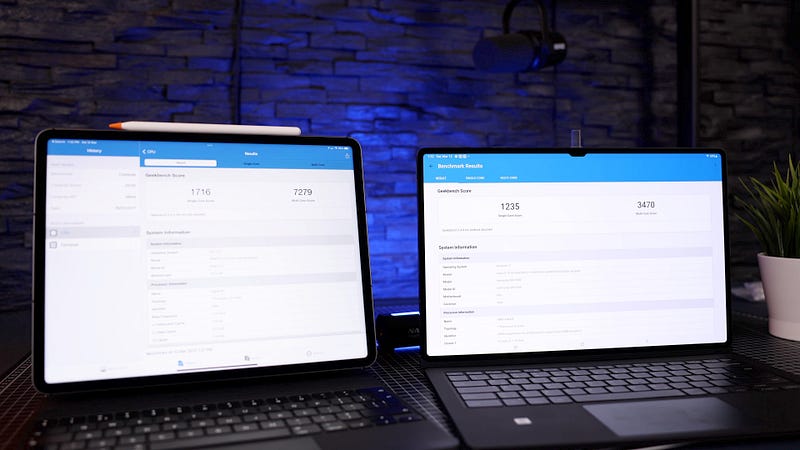
I ran those Geekbench tests for you geeks, and these are quite interesting. The M1 iPad Pro smashes it out of the park in the CPU test, both the single core and the multicore performance. The GPU test, same story, iPad absolutely obliterates the Samsung. Having said that, I don’t get overly excited about benchmarks, it’s the real world performance that counts. One thing I do care about though is read and write speeds on the internal SSDs. I am a creator and I do work with large files so this actually matters to me. And again, the M1 iPad steamrolls the Samsung in terms of both read and write speeds. Again, maybe not super important to a lot of users, but if you are a creative or you work with massive files, this is definitely something to consider.
Display
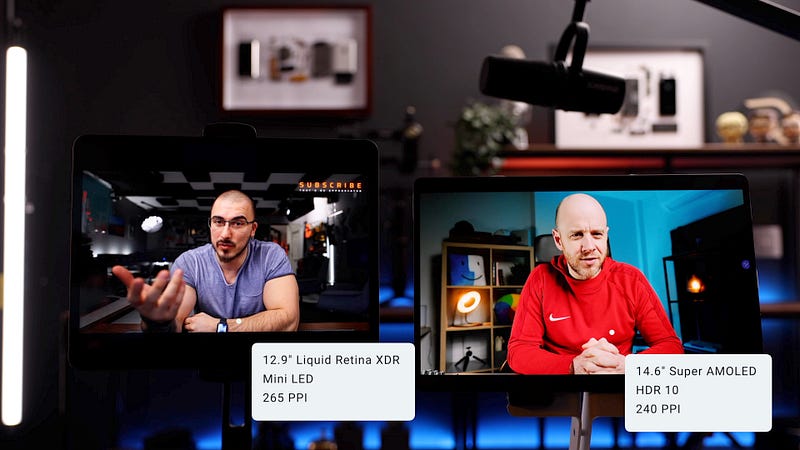
Moving on to the more interesting stuff and that is the display. Let’s start off by saying that both these devices have phenomenal displays, ok? We already know that the M1 iPad Pro has that ultra bright, ultra crisp, liquid retina XDR display, but we also know that Samsung is known for creating killer displays and this one is no exception and dare I even say the best display I have ever seen on an Android tablet. Still, there are differences, so let’s talk about those for a minute. The Samsung has a 14.6 inch SUPER AMOLED display with HDR10, and a pixel density of 240 ppi, whereas the iPad has a 12,9 inch Liquid retina XDR Mini LED display and a pixel density of 265 ppi, which is a little higher than the Samsung but I doubt it makes a big difference in real life.
Now there’s a lot of debate about what’s better, AMOLED or MINI LED. I don’t think it is that easy, I mean AMOLED has much better contrast and better blacks and it’s generally a bit snappier. But on the flipside, it’s not as bright and mini LED will give you great HDR. And speaking of brightness, that is probably one of the bigger drawbacks of this tablet because the Ultra has ONLY 500 nits of peak brightness, which is about the same as the iPad Mini and that’s not very bright, so that might be an issue when you’re using this tablet outside. Just for the sake of comparison, the M1 iPad Pro has 600 nits of typical brightness, 1000 nits of max full screen brightness, and it can go as high as 1600 NITS in HDR mode, and of course that is a pretty significant difference.
The display is 120hz which is very nice and it looks absolutely stunning and very snappy on the SUPER AMOLED display. You can bring it down to 60 to save some battery I guess. And that is again one of the advantages of the M1 iPad Pro which has that pro-motion display which means it can adapt the refresh rate according to the way you’re using your tablet. So when you’re just reading some text, it will be super low and then it will jump to 120HZ for those visually demanding tasks. There is an option on the Samsung where you can use Bixby routines to set the refresh rates on certain apps, but that’s a rather tedious workaround and it still only lets you chose between 120 and 60HZ. Anyway, both displays are superb and at this level of quality, all of this seems like nitpicking.
I do actually prefer the Samsung’s display for two things: media consumption and multi tasking. As awkward as the display dimensions on the Samsung might feel in portrait mode, they are perfect for viewing content in Landscape mode. Unlike the iPad, where widescreen content will result in big black bars, that same content on the Samsung will almost fill the screen entirely, which looks absolutely amazing.
Multitasking
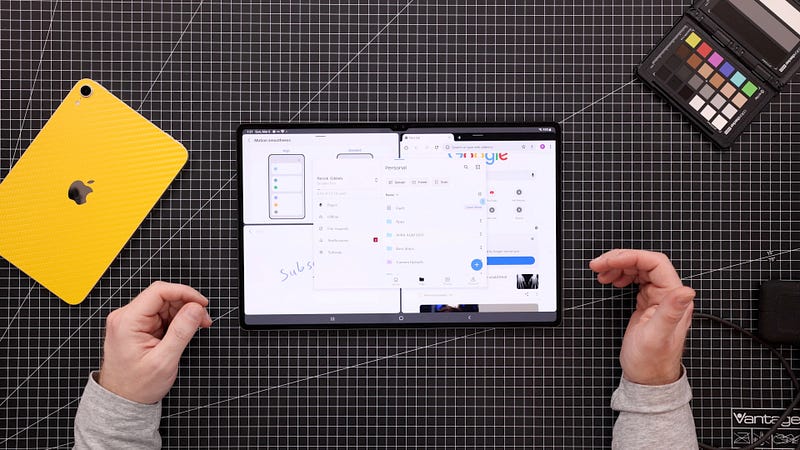
The second advantage of the bigger and wider screen is multitasking. Now, my preference here might have something to do with the fact that I use an LG Ultrawide as my main computer monitor, but there is just something to multitasking on a wider screen. And I would definitely give the win to Samsung here. Whilst multitasking on the iPad did come a long way and works pretty well, the Samsung offers a lot more flexibility AND more windows. You can have three separate multitasking windows open and still add a popup window on top, you can resize them however you want, it’s just overall more flexible. The last thing I will say about the screen is that both can be used as external monitors, the iPad has Sidecar and the Samsung has a similar feature called Secondscreen, unfortunately I couldn’t test that for you because it only works on Windows computers and I own exactly zero PCs.
S Pen vs Apple Pencil
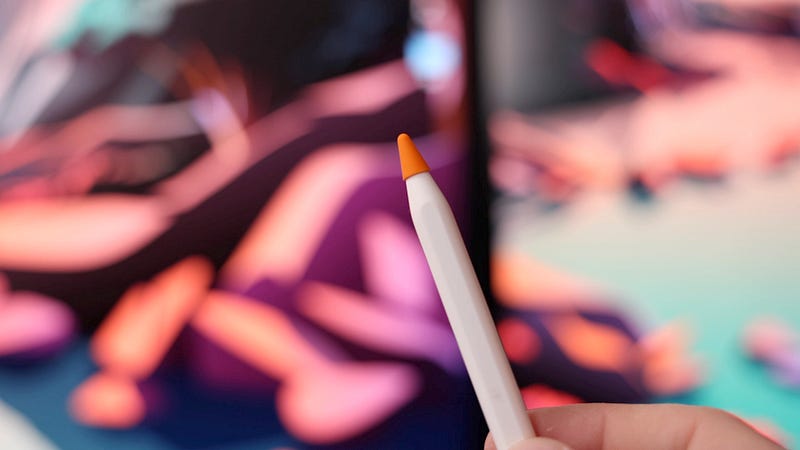
let’s quickly talk about the S-pen vs the Apple Pencil, before we move on to using the tablets with their keyboard cases, because that is where the real differences become visible. So in my unboxing video, I told you guys that after switching to Apple, the one thing I missed the most about Android tablets is the S-pen. I love using my tablets to take handwritten notes but I hate the way the Apple Pencil feels on the glass surface of the iPad, which means I have to use a Paperlike and usually also one of these Pentips to create some friction to improve my handwriting.
The tip on the S-pen is a lot softer, which makes writing on the glass so much easier. Another thing I like about the S pen that it comes with the tablet, whereas you have to pay extra for the Apple Pencil, which is a very Apple thing to do. On all other fronts however, I prefer the Apple Pencil. Weight distribution is better, pairing snappier, you can use it between iPads instantly, and the charging position makes much more sense to me. I don’t like where Samsung has us put the S-pen (on the back of the tablet), it’s in the way when I want to lay it flat, it gets knocked off easily, it’s just not practical. I know you can attach it to the side as well but it won’t charge there. having said that, charging is only needed to operate the button on the S-pen, you can still use it for writing and drawing when the battery is depleted.
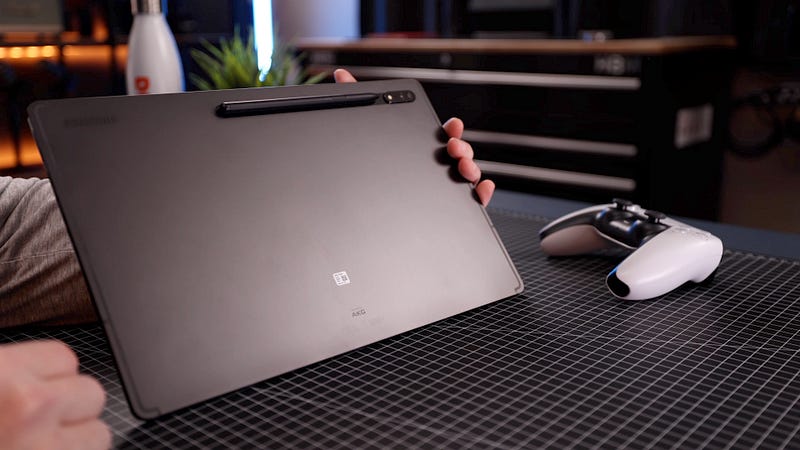
The latency on the S-pen has improved as well, but it only matches the snappiness of the Apple Pencil in some apps like the notes app. In a lot of other apps, it still lags and I wish it would just function at peak performance across all apps. Now, I am not much of an artist and I use my stylus for handwriting so if you are an artist, the soft tip on the S-pen might not work for you at all, I guess it comes down to personal preference.
Apps
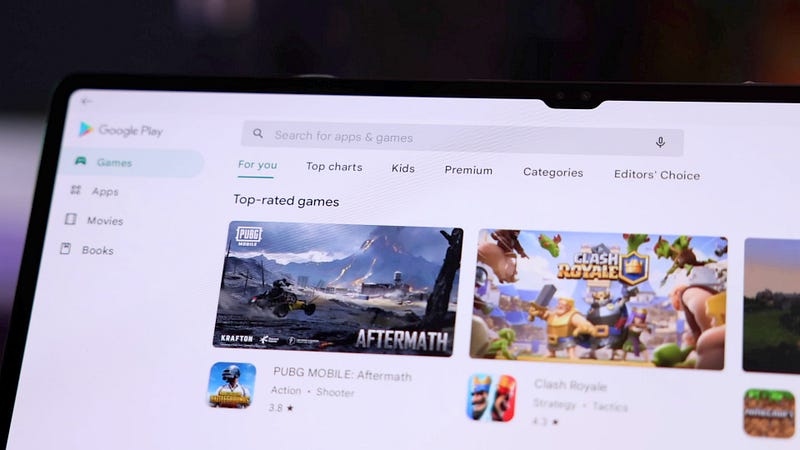
One thing to keep in mind though if you are an artist and you’re thinking about switching from Apple to Android because you like what you see, something that is still an issue with Android devices is the lack of apps. You will not find apps like Procreate, Affinity Photo and many more of the creative apps you’re used to in the Google Play store. Same goes for popular handwriting apps like Good Notes and Notability. The selection of apps in the Play Store is still limited in comparison to the App Store.
However, Samsung has actually been playing a part in improving this and getting more apps over to their devices. In fact, they have been talking to Lumatouch, and Lumafusion, which is by far the best video editing app on the iPad, is coming to the Samsung Galaxy store this year. So yeah, if you are considering making the switch and checking out the Ultra, do keep in mind that some of the things you might have grown accustomed to will not be available. There is no iMessage, no Facetime, no Airdrop.
And whilst there are alternatives to all of these, I have seen people regretting their decisions switching from one platform to another, based on some of the apps and work flows they took for granted but didn’t get on the other platform.
Gaming and battery life
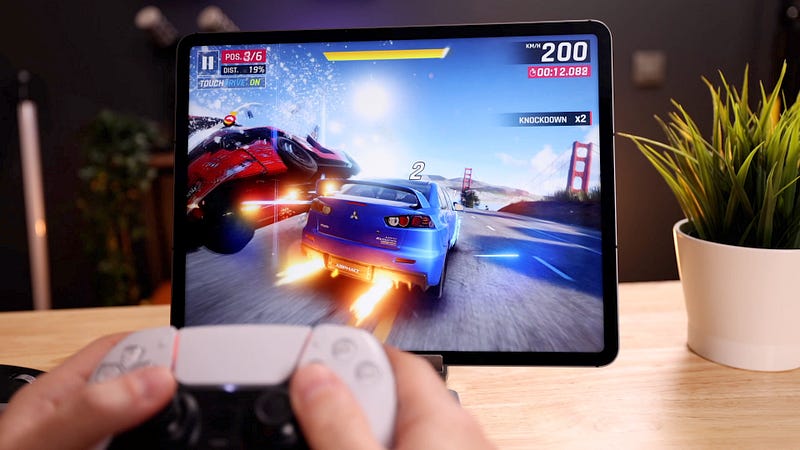
A quick word on Gaming, as you can imagine, games look absolutely stunning on both displays and both tablets seem to handle heavy games without problems. But again, the offer is limited in the Play store. I don’t think either of these tablets are great for handheld gaming, tablets like the iPad Mini are much better suited for this.
These two big boys are definitely on the heavy side and it makes more sense to hook up a controller. On my iPad Pro I have been using the Playstation Five’s Dual Sense controller and that actually seems to be working just fine on the Samsung as well. By the way, the battery life on both these tablets is pretty great, I get through a day of pretty intense usage on both devices just fine.
Keyboard comparison (featuring DEX)
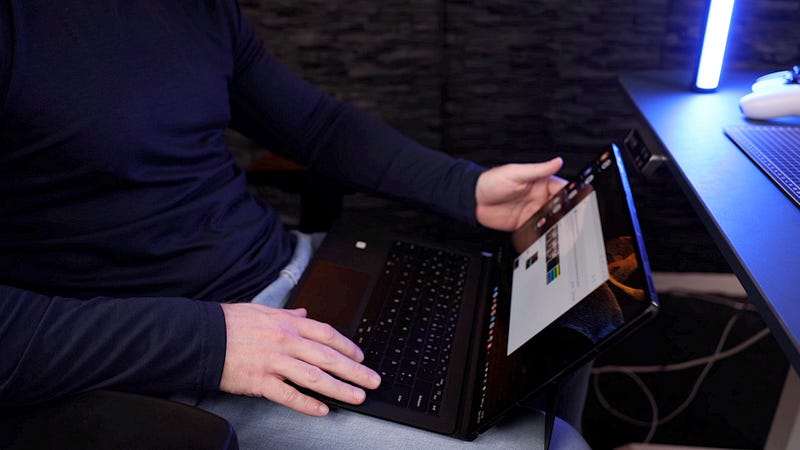
Now, let’s talk about the thing that probably sets these two tablets apart from one another the most and that is using them in their respective Keyboard cases. To me, the iPad Pro is not complete without the Apple Magic Keyboard. In fact, that magic keyboard is what got me excited about iPads again when it came out in 2020, and it has not disappointed. My iPad pretty much lives inside the keyboard case and I use it like that most of the time. Same thing goes for this Samsung Tab S8 which to me is only half a product without the keyboard case. Because unlike the M1 iPad Pro, the Samsung actually comes pretty darn close to being an actual laptop replacement.
As soon as you snap the tablet onto the keyboard case, it switches to DEX mode with its own dedicated UI, which lets you use this tablet as an actual desktop computer, with floating, resize-able windows and everything. Is it as good as an actual PC or a Mac? No but if you compared it to a Chromebook, I’d say you’re pretty accurate. I used to think DEX was just a gimmick but it came a long way and it’s actually very useable right now. Full disclosure, when the Magic Keyboard was announced, I really hoped to see something similar from Apple (remember that commercial: Your next computer is not a computer?) I had the same hopes again, when the M1 iPad Pro and all of its processing power was announced, but both times I ended up disappointed.
Now if we look at the keyboard itself, the Magic Keyboard is a very clear winner for me for a number of reasons. The trackpad on the Samsung keyboard is not instant, it always takes a split second to reconnect after it’s been idle for a bit and that can become quite annoying very quickly. I don’t like that fact that the back comes off. I do like the actual backside itself with the protection for the S-pen and the little kickstand, but I think that should be sold separately, I don’t like it in combination with the keyboard. The angles are very limited, you can’t really use it as an actual laptop, meaning on your lap, you can’t really prop it up in bed to watch videos, you will need a table or a desk to be able to set it down properly and you can’t angle it 90 degrees or it will just fall over.
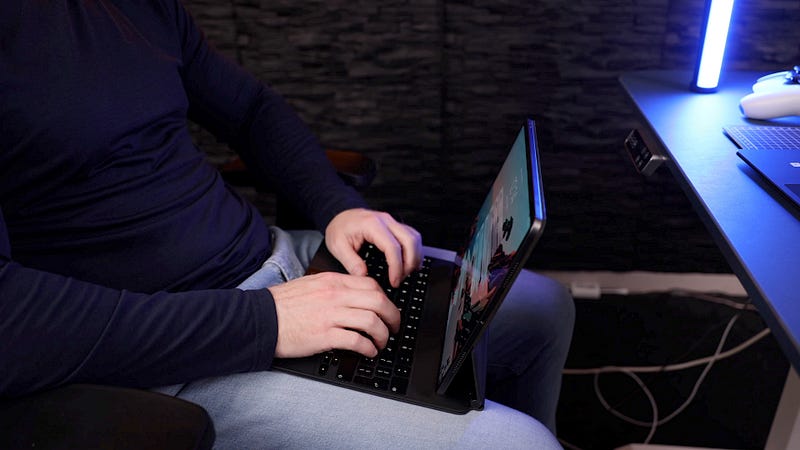
The Magic Keyboard on the other hand stands up perfectly, is well balanced and has all the angles I realistically need. Another big advantage of the Magic keyboard is that it offers pass-through charging, leaving the Thunderbolt port on the actual iPad free to use for other stuff. If you want to charge your Samsung whilst it is in the Keyboard case, you will have to use its one and only port. And you will have that cable dangling off your tablet, unlike the charging port on the bottom side of the Magic Keyboard.
And last but not least, the typing experience on the Magic Keyboard is absolutely superior. The Samsung keyboard feels flimsy and cheap and that is pretty bad, considering they are charging $350 which is the same price as the Magic Keyboard.
Conclusion
Now, what is the conclusion here? I think both tablets are absolutely fantastic and they are unquestionably the best on the market for both operating systems. I believe which one is best for you depends on your needs, your preferences and how deeply you are invested in the respective ecosystems. I will say this: I really believe that this is the first time in a very long time, that the iPad Pro has an actual competitor, and I really hope Apple feels the heat and gets that extra kick in the pants to bring us some true innovation in their next versions of the iPad Pro, or I can see a lot of people jumping ship and trying one of the ever improving, shiny new Samsung tabs.