

S3 Image Optimisation and Compression With the CDK, a Typescript Lambda and Sharp
What I’ll be covering in this article is how to perform image optimisations using sharp in a Typescript node lambda when an image is uploaded to an S3 bucket, and have it placed in another bucket, using the CDK. While I was trying to do this I found some other tutorials using the serverless framework (and other ways), but none using the cdk. I ran into a few things that tripped me up so hopefully I save you a bit of time if you’re trying to do the same thing.
I also wont be showing how to do on the fly image resizing using cloudfront/api gateway/lambda@edge. Its very cool but when I started looking into authenticating Cloudfront, it seemed to be more effort than I was willing to invest. If you’d like to check out how to do it give these a read:
If you’d like to read more about using the CDK in the future, considering giving me a follow.
Setup
To test this out you’ll need an AWS account, Node, and Docker.
If you just want to look at the code, check it out here:
First off, two random things to avoid some errors.
The aws-sdk v3 S3 package is available for use in node and the browser. That matters to us as it makes use of a ReadableStream type which isnt available for use in node. As per this stack overflow answer, we’re able to override it by adding the following code to “@types/dom.ts”:
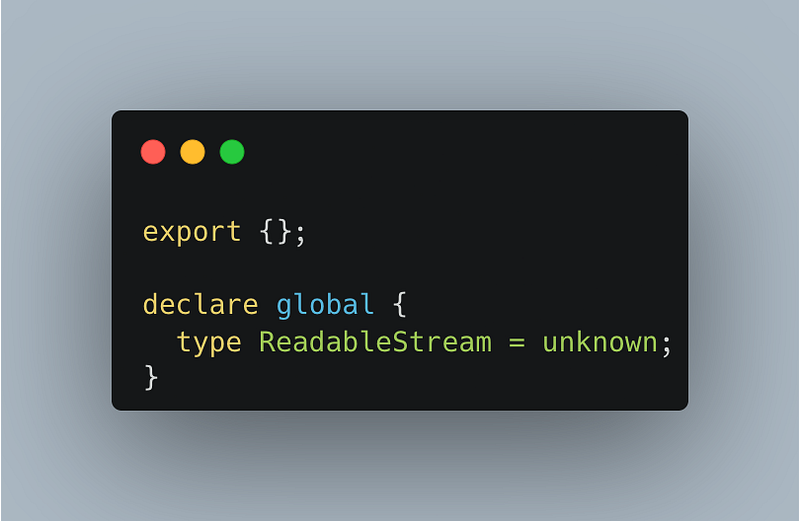
Which will let typescript compile.
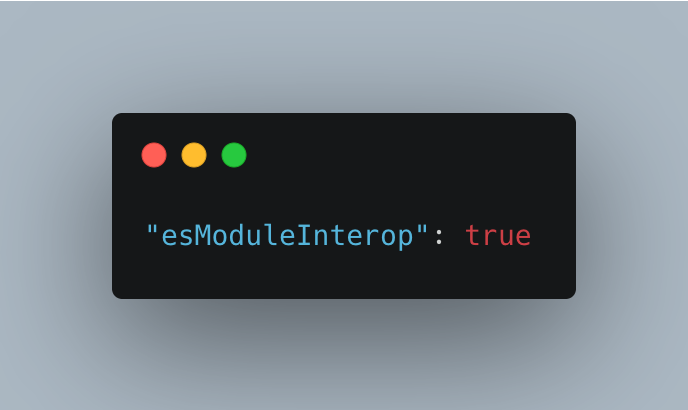
If we try to import sharp using
import sharp from ‘sharp’the “@types/sharp” package isn’t compatible with the cdk generated tsconfig file. Add this to the top level of tsconfig.json to fix that problem:
The Code
Defining the infrastructure:
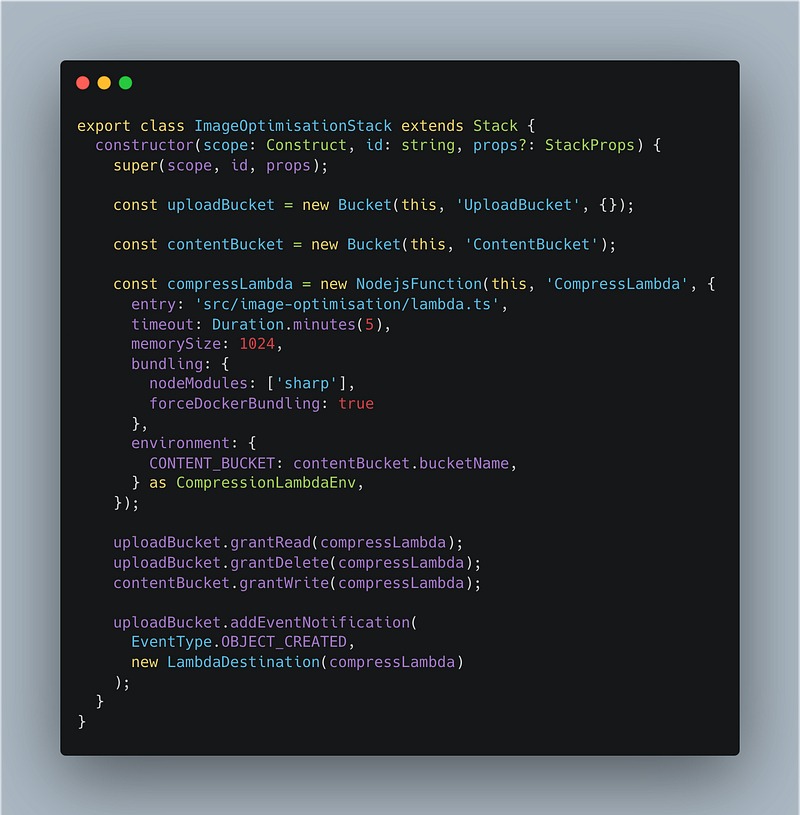
So from the top I’m:
- Defining two S3 Buckets. One for uploading the images, and the other for storing the content for use by users.
- Defining the lambda to run the compression. – Giving the lambda a long time out and more memory since image processing can be memory intensive and take a while. My lambda exceeded memory usage with 128mb when I uploaded a file of about 5mb. – Telling the cdk to bundle the lambda using docker. Sharp is a library that uses C (which is why its so fast). But unlike JS it needs to be compiled for the environment it’s going to run on. So we use docker to compile on an image that is compatible with what the lambda will running on. – Passing the bucket name that we’re going to put the converted image in. We get the name of bucket the original file is uploaded to in the s3 event so theres no need to pass it as an env var.
- Giving the lambda permissions to read and delete from the upload bucket.
- Giving the lambda permissions to write to the content bucket
- Telling the Upload bucket to trigger the compression lambda every-time an object is created.
Thats all the cdk code you’ll need to define to get this working. You may however have noticed CompressionLambdaEnv. One of my favorite things about writing infrastructure and lambdas in Typescript is that you can take the guess work out of what you’re passing in as env variables.
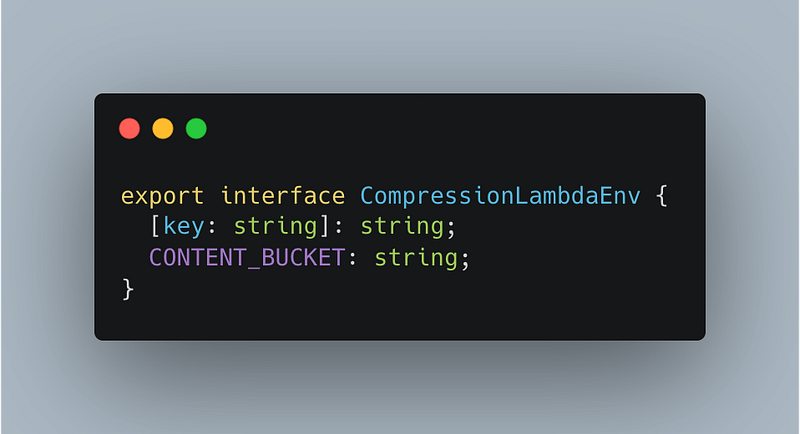
By defining a common interface I can use it when I’m defining the lambda in cdk, as well as to type the environment in the lambda code itself. Much harder to get lazy and mistype the env var name when I can’t be bothered to flick back to where I passed it in.
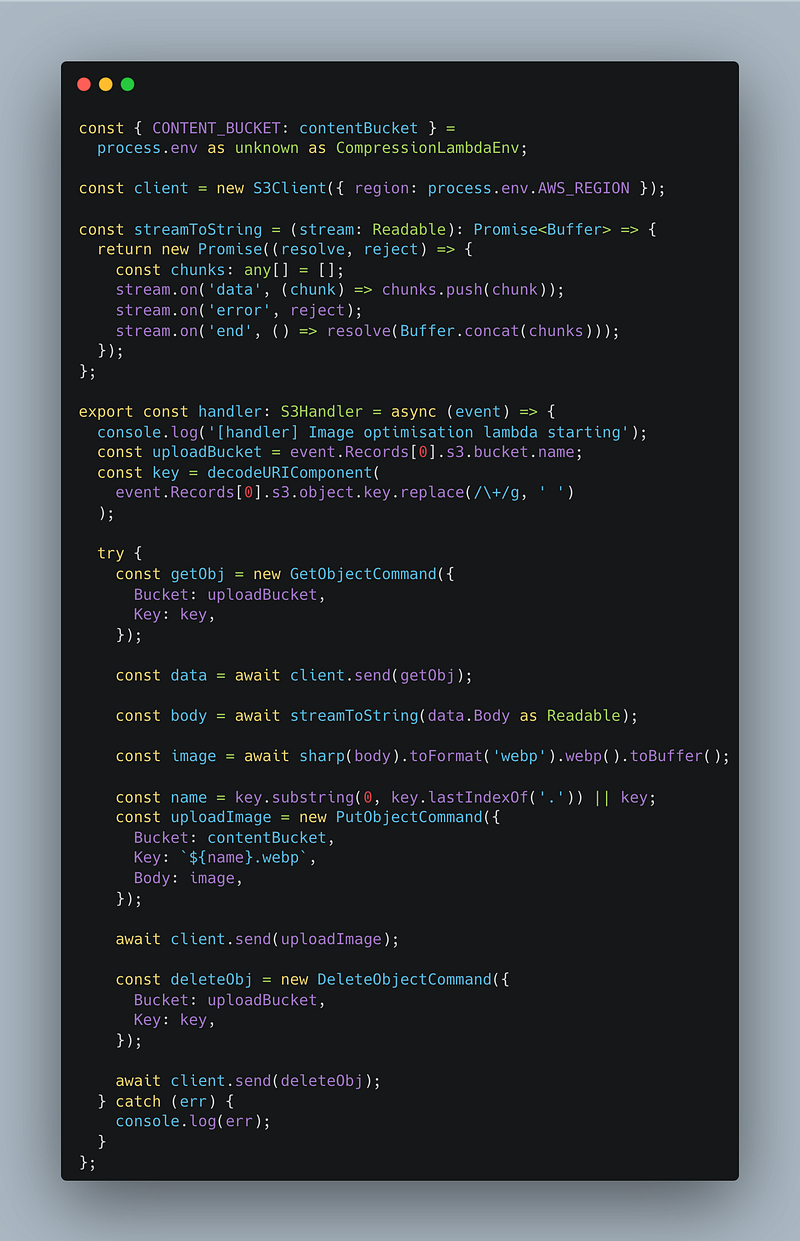
There’s the full lambda (I’ve left out the imports for brevity, have a look at the repo for the full file). Walking through the code:
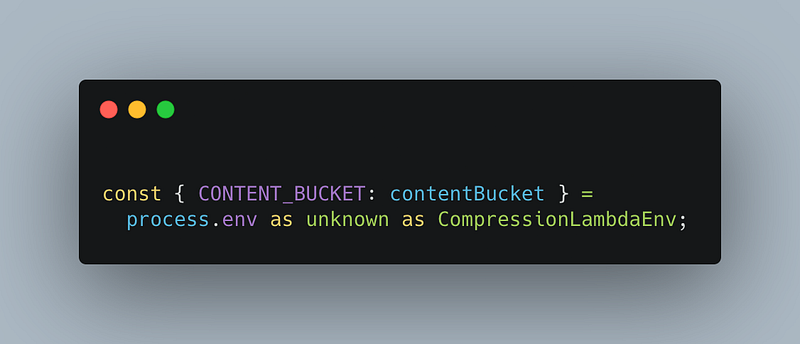
Using the env as I described before. There’s now a single source of truth for the env name.
After that we define the S3 client. Nothing you haven’t seen before.
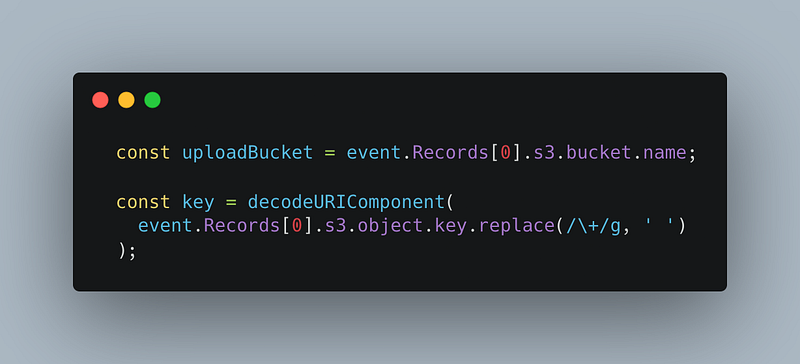
Getting the information about the bucket and object that triggered the event. Don’t ask me what decodeURIComponent is needed for. I just went off this aws tutorial:

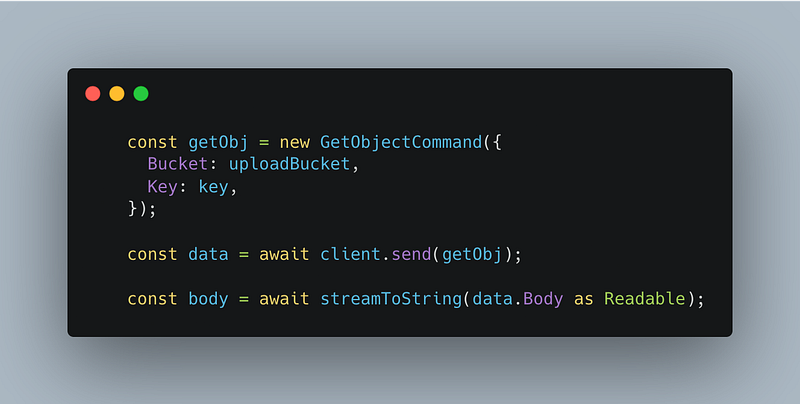
Here we’re getting the object that the event triggered, which will be the image we want to optimize.
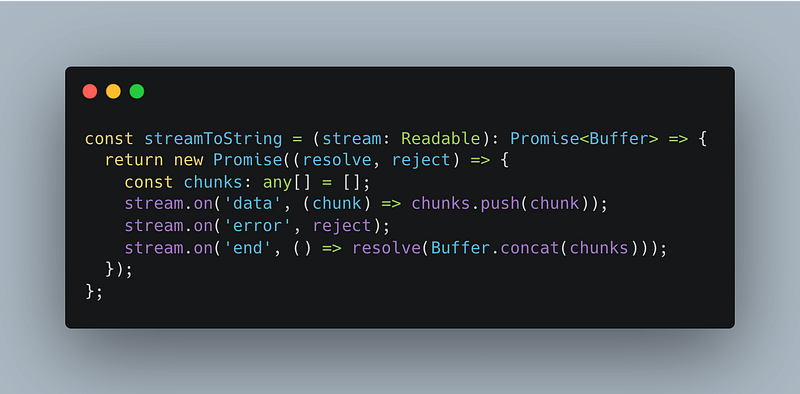
We’re then using a function I ripped straight from a github thread. Thank you MontoyaAndres for posting this. If you’re also interested in reading peoples gripes with the JS aws-sdk v3, that thread it a good place to start.
Essentially we’re turning the data sent from the stream into a Buffer which is the format sharp needs to recieve the image (or one of the options anyways).
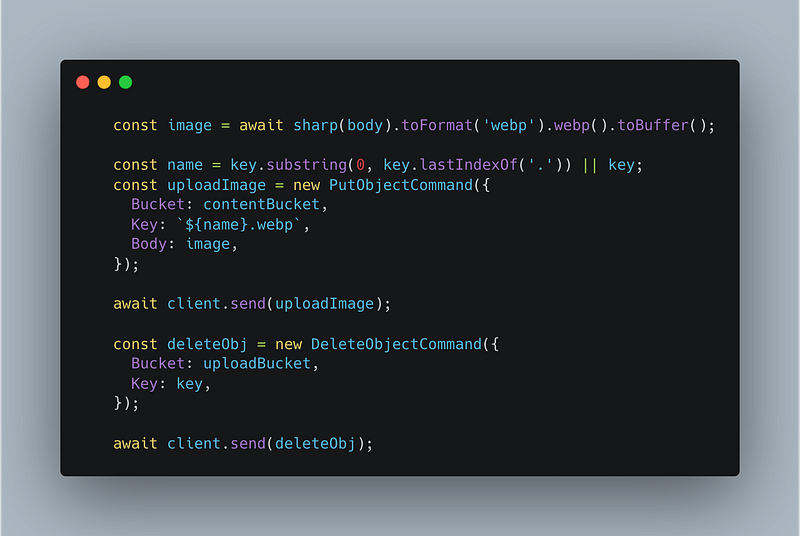
Here I’m:
- Using sharp to convert the image to webp and then make it a buffer as thats what s3 needs. There’s lots more you can do with sharp to optimise and compress but I’ll leave that up to you and your use case.
- Get the name of the file uploaded without the extension as we need to replace the extension with webp.
- Create the put request and upload the converted image to the content bucket.
- Delete the original image from the upload bucket
The reason I don’t use Promise.all with the put and delete operations is that if the put operation fails (and causes the lambda to fail) for some reason, the s3 trigger will try to execute the lamdba two more times. So if the object is deleted from the upload bucket, there’s no way the lambda is going to be able to complete the GetOperation when it’s next retried.
Conclusion
I hope that if you were trying to setup a similar thing that this article helped in some way. Again if this helped you please consider giving me a follow.
As I mentioned at the start of the article. Using cloudfront to cache your images and resize them on the fly will be more performant. However, for my use cases this solution is good enough for me as:
- Images will be consumed entirely on mobile so I don’t have a burning need for dynamic optimisation, as I can change the width to say a max of 600 or something like that
- Authenticating access to the S3 bucket is much easier (and cheaper, with the heavy use of lamdba@edge) than when using cloudfront and the solution I linked at the beginning of the article. Say this code is serving a few million people down the line, I’ll look more heavily into cloudfront option.
If think of anyway this could be improved please let me know. My objective was to share a few tips to help people looking to do this with the cdk avoid headaches in the future, but I’d love to make it more useful.


