
Rust Vectors: A Fun Guide with Examples
A fun but comprehensive guide for Vectors in Rust with metaphors from The Lord of the Rings.
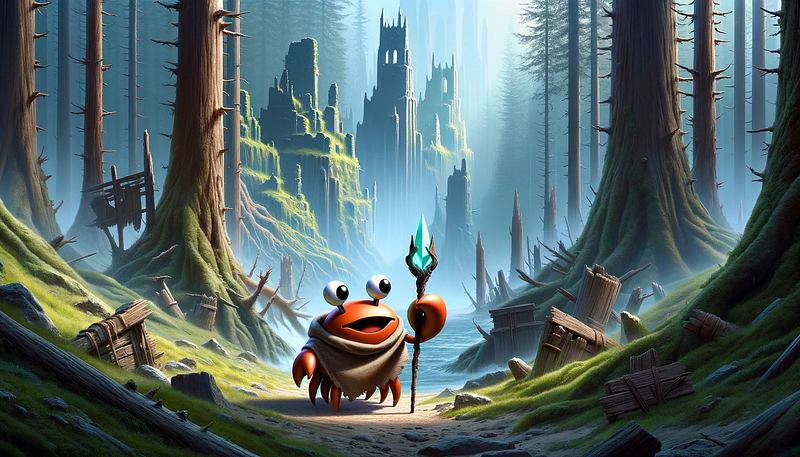
Welcome to the epic world of Rust. I will explain all about Vectors, drawing parallels with The Lord of the Rings to make the journey fun and practical at the same time.
1. The Basics of Vectors
Simply speaking, a vector is a dynamic array that we can resize at will.
Imagine Frodo preparing his backpack for the journey. He needs to store various items in his backpack. If he knew from the beginning how many items will be put in, the backpack could be represented by an array:
fn main() {
    // Creating an array holding 3 string slices
    let frodos_backpack: [&str; 3] = [
      "Lembas Bread",
      "Elven Cloak",
      "Sting - the sword"
    ];

    // Printing the array
    println!("Frodo's Array-Backpack: {:?}", frodos_backpack);
}
But since Frodo actually doesn’t know how many items he will pack along the way, it’s better to have it represented as a vector:
fn main() {
  // Creating an empty Vector
  let mut frodos_backpack = Vec::new();

  // Adding an unknown number of items to the Vector
  frodos_backpack.push("Lembas Bread");
  frodos_backpack.push("Elven Cloak");
  frodos_backpack.push("Sting - the sword");

  println!("Frodo's Vector-Backpack: {:?}", frodos_backpack);
}
Here, Vec::new() creates a new, empty Vector. The push method adds items to Frodo's backpack, just as he would gather supplies for his journey.
Another way of creating vectors is with the vec! macro. It enables us to initialize a vector in just one line. This would do the same as the previous example, just in a much more concise way:
fn main() {
  // Creating a Vector using a macro
  let frodos_backpack = vec!["Lembas Bread", "Elven Cloak", "Sting - the sword"];

  println!("Frodo's Vector-Backpack: {:?}", frodos_backpack);
}
2. Accessing Elements
Just as members of the Fellowship have different roles, elements in a Vector can be accessed and utilized differently.
Frodo needs to consult different members of the Fellowship for advice.
fn main() {
  let fellowship = vec!["Gandalf", "Aragorn", "Legolas", "Gimli"];

  // Accessing elements using indexing
  let wizard = fellowship[3];
  println!("The wizard in the Fellowship is: {}", wizard);

  // Accessing elements using get method for safety
  match fellowship.get(3) {
    Some(member) => println!("The fifth member is: {}", member),
    None => println!("There is no fifth member."),
  }
}
By using fellowship[3], Frodo can access the first element directly. But what if a member with such an index doesn’t exist? We would get an error.
On the other hand, the get method provides a safer way to access elements because it returns None if the index is out of bounds, like seeking a member not present in the Fellowship.
3. Iterating Over Vectors
We can iterate over vectors so that we get access to each element.
Let’s imagine that the Ents decide to march against Saruman and each of them wants to announce it.
fn main() {
  let ents = vec!["Treebeard", "Quickbeam", "Beechbone"];

  // Iterating over the Ents
  for ent in ents.iter() {
    println!("I, {}, am marching to Isengard!", ent);
  }
}
In this code, ents.iter() creates an iterator over the Vector, allowing each Ent to take action, such as announcing their march.
4. Modifying Elements
Just as characters in Middle-Earth grow and change, elements in a Vector can be modified.
The sword Narsil is reforged into Andúril, symbolizing transformation. Similarly, elements in a Vector can be transformed.
fn main() {
  let mut weapons = vec!["Narsil", "Glamdring", "Sting"];

  // Reforging Narsil into Andúril
  weapons[0] = "Andúril";

  println!("The reforged weapons: {:?}", weapons);
}
Here, modifying the first element of the weapons Vector symbolizes the reforging of Narsil into Andúril. Notice that the Vector was initialized as mutable by using let mut.
5. Using Enumerations with Vectors
In Middle-Earth, beings of different races unite for a common cause. Similarly, Rust’s enumerations (the enum type) allow Vectors to store elements of different types.
A council meeting is held with representatives of different races.
enum MiddleEarthBeing {
  Human(String),
  Elf(String),
  Dwarf(String),
  Hobbit(String),
}

fn main() {
  let council_members = vec![
    MiddleEarthBeing::Human("Aragorn".to_string()),
    MiddleEarthBeing::Elf("Legolas".to_string()),
    MiddleEarthBeing::Dwarf("Gimli".to_string()),
    MiddleEarthBeing::Hobbit("Frodo".to_string()),
  ];

  // Discussing the plan to defeat Sauron
  for member in council_members {
    match member {
      MiddleEarthBeing::Human(name) => {
        println!("{} says we should use strategy.", name)
      }
      MiddleEarthBeing::Elf(name) => {
        println!("{} suggests an alliance with the Elves.", name)
      }
      MiddleEarthBeing::Dwarf(name) => {
        println!("{} recommends gathering weapons.", name)
      }
      MiddleEarthBeing::Hobbit(name) => {
        println!("{} offers to take the Ring.", name)
      }
    }
  }
}
This snippet demonstrates how enums combined with Vectors can represent a diverse group, each with its unique characteristics and contributions.
Read more about enums in my other article.
6. Vector Capacity and Reallocation
The journey through Middle-Earth is unpredictable, requiring flexibility in plans and resources. Similarly, a Vector in Rust has a capacity that can change dynamically.
As the Fellowship prepares for its journey, the members must ensure they have enough supplies, much like managing the capacity of a Vector.
fn main() {
  let mut supplies = Vec::with_capacity(5);

  supplies.push("Lembas Bread");
  supplies.push("Elven Rope");
  // ... more items are added

  println!("Total supplies: {}", supplies.len());
  println!("Capacity of the backpack: {}", supplies.capacity());
}
In this example, Vec::with_capacity(5) creates a Vector with an initial capacity for 5 items, ensuring the Fellowship has a pre-determined space for essential supplies. As items are added, Rust automatically increases the capacity if needed, just as the Fellowship might acquire more supplies along their journey.
7. Slicing Vectors
Like choosing the right path in the Mines of Moria, slicing a Vector in Rust involves selecting a specific portion for focused operations.
The Fellowship decides to divide their responsibilities.
fn main() {
  let fellowship = vec!["Frodo", "Sam", "Gandalf", "Aragorn", "Legolas", "Gimli", "Boromir"];

  // Creating a slice for the Hobbits
  let hobbits = &fellowship[0..2]; // Frodo and Sam

  println!("Hobbits in the Fellowship: {:?}", hobbits);
}
Here, slicing the fellowship Vector allows for focusing on just the Hobbits, leaving the others behind.
8. Removing Elements
In Middle-Earth, certain allies and enemies may leave the journey, just as elements can be removed from a Vector in Rust.
Consider a scenario where the Fellowship must part ways with one of its members.
fn main() {
    let mut fellowship = vec!["Frodo", "Sam", "Gandalf", "Aragorn", "Legolas", "Gimli", "Boromir"];

    // Boromir's departure
    let departed = fellowship.pop(); // Removes the last element

    println!("Departed member: {:?}", departed);
    println!("Remaining Fellowship: {:?}", fellowship);
}
The pop method removes the last element of the Vector. It returns an Option, which is Some(value) if an element was removed, or None if the Vector was empty, reflecting the uncertainty of partings in Middle-Earth.
9. Concatenating Vectors
In the saga of Middle-Earth, different groups often come together to form a larger force, much like how Vectors can be concatenated in Rust to form a larger collection.
Imagine various groups in Middle-Earth uniting for a significant battle.
fn main() {
    let elves = vec!["Legolas", "Thranduil"];
    let dwarves = vec!["Gimli", "Thorin"];

    // Uniting Elves and Dwarves
    let united_army = [elves, dwarves].concat();

    println!("United army: {:?}", united_army);
}
The concat method merges multiple Vectors into one. The united_army Vector combines the elements of the elves and dwarves Vectors. This method is pretty useful when you need to join elements from different sources into a new Vector.
10. Extending Vectors
As alliances are formed in Middle-Earth, bringing together different factions for a common purpose, Rust allows the combination of Vectors using the extend method. It sounds similar to concat, but the difference is that we append all elements of one Vector to another, enhancing the first Vector without creating a new one.
Imagine the armies of Elves and Dwarves joining the forces of Aragorn to stand united against the forces of darkness.
fn main() {
    let mut army_of_men = vec!["Aragorn"];
    let elves_and_dwarves = vec!["Legolas", "Gimli"];

    // The Elves and Dwarves join the coalition
    army_of_men.extend(elves_and_dwarves);

    println!("United Army: {:?}", army_of_men);
}
The extend method adds the elements of elves_and_dwarves into army_of_men.
11. Clearing Vectors
Just as the One Ring was ultimately destroyed in Mount Doom, clearing all traces of its power, a Vector in Rust can be completely cleared of its elements.
Imagine a scenario where, after the final battle, the heroes discard their weapons to celebrate the end of the war.
fn main() {
    let mut weapons = vec!["Andúril", "Sting", "Glamdring"];

    // Discarding all weapons
    weapons.clear();

    println!("Weapons after the war: {:?}", weapons);
}
The clear method removes all elements from the weapons Vector, leaving it empty. This action reflects the notion of putting aside arms and tools of war, as Middle-Earth enters a period of peace. The clear method is useful for resetting a Vector for reuse, without reallocating new memory.
That’s it!
I hope you enjoyed these fun comparisons and got a good overview of Vectors in Rust.
If you liked this guide, please hit the clap 👏 button.
Rust on!
PS. You can find more fun Rust guides on this list.


