
Rust-Powered Command-Line Utilities to Increase Your Productivity
Modern and Fast Tools Under Your Belt
Table of ContentsIntroduction1. du alternatives: dust and dutree
∘ dust
∘ dutree
2. time alternative: hyperfine
3. A fuzzy finder: skim
4. sed alternative: sd
5. top/htop alternatives: ytop and bottom
6. A Bonus TipConclusionIntroduction
Last month, I wrote an article sharing seven Rust-powered command-line utilities.
Those are modern and fast tools you can use every day with your terminal.
Since publishing that original article, I’ve been searching for more Rust-powered command-line utilities, and I discovered more gems that I’m excited to share with you today.
These tools will help you be productive with your terminal work.
I recommend installing Rust. When you install Rust, it will install Cargo as one of the toolchains. And you can install Rust-powered tools with Cargo.
If you want to start learning Rust, this article can help you get started.
Let’s dive in.
du alternatives: dust and dutree
dust
In Linux, the du command estimates file space usage. dust and dutree are Rust-powered du alternatives.
It is difficult to use du command for me. For example with du, listing files and folders and totaling the size including subfolders I use:
$ du -sk * | sort -nrDust gives you an instant overview of directories and its disk space and commands are simpler.
For example
$ dust
$ dust <dir>
$ dust <dir>  <another_dir> <and_more>
$ dust -p <dir>  (full-path)
You can find all the usage here.
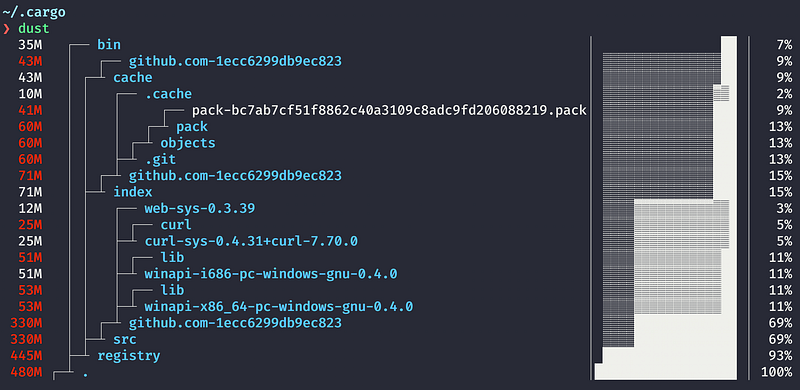
In the above image, you can see that the app directory occupies 57MB(29%) and the target directory occupies 139 MB (71%) of disk space.
You can install dust with Cargo.
$ cargo install du-dust
$ dust --help
You can find other installations here.
dutree
dutreeis another du alternative to analyze disk usage.
You can install dutree with Cargo.
$ cargo install dutreeYou can find usage by dutree --help.
dutree has also simple command options. For example, you can display directories using the -d option to different directory depth.
$ dutree -d // the default is 1
$ dutree -d2 // show directories up to depth 2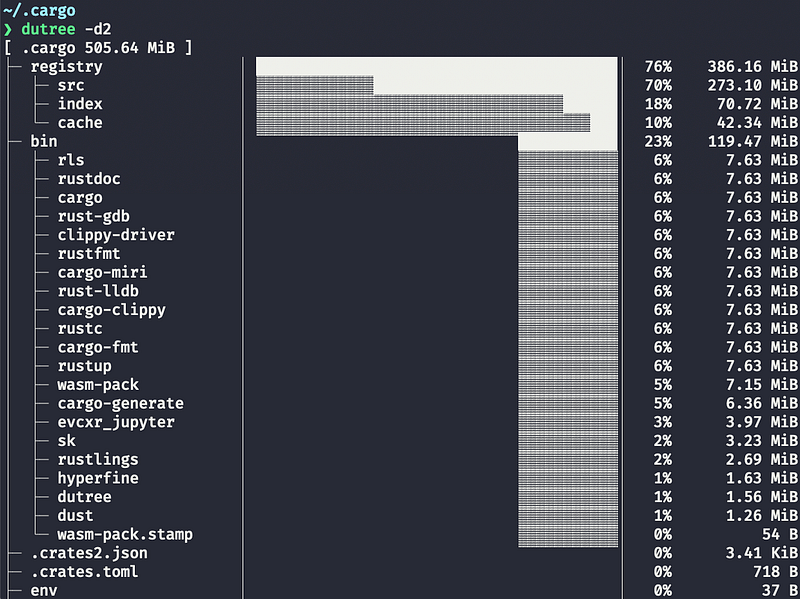
time alternative: hyperfine
In Linux, the time command shows you how long a given command takes to run. It is useful for testing the performance of your scripts and commands.
Let’s say you have two scripts or commands doing the same job. You can use the time command to compare the time required for these scripts.
hyperfine is a Rust-powered, time alternative, command-line benchmarking tool.
Installing it with Cargo:
$ cargo install hyperfineIf you run hyperfine with --warmup N, the hyperfine will perform the warmup N times before the actual measurement.
// warmup run
$ hyperfine --warmup 3 'dutree -d' 'dutree -d2' 'dust'
// actual run
$ hyperfine 'dutree -d' 'dutree -d2' 'dust'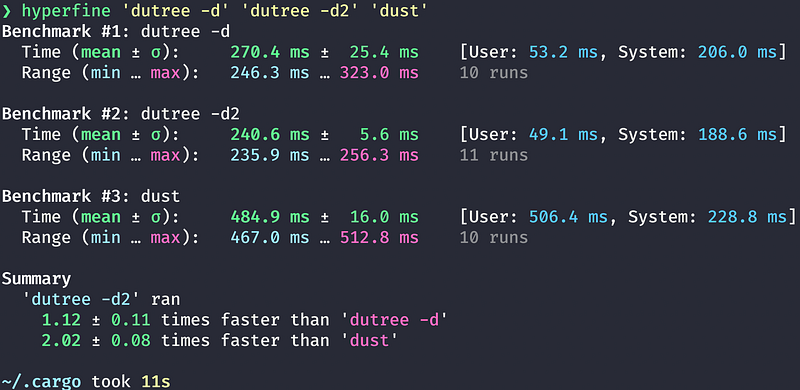
A fuzzy finder: skim
A fuzzy finder helps you to search and open files quickly. It is an interactive version of grep.
skim is a fuzzy finder in Rust. (fzf is a fuzzy finder written in the Go language, and is an excellent alternative as well.)
You can install it using Cargo.
$ cargo install skimPlease see this page for other installations.
You can search for files.
$ sk
$ file-name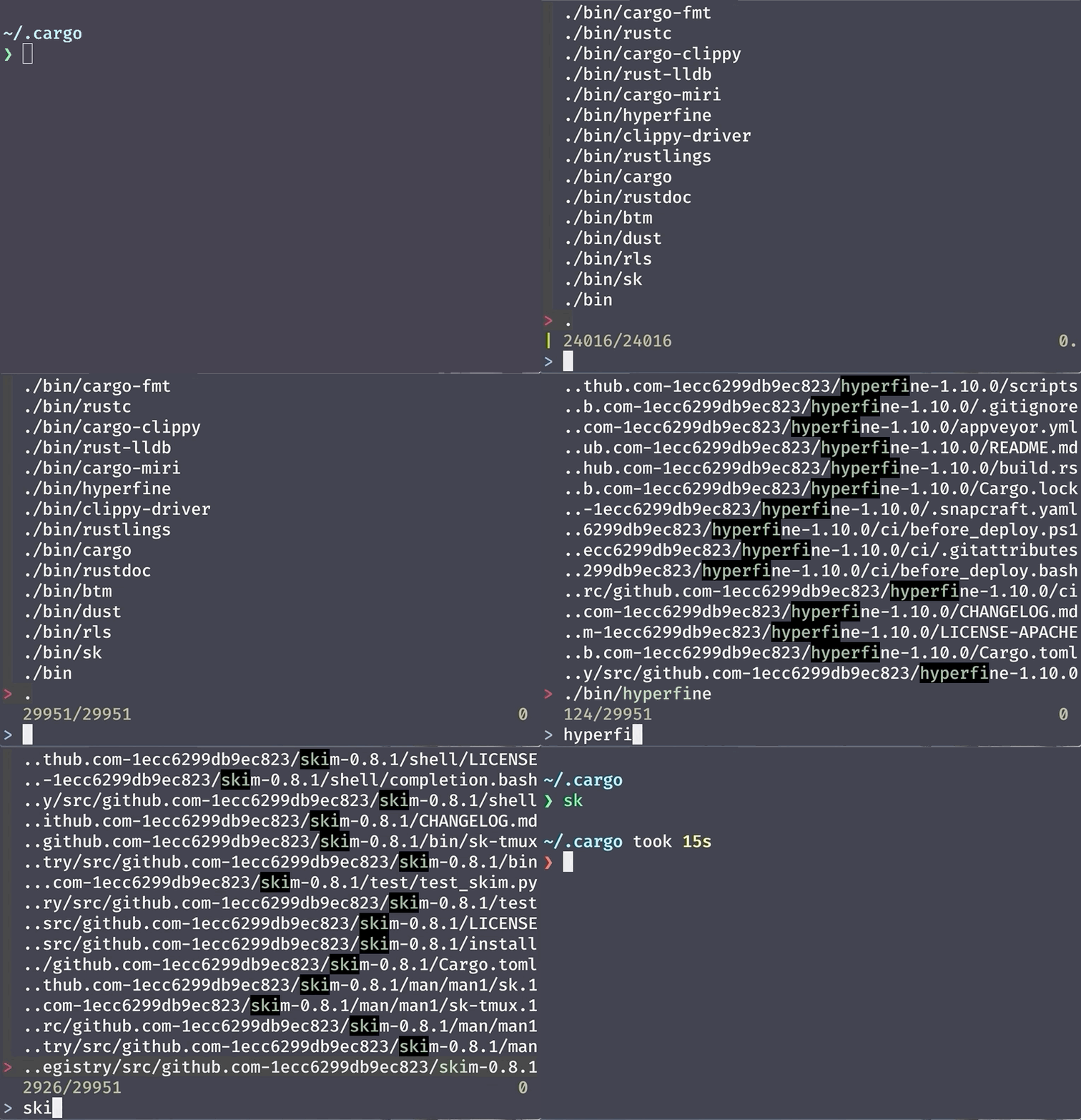
Or using grep to find a line in files.
sk --ansi -i -c 'grep -rI --color=always --line-number "{}" .'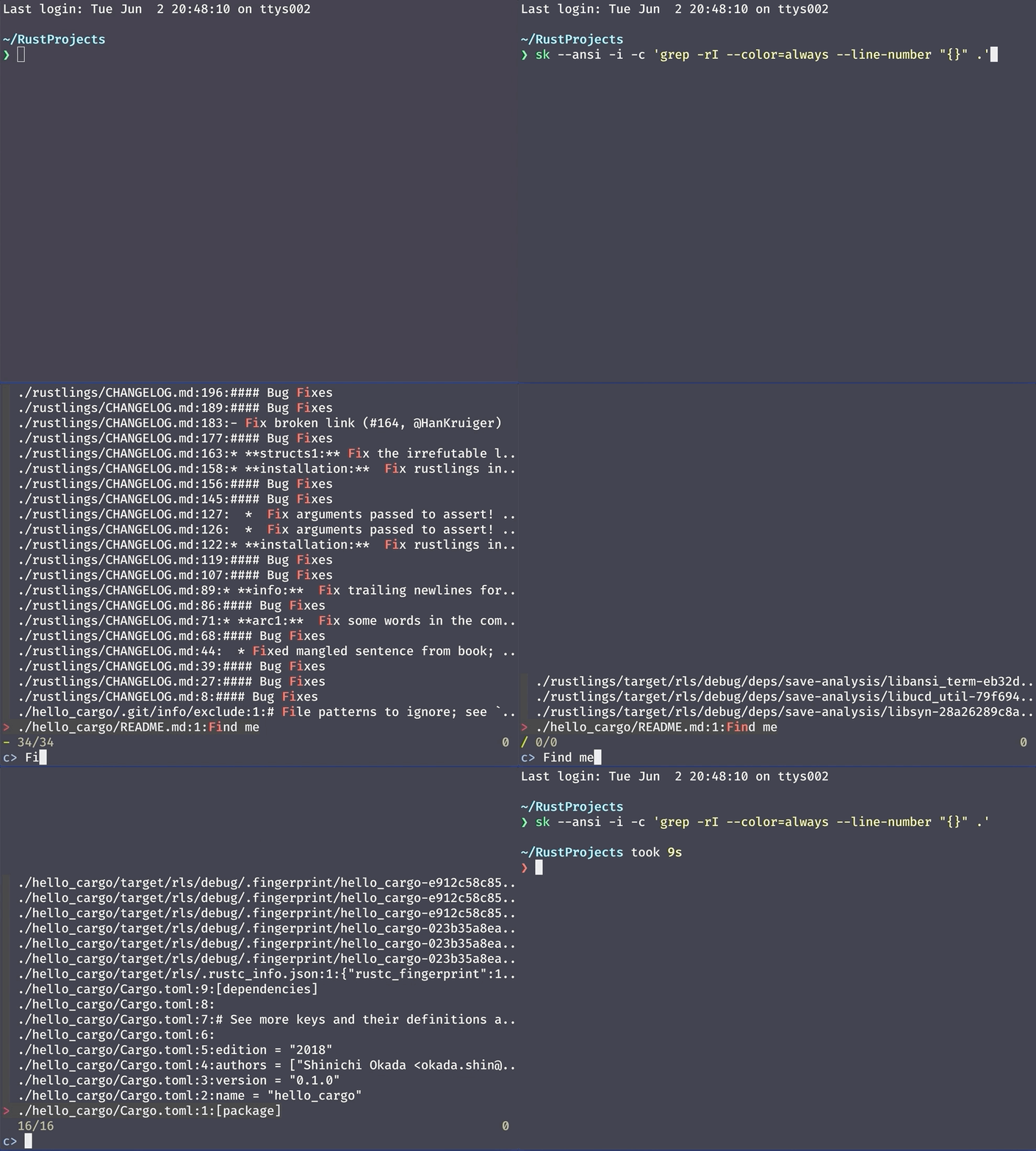
sed alternative: sd
In Linux, you can use sed to perform basic text replacement.
You can install sd using Cargo.
cargo install sdsd uses simpler syntax.
Using sd:
$ sd before afterWhereas using sed:
$ sed s/before/after/gReplacing newlines with commas with sd:
$ sd '\n' ','And with sed:
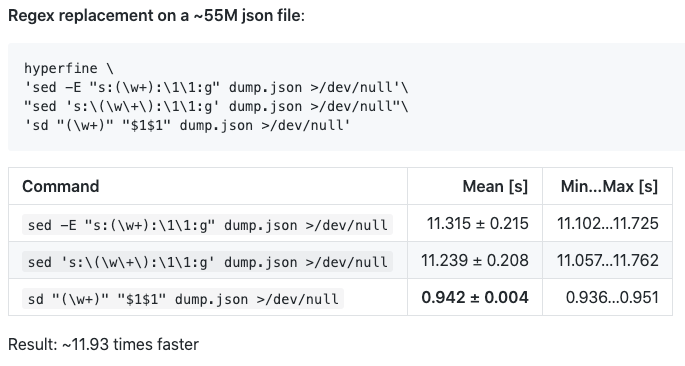
$ sed ':a;N;$!ba;s/\n/,/g'sd is faster than sed.
top/htop alternatives: ytop and bottom
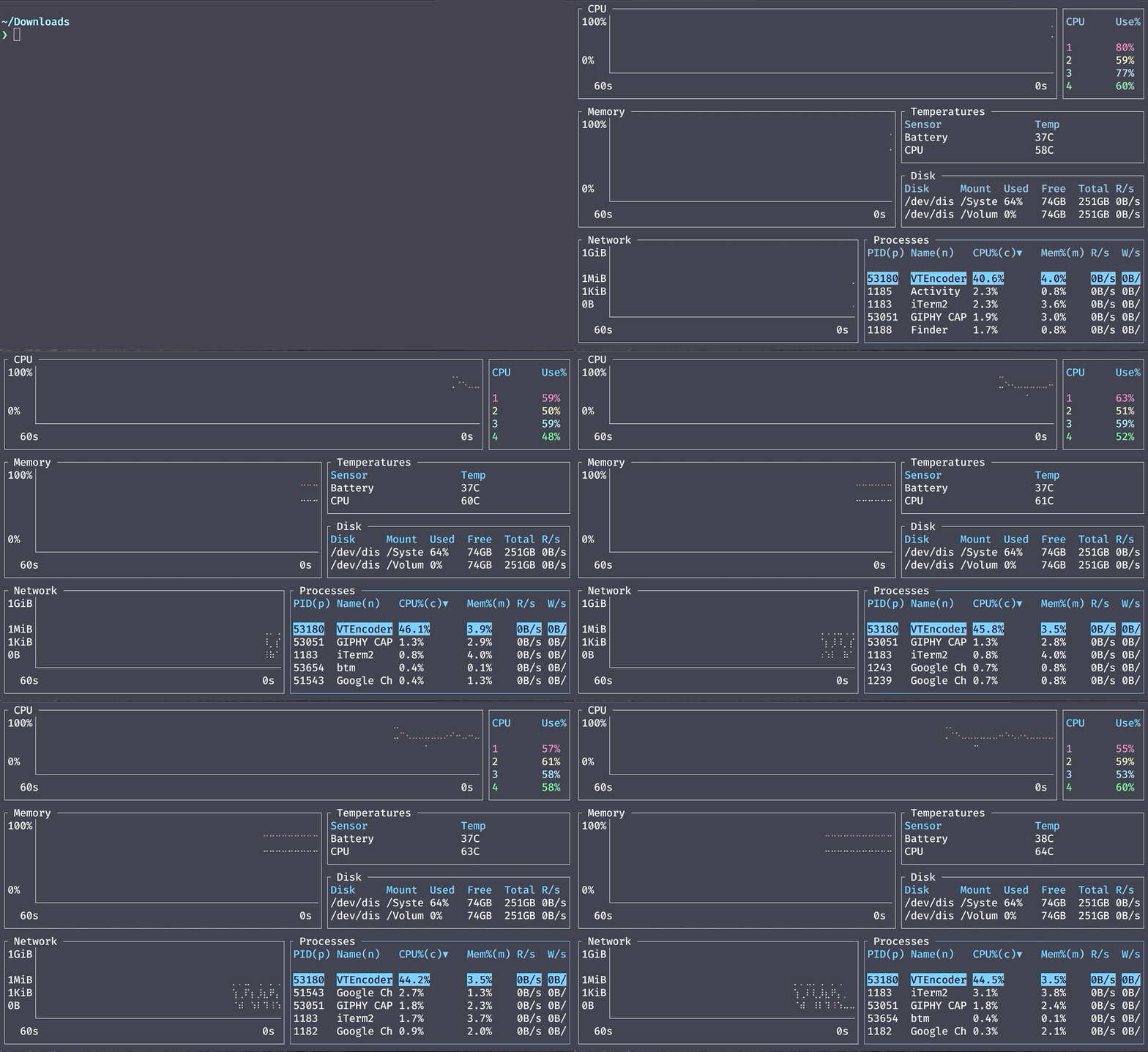
htop in Linux is an interactive process viewer. ytop and bottom are graphical process monitors.
You can install them with Cargo:
$ cargo install ytop
$ cargo install bottom
You can run bottom using btm.
A Bonus Tip
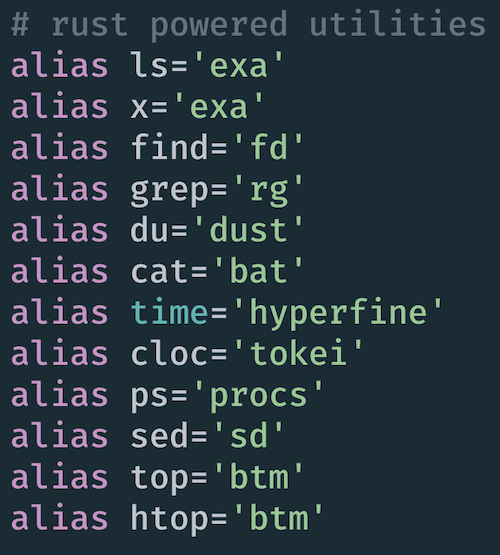
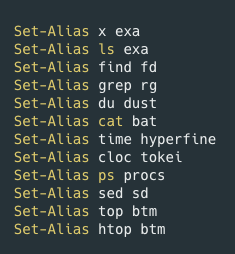
When you use another computer, server, or system, you will be using Linux commands. It is a good idea to keep using Linux commands even if you are using Rust-powered alternatives.
I suggest creating aliases.
In my .zshrc I have the followings:
If you are a Powershell user:
Conclusion
I hope you start using these Rust-powered utility tools. You will find they are very fast and modern looking. If you know of more, please let me know!
Get full access to every story on Medium by becoming a member.


