
Run Snippets of JavaScript code in Google Chrome
if you don’t have any code editor installed or you want to try some code really quick, the chrome snippets is the solution.
Open the Snippets panel
- open up chrome in any site or page. and open the developer tools.
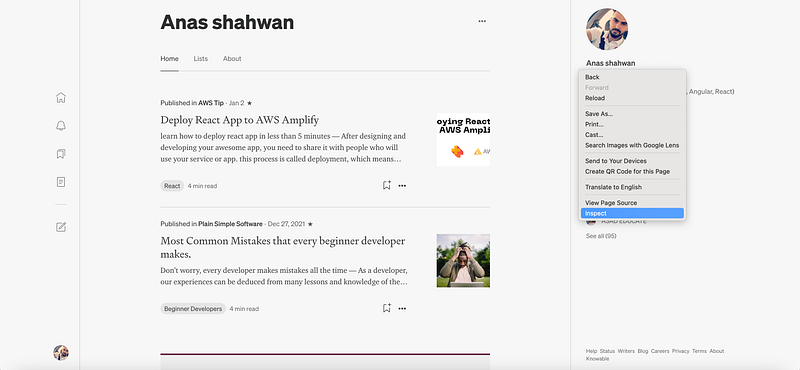
2. Click the Sources tab to open the Sources panel. The Page pane usually opens by default.
3. Click the Snippets tab to open the Snippets pane. You might need to click More Tabs.
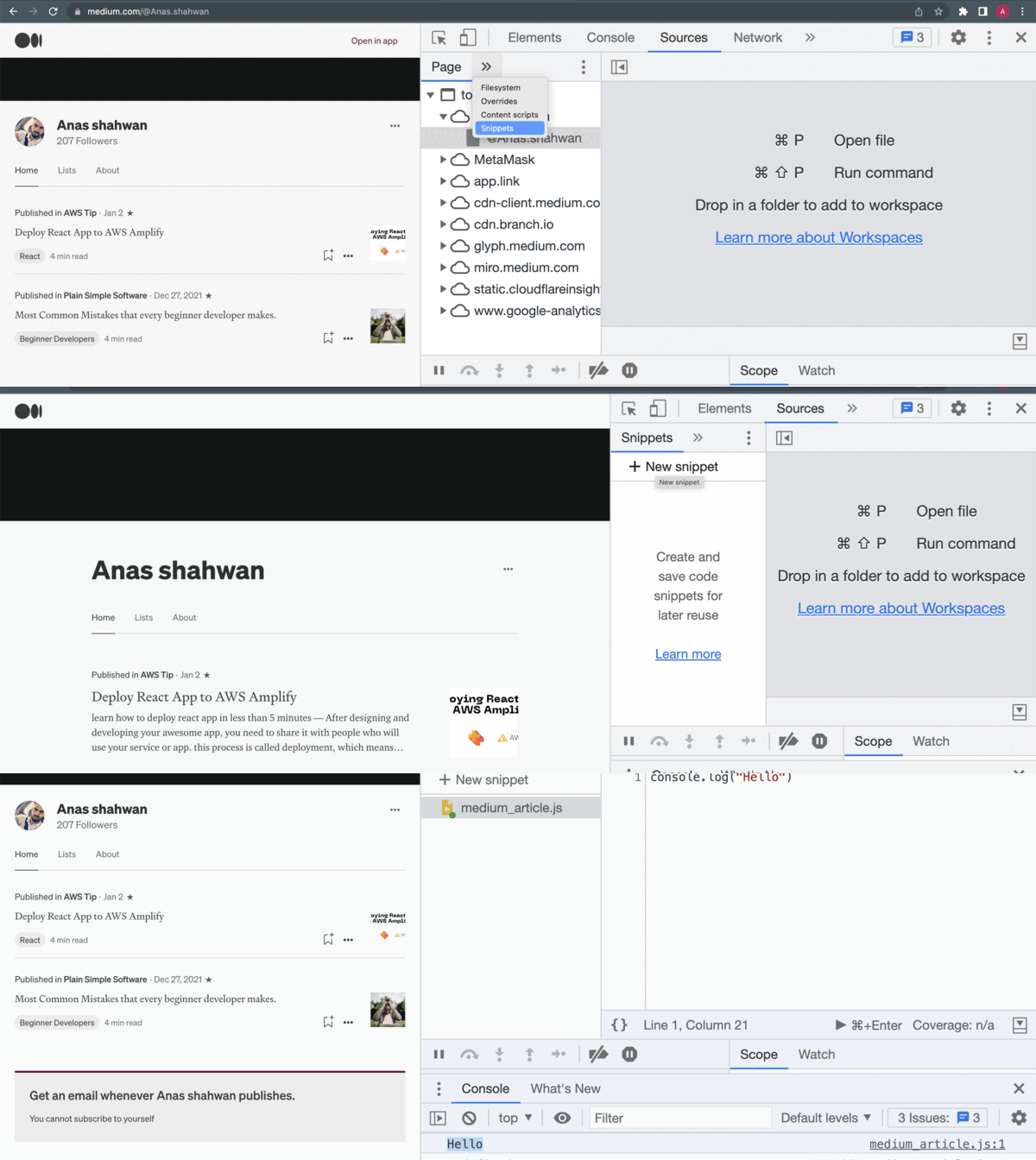
Create Snippets
click on new snippet and give it a name.
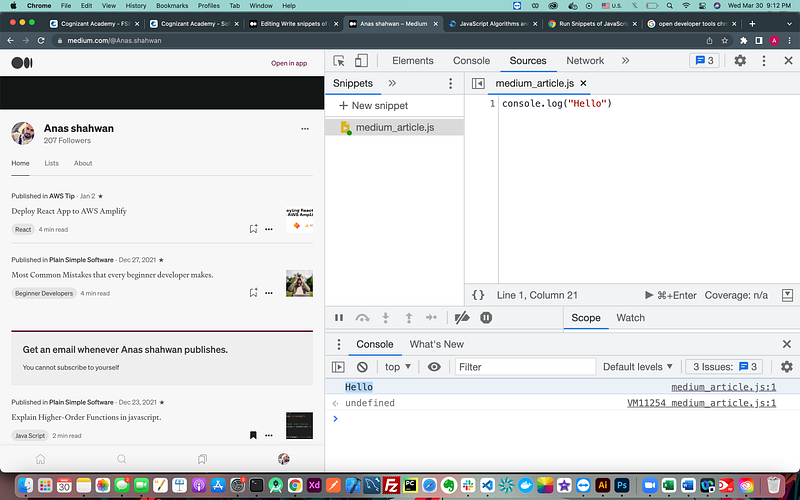
Run Snippets
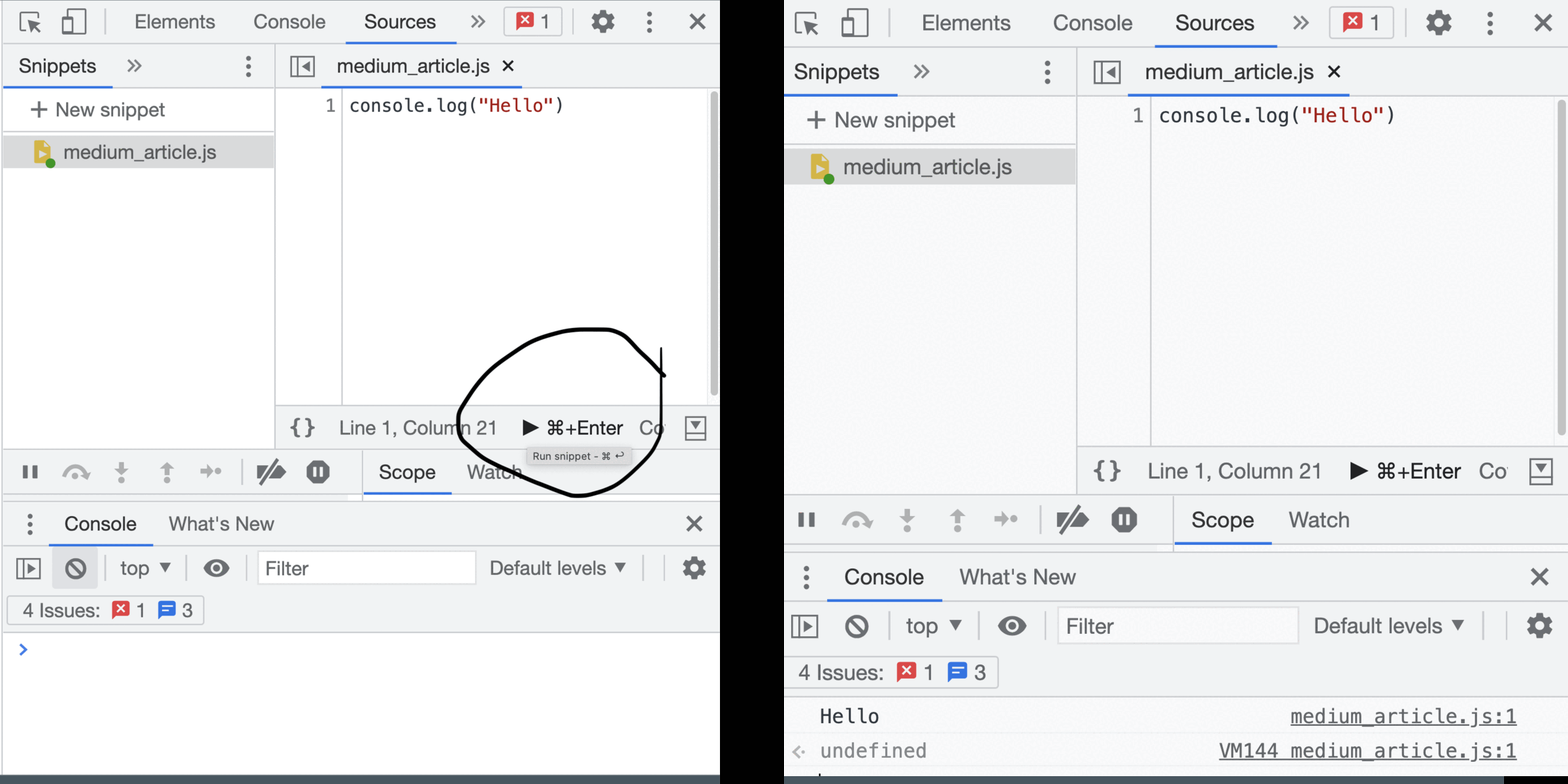
click on CMD+enter
or the play button
Delete or Edit Snippets
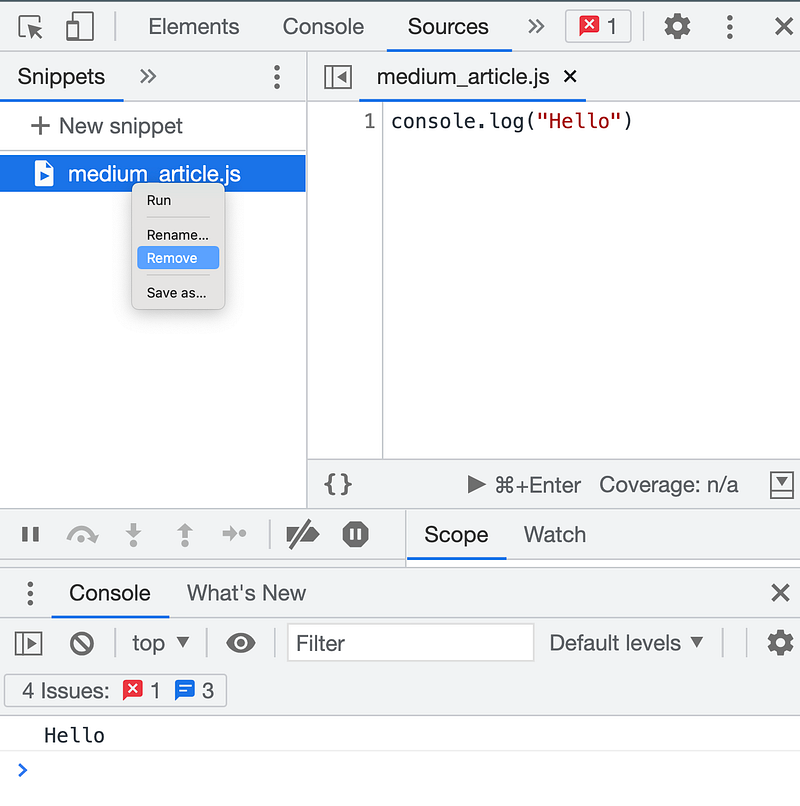
right click on the snippet. choose either rename or remove.
Conclusion
In this article, we learned how to create a javascript code snippets without any editor.
if you enjoy my articles, I would appreciate it if you could buy me a coffe . Or support me by subscribing to Medium only 5$ per month. the link is here . You’ll also get full access to every story on Medium.
Thanks for reading ❤❤️❤


