
Run Mixtral 8x7b on Google Colab Free
A clever trick allows offloading some layers
Hello, wonderful people! 2023 is almost over. But it seems like the development in LLMs has no breather.
Today, we will see how Mixtral 8x7B could be run on Google Colab.
Show me how
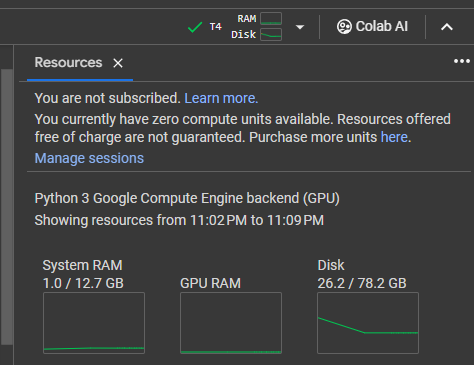
Google Colab comes with the following confirmation. It has a T4 instance with 12.7 GB memory and 16GB of VRAM. The disk size does not matter, really, but as you can see, you start with 80GB of effective disk space.
Fixing numpy and Triton
First, lets fix the numpy version and triton in Colab
# fix numpy in colab
import numpy
from IPython.display import clear_output

# fix triton in colab
!export LC_ALL="en_US.UTF-8"
!export LD_LIBRARY_PATH="/usr/lib64-nvidia"
!export LIBRARY_PATH="/usr/local/cuda/lib64/stubs"
!ldconfig /usr/lib64-nvidia
Clone Mixtral from Git
!git clone https://github.com/dvmazur/mixtral-offloading.git --quiet
!cd mixtral-offloading && pip install -q -r requirements.txt
clear_output()
Import the rest of the libraries
Now we will import rest of the libraries and also append the system path with mixtral-offloeading folder created by the git cloning statement above.
# append newly downloaded mixtral github
import sys
sys.path.append("mixtral-offloading")

import torch
from torch.nn import functional as F

# import quantization lirbaries
from hqq.core.quantize import BaseQuantizeConfig
from src.build_model import OffloadConfig, QuantConfig, build_model

# import huggingface hub
from huggingface_hub import snapshot_download

# Import additional libraries to allow easier handling of ipython environment
from IPython.display import clear_output
from tqdm.auto import trange

# import the usual transformers suspect
from transformers import AutoConfig, AutoTokenizer
from transformers.utils import logging as hf_logging
# configure huggingface logging to be a bit quiet
hf_logging.disable_progress_bar()
Initialize model
Now we will initialize the mixtral 8x7b-instruct and then quantize it to make sure it runs better on a GPU bound system
# Set model names for mixtral base
model_name = "mistralai/Mixtral-8x7B-Instruct-v0.1"

# Set up quantized model details
quantized_model_name = "lavawolfiee/Mixtral-8x7B-Instruct-v0.1-offloading-demo"
config = AutoConfig.from_pretrained(quantized_model_name)
state_path = snapshot_download(quantized_model_name)

# set up cuda device (force it to use GPU by making cuda:0)
device = torch.device("cuda:0")

# check the Colab instance to see how much vRAM do you have
# if you have 15 GB then use
# I am using instance with 15/16GB VRAM so I will continue with 5
offload_per_layer = 5

# if you have 12 GB then use
# offload_per_layer = 4


# Set up number of local experts parameter (coming from the config)
num_experts = config.num_local_experts

offload_config = OffloadConfig(
    main_size=config.num_hidden_layers * (num_experts - offload_per_layer),
    offload_size=config.num_hidden_layers * offload_per_layer,
    buffer_size=4,
    offload_per_layer=offload_per_layer,
)

# Set up attention quantization config
attn_config = BaseQuantizeConfig(
    nbits=4,
    group_size=64,
    quant_zero=True,
    quant_scale=True,
)
attn_config["scale_quant_params"]["group_size"] = 256

# Set up feed forward network quantization config
ffn_config = BaseQuantizeConfig(
    nbits=2,
    group_size=16,
    quant_zero=True,
    quant_scale=True,
)
quant_config = QuantConfig(ffn_config=ffn_config, attn_config=attn_config)

# Finally build the model
model = build_model(
    device=device,
    quant_config=quant_config,
    offload_config=offload_config,
    state_path=state_path,
)
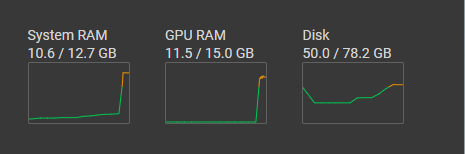
Go for a coffee — this takes time
Run model
Now, let's run the model
from transformers import TextStreamer

# handy function to run the code
def Mixtral_runner():
  tokenizer = AutoTokenizer.from_pretrained(model_name)
  streamer = TextStreamer(tokenizer, skip_prompt=True, skip_special_tokens=True)
  past_key_values = None
  sequence = None

  seq_len = 0
  print("User: \n", end="")
  user_input = input()
  print("\n\n")

  user_entry = dict(role="user", content=user_input)
  input_ids = tokenizer.apply_chat_template([user_entry], return_tensors="pt").to(device)

  if past_key_values is None:
    attention_mask = torch.ones_like(input_ids)
  else:
    seq_len = input_ids.size(1) + past_key_values[0][0][0].size(1)
    attention_mask = torch.ones([1, seq_len - 1], dtype=torch.int, device=device)

  print("Mixtral: \n", end="")
  result = model.generate(
    input_ids=input_ids,
    attention_mask=attention_mask,
    past_key_values=past_key_values,
    streamer=streamer,
    do_sample=True,
    temperature=0.9,
    top_p=0.9,
    max_new_tokens=512,
    pad_token_id=tokenizer.eos_token_id,
    return_dict_in_generate=True,
    output_hidden_states=True,
  )
  print("\n")

  return result
result = Mixtral_runner()
sequences, past_key_values = result["sequences"], result["past_key_values"]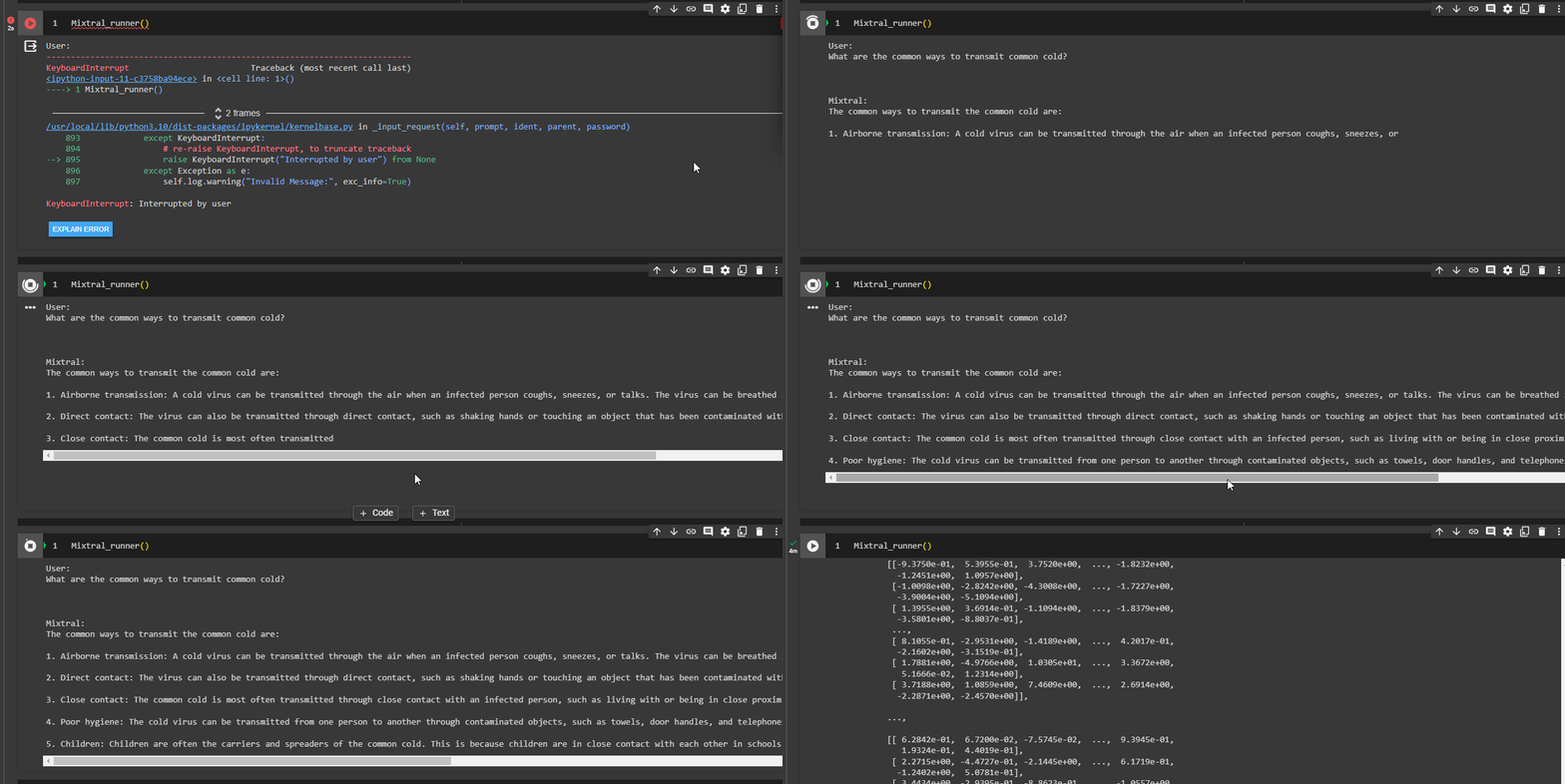
How slow? A bit too slow!
When I tried, generating text using mixtral_runner(), it generated approximately 300 tokens in 5 minutes. So approximately 1 token per second. Not bad for a free instance eh!
Run it as a dialogue or Chatbot
You may ask why I generated the sequence and past_key_values at the end and never used them. Those are the updated values provided as input to the next iteration when we use this model as a chatbot.
from transformers import TextStreamer

# handy function to run the code
def Mixtral_runner_chatbot():
  tokenizer = AutoTokenizer.from_pretrained(model_name)
  streamer = TextStreamer(tokenizer, skip_prompt=True, skip_special_tokens=True)
  past_key_values = None
  sequence = None
  seq_len = 0

  while True:
    print("User: \n", end="")
    user_input = input()
    print("\n")

    user_entry = dict(role="user", content=user_input)
    input_ids = tokenizer.apply_chat_template([user_entry], return_tensors="pt").to(device)

    if past_key_values is None:
      attention_mask = torch.ones_like(input_ids)
    else:
      seq_len = input_ids.size(1) + past_key_values[0][0][0].size(1)
      attention_mask = torch.ones([1, seq_len - 1], dtype=torch.int, device=device)

    print("Mixtral: \n", end="")
    result = model.generate(
      input_ids=input_ids,
      attention_mask=attention_mask,
      past_key_values=past_key_values,
      streamer=streamer,
      do_sample=True,
      temperature=0.9,
      top_p=0.9,
      max_new_tokens=512,
      pad_token_id=tokenizer.eos_token_id,
      return_dict_in_generate=True,
      output_hidden_states=True,
    )
    print("\n")

    sequences, past_key_values = result["sequences"], result["past_key_values"]
Mixtral_runner_chatbot()
# My interation
# User:
# Hello, you are an assistant. Please keep answers to less than 20 words.
# Mixtral:
# Hello! I'm here to assist you. I'll keep answers concise to not exceed 20 words. How can I help you today?
# User:
# Give examples of icosahedral viruses
# Mixtral:
# Some examples of icosahedral viruses include rhinovirus, hepatitis B virus, and West Nile virus.
# User:
# and helical?
# Mixtral:
# Examples of helical viruses include the tobacco mosaic virus, Ebola virus, and SARS-CoV-2.
# User:
# Nice thank you.!
# Mixtral:
# You're welco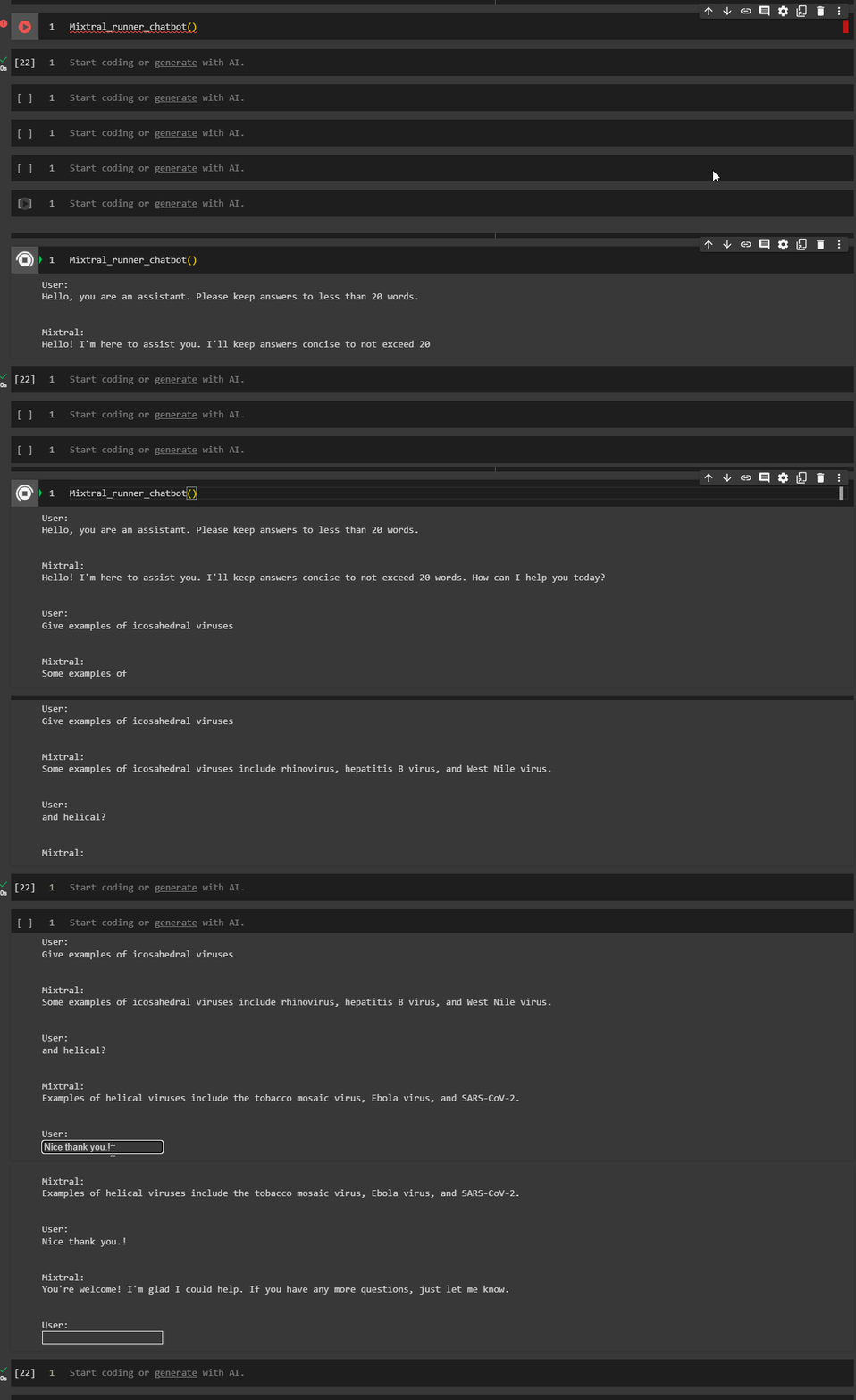
You can follow the code in the google colab here
Cheers! Btw all credits for this tutorial go to the Mixtral team. I am just a relaying person who tried it, enjoyed it, and is now sharing it with my experiment.
If you have read it until this point — Thank you! You are a hero (and a Nerd ❤)! I try to keep my readers up to date with “interesting happenings in the AI world,” so please 🔔 clap | follow | Subscribe 🔔
Find me on Linkedin https://www.linkedin.com/in/mandarkarhade/


