
Run Any Quantized Model Online for Free on Hugging Face
Take your SPACE and learn how to create your inference Bot or Instruction Model on Hugging Face: it will serve you anytime you need it!
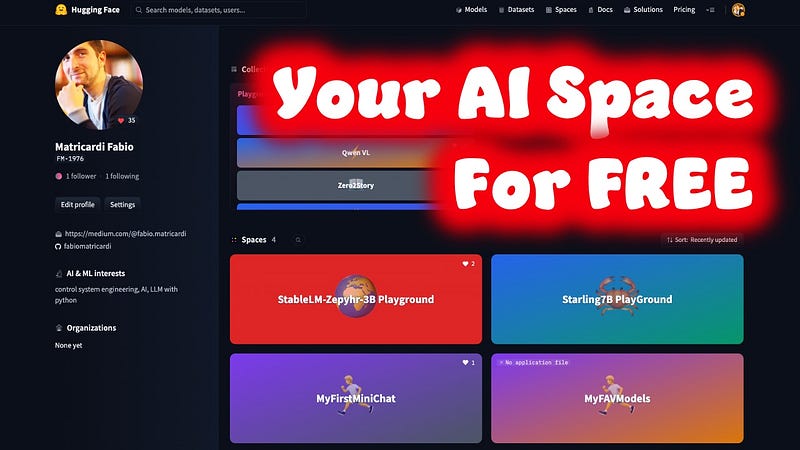
The rapid advancements in natural language processing (NLP) have opened up endless possibilities for human-machine interaction, making our lives easier and more efficient. However, one of the major challenges we face is finding models that are both large enough to handle complex tasks yet small enough to fit into mobile devices without compromising on performance or inference time.
The emergence of tiny large language models (LLMs) addresses this issue by providing a balance between computational resources and effectiveness in various NLP applications.
Wouldn’t it be good to be able to test them all? Is there a way to do it?
Yes there is. You can Have Hugging Face Spaces running quantized model for you and completely for FREE.
✨ Keep reading to learn the secret formula. Here is a full and simple Step by Step guide ⚒️, from start to finish!
🧑🏫 If you are new to the Artificial Intelligence world or you want to Learn how to start to Build Your Own AI, download This Free eBook
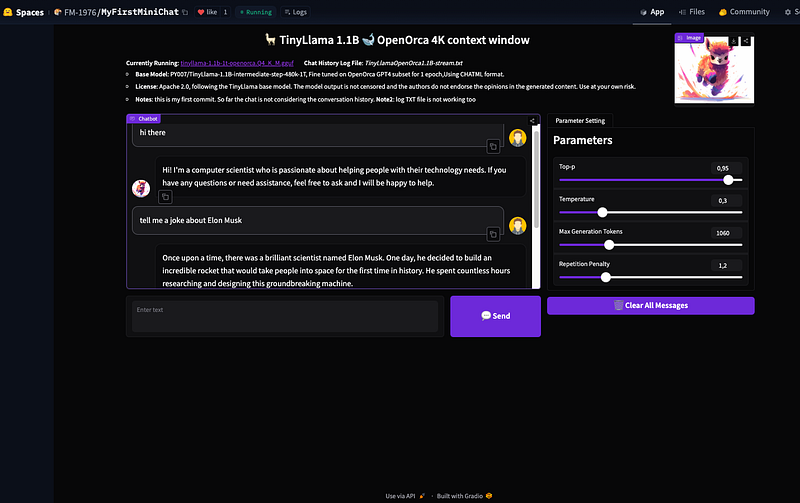
What we will build…
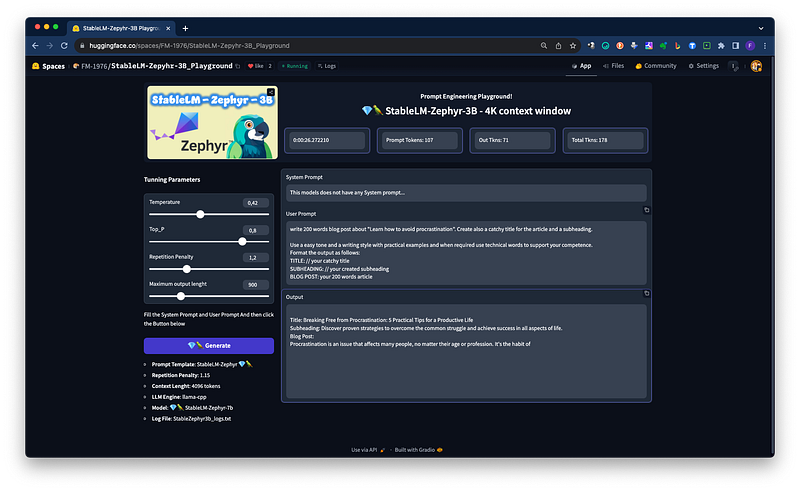
For the purpose of this quick article/tutorial I am going to use StableLM-Zephyr-3B as an example. Anyway this method is valid basically for all the models you like, with few considerations:
- ~1.3B parameter models run like a charm. The overhead is around 3 seconds and you got a quite fluent streaming output. Fantastic model for Chat Interfaces
- You can run basically any model up to 3B parameters in q4 and 48 format GGUF/GGML
- You can run basically any 7B parameters model in q4 and 48 format GGUF/GGML — the model speed will be slow (30 to 40 seconds overhead and 1,3 tokens per second)
- You can run a 13B parameter model in q4 GGUF quantization — the model speed will be very slow (60 to 80 seconds overhead and 0,8 tokens per second)
I have tested for now on Hugging Face Spaces:
- TinyLlama 1.1B
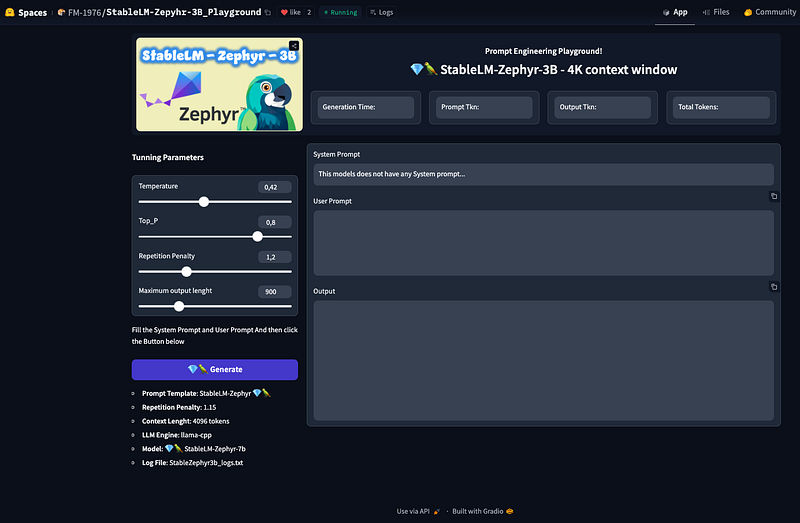
- StableLM-Zephyr-3B
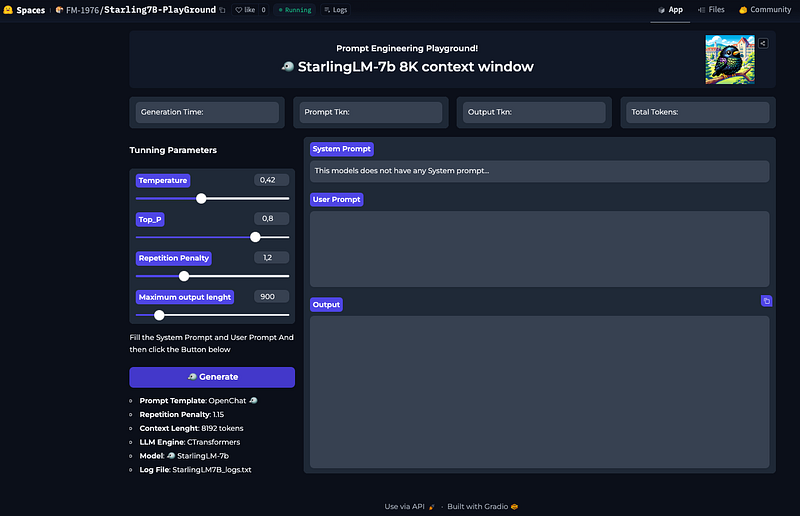
- StarlingLM-7b
The Background
In recent years, Hugging Face has become an essential resource for researchers and practitioners alike, offering a wide range of pre-trained LLMs that can be fine-tuned on specific tasks or used as they are. Among these offerings is the desire to test numerous LLMs available on Hugging Face without having to manually sift through countless options. This is where Hugging Face Spaces comes into play — an innovative platform designed specifically for this purpose.
At its core, Hugging Face Spaces allows users to access and experiment with a diverse selection of Large Language Models directly from the Hugging Face model hub.
What it is not known is that you can basically run every model hosted on HuggingFace, even the quantized ones.
By utilizing these lightweight LLMs within your mobile devices or other resource-constrained environments, you can achieve impressive results while maintaining optimal performance and inference times crucial for real-time applications.
How to proceed?
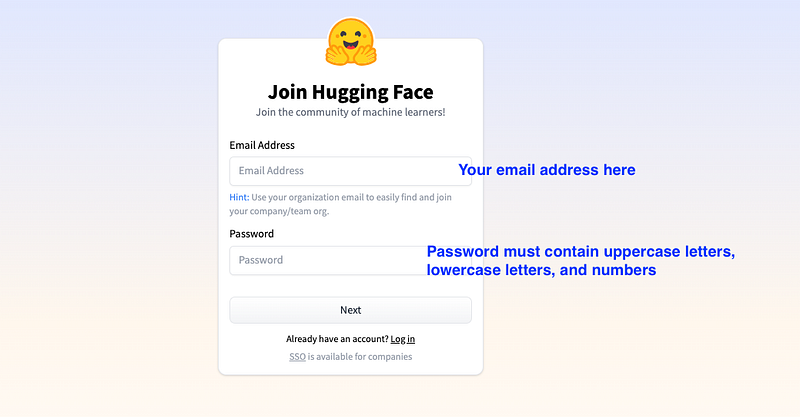
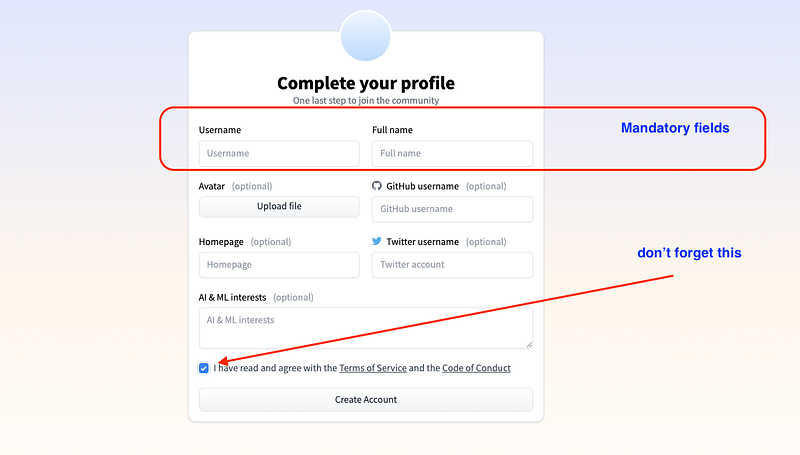
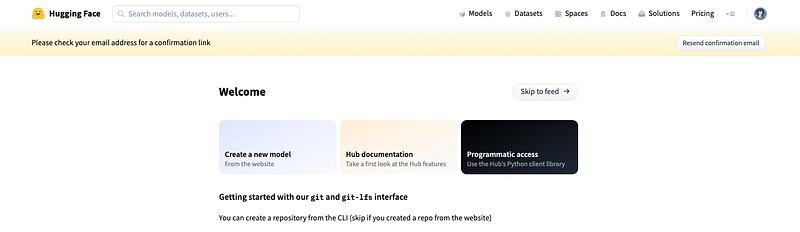
First thing you need to create a Hugging Face account: it is free, so let’s see how to do it.
Create a HF account (skip if you already have one)


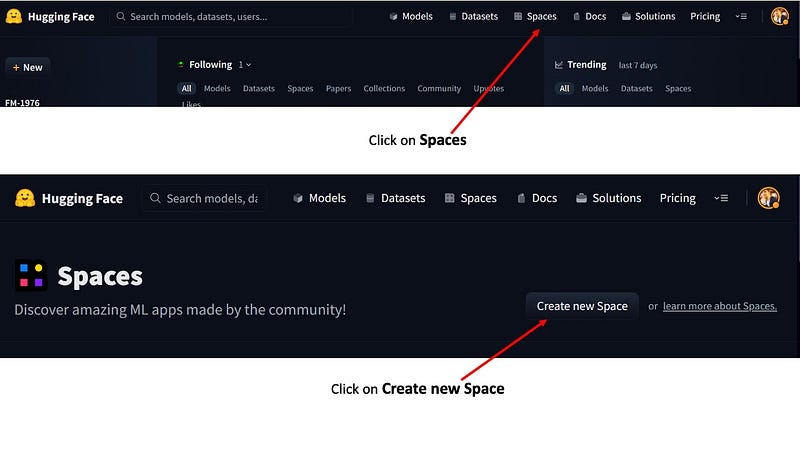
Create a New HF Space
It is time now to grab our Space and begin the creation
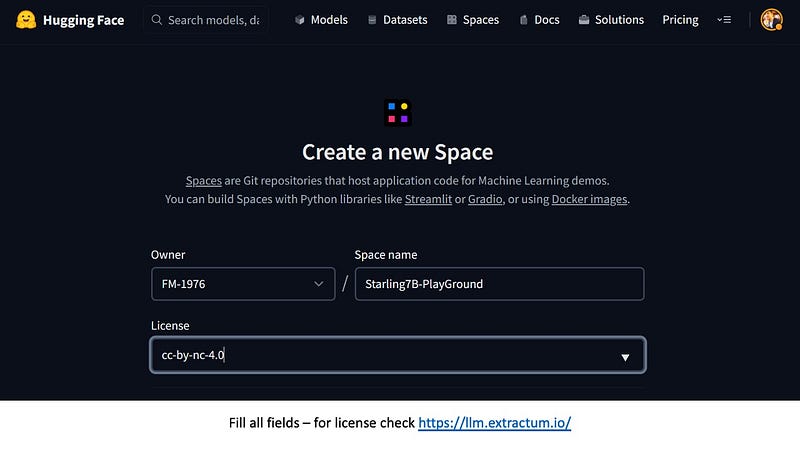
It is a woog practice to always pick the correct License Agreement detail. If you are uncertain read this amazing article.
The next part is to pick up the Space SDK (Development environment Kit): we will go for Gradio, the easiest one, and developed by theHugging Face team (so plenty of tutorials and documentation)
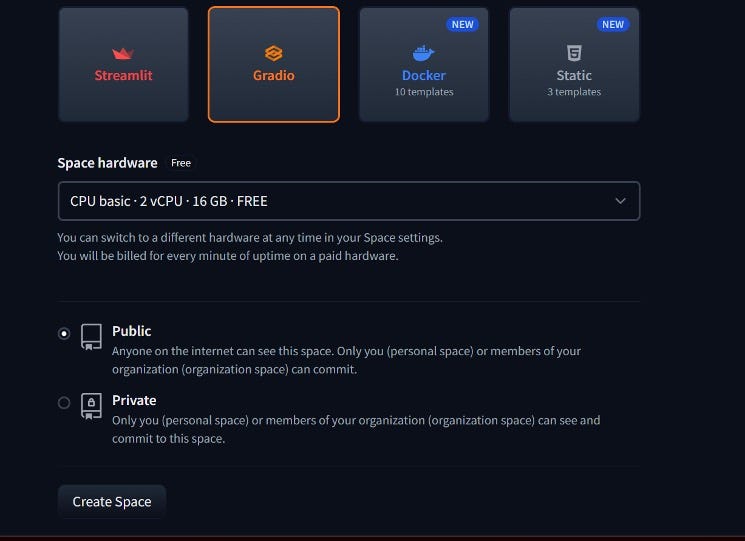
Ok, but what about the Space Hardware?
Well here is the catch: the only FREE tiers on Hugging Face is the CPU basic (that comes with 2 virtual CPUs and 16GB of RAM). It doesn’t allow any GPU acceleration, and basically can run up to 2B parameter models pytorch/safetensors or… wait for it any quantization that rellies only on CPU.
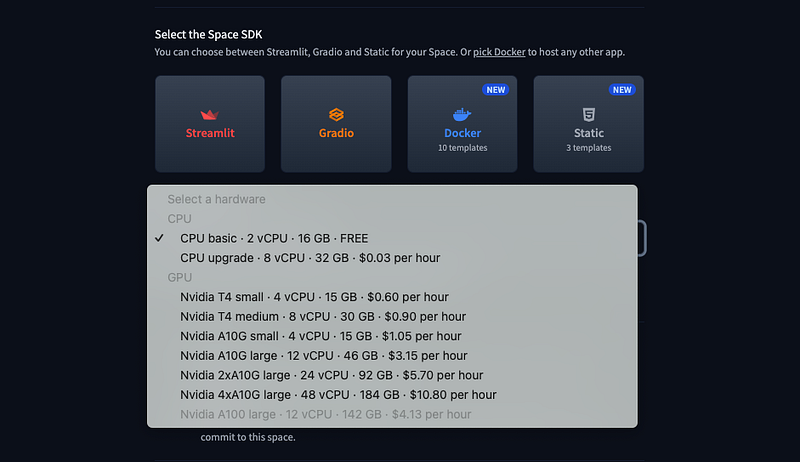
For us this is completely fine: GGML and GGUF are a CPU only based quantized format: they can also make use of GPUs, but only if you have it.
Click on Create Space and we are all set. Now it is time to code!
NOTE: here below the entire process in GIF. I will go step by step in the sext sections.
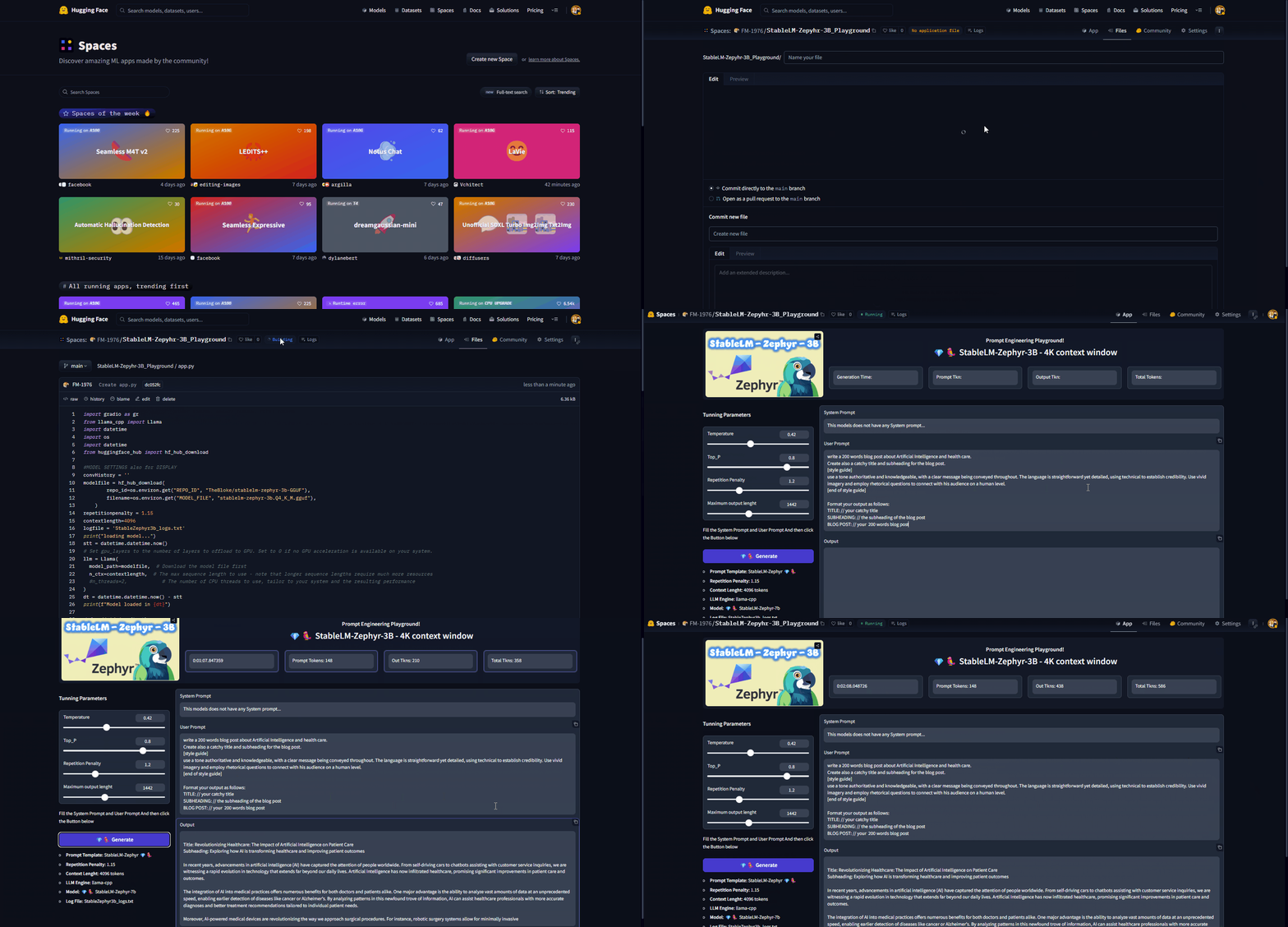
What about the Dependencies and the Python code?
As already mentioned for the purpose of this quick article/tutorial I am going to use StableLM-Zephyr-3B as an example.
This means that I give for granted a local gradio app, able to run on your Laptop as a starting point.
You can learn all of it in this article.
The code we will refer to is in my Github repo tthe file to be used is StableLMZephir-3b_PG_v2.py from the same repo
Why is that?
Having a local app working is an amazing feat, and it make siuper quick the deployment on Hugging Face Space.
Requirements
To run a python app with a Gradio interface on Hugging Face Spaces you basically need only 2 things:
- a requirements.txt file
- an app.py with your python code
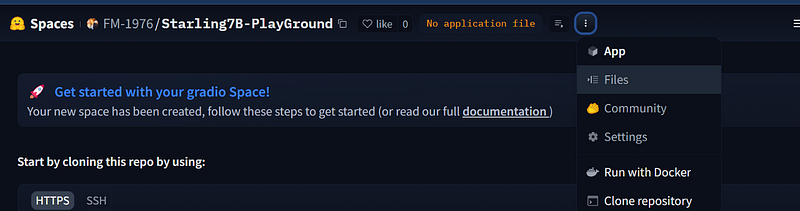
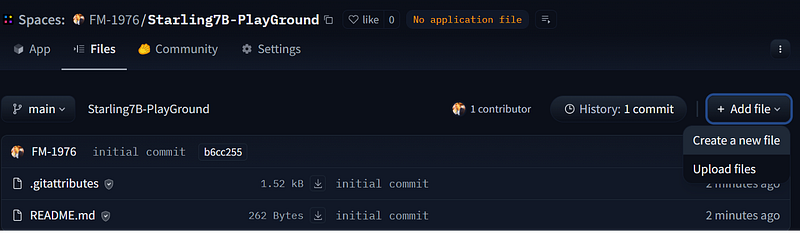
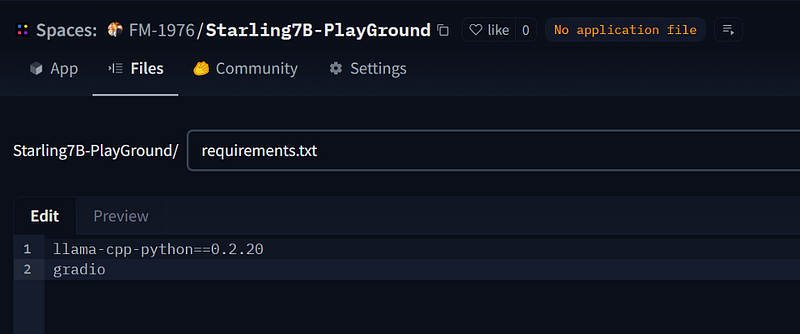
We need only 2 packages for our app. Not that the screenshots are from Starling7B but we are doing it for StableLM-Zephyr. It is to show you that the process will work in either case.
llama-cpp-python==0.2.20
gradio
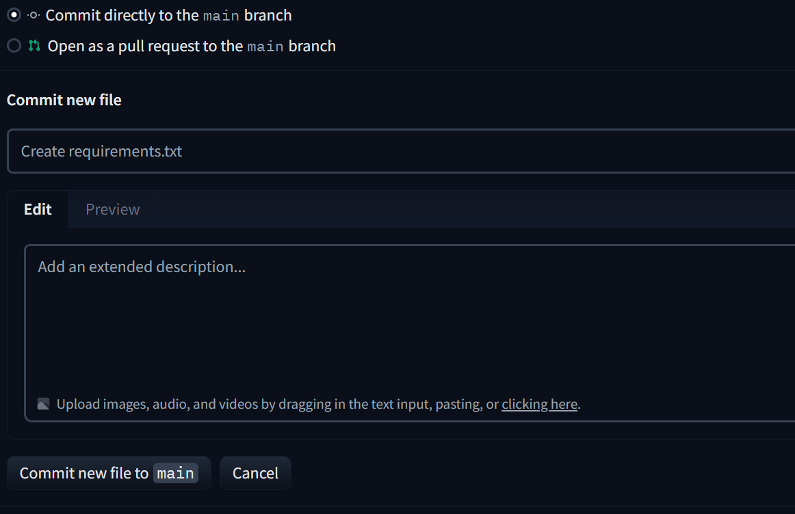
Click then on Commit new file to main, to save the new file and have Hugging Face Spaces working under the hoods while installing llama-cpp-python and gradio.
Python App
We are not building the application from scratch: we will hack the existing one that can run on your local machine with few modification.
The main changes are:
- how to have llama-cpp to access the gguf file stored in another Hugging Face repo
- change the path to the images. You cannot use your locally stored images anymore. I suggest you to use the online ones, maybe directly from a GitHub repository
So first of all copy and paste all the python code from StableLMZephir-3b_PG_v2.py of the mentioned GitHub Repo.
Create a new File from your Space and name it app.py
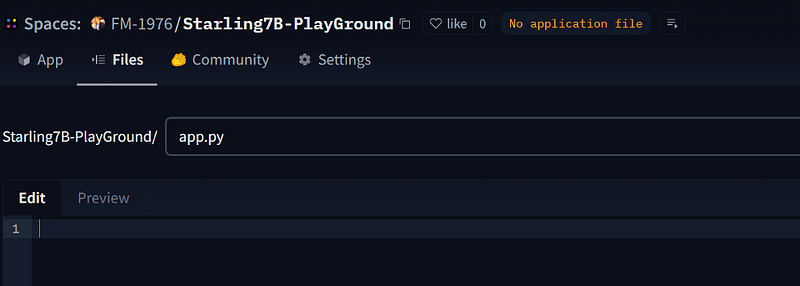
Paste the code into the editor area
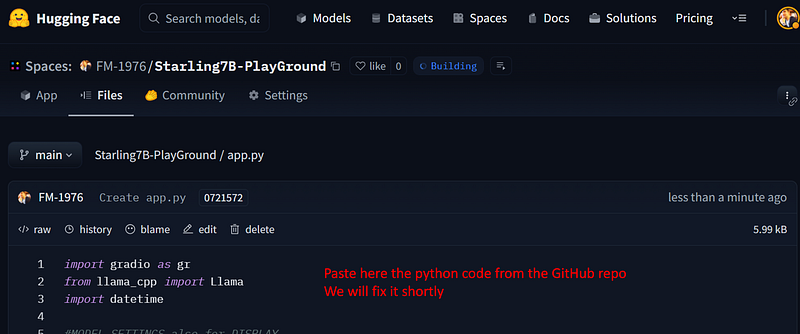
There are now only 2 things to change. Here the original python:
import gradio as gr
from llama_cpp import Llama
import datetime

#MODEL SETTINGS also for DISPLAY
convHistory = ''
modelfile = "model/stablelm-zephyr-3b.Q4_K_M.gguf"
repetitionpenalty = 1.15
contextlength=4096
logfile = 'StableZephyr3b_logs.txt'
print("loading model...")
stt = datetime.datetime.now()
# Set gpu_layers to the number of layers to offload to GPU. Set to 0 if no GPU acceleration is available on your system.
llm = Llama(
  model_path=modelfile,  # Download the model file first
  n_ctx=contextlength,  # The max sequence length to use - note that longer sequence lengths require much more resources
  #n_threads=2,            # The number of CPU threads to use, tailor to your system and the resulting performance
)
Here the modified part for the HF Spaces
import gradio as gr
from llama_cpp import Llama
import datetime
import os
import datetime
from huggingface_hub import hf_hub_download

#MODEL SETTINGS also for DISPLAY
convHistory = ''
modelfile = hf_hub_download(
        repo_id=os.environ.get("REPO_ID", "TheBloke/stablelm-zephyr-3b-GGUF"),
        filename=os.environ.get("MODEL_FILE", "stablelm-zephyr-3b.Q4_K_M.gguf"),
    )
repetitionpenalty = 1.15
contextlength=4096
logfile = 'StableZephyr3b_logs.txt'
print("loading model...")
stt = datetime.datetime.now()
# Set gpu_layers to the number of layers to offload to GPU. Set to 0 if no GPU acceleration is available on your system.
llm = Llama(
  model_path=modelfile,  # Download the model file first
  n_ctx=contextlength,  # The max sequence length to use - note that longer sequence lengths require much more resources
  #n_threads=2,            # The number of CPU threads to use, tailor to your system and the resulting performance
)
The main changes are in the import section and in the model file path: now we need
import os
from huggingface_hub import hf_hub_download
to be able to access a Hugging Face Repo and its files
For the same reasons we will use the hf_hub_downloadfunction passing the Repo of our model and the file name (that usually have GGUF extension and may differ according the the quantization method like q2, 24 and so on…)
modelfile = hf_hub_download(
         repo_id=os.environ.get("REPO_ID", "TheBloke/stablelm-zephyr-3b-GGUF"),
         filename=os.environ.get("MODEL_FILE", "stablelm-zephyr-3b.Q4_K_M.gguf"),
)
As you can see everything else is almost the same. Except for the Images!!!
How to load the images
There is a really cool hack to access images from GitHub. Let’s take our example:
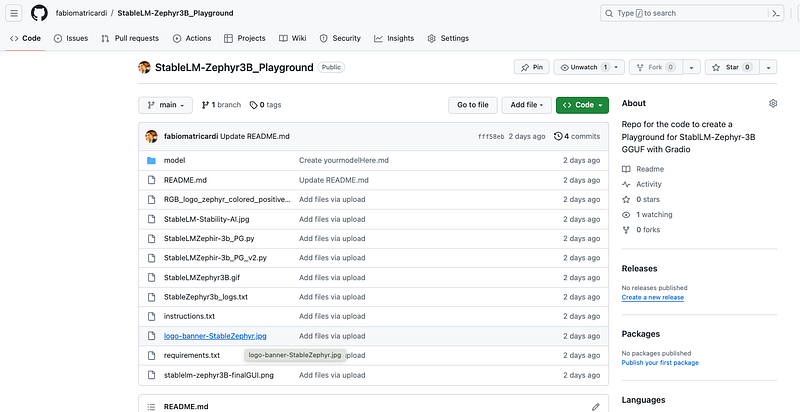
As you can see there is an image, used also for the repository. Ifyou copy the link of the image you will get something like this:
https://github.com/fabiomatricardi/StableLM-Zephyr3B_Playground/blob/main/logo-banner-StableZephyr.jpgTo be able to access the image, you have to replace the /blob/part with /raw/. Leave everything else unchanged. So the link to the image should look like
https://github.com/fabiomatricardi/StableLM-Zephyr3B_Playground/raw/main/logo-banner-StableZephyr.jpgYou should find it around line 88, and must look like this.
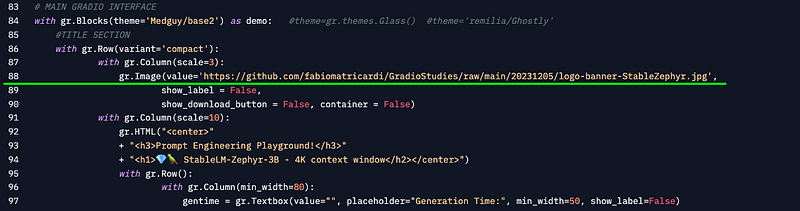
Commit the new file to main, and you should see the Console log of Hugging Face Spaces starting to build the app.
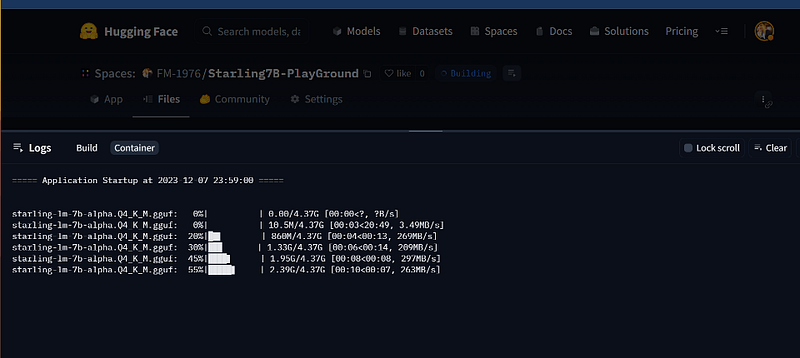
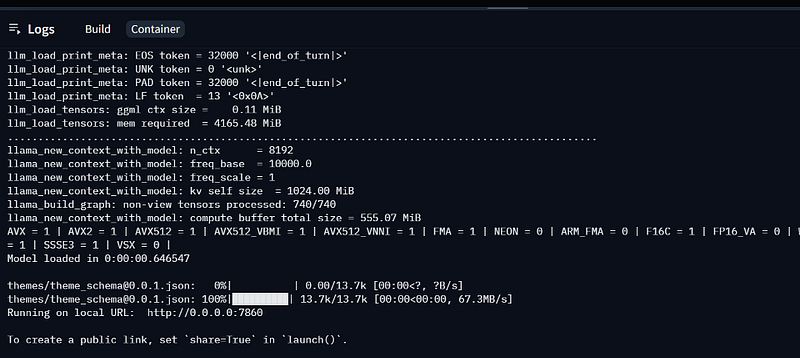
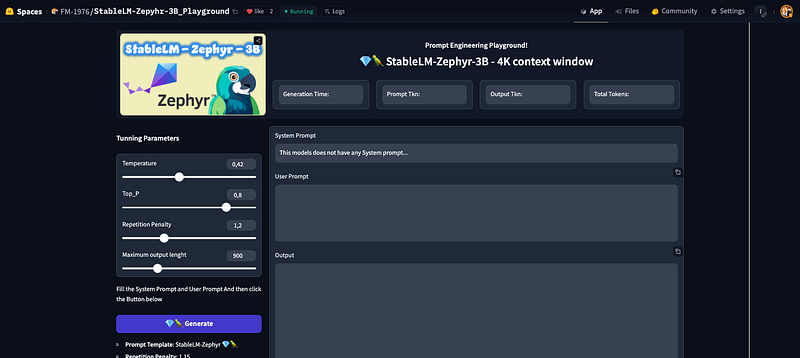
Conclusions
The secret formula behind this revolutionary platform lies in its ability to provide access to a wide range of quantized models without the need for additional computational resources or downloads.
Hugging Face Spaces takes care of everything, allowing users to focus on their NLP tasks while ensuring that they have the best possible tools at their disposal — all completely free of charge.
In conclusion, as we navigate through an increasingly digital landscape, it’s essential to stay ahead of technological advancements and embrace new solutions like Hugging Face Spaces. By leveraging tiny large language models within our devices or projects, we can unlock the full potential of NLP while ensuring that performance remains optimal at every step.
So why not give this innovative platform a try today? Keep exploring the world of natural language processing with Hugging Face Spaces — your secret weapon for success in the ever-evolving digital landscape.
Hope you enjoyed the article. If this story provided value and you wish to show a little support, you could:
- Clap a lot of times for this story
- Highlight the parts more relevant to be remembered (it will be easier for you to find it later, and for me to write better articles)
- Learn how to start to Build Your Own AI, download This Free eBook
- Sign up for a Medium membership using my link — ($5/month to read unlimited Medium stories)
- Follow me on Medium
- Read my latest articles https://medium.com/@fabio.matricardi
If you want to read more here some ideas:
Inspirational Article
PlainEnglish.io 🚀
Thank you for being a part of the In Plain English community! Before you go:
- Be sure to clap and follow the writer️
- Learn how you can also write for In Plain English️
- Follow us: X | LinkedIn | YouTube | Discord | Newsletter
- Visit our other platforms: Stackademic | CoFeed | Venture


