
PODCAST/PRODUCTIVITY
Ready to start your own podcast?
Podcasting 101 — here’s a basic primer to get you started
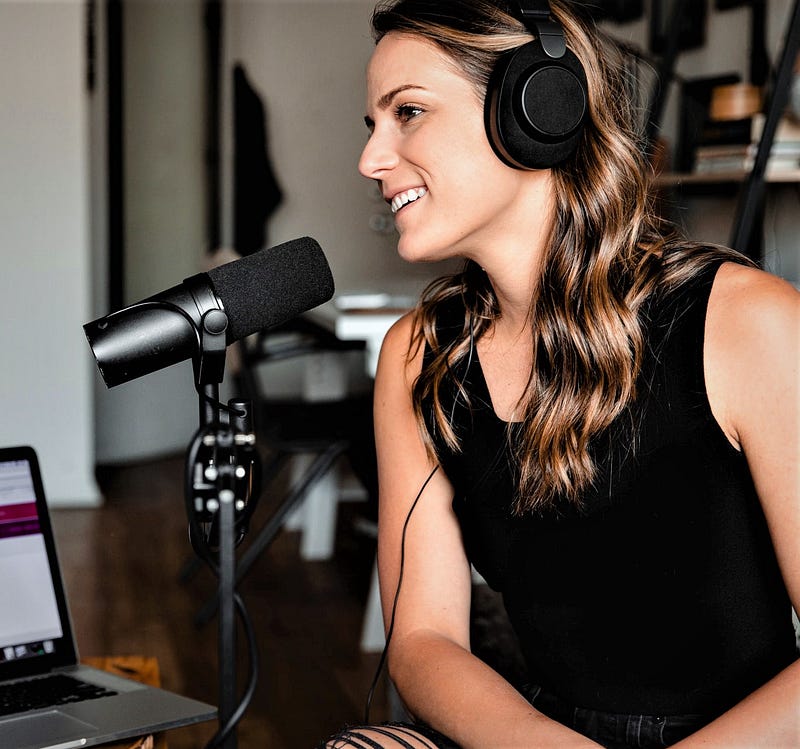
Ready to start a podcast?
It’s becoming a vital part of establishing an online presence. You can spread your message, establish your credibility as an expert, and increase rapport with your audience. And if you build a large platform, there’s always the possibility of generating income from advertising.
If you’re non-technical or have no experience with building an audio file, the idea of starting a pod can be overwhelming. Yes, there’s always the option of hiring a third party to take care of the editing and distribution, but for those on a budget, the learning curve is both reasonable and rewarding.
Here’s what you’ll need to get started.
Equipment
For a basic setup, you’ll need a microphone and a method to record and edit an episode. I’ve read articles that downplay the need for dedicated hardware and software, telling readers they can create, edit, and distribute their shows on a smart phone. Yeah, good luck with that.
Your podcast will compete with approximately two million (and counting) shows that are already out there. It all comes down to your intentions. If you want to do a podcast that’s limited to your family and friends, then production quality isn’t a priority. But if your intentions include using your podcast as a business tool — to generate income, increase your notoriety, or validate your position within an industry — you’ll need to make the investment.
You don’t need to spend a fortune to get started.
I’ve heard plenty of excellent quality podcasts produced with consumer grade equipment. The lesson? Learning how to maximize the quality from medium and even low-end mics is far more important than going into debt to buy a thousand-dollar broadcast microphone.
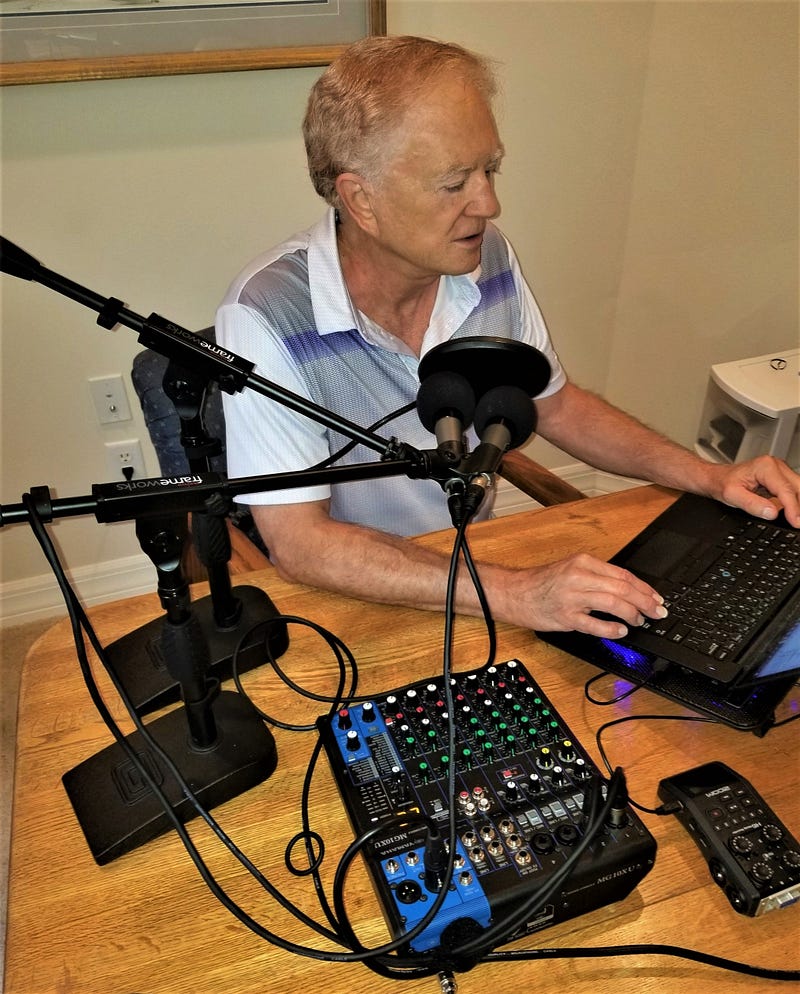
Here’s a description of what I use:
Two (yes, two!) Shure M58 mics ($100.00 each).
A Yamaha MG10XU mixer board ($210.00)
A Zoom H6 six channel recorder ($330.00 — you can save $100 by using the H4 model)
Audacity editing software (free)
NOTE: Using two mics with individual (active) equalization via the Yamaha mixer is an old broadcasting trick I learned when working as a radio announcer. In the seventies, getting so-called “matched” microphones wasn’t an option because of production inconsistencies. And moving from the broadcast booth to the production room to record commercial spots — even with both locations equipped with the same brand and model mic — often produced inconsistent “voicing.”
Using the mixed output from two mics produced more consistent intonation and frequency response. The best part? Using two mics produced a bigger sound. Granted, with current microphone technology, it’s a personal idiosyncrasy, and certainly not necessary. But if you want to beef up your voice with a real sense of presence, try doubling up on your mics.
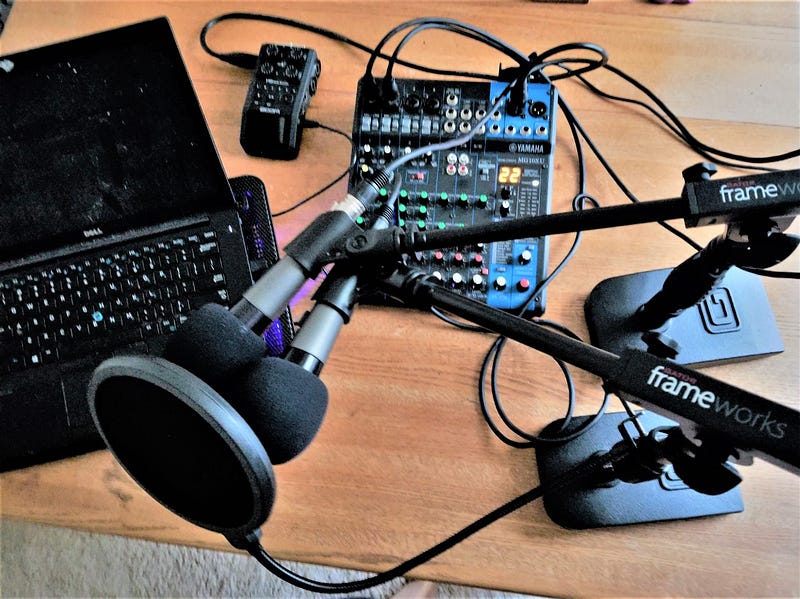
Plan to spend at least $100 for a quality microphone
There are as many recommendations for mics as there are podcasting budgets, so I suggest checking out some of the podcasters who share their recommendations on YouTube. They’ll usually make comparisons to other brands, and you’ll be able to hear the difference.
Personally, my next upgrade will be the Shure SM7B. It’s quickly becoming a “standard” among professional podcasters, and at its price point ($400), the quality is hard to beat.
If you decide to record directly to your editing software, you’ll need a USB microphone or a converter to change the analog output of a “standard” mic to a USB compatible output. Many podcasters using a direct record setup recommend the Audio-Technica AT2005USB ($80.00). There’s lots of USB mics out there, with prices all the way down to twenty bucks. But you generally get what you pay for.
I’ll also mention that some audio mixers (including the Yamaha shown in this article) are equipped with USB outputs, allowing the final mix to be imported directly into your computer. However, there are often complaints of low signal strength and/or unacceptable noise levels when using the USB output from an inexpensive mixer, so it’s best to decide which type of mic you’re going to use before buying any ancillary equipment.
Regardless of which microphone you choose, put a wind/pop screen in front of it. You’ll have less cleanup to do in editing.
Hosting
This is where your episodes are stored and distributed to pod “stores” like, Spotify, Stitcher, Google podcasts, ITunes, etc.
I chose Castos because they offer unlimited storage, so there’s never a charge for exceeding some arbitrary storage limit. I had a few problems when starting my own podcast, and they got back to me with the answers I needed the same day. They also offer a WordPress plugin to upload the finished files, so if you use WordPress for your website, Castos is a natural.
A name for your podcast
Make your title as specific as possible. If you plan to review woodworking equipment, you might try, “Woodworking Techniques, with Tom Jones.” You can also add a statement of credibility in the form of a secondary title, for example, “Your Woodworking Guru,” or something equally specific.
Well-known authors and celebrities can get away with more obscure titles for their pods, because their name will draw an audience. For example, Seth Godin’s podcast is called “Akimbo.” I’ve heard him explain the relationship between the word akimbo (the crook of the arm) and the typical content on his pod, but it’s a pretty vague connection. And yet, he can do it — because he’s Seth.
Artwork
This serves the same purpose as an album cover. You want to grab the attention of potential listeners while conveying an idea of what your pod is about. This can be any combination of graphics, photographs, and text that displays the title, a secondary title (if necessary), and your name.
Presenting a eye-catching, professionally produced cover for your pod is essential if you want to stand out on a page displaying fifty podcasts. There are lots of sources for creating cover art (try Fiverr), but the specifications are straightforward, and anyone who is proficient with graphics software should be able to produce an acceptable cover. I created mine with Microsoft Publisher.
Choose a format
Are you going to do a hosted show with the episode content determined or driven by the guest? Or do you plan to do a solo show, presenting content you’ve personally prepared?
I went with a solo format. I had lots of content based on personal experience, and I wanted to explore very specific subjects before incorporating guests on the show.
So far, I’m still going strong on my own. But I’m researching an interesting alternative to live guest interviews that podcasters like Malcom Gladwell have used with very positive results. I call it a hybrid format, and it involves editing sound bites from people who are either experts or can provide personalized recollections of a specific event. It increases the amount of post-production work, but the subject and the content remains host-driven — and the finished episode is far more interesting.
If you decide to go with a hosted format, you’ll need guests.
After you’ve established an audience, you can solicit “name” guests. But when you’re just starting out — and you’re relatively unknown — consider asking business owners or professionals who are involved in an industry aligned with the theme or subject of your podcast.
You may want to ask other podcasters who are also in the beginning stages of production to guest on your pod. You can piggyback on each other’s marketing efforts to build an audience, as well as cross-promote each other’s show.
Scripted or on the fly?
This is also part of pod formatting, but it deserves its own discussion point. Many podcasts are “long-form,” taking up to as much as a third or more of the listener’s time with back-and-forth patter about the weather, family drama, recent vacations, and other personal odds-and-ends before finally getting to the scheduled subject.
The idea of a long-form pod is to give listeners the impression they’re eavesdropping on a personal conversation.
My opinion? It wastes the listener’s time and does a disservice to the audience. I’ve unsubscribed from dozens of long-form pods simply because I don’t have the time to wade through all the irrelevant, boring rhetoric to find the few gems I was looking for.
If you’re comfortable “winging it” and can think on your feet, you can get by with a set of notes to keep you on track and on time. Personally, I believe a more professional presentation comes from a scripted production. Yes, I write every word of my podcast and then freely deviate from the script to add examples, personal recollections, and more details when I think it’s called for. It keeps me focused on the subject, eliminates the majority of “ums” and “ahs,” and keeps production values high.
Although you may not realize it, scripted pods are very common and are used by some of the very best podcasters including Seth Godin, Malcolm Gladwell, and most of the podcasters produced by Pushkin Industries.
Maintain a consistent publishing schedule.
Determine your publishing schedule and stick with it. Podcasters who do a couple of episodes then disappear for three weeks, then come back with another episode, never establish a stable — and growing — audience.
If you’re going to do a weekly show, choose a consistent release day. For example, my show comes out every Tuesday. Listeners know that, and every Tuesday, they check their downloaded pods for a new episode.
If you’re going to segment your episodes into seasons, tell your audience when you’ve reached the last episode of the current season, followed by the date when the next season starts. If you just disappear without letting them know you’re taking a break, they’ll think you’re gone for good.
Give your podcast an online presence with a website.
The name (URL) should be the same as the title of your podcast. Keep your site simple and use a format that offers show notes (a transcript with links to products and services you mention in the episode), and direct access to all episodes.
Include an “about” page, a list of other publications where your work appears (if applicable), and a call to action (CTA) in which you offer a “freebie” in exchange for an email address. Always use your online presence to build your own email list. You can notify subscribers when new episodes are published, ask for feedback and suggestions, and increase personal rapport with your audience.
I also use a voicemail tab in the main header of the home page.
Clicking on this tab will take the user to a page where they can submit a voice recording of their questions and comments. Using voicemail will produce an audio file that can be incorporated into your show. Just make sure to disclose that, by submitting a question, the individual is granting you the right to use their voice on your podcast.
I use a free widget that is compatible with WordPress called Speakpipe. If you want to see what it looks like, go to SuccessPoint360 and click on the voicemail tab.
I realize this is a very abbreviated and basic overview of what you’ll need when creating your first podcast. So if you have questions about any part of the process, include it in the comments or shoot me a personal message. I’ll do my best to provide an answer or opinion based on what has worked for me in producing Success Point 360.
NOTES:
(1) All equipment prices quoted are from Amazon
(2) I receive no compensation from any company or service mentioned in this article — my recommendations are based on my personal experience.
© 2021 Roger Reid. All Rights Reserved.
Roger A. Reid, Ph.D. is the author Better Mondays and Speak Up
Roger A. Reid, Ph.D. is the host of Success Point 360 Podcast and author of Better Mondays and Speak Up. A certified NLP trainer with degrees in engineering and business, Roger offers tips and strategies for achieving higher levels of career success and personal fulfillment in the real world.


