
Restore your images with AI
how to easily restore images with AI
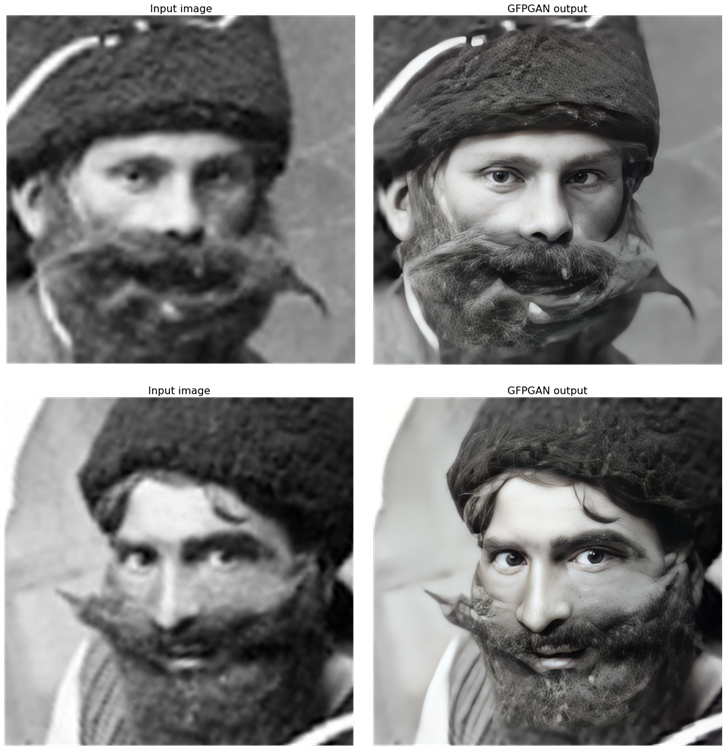
Even photos themselves age; photos from years ago yellow or become damaged. In addition, the quality of today’s cameras has dramatically increased in recent years.
In recent years, various artificial intelligence models have been studied both to color black-and-white images and to restore damaged images. The results have not always been exciting (often images are modified in ways that result in hilarity, or other errors).
Recently a model has been published that has shown much better results than the previous ones: it works with both low and high-quality input images. In this article, we will discuss both the recent publication and how we can use it.
Towards Real-World Blind Face Restoration with Generative Facial Prior
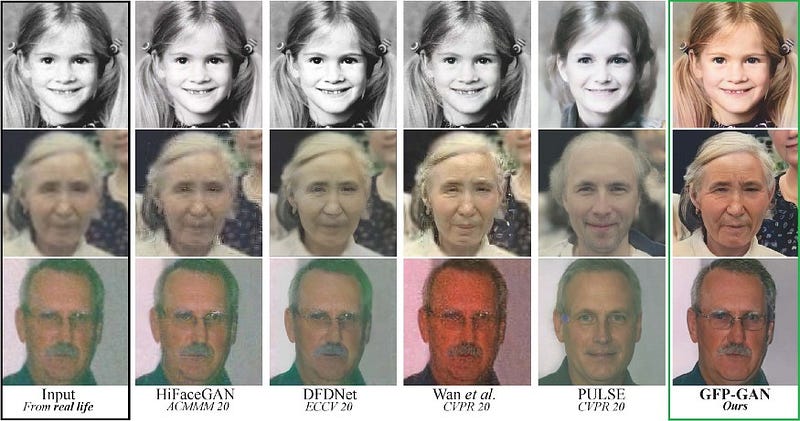
the model was published by Tencent researchers last year (although updated versions have been released in the GitHub repository). In addition, they have released a Google Colab if one wants to try it themselves.
The researchers used a pre-trained StyleGAN-2 model to encode an image in space and for reconstruction. StyleGAN-2 represents precisely the prior knowledge since it knows information about the image and patterns even when trained for another task. To improve the results, the researchers additionally used two metrics that help improve facial details (and the identity of the person in the picture instead of creating artifacts).
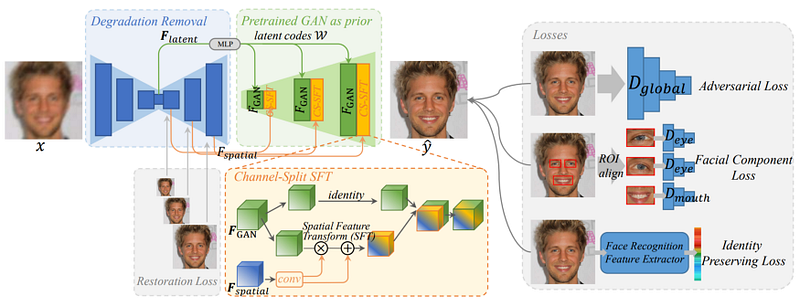
Obviously, the model does not know the person, but in a sense, it tries “a guess” about the pixels it has to restore (so it is more of a reconstruction). This guess, however, is guided by the model’s understanding of the image, and to human eyes, it seems natural.
However, the researchers discussed the limitations of the model, in fact, the model still has some biases (especially when dealing with black and white images) and therefore it would be better to have a more diverse and balanced training dataset. Also, when the image is too damaged it can generate artifacts.
Trying by yourself
To try by yourself you need to go to this Google Colab. It is pretty easy to use. For this purpose, we will use this image from the first world war:
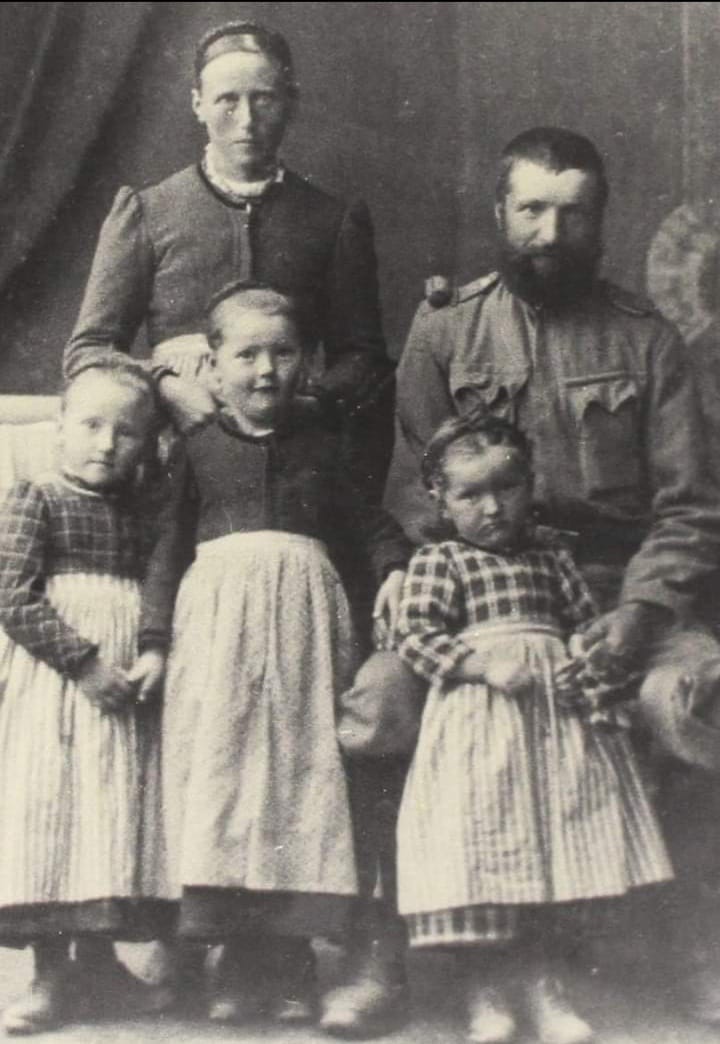
The first step is to install the libraries (to execute you could click on the play symbol or just use the shortcut CTRL+ENTER)
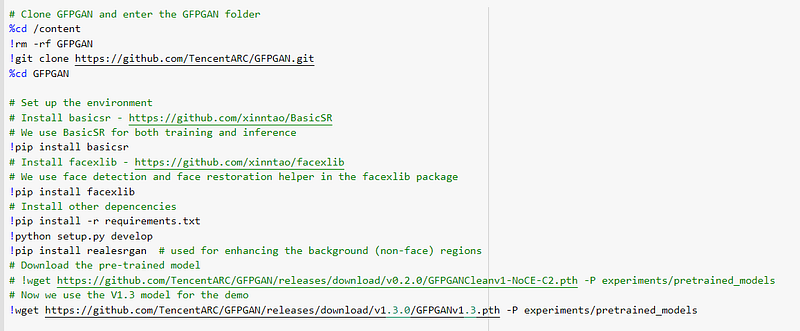
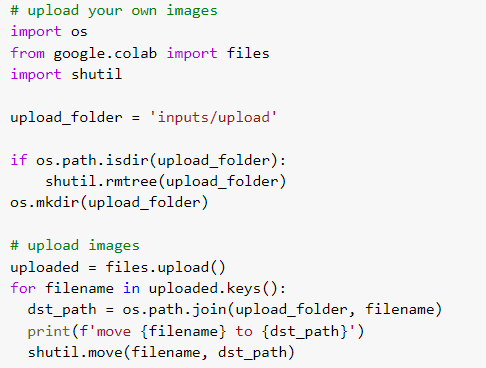
Once this is done, you need to do the same with this cell. This will open a dialogue window to upload your photos.
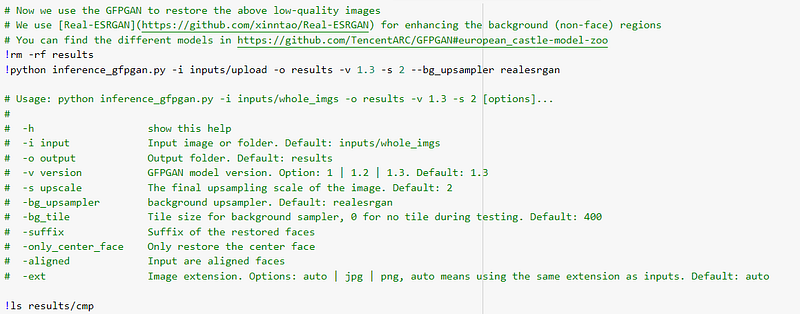
Once executed the cell before you have to execute this block of code which is performing the image restoration. As you can see, you can either perform the restoration with the default parameter or you can also change the parameters (for example, if you want to upscale you need to add -s)
You can visualize the results using the following block of code. This block of code will show the face of the people present in the image and how the model restored
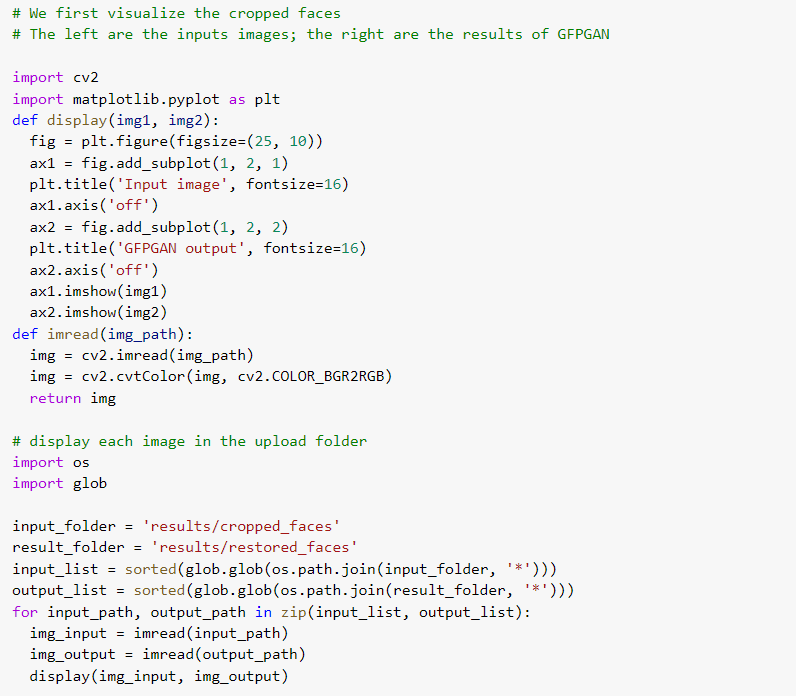
For example:
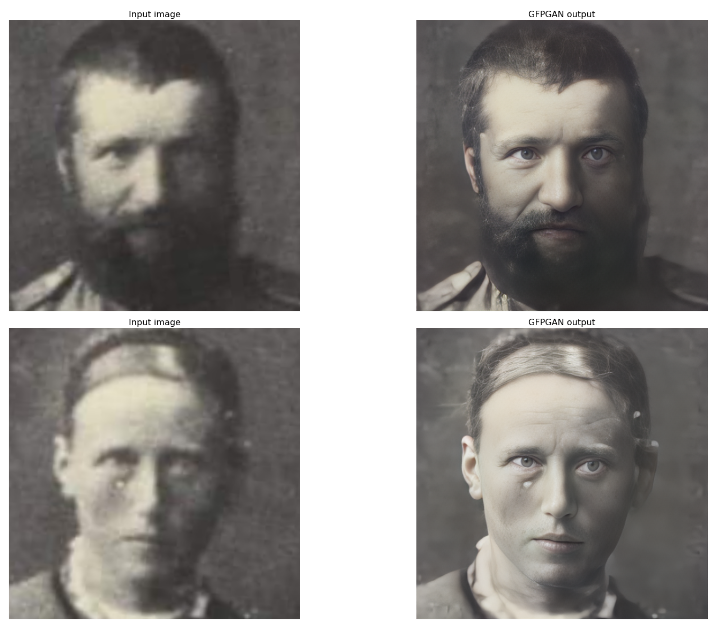
As you can notice, probably under the woman’s left eye there is an artifact.
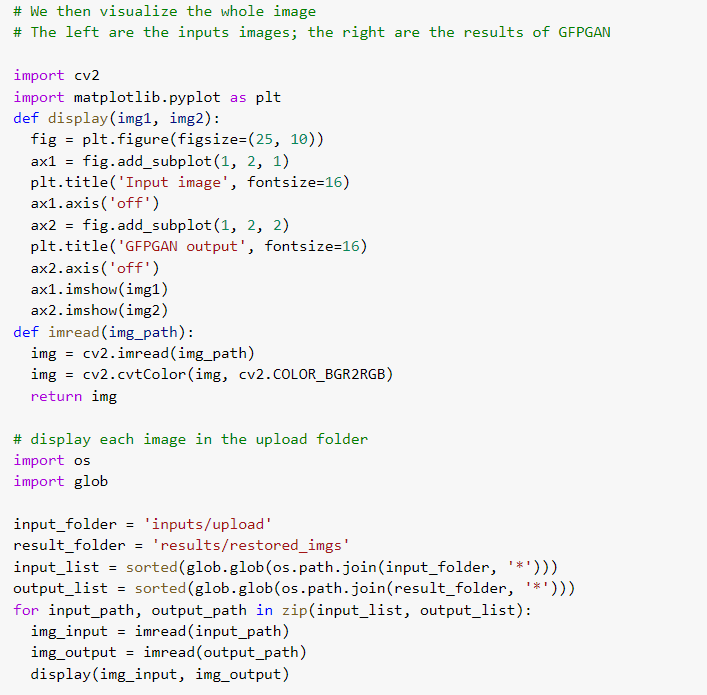
This code to visualize the final result:
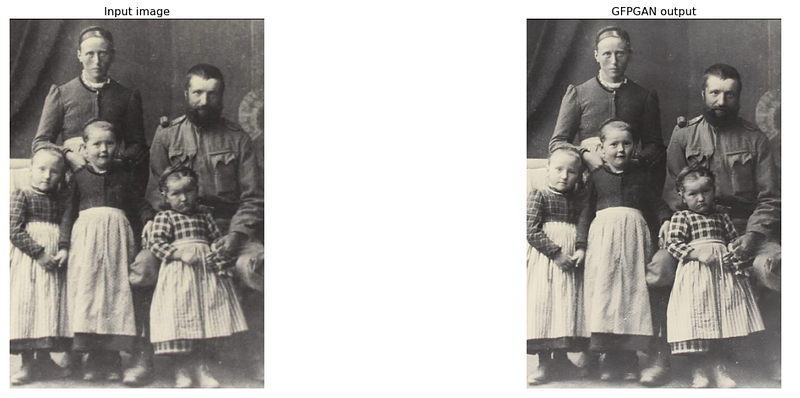
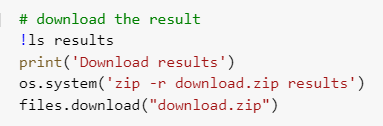
At this point you need, just to download the image:
To test the model, I will take an image from Wikipedia (under image restoration) and compare the result that is on the page with the output of the model.
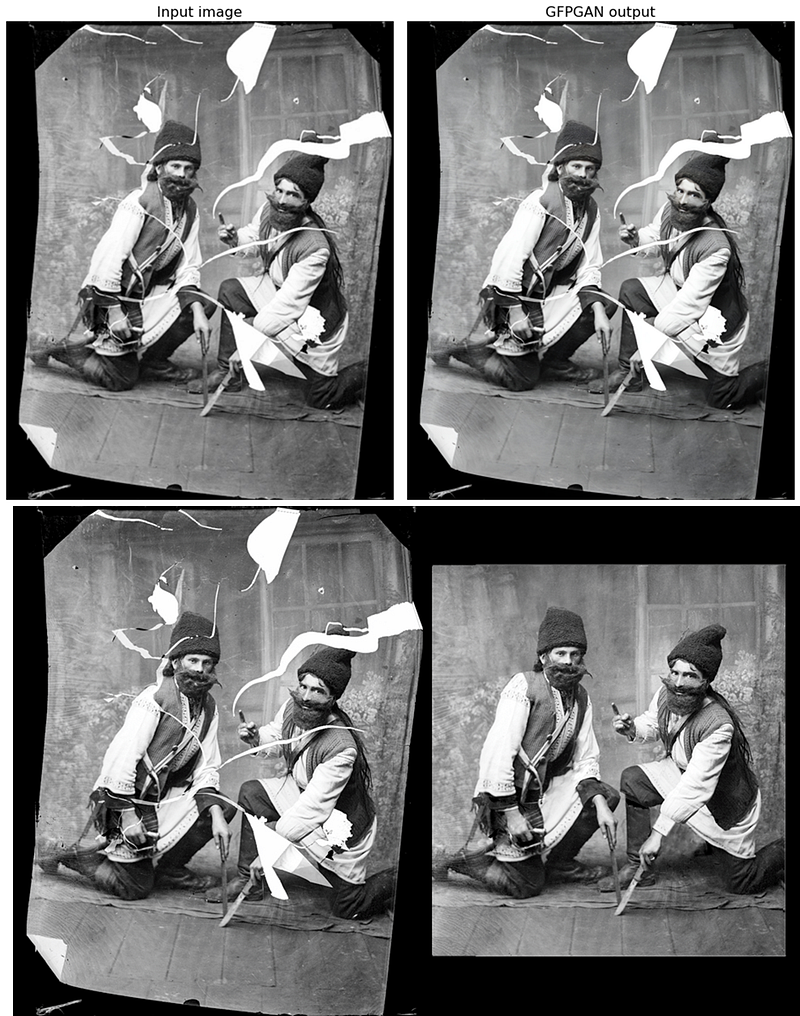
As you can see, the model restored the image, but still did not fill in the gaps. In fact, if we look at the faces we can see that the model has been restored:
Conclusions
As we have seen, it is quite easy to use the online template. In most cases, it works quite well, especially when it comes to faces (it works less well when it comes to landscapes or other images). Occasionally there are small artifacts (especially if the image is very spoiled) but overall it is not noticed (you have to zoom in). Also, the image does not fill in missing pixels when there are large missing parts. What do you guys think?
If you have found it interesting:
You can look for my other articles, you can also subscribe to get notified when I publish articles, and you can also connect or reach me on LinkedIn. Thanks for your support!
Here is the link to my GitHub repository, where I am planning to collect code and many resources related to machine learning, artificial intelligence, and more.
Or feel free to check out some of my other articles on Medium:


