
Requesting App Store Ratings with SwiftUI
A how-to guide on asking users to rate and review your app in the App Store
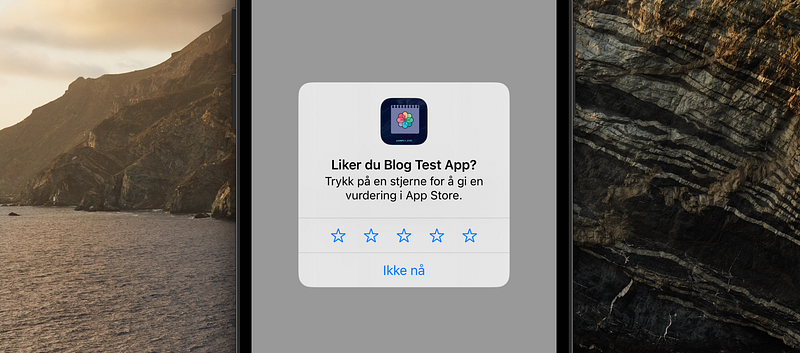
When launching a new app getting user reviews and feedback is really important. An app with multiple (positive) reviews will make you stand out from the competition and show people that your app it is worth trying out. In ideal world all users that like your app will leave a review, however, unfortunately this isn't usually the case. Having an alert to prompt people to leave a review is an excellent way to build up a base of feedback. This post will walk you through the steps needed to do just that.
Initial Implementation
Creating a ratings and review alert is actually a built-in part of Apple's StoreKit framework so we begin by using “import StoreKit” at the top of the view where we will want the alert to appear. The next step is to access the necessary Environment key — which is called requestReview. Finally, call this requestReview() property which will prompt the user to leave a review.
The code snippet below puts those steps into action. In this specific example there is a “Leave a review” button and when it is clicked the alert window will appear asking for a rating/review.
import StoreKit
import SwiftUI

struct RatingAlertCode: View {

    @Environment(\.requestReview) var requestReview

    var body: some View {

        Button("Leave a review") {
            requestReview()
        }

    }
}
Fine tuning
Although that method works, it is not very practical. Usually you would like your user to have used to app for a while before being prompted to leave a review. The right time for this prompt can vary depending on your app and should be adjusted accordingly.
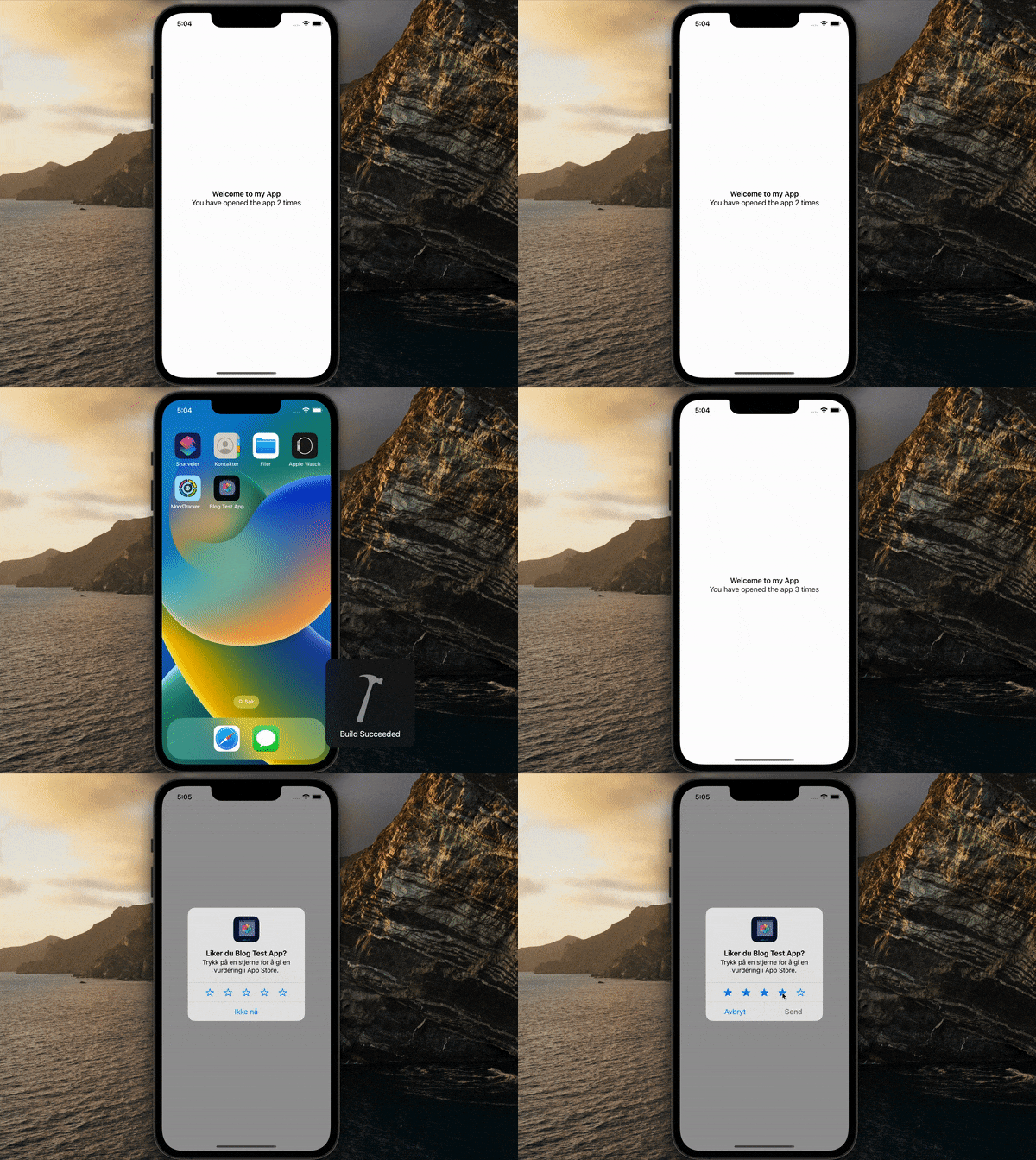
In this post we will take the example where we want the user to be asked for a review on the 3rd time they see the welcome screen.
To do this, first create a variable that is saved into the AppStorage memory called “openCount”. Whilst AppStorage variables should be used sparingly it's perfect for cases such as this where it is a property that uses only a small amount of memory.
Every time the view is displayed increment the varaible by one. This can be done using the onAppear modifier on the main VStack of the view. Then within the same modifier add in an 'if' statement that will trigger the review alert when this variable reaches 3.
The alert will only show the once so as not to bother any users with excess pop-ups.
struct ReviewAppCode: View {

    @Environment(\.requestReview) var requestReview
    @AppStorage("openCount") private var openCount = 0

    var body: some View {
        VStack{
            Text("Welcome to my App")
                .font(.headline)
            Text("You have opened the app \(openCount) times")
        }.onAppear(perform: {
            openCount += 1
            if openCount == 3 {
                requestReview()
            }
        })
    }
}
Summary
Adding a review alert is a great way to encourage users to rate your app and increase the chance more people discover the product you have worked so hard on making. Although simple to implement time should be taken to consider the best timeframe for prompting a review. Do not wait too long so as to capture as many users a possible, however also allow people enough time to use the app before leaving a premature rating.
Hopefully this was helpful... Let me know in the comments if anything could be explained better or how you plan to implement into your own projects!
Thanks for reading! If you liked this post and want to read more, be sure to check out my profile or subscribe for similar posts.
Subscribe to Medium to gain unlimited access to all the content and ideas available. If you join Medium through this link I will receive a tiny amount from your fees — and it will not cost you any extra!
Level Up Coding
Thanks for being a part of our community! Before you go:
- 👏 Clap for the story and follow the author 👉
- 📰 View more content in the Level Up Coding publication
- 🔔 Follow us: Twitter | LinkedIn | Newsletter
🚀👉 Join the Level Up talent collective and find an amazing job


