
PRACTICAL PROGRAMMING ADVICE
Replacing Logical Statements With Table Driven Methods
Let’s build better software with decision tables in place of if-else
We can do better — much better — than implementing logical statements. We’ll transform the code on the left, into what you see on the right.
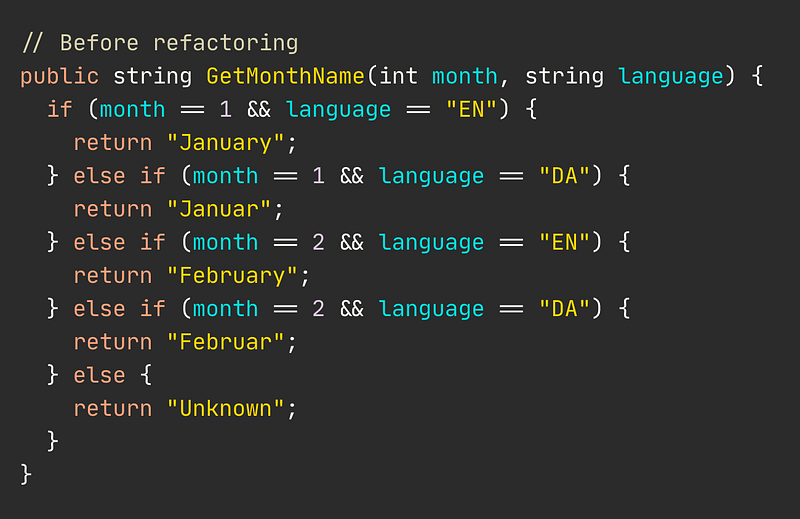
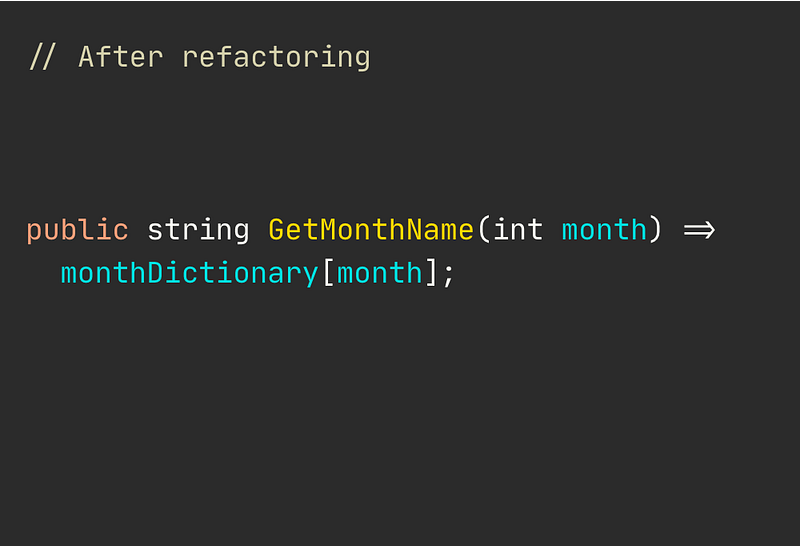
But first, a proper introduction to the issue at hand.
You typically start writing your usual logical statements when checking a set or series of values to decide what code to execute.
It’s fine provided the requirement does not change and is of low complexity. At this point, logical statements aren’t an issue.
They make for fast and easy development. However, as soon as complexity rises, you’ll quickly find yourself searching for ways to refactor growing logical if-else statements into a more suitable approach.
Logical statements, like if-else, are clumsy.
You often need to replace the growing mess with table driven design.
Our current situation with logical statements
Say our product owner is giving us this table below. We need to implement a way of displaying the name of months based on an integer value.
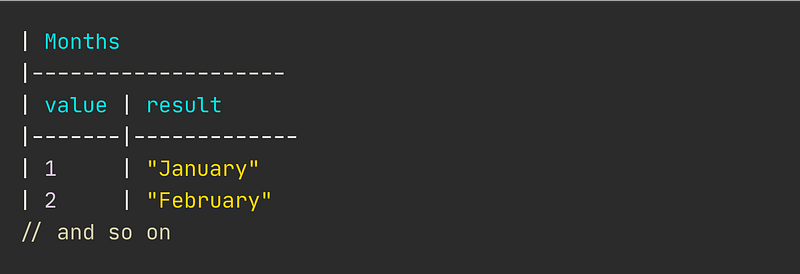
It’s no real issue yet. You can easily turn this into a bunch of if-else statements — or a switch — and never look back. You’d perhaps implement it like this below.
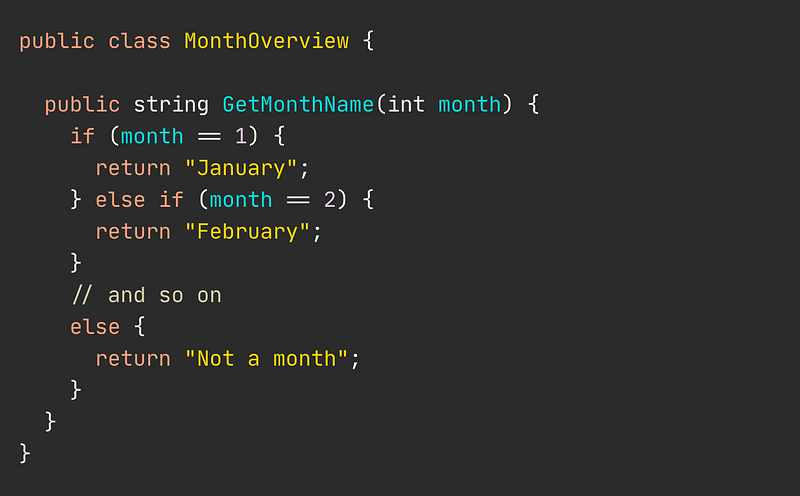
So far, a perfect candidate for logical statements.
However, down the road, a new requirement is thrown at you. This time, you’ll need to accommodate for translations as well. The decision table is modified to allow for this.
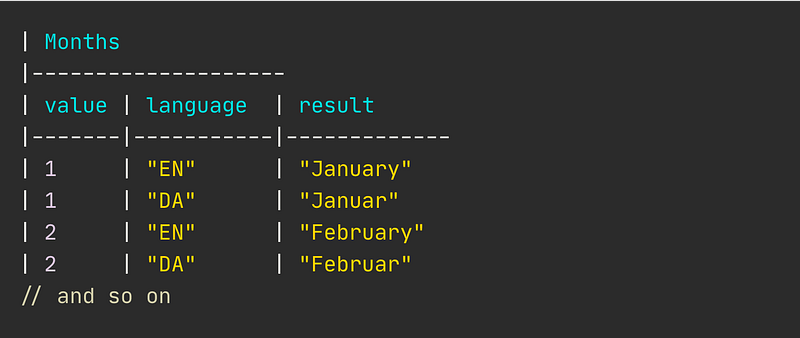
As a business person, it’s no big deal, right? Slap in an extra column, a few extra rows in the spreadsheet and it’s all good. Task completed.
Many less experienced developers might attack this by just adding more else-if statements, checking an additional value, such aslanguage. You see, this approach quickly proves unsustainable.
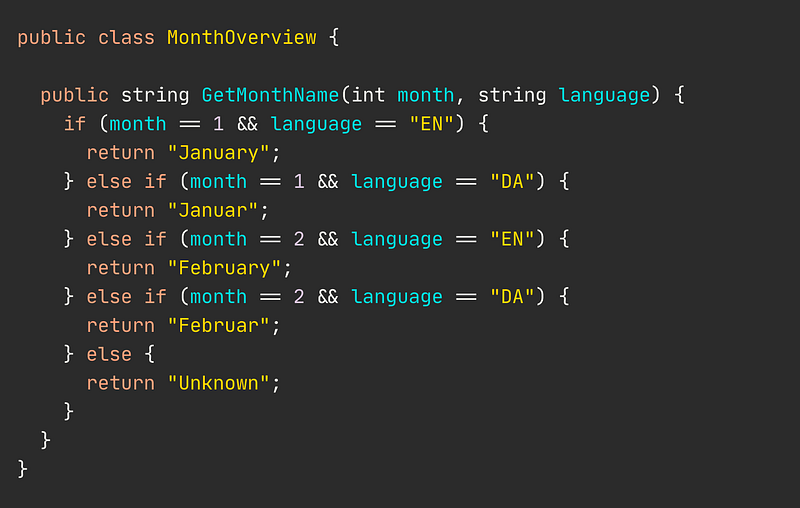
Imagine when a bunch of additional languages is introduced. It’ll become a headache-inducing nightmare.
However, it doesn’t need to get this crazy.
As a developer, you can easily re-arrange your code to allow for almost the same flexibility as to just add an extra column and few rows.
“I’m intrigued. Show me how it’s done.”
There’s an incredibly simple solution.
We can condense all the logical branching inside GetMonthName() to this very simple line.

It’s done by using a dictionary as our lookup table. Our complete MonthOverview class now looks like this below.
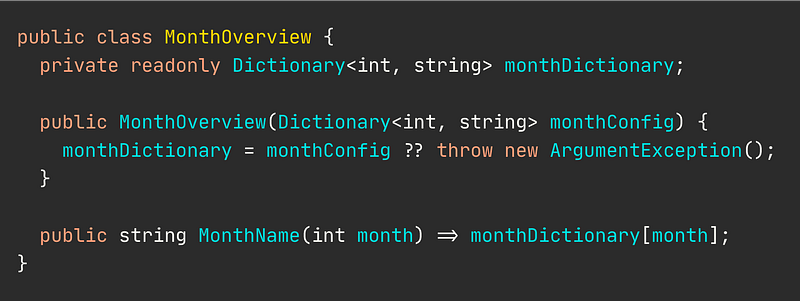
Notice how we’ve completed pulled out the month names and all the nasty if-else’s. Now, we just expect whoever uses our class to provide it with configs through the constructor.
You’ll need to create the lookup table
It’s basically a two-step process now, that’ll allow for much greater flexibility.
- Generate a lookup table or dictionary in this case.
- Instantiate the object using the configurations needed
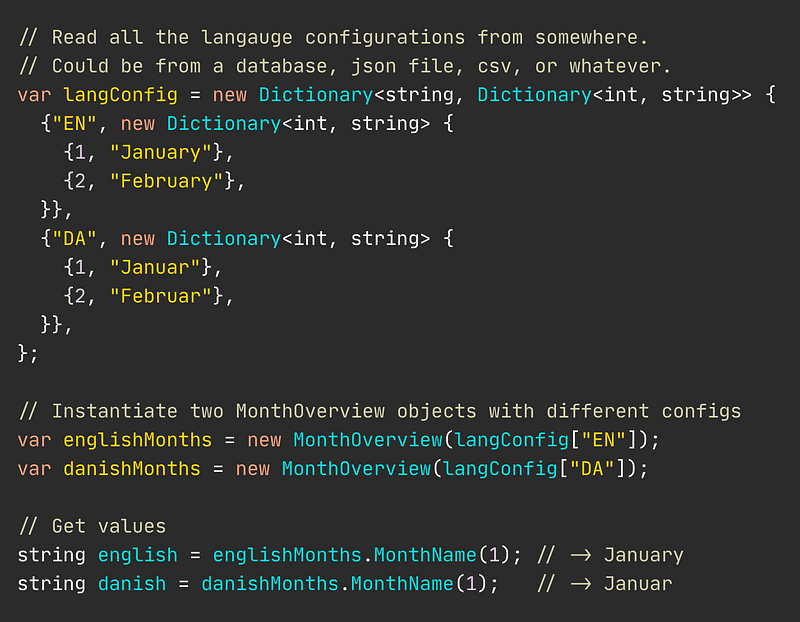
As you’ve probably already spotted, it’s now only a matter of providing an additional key-value pair to the langConfig, and we have an additional language added.
Resources for the curious
-------------------------
Code Complete 2nd edition by Steve McConnell

Nicklas Millard is a software development engineer in one of the fastest-growing banks, building mission-critical financial services infrastructure.
Previously, he was a Big4 Senior Tech Consultant developing software for commercial clients and government institutions.
Connect on LinkedIn


