avatarDom Kwolczak

Free AI web copilot to create summaries, insights and extended knowledge, download it at here

4035

Abstract

ons, including at university, from devices that have failed to me forgetting to bring my work into class. The main reason I use OneDrive is that it seems to work extremely well across multiple platforms, which is important for someone who works from multiple platforms.</p><p id="67ce">Back to using the iPad, if you find yourself searching for a document, you can simply query it, which is something you just can’t do with paper.</p><p id="d9c8">Managing your documents also tends to be easier. You can create folders and sub-folders easily without the need of buying physical folders, which can get damaged. It also tends to be easy to lose or damage physical pieces of paper.</p><div id="e485" class="link-block"> <a href="https://techwithdom.medium.com/how-onedrive-saved-me-as-a-student-and-why-you-should-use-it-76a2a6d77869"> <div> <div> <h2>How OneDrive Saved Me As A Student And Why You Should Use It!</h2> <div><h3>It Honestly Is Worth It!</h3></div> <div><p>techwithdom.medium.com</p></div> </div> <div> <div style="background-image: url(https://miro.readmedium.com/v2/resize:fit:320/0*SZ8MhY2UjA8E9mt5.png)"></div> </div> </div> </a> </div><h1 id="a07b">Other Benefits</h1><p id="1b39">There are many other benefits of going paperless with the iPad, but the last benefit I wanted to discuss in this blog post is the fact that using your iPad tends to be more friendly to the environment compared to printing tons of paperwork.</p><h1 id="f45e">How To Make Your Paperless Experience With the iPad Even Better!</h1><p id="3b40">The iPad really is a great tool for this sort of thing, but if you have an Android tablet, you could use that to go paperless too, but that’s something I will write about in a separate blog post.</p><p id="0eb7">To me, someone that works on multiple operating systems and devices, I think the accessories and apps available for the iPad are what make the overall iPad experience great.</p><h2 id="6400">Must-Have Accessories</h2><p id="9af2">For starters, I would highly recommend investing in an Apple Pencil if your iPad supports it, and if it does support it, ensure that you have checked whether you need the 1st or 2nd generation pencil. <a href="https://support.apple.com/en-gb/HT211029">This handy</a> guide by Apple will help you choose the correct one.</p><p id="cff9">Whichever one your iPad supports, the <a href="https://amzn.to/41G7U4A">Apple Pencil</a> is a great tool to use for going paperless. It will enable you to take handwritten notes and fill in paperwork with your iPad, as well as a handful of other things.</p><p id="d775">To make your writing experience even better, I seriously recommend getting a <a href="https://paperlike.com/TechWithDom">PaperLike Screen Protector,</a> something I’m ashamed to admit I was sceptical about buying, but wow, was I wrong!</p><p id="0d45">I think it’s the Paperlike that makes my overall paperless experience better, which is why I seriously recommend getting one! I can’t even begin to explain how it made the overall plastically writing experience feel so much better!</p><div id="07a3" class="link-block"> <a href="https://readmedium.com/the-top-apps-and-tools-for-using-your-ipad-at-work-c9041270d5c2"> <div> <div> <h2>The Top Apps and Tools for Using Your iPad at Work</h2> <div><h3>With its sleek design and user-friendly interface, the iPad has become a versatile device that can be used for a wide…</h3></div> <div><p>medium.com</p></div> </div> <div> <div style="background-image: url(https://miro.readmedium.com/v2/resize:fit:320/1*Kdrlfgv8-my6FFGQNh9jGQ.jpeg)"></div> </div> </div> </a> </div><h2 id="0496">Must-Have Apps</h2><p id="5f4a">I use several apps to make my writing expe

Options

rience better. The main app I tend to use is <a href="https://notability.com/">Notability</a>, which I use for filling things in as well as documents that don’t really really belong in a notebook, I use <a href="https://www.goodnotes.com/">Good Notes 5</a> for that.</p><p id="b27f">The way I look at it is if I was to write something on an A4 piece of paper which I will then file in a larger folder, I use Notability. But if I was to write something or make notes in a paper-based notebook, I would use Good Notes. It’s a personal preference, but it works well for my needs.</p><p id="ca80">From time to time, I also tend to use OneNote, but I mainly use that for project work and creating project documentation or if I need to access the notebook from multiple platforms such as Windows and my phone.</p><div id="a35f" class="link-block"> <a href="https://readmedium.com/these-are-the-apps-i-religiously-use-on-my-ipad-pro-40a93c4171ff"> <div> <div> <h2>These Are The Apps I Religiously Use On my iPad Pro!</h2> <div><h3>The iPad, a device that has been in my life for years, it’s gotten me through two university degrees, creating videos…</h3></div> <div><p>medium.com</p></div> </div> <div> <div style="background-image: url(https://miro.readmedium.com/v2/resize:fit:320/0*2uyGEvraN1jJAkHV.png)"></div> </div> </div> </a> </div><h1 id="feda">Final Thoughts</h1><p id="f63a">Overall, I think that my decision to go paperless has heavily benefited my lifestyle as it means that I don’t have to worry about carrying loads of paperwork with me.</p><p id="f9cf">It also tends to be a more secure option as if the paperwork or paper notebook contains sensitive information and you lose it or leave it lying around, others will have access to that information. But hopefully, at least your iPad has a secure lock screen and your cloud account a secure password.</p><p id="c85b"><b>Have you ever thought about going paperless, maybe you already have. Let us know your thoughts down in the comments!</b></p><h1 id="2b6a">Before You Go!</h1><p id="af25"><a href="https://techwithdom.ck.page/">Join my weekly newsletter for exclusive content, tips and more!</a></p><p id="0fb5"><i>If you enjoy reading my posts, it’s only a small part of what’s really on Medium! <a href="https://techwithdom.medium.com/membership"><b>Click here to join</b></a> to read every story from Tech With Dom (and thousands of other writers on Medium).</i></p><div id="e0df" class="link-block"> <a href="https://techwithdom.medium.com/membership"> <div> <div> <h2>Join Medium with my referral link - Tech With Dom</h2> <div><h3>Read every story from Tech With Dom (and thousands of other writers on Medium). Your membership fee directly supports…</h3></div> <div><p>techwithdom.medium.com</p></div> </div> <div> <div style="background-image: url(https://miro.readmedium.com/v2/resize:fit:320/0*xJQ9s9Ntx_Mnoatl)"></div> </div> </div> </a> </div><p id="abc3"><i>Your membership fee directly supports Tech With Dom and other writers you read. You’ll also get full access to every story on Medium.</i></p><p id="b92e">Check out my other social media channels <a href="https://linktr.ee/techwithdom">here</a>.</p><p id="af64"><b><i>Disclaimer: </i></b><i>This blog post contains Amazon and Paperlike affiliate links, which help me earn. I never include affiliate links to products I don’t use or recommend myself. You can read more about <a href="https://techwithdom.com/affiliate-disclaimer/">my affiliate policy here</a>.</i></p><p id="4ba7"><i>Originally published at <a href="https://techwithdom.com/blog/reasons-you-should-go-paperless-with-the-ipad/">https://techwithdom.com</a> on May 16, 2023.</i></p></article></body>

Reasons You Should Go Paperless With The iPad

It’s Worth It!
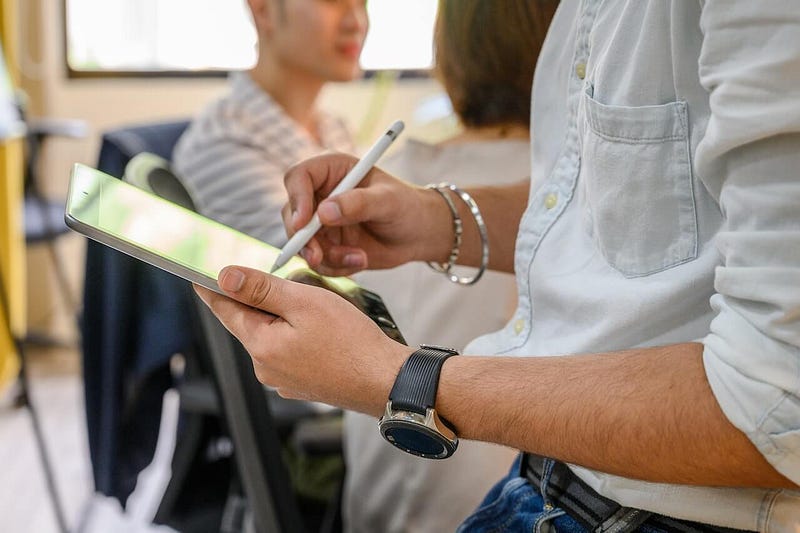
Photo by Ketut Subiyanto

It’s no secret that I’m a huge fan of the iPad, and I would go as far as saying that it’s my main device for writing blog posts, as well as a handful of other things.

For those of you interested, I am using the 11-inch iPad Pro from 2020, which is still a perfectly capable iPad and its screen size makes it perfect for taking notes, but we’ll talk about that a little later in this blog post.

I use my iPad Pro with the 2nd Generation Apple Pencil as well as the legendary Paperlike screen protector, which really does make a difference when taking handwritten notes.

Those two tools combined with the iPad Pro are a perfect combination for going paperless. There are numerous apps on the App Store which will enable you to take handwritten notes, fill in paperwork and forms and even create drawings.

Without any further ado, here are the reasons you should go paperless with the iPad…

Portability

For starters, the iPad tends to be a very portable device, especially if we consider the iPad Mini, which makes an even better notetaking device due to its size.

From experience, having the iPad as your note-taking device/organiser is just so much more convenient than having to carry paperwork around with you everywhere you go, which can be heavy. On top of that, paper can easily get damaged.

Put it this way, I regret not going paperless during my first two years at university. Instead, I carried around several notebooks with me as well as books.

That’s another advantage of going paperless with the iPad, instead of carrying numerous books with you can store your entire library on the iPad or in the cloud.

This is yet another advantage, I mean, picture this, you’re going to a meeting, and you forget an important document you needed to discuss. If you had it on paper, you would’ve been stuffed, but if you took an iPad with you and you stored your documents in the cloud, you could’ve easily downloaded it.

Organisation

That brings me to my next point, which is the fact that it will allow you to be more organised in general.

If we bring the cloud into the mix, if you store your documents in the cloud, you won’t have to worry about uploading or printing your documents as they will just be there available in the cloud from your iPad.

As I work in a multi-platform ecosystem consisting of iPadOS, Android, and Windows, I currently use OneDrive as my default cloud storage provider.

OneDrive saved me on many occasions, including at university, from devices that have failed to me forgetting to bring my work into class. The main reason I use OneDrive is that it seems to work extremely well across multiple platforms, which is important for someone who works from multiple platforms.

Back to using the iPad, if you find yourself searching for a document, you can simply query it, which is something you just can’t do with paper.

Managing your documents also tends to be easier. You can create folders and sub-folders easily without the need of buying physical folders, which can get damaged. It also tends to be easy to lose or damage physical pieces of paper.

Other Benefits

There are many other benefits of going paperless with the iPad, but the last benefit I wanted to discuss in this blog post is the fact that using your iPad tends to be more friendly to the environment compared to printing tons of paperwork.

How To Make Your Paperless Experience With the iPad Even Better!

The iPad really is a great tool for this sort of thing, but if you have an Android tablet, you could use that to go paperless too, but that’s something I will write about in a separate blog post.

To me, someone that works on multiple operating systems and devices, I think the accessories and apps available for the iPad are what make the overall iPad experience great.

Must-Have Accessories

For starters, I would highly recommend investing in an Apple Pencil if your iPad supports it, and if it does support it, ensure that you have checked whether you need the 1st or 2nd generation pencil. This handy guide by Apple will help you choose the correct one.

Whichever one your iPad supports, the Apple Pencil is a great tool to use for going paperless. It will enable you to take handwritten notes and fill in paperwork with your iPad, as well as a handful of other things.

To make your writing experience even better, I seriously recommend getting a PaperLike Screen Protector, something I’m ashamed to admit I was sceptical about buying, but wow, was I wrong!

I think it’s the Paperlike that makes my overall paperless experience better, which is why I seriously recommend getting one! I can’t even begin to explain how it made the overall plastically writing experience feel so much better!

Must-Have Apps

I use several apps to make my writing experience better. The main app I tend to use is Notability, which I use for filling things in as well as documents that don’t really really belong in a notebook, I use Good Notes 5 for that.

The way I look at it is if I was to write something on an A4 piece of paper which I will then file in a larger folder, I use Notability. But if I was to write something or make notes in a paper-based notebook, I would use Good Notes. It’s a personal preference, but it works well for my needs.

From time to time, I also tend to use OneNote, but I mainly use that for project work and creating project documentation or if I need to access the notebook from multiple platforms such as Windows and my phone.

Final Thoughts

Overall, I think that my decision to go paperless has heavily benefited my lifestyle as it means that I don’t have to worry about carrying loads of paperwork with me.

It also tends to be a more secure option as if the paperwork or paper notebook contains sensitive information and you lose it or leave it lying around, others will have access to that information. But hopefully, at least your iPad has a secure lock screen and your cloud account a secure password.

Have you ever thought about going paperless, maybe you already have. Let us know your thoughts down in the comments!

Before You Go!

Join my weekly newsletter for exclusive content, tips and more!

If you enjoy reading my posts, it’s only a small part of what’s really on Medium! Click here to join to read every story from Tech With Dom (and thousands of other writers on Medium).

Your membership fee directly supports Tech With Dom and other writers you read. You’ll also get full access to every story on Medium.

Check out my other social media channels here.

Disclaimer: This blog post contains Amazon and Paperlike affiliate links, which help me earn. I never include affiliate links to products I don’t use or recommend myself. You can read more about my affiliate policy here.

Originally published at https://techwithdom.com on May 16, 2023.

Apple
iPad
Paperless
Productivity
Technology
Recommended from ReadMedium